
For most people, Octoparse is the best no-code web scraper, ScraperAPI is the best developer API for handling proxies and anti-bot blocks, and Scrapy is the best free, open-source choice for engineers who want full control. Every tool here turns web pages into data you can export. But they fall into three camps. Some are point-and-click apps for non-coders. Some are APIs that send clean data to your own code. Some are libraries you build on yourself. The right pick depends more on who runs it than on the price.
Here is what most buyers miss. The sticker price of a scraper often leaves out the part that breaks your budget: getting past blocks. A no-code tool can look cheap until you hit sites that fight back. And a “free” library is only free until you add the proxies and anti-bot tools it does not include. Scraping cost is really two bills in one. You pay for the tool, and you pay for the request volume it burns getting data.
The prices below come from each vendor’s published rates at the time of writing. We show them as entry-level bands (free tier or lowest paid plan, billed annually where that option exists). Several of these tools bill by usage, per 1,000 requests, records, or credits, rather than a flat seat price. We note that where it applies. Vendors change tiers and run promotions often. So treat every figure as a starting band. Confirm the live number on the vendor’s own pricing page before you commit. We do not invent prices, and we do not claim hands-on testing we did not do.
Quick Comparison: Best Web Scraping Tools at a Glance
| Tool | Best For | Entry Price | Type |
|---|---|---|---|
| Bright Data Web Scraper | Large-scale data with tough targets | Pay-as-you-go roughly $1.00 to $1.50 per 1,000 records/page loads | API / platform |
| Octoparse | Non-coders scraping at scale | Free plan; Standard from ~$69/seat/mo billed annually (~$83 monthly) | No-code desktop app |
| ParseHub | Visual scraping of complex sites | Free plan (200 pages/run); Standard ~$189/mo | No-code desktop app |
| Apify | Ready-made scrapers + custom actors | Free tier; Starter from ~$29/mo in platform credits | API / platform |
| Zyte API | Pay-as-you-go anti-bot scraping | $5 free credit; pay-as-you-go from ~$0.13/1k HTTP responses | API |
| ScraperAPI | Developers who want blocks handled | Free 1,000 credits/mo; Hobby ~$49/mo (100k credits) | API |
| Scrapy | Engineers who want full control | Free / open-source | Python library |
| Diffbot | AI extraction & knowledge graph | Free 10k credits/mo; Startup ~$299/mo (250k credits) | API |
| Import.io | Managed enterprise data projects | Basic from ~$299/mo; higher tiers custom-quoted | No-code managed platform |
What web scraping tools actually do
A web scraping tool does three core jobs. First, it fetches web pages at scale, often many thousands of them, without a human opening each one. Second, it reads the raw HTML and pulls out the fields you care about, such as a product name, a price, a review, or a contact. It then turns them into structured rows you can export to CSV, JSON, or a database. Third, the better tools handle the part nobody enjoys. They rotate IP addresses, solve CAPTCHAs, and render JavaScript so that sites which block bots still return data. Nearly every tool here does the first two jobs. The real differences show up in how well they do the third, and how much that costs.
The main difference is who operates them. No-code apps like Octoparse and ParseHub let a non-engineer point and click to build a scraper. APIs like ScraperAPI and Zyte are built for developers who send a URL and get clean data back. Libraries like Scrapy hand full control to engineers but ship nothing to defeat blocks. Many of these tools rely on a proxy layer underneath. That is why scraping and proxies are two sides of the same buying decision. If you are comparing the best proxy services, you are already halfway into a scraping project. Knowing your camp keeps you from paying for a developer API you cannot use, or a point-and-click app that cannot scale.
What Makes the Best Web Scraping Tool?
The best web scraping tool is the one your team can actually run against your real target sites. Pick no-code if nobody codes, an API if you have developers, or DIY-with-proxies if you want full control and have the engineering budget. The biggest pricing trap is thinking the tool’s subscription is the whole bill. It almost never is. No-code apps charge a flat monthly seat and include a limited amount of cloud scraping and proxy traffic. That is predictable, but capped. Scraping APIs charge by usage, so your cost rises with volume and with how hard each target site is to crack. A free library like Scrapy has a $0 license. But it needs proxies, servers, and your own engineering time to run well. The table below shows which model each camp uses and where the hidden cost sits.
| Approach | How you pay | Where the hidden cost hides |
|---|---|---|
| No-code app (Octoparse, ParseHub) | Flat monthly seat, bundled cloud runs | Overage on heavy sites; add-on residential proxy bandwidth billed separately |
| Scraping API (ScraperAPI, Zyte, Bright Data) | Per 1,000 requests, records, or credits | JavaScript rendering and premium proxies multiply credit cost per request |
| AI / managed platform (Diffbot, Import.io) | Monthly credits or per successful query | Enterprise tiers are custom-quoted; queries bill whether or not you use the full allotment |
| Open-source library (Scrapy) | $0 license | Proxies, servers, and engineering time to bypass blocks are all on you |
Two things make this real. First, on usage-based APIs, one request is not always one credit. Once you turn on the features that get past blocks, the cost climbs. ScraperAPI charges one credit for a plain request, but up to 10 or more when JavaScript rendering or premium proxies are on. So 100,000 credits is nowhere near 100,000 rendered pages. Second, the moment you pick a free or DIY route, the proxy problem becomes yours. Price the request volume and the proxy layer, not just the subscription.
The 9 Best Web Scraping Tools, Ranked
1. Bright Data Web Scraper: Best for large-scale data against tough targets
Bright Data is the heavyweight pick when you need reliability at volume against sites that fight hard to stay unscraped. It is an API and platform backed by one of the biggest proxy networks on the market. Its scraper products are usage-based. On pay-as-you-go they land at roughly $1.00 to $1.50 per 1,000 records or page loads, and volume tiers bring that down. Its separate ready-made datasets are priced per 1,000 records, and larger plans are custom-quoted. The strength is raw power on the hardest targets. The drawback is that it is not the cheapest. Many smaller teams start by weighing Bright Data alternatives before committing. For enterprise data work that needs scale and uptime, it is a default shortlist entry.
2. Octoparse: Best for non-coders scraping at scale
Octoparse is the standout for non-coders who need real scale. It is a point-and-click desktop app with cloud extraction, scheduling, IP rotation, and pre-built templates for common sites. You build a scraper by clicking the fields you want instead of writing code. There is a free plan to start. The paid Standard plan runs from about $69 per seat per month billed annually (roughly $83 month-to-month), and includes cloud runs and concurrent tasks. The strength is how fast a non-engineer can go from zero to a working scraper. The drawback is that residential proxy bandwidth and pay-per-result templates are billed on top. So heavy use costs more than the seat price implies. For a marketing or ops team that wants to scrape competitor prices or listings without hiring a developer, it is the easiest pick.
3. ParseHub: Best for visual scraping of complex, interactive sites
ParseHub is the no-code pick when the sites you are scraping are messy. Think heavy JavaScript, dropdowns, infinite scroll, and interactive maps. Its visual editor handles those interactions better than most point-and-click rivals. That is its core strength. The free plan covers up to 200 pages per run and a handful of public projects, which is enough to trial it properly. The Standard plan is listed around $189 per month for far higher page limits, IP rotation, and private projects, with a Professional tier above that. The drawback is cost. It is pricier than Octoparse at the entry paid level. So it earns its place on power with complex targets, not on price. Reach for it when a simpler scraper keeps choking on the interactions a site needs.
4. Apify: Best for ready-made scrapers plus custom actors
Apify blurs the line between ready-made and build-your-own. It is a platform and API that hosts thousands of pre-built scrapers (“actors”) for common sites. It also gives you the tools to write and run your own in the cloud. There is a free tier. The Starter plan begins around $29 per month in platform credits that pay for compute. The strength is speed. You can run a working scraper for a popular site today without writing a line, then move to custom code later. The drawback is that many Store actors add their own per-result fees on top of compute. So credits drain faster than the compute meter alone suggests. It suits developers who want something running now, with the option to customize later.
5. Zyte API: Best for pay-as-you-go anti-bot scraping
Zyte API is the pay-as-you-go choice with no base subscription. New accounts get a $5 credit. After that you pay only for successful responses, and rate-limited and failed requests are free. Pricing starts around $0.13 per 1,000 HTTP responses for simple sites, and climbs with difficulty and browser rendering. Optional commitment tiers of $100, $200, or $500 a month unlock volume discounts. The strength is that cost scales with target difficulty, and its anti-bot handling is genuinely good on hard sites. You never pay a flat fee for unused capacity. The drawback is that per-response pricing is harder to forecast than a flat seat. So it rewards teams that already know their target sites and expected volume. For developers who want to pay for exactly what lands, it is a strong default.
6. ScraperAPI: Best for developers who want blocks handled
ScraperAPI is the easiest entry point for developers who just want blocks to disappear. You send a URL to the API and it returns the page. It handles proxy rotation, retries, and CAPTCHAs behind the scenes. The free plan includes 1,000 API credits per month. The Hobby plan starts at about $49 per month (roughly $44 billed annually) for 100,000 credits and 20 concurrent threads. Startup runs about $149 per month for far more. The strength is speed to ship. Teams that would otherwise spend weeks maintaining a proxy pool are productive in an afternoon. The drawback is the credit math. Plain requests cost one credit, but JavaScript rendering or premium proxies cost 10 or more each. So a 100,000-credit plan goes fast on hard targets. For most developer teams, it is the fastest way to stay unblocked.
7. Scrapy: Best free, open-source framework for full control
Scrapy is the best free option, full stop. It is a mature, open-source Python framework. Engineers use it to build fast, custom crawlers with full control over how data is fetched, parsed, and stored. The license costs nothing. That, plus total flexibility over the pipeline, is its headline strength. The drawback is everything around it. Scrapy ships no proxy rotation or anti-bot handling. So against sites that block, you will need to add your own proxies and, often, a headless browser. That makes it cheapest in license and most expensive in engineering time. For developers who want to own their pipeline and will feed it a proxy layer, nothing beats the price or the flexibility. Teams running Scrapy at scale are exactly the ones comparing Oxylabs alternatives for that proxy layer.
8. Diffbot: Best for AI extraction and knowledge-graph data
Diffbot takes a different route: instead of you defining fields, its AI reads a page and returns structured data automatically, and it keeps a vast knowledge graph of entities. There is a free plan with 10,000 monthly credits. The Startup plan runs about $299 per month for 250,000 credits, where extracting one page costs a single credit. The strength is that its automatic extraction works across many different page layouts without a parser for each one. That is a real edge for data and AI teams building datasets. The drawback is that it is not a point-and-click or proxy-first scraper. So if you need to drive a specific site’s interactions, it is the wrong shape. For clean, typed data across varied pages, it is the pick.
9. Import.io: Best for managed enterprise data projects
Import.io sits at the top of the no-code camp as a managed, enterprise-grade platform rather than a desktop app. It bills per successful query, so you pay when a request returns data. The Basic tier starts around $299 per month, and higher volumes are custom-quoted. Real enterprise contracts commonly run into five figures a year. The strength is that scraping arrives as a managed service with SLAs, not a tool you babysit. That suits data teams that want delivery, not maintenance. The drawback is cost and fit. For a small team it is overkill, and the custom-quoted enterprise pricing means you cannot size it from a public page. For a large organization standardizing data collection, the managed model justifies the premium.
How Should You Choose a Web Scraping Tool?
Start with who will operate it, not the feature list. If no one on the team writes code, your realistic choices are the no-code camp. Pick Octoparse for everyday scale, ParseHub for messy interactive sites, or Import.io if you want it managed. If you have developers, a scraping API like ScraperAPI or Zyte will almost always ship faster than building from scratch, because the hardest part, staying unblocked, is handled for you. And if you have engineers who want total control and a budget for infrastructure, Scrapy plus your own proxy layer is the most flexible and the cheapest in licensing.
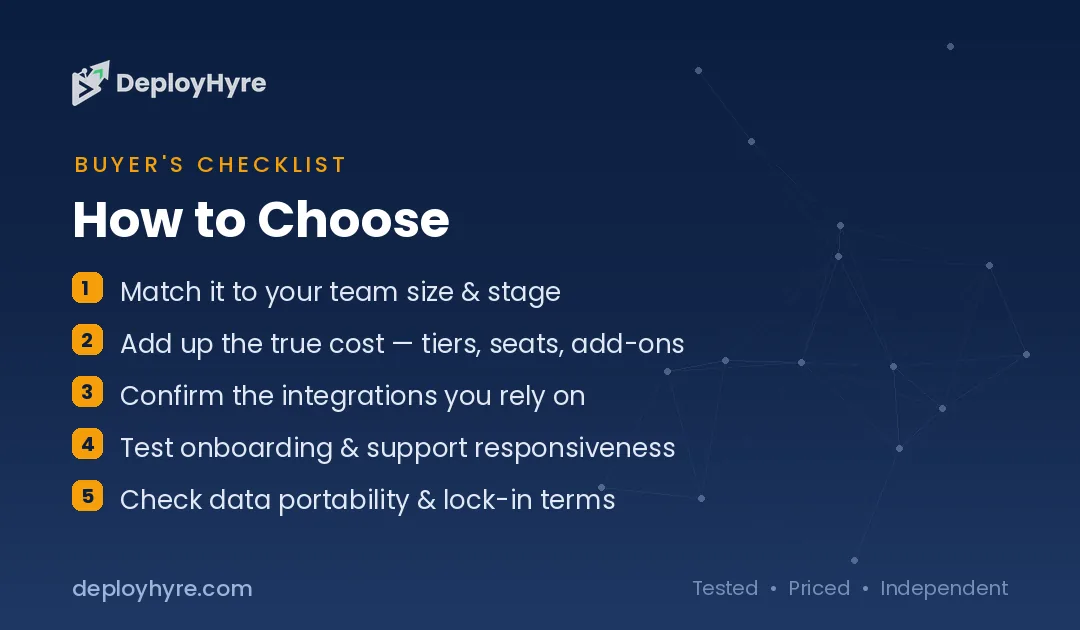
Next, match the tool to your targets and volume. Easy, static sites are cheap to scrape with almost anything, including a free tier or Scrapy. Sites that actively block bots, like major retailers, search engines, and social platforms, are where usage-based APIs and strong proxy networks like Bright Data earn their cost. They are also where a bare library will stall without help. Estimate your monthly request volume. Multiply it by the real per-request cost once rendering and premium proxies are on. That number, not the subscription, is your true bill.
Finally, remember that the scraper and the proxies are one decision. Every tool here either includes proxies in its price and caps them, or expects you to bring your own. If you lean toward a free or DIY route, price the proxy plan at the same time. That is where most of the real spend lands. Pilot on a free tier against your real target sites first. A week of real use reveals block rates and true per-page cost that no comparison table can.
How We Evaluated These Web Scraping Tools
We compared nine web scraping tools across five areas: ease of use (no-code vs API vs library), data reliability and anti-bot handling, scale and speed, pricing model and real cost, and integrations and support. We picked tools that span the full range of how people scrape the web. That includes no-code desktop apps, developer APIs, a managed enterprise platform, an AI extraction engine, and an open-source library. For each one we confirmed the product is live and actively maintained. Pricing came straight from each vendor’s published rates at the time of writing. We recorded the free tier or lowest paid plan and the billing unit, whether that is a flat seat, a per-1,000-request rate, or monthly credits.
No vendor paid for placement or a higher ranking in this roundup. Recommendations are based on documented features, pricing transparency, and the operator each tool is built for. We show prices as bands rather than single fixed numbers. That is because usage-based pricing varies by target site, and because vendors change tiers and run promotions often. We chose not to publish success-rate benchmarks or scraping-speed stats we cannot source. We also did not claim hands-on testing we did not do. Some vendors only quote enterprise tiers on request, as Import.io, Bright Data’s larger plans, and Diffbot’s top tier do. We label those custom-quoted rather than guess a figure. Always check the live price and billing unit on the vendor’s pricing page before you buy, since rates and credit definitions shift often.
The Bottom Line
There is no single best web scraping tool. There is only the best fit for who runs it and how hard your targets are. For non-coders, Octoparse is the most capable everyday choice from about $69 per seat per month annually. ParseHub handles messy interactive sites. Import.io is the managed option for enterprise data teams from around $299 per month. For developers, ScraperAPI is the simplest way to make blocks disappear from about $49 per month. Zyte offers pure pay-as-you-go from roughly $0.13 per 1,000 responses. And Bright Data is the heavyweight for tough targets at volume.
For engineers and data teams, Scrapy is the best free and open-source framework if you can supply your own proxies. Apify gets you a running scraper today from about $29 per month in credits. Diffbot is the pick when you want AI to extract structured data across many layouts from around $299 per month. Whatever camp you are in, price the request volume and the proxy layer along with the subscription. Pilot against your real target sites first. Then choose the tool your team can actually operate.
Frequently Asked Questions
What is the best web scraping tool for beginners?
For non-coders, Octoparse and ParseHub are the easiest to start with. Both use a point-and-click visual editor and offer free plans. Octoparse suits everyday scraping at scale, while ParseHub handles messy, JavaScript-heavy sites well. Developers who can write a little code often prefer ScraperAPI, which handles proxies and blocks behind a simple API call. Try a free tier against your own target sites first.
Is web scraping free?
It can be. Scrapy is a free, open-source Python library with no license cost. Most paid tools here also offer a free tier. ScraperAPI gives 1,000 credits monthly, Diffbot gives 10,000, and Octoparse and ParseHub both have free plans. The hidden cost is usually proxies. Free and DIY tools do not ship anti-bot infrastructure, so you often pay separately to stay unblocked on difficult sites.
How much do web scraping tools cost?
Entry pricing ranges widely because the billing models differ. No-code apps start around $69 per month for Octoparse and $189 for ParseHub. Developer APIs begin near $49 per month for ScraperAPI, or pay-as-you-go from about $0.13 per 1,000 responses with Zyte. Managed and AI platforms like Import.io and Diffbot start around $299 per month. Scrapy is free, but you supply the proxies and servers.
What is the difference between a scraping API and a no-code scraper?
A no-code scraper like Octoparse or ParseHub is an app where you click the data you want and the tool builds the scraper, with no programming. A scraping API like ScraperAPI or Zyte is built for developers. You send a URL from your own code and get clean data back, with proxies and blocks handled server-side. No-code suits non-engineers. APIs suit teams that want to build scraping into their software.
Do I still need proxies if I use a web scraping tool?
It depends on the tool. Scraping APIs like ScraperAPI, Zyte, and Bright Data include proxy rotation in their price, so you usually do not need separate proxies. No-code apps include limited proxy traffic but often sell residential bandwidth as an add-on. Open-source libraries like Scrapy ship no proxies at all, so you must supply your own proxy service to scrape sites that block bots at scale.

David Austin is a technology writer and software analyst at DeployHyre, where he covers AI tools, SaaS platforms, cloud hosting, and business automation. He focuses on hands-on comparisons of pricing, features, and real-world performance so teams can pick the right software with confidence.