
Cloud hosting has become the default for serious websites because it scales on demand and rarely goes down. The market reflects that shift, with cloud hosting projected to reach $157.55 billion by 2030 at a 26.5 percent yearly growth rate. Pay-as-you-go infrastructure is replacing fixed shared plans fast.
Comparing specific hosts? See our head-to-head guides: SiteGround vs Bluehost, Hostinger vs Bluehost, and Cloudways vs SiteGround.
Table of Contents
Picking the right provider is hard because “cloud hosting” covers everything from one-click managed platforms to raw servers you configure yourself. The best choice depends on whether you want speed without effort, full control, or the lowest price.
We compared 9 cloud hosting providers across performance, ease of use, scalability, support, and price. This guide groups them by who should buy each one. If you are still building the site itself, start with our guide to AI website builders, then come back to choose where to host it.
Quick Comparison: Top 9 Cloud Hosting Providers
| Provider | Best For | Starting Price | Standout |
|---|---|---|---|
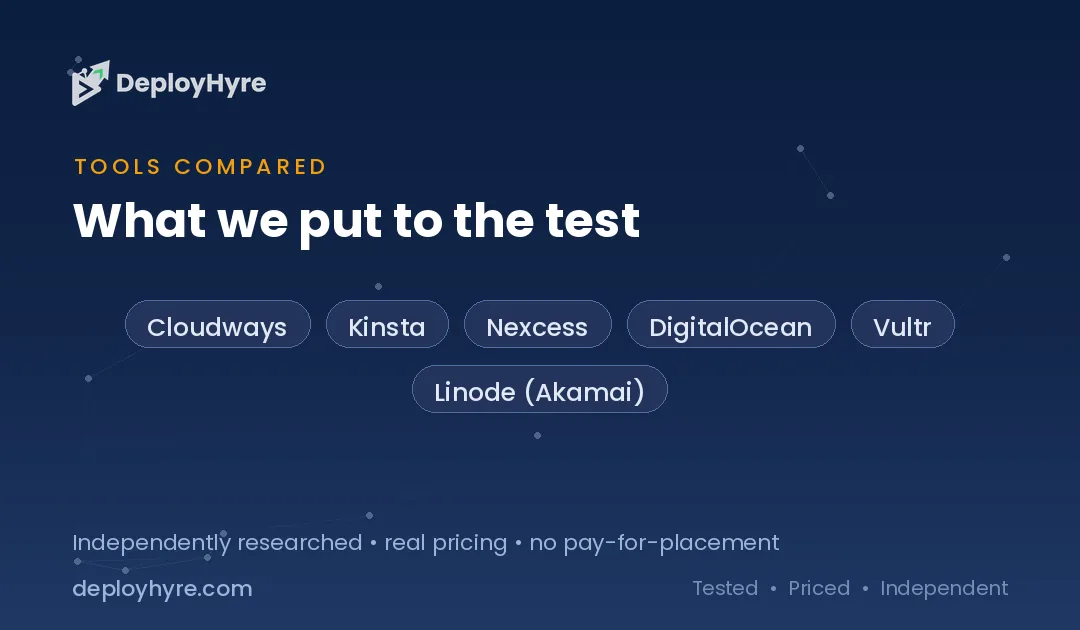
| Cloudways | Managed cloud simplicity | $10-14/mo | Choose your cloud, they manage it |
| Kinsta | Premium managed WordPress | $30/mo | Google Cloud premium tier speed |
| Nexcess | Managed WooCommerce | ~$21/mo | Ecommerce-tuned auto-scaling |
| DigitalOcean | Developers and control | $4/mo | Simple, predictable Droplets |
| Vultr | High-performance compute | $13/mo (HF) | Bare metal and global edge |
| Linode (Akamai) | Predictable Linux servers | $5/mo | Akamai network backbone |
| Hostinger | Best value cloud | $7.19/mo | NVMe storage at a low price |
| SiteGround | Beginner-friendly managed | $3.99/mo | Strong support and tooling |
| DreamHost | Budget multi-site hosting | $2.89/mo | Host 25 sites cheaply |
What Is Cloud Hosting?
Cloud hosting runs your website across a network of connected servers instead of a single machine. If one server fails, another takes over, so your site stays online. Resources like CPU, RAM, and storage scale up or down on demand, and you pay for what you use.
Traditional shared hosting puts many sites on one server, so a traffic spike on a neighbor can slow you down. Cloud hosting isolates resources and adds capacity instantly. That is why the model is growing toward $157.55 billion by 2030, as sites demand uptime and speed.
What Makes the Best Cloud Hosting?
The best cloud hosting combines fast performance, easy scaling, reliable uptime, strong support, and fair pricing. Performance matters most, since hosting speed directly affects page load times, conversions, and search rankings.
We ranked each provider on five factors. First, performance, including NVMe storage, server location, and caching. Second, ease of use, since managed platforms save hours over raw servers. Third, scalability and uptime guarantees. Fourth, support quality and response times. Fifth, total cost, including bandwidth and add-on fees that can inflate a low headline price. Fast hosting also supports SEO, so pair your choice with our guide to AI SEO tools.
Best Managed Cloud Hosting for Simplicity
Cloudways, Kinsta, and Nexcess handle servers, security, and updates for you. Each suits teams that want cloud speed without managing infrastructure.
1 Cloudways: Best for managed cloud simplicity
Cloudways lets you launch on top cloud infrastructure without touching a server console.
What it does well. Cloudways manages servers built on DigitalOcean, Vultr, Linode, AWS, or Google Cloud, so you pick the power and they handle the rest. Built-in caching, free migrations, and staging make it a favorite for agencies.
Key features:
- Choice of five cloud providers
- Managed caching and CDN add-on
- Free site migration and staging
- Pay-as-you-go, no long contracts
Pricing. Cloudways starts around $10 per month on DigitalOcean, with the $13 Vultr High Frequency plan recommended for speed.
Best for: Agencies and developers who want managed cloud power.
Limitations. No email hosting, and add-ons raise the final bill.
2 Kinsta: Best for premium managed WordPress
Kinsta is the premium choice for managed WordPress on Google Cloud.
What it does well. Kinsta runs every site on Google Cloud’s premium tier network with built-in CDN and aggressive caching. Its dashboard, daily backups, and expert support suit high-traffic sites.
Key features:
- Google Cloud premium tier servers
- Free CDN and edge caching
- Daily backups and staging
- 24/7 WordPress expert support
Pricing. Kinsta plans start at $30 per month, with limits based on monthly visits.
Best for: Businesses that want top WordPress speed and support.
Limitations. Premium price and WordPress-only focus.
3 Nexcess: Best for managed WooCommerce
Nexcess specializes in managed WordPress and WooCommerce hosting that scales with sales.
What it does well. Nexcess auto-scales during traffic surges and tunes its stack for ecommerce performance. Built-in image compression and caching keep stores fast on busy days.
Key features:

- Auto-scaling for traffic spikes
- WooCommerce-tuned performance
- Free migrations and staging
- Built-in CDN and caching
Pricing. Nexcess managed plans start around $21 per month for WordPress and WooCommerce.
Best for: Online stores that need ecommerce-ready hosting.
Limitations. Costs rise with store size and traffic.
Best Cloud Infrastructure for Developers
DigitalOcean, Vultr, and Linode give you raw servers and full control at low prices. Each suits developers comfortable managing their own stack.
4 DigitalOcean: Best for developers and control
DigitalOcean offers simple, predictable cloud servers called Droplets.
What it does well. DigitalOcean keeps cloud computing clear with flat pricing, fast SSD Droplets, and strong documentation. Developers get full root access and a clean API.
Key features:
- Predictable flat-rate Droplets
- Full root access and API
- Managed databases and Kubernetes
- Extensive tutorials and community
Pricing. DigitalOcean ranges from $4 to $48 per month for standard Droplets.
Best for: Developers who want control at a clear price.
Limitations. Unmanaged, so you handle setup and security.
5 Vultr: Best for high-performance compute
Vultr delivers high-frequency compute and bare metal across many global locations.
What it does well. Vultr offers high-frequency CPUs, bare metal servers, and 30-plus data centers for low latency worldwide. It suits performance-critical and global apps.
Key features:
- High-frequency and bare metal options
- 30-plus global data centers
- Hourly billing and API
- GPU instances for AI workloads
Pricing. Vultr High Frequency starts around $13 per month, with cheaper basic plans available.
Best for: Teams needing performance and global reach.
Limitations. Unmanaged, with a steeper learning curve.
6 Linode (Akamai): Best for predictable Linux servers
Linode, now part of Akamai, provides reliable Linux cloud servers on a global backbone.
What it does well. Linode pairs simple, predictable pricing with Akamai’s edge network for speed and reach. Developers get clean tooling and dependable performance.
Key features:
- Predictable Linux instances
- Akamai global network
- Managed databases and Kubernetes
- Clear flat pricing
Pricing. Linode shared instances start around $5 per month.
Best for: Developers wanting reliable, predictable servers.
Limitations. Unmanaged, aimed at technical users.
Best Value Cloud Hosting for Budgets and Beginners
Hostinger, SiteGround, and DreamHost give beginners managed hosting at low prices. Each balances ease of use with cost.
7 Hostinger: Best value cloud hosting
Hostinger packs strong cloud features into the lowest price in this guide.
What it does well. Hostinger’s Cloud Startup plan delivers NVMe storage, a dedicated IP, and a free domain at a budget rate. Its simple panel suits beginners and growing sites alike.
Key features:
- NVMe storage and dedicated IP
- Free domain and managed WordPress
- Built-in caching and CDN
- Beginner-friendly hPanel
Pricing. Hostinger’s Cloud Startup plan runs $7.19 per month with 200 GB NVMe, 3 GB RAM, and 2 CPU cores.
Best for: Budget-conscious sites that still want cloud features.
Limitations. Renewal prices rise after the intro term.
8 SiteGround: Best beginner-friendly managed hosting
SiteGround offers polished managed hosting with strong support.
What it does well. SiteGround provides managed WordPress features, daily backups, and well-rated support on Google Cloud infrastructure. Its tools suit beginners who want guidance.
Key features:
- Managed WordPress on Google Cloud
- Daily backups and staging
- Built-in caching plugin
- Strong 24/7 support
Pricing. SiteGround starts at $3.99 per month, with the GrowBig plan at $6.69 for unlimited sites.
Best for: Beginners who value support and ease.
Limitations. Storage caps and steep renewal pricing.
9 DreamHost: Best for budget multi-site hosting
DreamHost offers very low pricing and generous site limits.
What it does well. DreamHost lets you host many sites cheaply with a clean dashboard and a strong uptime record. It suits freelancers and small agencies on a budget.
Key features:
- Host many sites on one plan
- Free domain and SSL
- Custom control panel
- Strong uptime guarantee
Pricing. DreamHost’s launch plan starts at $2.89 per month and hosts up to 25 websites.
Best for: Budget users hosting multiple small sites.
Limitations. Support is email and chat first, not phone.
How Should You Choose the Right Cloud Host?
Choose based on how much you want to manage, your budget, and your platform. Want hands-off speed? Pick Cloudways or Kinsta. Want control? Pick DigitalOcean or Vultr. Want low cost? Pick Hostinger or DreamHost.
Start with management. If you do not want to run a server, a managed platform like Cloudways saves hours. Next, match the platform. WordPress sites do best on Kinsta or SiteGround, while custom apps fit DigitalOcean or Vultr. Then weigh budget, since unmanaged servers cost less but need more skill. Finally, model real cost, including bandwidth and backups that headline prices often exclude. To plan the bigger picture, see our pillar on AI for business.
How We Evaluated These Cloud Hosts
We assessed each provider on performance, ease of use, scalability, support, and total cost. We reviewed published pricing, provider documentation, independent testing, and market data from CompareTiers and others. We weighted performance and real cost most heavily, since those drive results and value. We did not accept marketing claims without a source. Pricing reflects publicly listed rates as of June 2026 and can change.
The Bottom Line
Cloudways wins for managed cloud simplicity, DigitalOcean for developer control, and Hostinger for value. The right pick depends on how much you want to manage, your platform, and your budget.
Hosting is the foundation of site speed, uptime, and even search rankings, so it pays to choose well. Start a trial, migrate one site, and measure load times before you commit. To keep building, read our guides to AI website builders and AI SEO tools.

Frequently Asked Questions
What is the best cloud hosting?
Cloudways leads for managed cloud simplicity, DigitalOcean for developer control, and Hostinger for value. The best choice depends on how much you want to manage, your platform, and your budget.
How much does cloud hosting cost?
Prices start low. Hostinger’s Cloud Startup is $7.19 per month and DigitalOcean Droplets begin at $4. Managed platforms cost more, with Cloudways from about $10 and Kinsta from $30 per month.
Is cloud hosting better than shared hosting?
For most growing sites, yes. Cloud hosting isolates resources, scales on demand, and stays online if a server fails. Shared hosting is cheaper but can slow down when other sites on the server spike.
What is managed cloud hosting?
Managed cloud hosting means the provider handles server setup, security, updates, and caching for you. Platforms like Cloudways, Kinsta, and SiteGround manage the infrastructure so you can focus on your site, not the server.
Does cloud hosting improve SEO?
Indirectly, yes. Faster load times and reliable uptime improve page experience, which supports search rankings and conversions. Cloud hosting’s speed and stability give your SEO efforts a stronger technical foundation.

David Austin is a technology writer and software analyst at DeployHyre, where he covers AI tools, SaaS platforms, cloud hosting, and business automation. He focuses on hands-on comparisons of pricing, features, and real-world performance so teams can pick the right software with confidence.
Know AI, SaaS, or cloud tools inside out? Pitch a guest post and get in front of thousands of buyers researching their next tool.