
Table of Contents
The best AI RPA tool for most enterprises is UiPath as the market leader, Automation Anywhere for cloud-native enterprise automation, and Microsoft Power Automate for the best value, especially in Microsoft shops. Robotic process automation software builds software “bots” that mimic human actions across applications, logging in, copying data, filling forms, moving files, to automate the repetitive, rules-based work that consumes staff hours, and it increasingly blends with AI to handle unstructured inputs.
The structure to know: the market splits into three price tiers that barely overlap. Enterprise platforms (UiPath, Automation Anywhere) run $10,000-plus a year and reach $200,000-plus for large deployments; mid-market managed services sit at $99 to $500 a month; and DIY tools (Power Automate from $15 a user) start near zero. Power Automate is dramatically cheaper than traditional RPA for Microsoft shops because it is bundled-adjacent to Microsoft 365. Knowing which tier your automation ambitions and budget fit is the first decision.
Every price below is a recent observed figure. Because enterprise licensing is quote-based and bot-count-driven, treat each as a band.
Quick Comparison: RPA Tools at a Glance
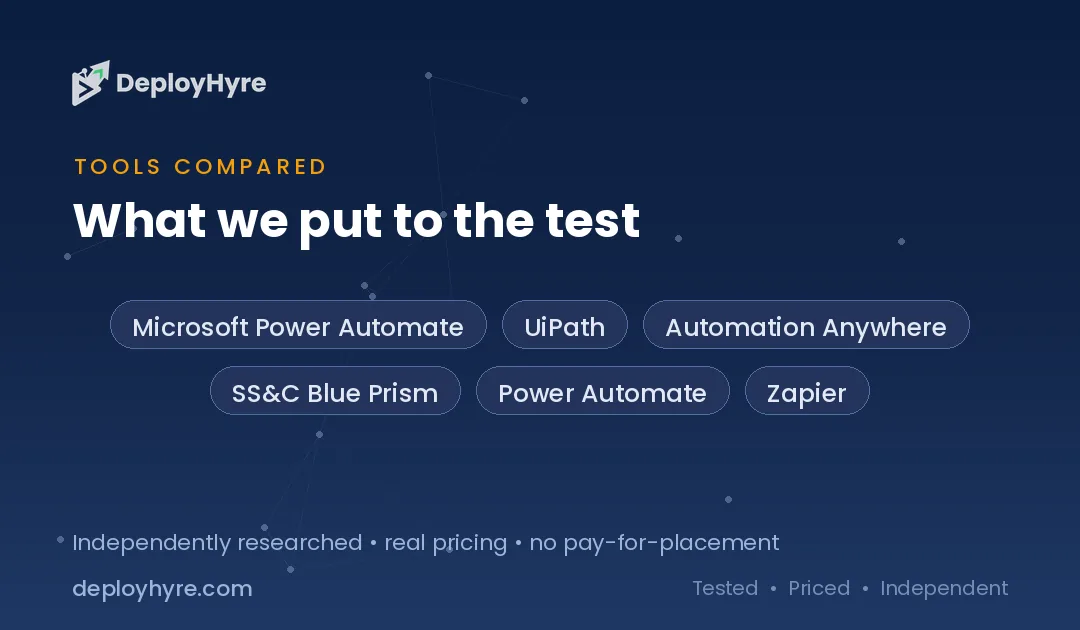
| Tool | Best For | Observed Price | Tier |
|---|---|---|---|
| Microsoft Power Automate | Value, Microsoft shops | Free plan; from $15/user/mo | DIY / mid-market |
| UiPath | Market-leading enterprise RPA | From $25/mo; enterprise $50K+/mo | Enterprise |
| Automation Anywhere | Cloud-native enterprise | Bot runners ~$9K–$15K/yr each + control room | Enterprise |
| SS&C Blue Prism | Regulated, governed automation | Enterprise quote | Enterprise |
| Power Automate (unattended) | Scheduled back-office bots | ~$140–$420/mo per bot | Mid-market |
| Zapier / Make | SaaS workflow automation (adjacent) | Low monthly tiers | DIY |
What AI RPA Tools Do
RPA software automates repetitive, rules-based tasks by building bots that interact with applications the way a person would, clicking, typing, reading screens, moving data between systems that do not integrate natively. The classic use cases are back-office: processing invoices, reconciling data across systems, onboarding records, generating reports. RPA shines exactly where an API integration does not exist and a human would otherwise copy-paste between legacy applications for hours.
The AI layer transformed what RPA can do. Traditional RPA handled only structured, predictable inputs; AI-infused “intelligent automation” now reads unstructured documents (invoices in any format, emails), makes judgment calls with machine learning, and handles the exceptions that used to break rigid bots. This blend of RPA’s task execution with AI’s comprehension is why the category is converging with AI agents, and it is the main axis of differentiation among the leaders.
RPA overlaps with broader automation and orchestration. It complements the workflow tools in our best AI automation tools guide, the data-pipeline orchestration in our best workflow orchestration tools guide, and the agentic direction in our best AI agents guide.
The Market Splits Into Three Price Tiers
RPA pricing falls into three tiers that rarely overlap, and matching your ambition to the right tier avoids both overbuying and outgrowing your tool. Enterprise platforms, UiPath and Automation Anywhere, run $10,000-plus a year and scale to $200,000-plus for large deployments, offering the governance, scale, and AI depth that big automation programs need. Mid-market managed services sit at $99 to $500 a month. DIY tools, led by Power Automate from $15 a user a month, start near zero and suit departmental or individual automation.
The Microsoft factor bends the whole market: Power Automate is dramatically cheaper than traditional RPA because it is priced adjacent to Microsoft 365, so organizations already on Microsoft can automate for a fraction of a UiPath or Automation Anywhere contract. Traditional RPA still wins on scale, governance, and complex multi-system automation, but for many mid-market use cases Power Automate delivers enough at a tenth of the cost. Decide whether you need enterprise-scale governed automation or departmental automation, and whether you are a Microsoft shop, before you shop, because those answers pick your tier.
Best Enterprise Platforms
UiPath is the market leader in enterprise RPA, topping vendor assessments on scalability, ease of use, AI integration, and support, with plans from $25 a month for small use but enterprise deployments reaching $50,000-plus a month and top contracts exceeding $200,000 a year. Its breadth, from attended desktop bots to large unattended fleets, its mature AI capabilities, and its ecosystem make it the safe choice for organizations building a serious, scaled automation program. For enterprises where automation is a strategic, org-wide initiative rather than a few departmental bots, UiPath’s depth and leadership justify the cost.
Automation Anywhere is the other enterprise leader, cloud-native and strong on scalable back-office automation, with bot runners typically $9,000 to $15,000 a year each plus the control room and ancillary products, and top contracts also reaching $200,000-plus. SS&C Blue Prism rounds out the enterprise tier, favored in regulated industries for its governance and control-focused approach. All three are enterprise-grade; UiPath for market-leading breadth and AI, Automation Anywhere for cloud-native scale, Blue Prism for governed, regulated automation. Budget for bot-count-driven licensing plus the control room, not just the headline seat.
Best Value for Microsoft Shops
Microsoft Power Automate is the best value in RPA, with a free plan and paid plans from $15 per user a month, dramatically cheaper than traditional RPA because it is priced adjacent to the Microsoft 365 ecosystem. For organizations already on Microsoft, it delivers both cloud-flow automation (connecting SaaS apps and Microsoft services) and desktop RPA (Power Automate Desktop) at a fraction of a UiPath or Automation Anywhere contract. Attended automation starts at $15 per user, and unattended bots for scheduled back-office work run roughly $140 to $420 a month, still far below enterprise RPA’s per-bot cost.
Power Automate is the pragmatic default for Microsoft-centric organizations and for mid-market automation that does not need enterprise-scale governance. The trade-off is that traditional enterprise platforms still lead on very large, complex, multi-system automation programs and advanced AI document processing, so organizations with ambitious, org-wide automation may outgrow it. But for the large number of teams whose automation is departmental or Microsoft-adjacent, Power Automate delivers most of the value at a tenth of the cost, complementing the tools in our best AI automation tools guide.
Bots, Attended vs Unattended, and Hidden Costs
RPA cost is driven by bots, not seats, and the attended-versus-unattended distinction plus the control-room fee are the hidden costs that inflate a quote. Attended bots run alongside a human (triggered by a person, on their desktop); unattended bots run autonomously on schedules, which is where the real back-office scale, and cost, lives. Enterprise platforms charge per bot runner (Automation Anywhere’s $9,000 to $15,000 a year each) plus a control room or orchestrator to manage the fleet, so a deployment’s true cost is the bots plus the management infrastructure plus AI add-ons.
The practical guidance is to count your intended bots (especially unattended ones) and add the control-room and any AI-document-processing costs before comparing headline prices. A quote that looks like “$25 a month” for UiPath is the entry point, not the enterprise reality of $50,000-plus a month at scale. Model the full fleet cost, and weigh whether Power Automate’s far cheaper per-bot economics cover your use cases before committing to an enterprise platform’s bot-and-control-room licensing.
How Should You Choose an RPA Tool?
Match your ambition to a tier first. Org-wide, complex, governed automation points to the enterprise platforms (UiPath, Automation Anywhere, Blue Prism) at $10,000-plus a year. Departmental or mid-market automation points to Power Automate or mid-market managed services. Individual or simple SaaS-connecting automation points to DIY tools. Overbuying enterprise RPA for a few bots is as costly a mistake as outgrowing a DIY tool.
Then weigh the Microsoft factor. If you are a Microsoft shop, Power Automate’s adjacent-to-365 pricing makes it dramatically cheaper for most use cases, and it should be your default unless you need enterprise-scale governance or advanced AI document processing that only UiPath or Automation Anywhere provide.
Finally, model the full fleet cost, not the entry price. Count unattended bots, add the control-room or orchestrator fee, and include AI-document-processing add-ons. Enterprise RPA’s true cost is bots plus management infrastructure plus AI, which is why deployments reach $50,000-plus a month, so project your real bot count before signing.
How We Evaluated These Platforms
We evaluated each tool on automation capability (attended and unattended), AI and intelligent-document-processing depth, scalability and governance, ease of use, and pricing model. Figures come from vendor pages and comparison sources. Because enterprise RPA is bot-count-driven and quote-based, we present observed bands and stress the three-tier market and the control-room and bot-runner costs behind headline prices. We accepted no payment for placement; rankings reflect fit for a stated use case.
The Bottom Line
UiPath is the market-leading enterprise RPA platform and Automation Anywhere the cloud-native enterprise alternative, both at $10,000-plus a year scaling into six figures, while Blue Prism serves regulated automation. Microsoft Power Automate is the best value, dramatically cheaper for Microsoft shops from $15 a user. Match your ambition to the right price tier, weigh the Microsoft factor heavily, and model the full fleet cost, bots plus control room plus AI, because that, not the entry price, is enterprise RPA’s real bill.
Frequently Asked Questions
How much do RPA tools cost?
Pricing spans three tiers. Power Automate starts free and from $15 per user a month (unattended bots roughly $140 to $420 a month). Enterprise platforms run far higher: UiPath from $25 a month but $50,000-plus a month at enterprise scale, and Automation Anywhere bot runners at $9,000 to $15,000 a year each plus a control room. Top enterprise contracts exceed $200,000 a year.
What is RPA?
Robotic process automation builds software bots that mimic human actions, clicking, typing, reading screens, moving data, to automate repetitive, rules-based tasks across applications, especially where no API integration exists. Common uses include invoice processing, data reconciliation, and report generation. Modern AI-infused RPA also handles unstructured documents and exceptions that once broke rigid bots.
Is Power Automate cheaper than UiPath?
Yes, dramatically, especially for Microsoft shops, because Power Automate is priced adjacent to Microsoft 365 (from $15 per user). UiPath and Automation Anywhere are enterprise platforms costing $10,000-plus a year and reaching $50,000-plus a month at scale. For departmental or Microsoft-centric automation, Power Automate delivers most of the value at a fraction of the cost.
What is the difference between attended and unattended bots?
Attended bots run alongside a human, triggered by a person and often on their desktop to assist with tasks. Unattended bots run autonomously on schedules without human involvement, which is where large-scale back-office automation, and most of the cost, lives. Enterprise RPA prices per bot runner, so counting your unattended bots is key to estimating cost.
Is RPA being replaced by AI agents?
They are converging. Traditional RPA executes rules-based tasks; AI adds comprehension of unstructured inputs and judgment, creating “intelligent automation,” and AI agents extend this toward autonomous, goal-driven action. RPA platforms are adding agentic capabilities, so rather than replacement, the categories are blending, which is why AI depth is a primary differentiator among RPA leaders.
Related Articles

David Austin is a technology writer and software analyst at DeployHyre, where he covers AI tools, SaaS platforms, cloud hosting, and business automation. He focuses on hands-on comparisons of pricing, features, and real-world performance so teams can pick the right software with confidence.