
About 85% of social media videos are watched without sound, and viewers are 80% more likely to finish a video that has captions. Captions are no longer optional. They decide whether your video gets watched at all.
Table of Contents
For the full picture, see our complete guide to AI writing tools.
AI subtitle generators now transcribe speech, time each caption, and style it in minutes. The best tools hit 99% accuracy on clear audio and support more than 100 languages, so a single upload can reach a global audience.
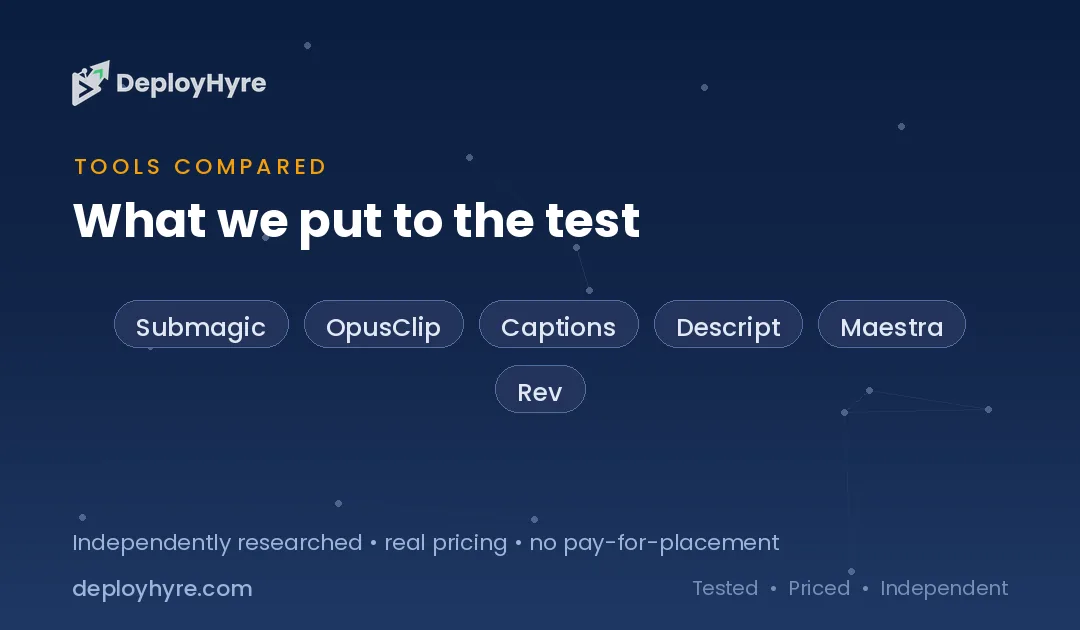
We tested 9 AI subtitle generators across short-form social video, accuracy-first editing, browser-based workflows, and transcription-grade output. Each pick below lists pricing, strengths, and limits. If you also produce full transcripts, pair these with our guide to AI transcription software.
Quick Comparison: Top AI Subtitle Generators
| Tool | Best For | Starting Price | Reported Accuracy |
|---|---|---|---|
| Submagic | Animated viral captions | Free, then ~$20/mo | High on clear audio |
| OpusClip | Long video to clips | Free, then $15/mo | High on clear audio |
| Captions | One-tap restyling | Free tier | High on clear audio |
| Descript | Transcript-based editing | Free tier | High on clear audio |
| Maestra | Many languages | Paid tiers | 99% (125+ languages) |
| Rev | Pay-as-you-go accuracy | Per minute | 95-99% |
| VEED | All-in-one online editor | Free, then $12/mo | Up to 99.9% |
| Kapwing | Team collaboration | Free tier | Industry-leading |
| Happy Scribe | Human-verified subtitles | Paid tiers | 85-95% auto, 99% human |
What Makes a Great AI Subtitle Generator?
A great AI subtitle generator combines high transcription accuracy with fast, flexible styling. It transcribes speech correctly, times captions to the audio, lets you edit wording in seconds, and exports in standard formats like SRT and VTT. The best tools add translation and brand styling without slowing the workflow.
Four traits separate strong tools from weak ones. They handle accents and background noise well. They let you fix errors quickly instead of forcing a full retype. They support translation into many languages. And they export clean files that work across platforms. Tools that only auto-generate captions, with no easy editing, create more cleanup than they save.
Best AI Subtitle Generators for Short-Form Social Video
Short-form creators need bold, animated captions that hold attention. These tools build for Reels, Shorts, and TikTok first.
1 Submagic: Best for animated viral captions
Submagic makes the punchy, animated captions that define social video.
What it does well. Submagic specializes in animated captions and B-roll built for short-form clips. Word-by-word highlighting, emojis, and templates give videos the high-energy look that performs on TikTok and Reels.
Key features:
- Animated, word-by-word caption styles
- Auto B-roll and zoom effects
- Trending caption templates
- Multi-language support
Pricing. Submagic offers a free plan with three videos a month and a watermark, then Starter at about $20 a month, Pro at $40, and Agency at $80.
Best for: Creators who want viral-style captions fast.
Limitations. The watermark on free, and per-video limits, push heavy users to paid tiers.
2 OpusClip: Best for turning long videos into captioned clips
OpusClip slices long videos into ready-to-post captioned shorts.
What it does well. OpusClip is built for turning long videos into short clips with captions added automatically. It scores moments for virality, reframes to vertical, and captions each clip in one pass.
Key features:
- AI clip selection from long videos
- Auto vertical reframing
- Animated captions on every clip
- Virality score for each segment
Pricing. OpusClip lists a free plan with 60 credits a month, Starter at $15 a month, Pro at $29, and Business with custom pricing.
Best for: Podcasters and YouTubers repurposing long content.
Limitations. It centers on clipping, so standalone subtitle editing is lighter than dedicated editors.
3 Captions: Best for one-tap caption styling
Captions restyles a whole video with a single tap.
What it does well. Captions, made by Mirage, focuses on AI avatars and one-tap restyling of captions. Creators can apply a polished caption look across an entire clip without manual timing work.
Key features:
- One-tap caption restyling
- AI avatar and dubbing tools
- Mobile-first editing
- Trend-based templates
Pricing. Captions offers a free tier, with paid plans for higher export limits.
Best for: Mobile creators who want speed over deep control.
Limitations. The app-first design offers less fine control than desktop editors.
Best AI Subtitle Generators for Accuracy and Editing
When wording matters, you want strong transcription plus real editing tools. These picks prioritize accuracy.
4 Descript: Best for transcript-based editing
Descript lets you edit video by editing its transcript.
What it does well. Descript generates highly accurate subtitles, especially with clear audio, and offers strong tools for refining timing and fixing errors. You edit the text, and the video and captions update together.
Key features:
- Edit video by editing the transcript
- Accurate auto-captions with easy fixes
- Overdub and filler-word removal
- SRT and VTT export
Pricing. Descript uses subscription plans with a generous free tier for testing.
Best for: Creators who want captions and editing in one place.
Limitations. The transcript-first model has a learning curve for new users.
5 Maestra: Best for high accuracy across many languages
Maestra captions in dozens of languages at high accuracy.
What it does well. Maestra delivers 99% accuracy across 125+ languages using speech recognition trained on natural accents and speaking styles. It suits creators publishing the same video to multiple regions.
Key features:
- 99% accuracy on clear audio
- 125+ language support
- Automatic subtitle translation
- No-watermark exports
Pricing. Maestra sells paid tiers based on minutes and features.
Best for: Global creators and teams localizing content.
Limitations. There is no free unlimited tier, so heavy use means a paid plan.
6 Rev: Best for pay-as-you-go accuracy
Rev pairs strong AI accuracy with optional human review.
What it does well. Rev’s speech engine delivers 95% to 99% accuracy on clear audio, and pricing is pay-as-you-go by the minute. That model fits variable workloads with no monthly commitment.
Key features:
- High-accuracy AI captions
- Optional human-perfected subtitles
- Pay-per-minute pricing
- SRT, VTT, and SCC export
Pricing. Rev charges per minute transcribed, with higher rates for human review.
Best for: Teams with uneven volume that want accuracy on demand.
Limitations. Per-minute costs add up for very high, steady volume.
Best Browser-Based AI Subtitle Generators
Online editors caption without any install and suit teams. These two lead the browser category.
7 VEED: Best all-in-one online editor
VEED captions and edits video entirely in the browser.
What it does well. VEED generates subtitles in minutes with up to 99.9% accuracy and bundles full video editing alongside captioning. You can subtitle, trim, and brand a clip in one tab.
Key features:
- Auto-subtitles with high accuracy
- Full online video editor
- Subtitle translation
- Brand kits and templates
Pricing. VEED offers a free tier of five minutes of subtitles, then Lite at $12 a month and Pro at $29.
Best for: Creators who want captions and editing in one online tool.
Limitations. The free tier caps length, so longer videos need a paid plan.
8 Kapwing: Best for team collaboration
Kapwing captions at scale for content teams.
What it does well. Kapwing delivers industry-leading accuracy and streamlines subtitle creation for teams, from short clips to full libraries. Videos under 30 seconds caption in seconds, and short-form clips take one to two minutes.
Key features:
- Fast auto-captions
- Real-time team collaboration
- Subtitle translation and styling
- Cloud project library
Pricing. Kapwing offers a free tier, with paid plans for longer exports and team seats.
Best for: Marketing and social teams producing high volume.
Limitations. Free exports carry limits on length and watermarks.
Best AI Subtitle Generator for Transcription-Grade Accuracy
Some projects need near-perfect subtitles. This pick adds human review for accuracy that AI alone cannot promise.
9 Happy Scribe: Best for human-verified subtitles
Happy Scribe blends AI speed with human-perfected accuracy.
What it does well. Happy Scribe produces automatic subtitles that are 85% to 95% accurate, with an option for human-made subtitles up to 99% accuracy. That range suits both quick drafts and broadcast-grade work.
Key features:
- AI subtitles plus human review option
- 99% accuracy with human service
- Wide format support
- Subtitle translation
Pricing. Happy Scribe sells paid tiers, with human review priced higher than AI-only.
Best for: Publishers and broadcasters that need verified accuracy.
Limitations. Human review costs more and takes longer than AI alone.
How Should You Choose the Right AI Subtitle Generator?
Choose based on your output and accuracy needs. Short-form creators want animated captions from Submagic, OpusClip, or Captions. Editors who value control want Descript or Maestra. Teams want VEED or Kapwing in the browser. Publishers that need near-perfect subtitles want Happy Scribe or Rev with human review.
Check three things before you commit. Confirm accuracy on your kind of audio, since accents and noise lower auto-caption scores. Confirm export formats match your platforms, usually SRT or VTT. And confirm the free tier or trial covers your typical video length. For full meetings or interviews, also see our guides to AI meeting assistants and AI tools for social media video.
How We Evaluated These AI Subtitle Generators
We scored each tool on five factors: transcription accuracy, editing speed, language and translation support, export formats, and price-to-value. We pulled accuracy claims and pricing from vendor pages and current 2026 reviews, then weighted tools toward those that balance accuracy with easy editing. We did not benchmark each tool on identical footage; this guide reflects documented accuracy ranges, published pricing, and reported workflows.
The Bottom Line
Captions decide whether muted social videos get watched, and AI subtitle generators now make them in minutes. Short-form creators should start with Submagic or OpusClip. Editors who want accuracy and control should use Descript or Maestra. Teams should test VEED or Kapwing, and anyone needing broadcast-grade subtitles should choose Happy Scribe.
Whatever you pick, accuracy on your own audio matters most. Test a real clip first, then connect your captioning to a wider content workflow with AI tools for social media video and our roundup of the best free AI tools for marketing.
Frequently Asked Questions
How accurate are AI subtitle generators?
Top AI subtitle generators reach 95% to 99% accuracy on clear audio, and some claim up to 99.9%. Accuracy drops with heavy accents, background noise, or crosstalk. For broadcast-grade output, tools like Happy Scribe and Rev offer human review up to 99% accuracy.
What is the best free AI subtitle generator?
Several tools offer free tiers. Submagic gives three videos a month, OpusClip provides 60 credits, and VEED includes five minutes of subtitles. Kapwing and Descript also offer free tiers. Free plans usually cap length or add a watermark, so heavy users move to paid plans.
Can AI subtitle generators translate captions?
Yes. Tools like Maestra support 125+ languages with automatic translation, and VEED, Kapwing, and Happy Scribe also translate subtitles. This lets one video reach viewers in many regions from a single upload, though you should review translated wording for accuracy.
What file formats do AI subtitle generators export?
Most tools export standard subtitle formats like SRT and VTT, which work across YouTube, social platforms, and video editors. Some also support SCC for broadcast. Check that your chosen tool exports the format your publishing platform requires before you commit.
Do I still need to edit AI-generated subtitles?
Usually yes. Even at 95% to 99% accuracy, AI captions miss names, numbers, and unclear words. The best tools, like Descript, make editing fast by letting you fix the transcript directly. Always review captions before publishing, especially for technical or branded terms.

David Austin is a technology writer and software analyst at DeployHyre, where he covers AI tools, SaaS platforms, cloud hosting, and business automation. He focuses on hands-on comparisons of pricing, features, and real-world performance so teams can pick the right software with confidence.
Know AI, SaaS, or cloud tools inside out? Pitch a guest post and get in front of thousands of buyers researching their next tool.