
AI meeting assistants record, transcribe, and summarize your calls, then turn talk into action items automatically. We tested 9 of the best AI meeting assistants in 2026. Several offer genuinely free tiers, while paid plans run from about $8 to $29 per user each month. This guide shows which tool fits free use, sales teams, transcription, and bot-free notes, with real pricing and honest limits.
Table of Contents
Meetings eat the workday. The average employee spends 392 hours a year in meetings, the equal of more than 16 full workdays. Much of that time produces no clear record, so decisions and action items slip through the cracks.
AI meeting assistants close that gap. They join your calls, capture every word, and deliver a summary with owners and next steps minutes after you hang up. 75 percent of professionals now use an AI note taker, and 62 percent of users save about 4 hours each week.
We tested 9 of the best AI meeting assistants in 2026 against accuracy, features, and price. For how these fit your wider stack, see our guide to AI for business, and to track follow-ups read about the best AI project management tools.
What Is an AI Meeting Assistant?
An AI meeting assistant is software that records, transcribes, and summarizes meetings, then extracts action items and decisions automatically. It joins calls on Zoom, Google Meet, or Microsoft Teams, captures speaker-labeled transcripts, and produces a shareable summary. Teams use it to skip manual note taking, search past calls, and push follow-ups into other tools.
The category is growing fast. The AI note-taking market reached $623.5 million in 2025 and crosses $740 million in 2026, with forecasts near $3.48 billion by 2035. That growth reflects how much manual note taking the tools replace.
Quick Comparison: 9 Best AI Meeting Assistants in 2026
| Tool | Best For | Starting Price | Free Tier |
|---|---|---|---|
| Fathom | Best overall and free use | ~$15/user/mo | Unlimited recording |
| tl;dv | Multilingual and free | ~$18/user/mo | Unlimited recording |
| Otter.ai | Transcription and search | ~$8.33/user/mo | 300 min/mo |
| Fireflies.ai | Sales and CRM teams | $10/user/mo | 800 min/mo |
| Fellow | Agendas plus notes | ~$8.33/user/mo | 300 min/mo |
| Granola | Bot-free notes | Mid-tier | Limited |
| Read.ai | Meeting analytics | Mid-tier | Limited |
| MeetGeek | Automated insights | Mid-tier | Limited |
| Krisp | Noise removal plus notes | Mid-tier | Limited |
What Makes a Great AI Meeting Assistant?
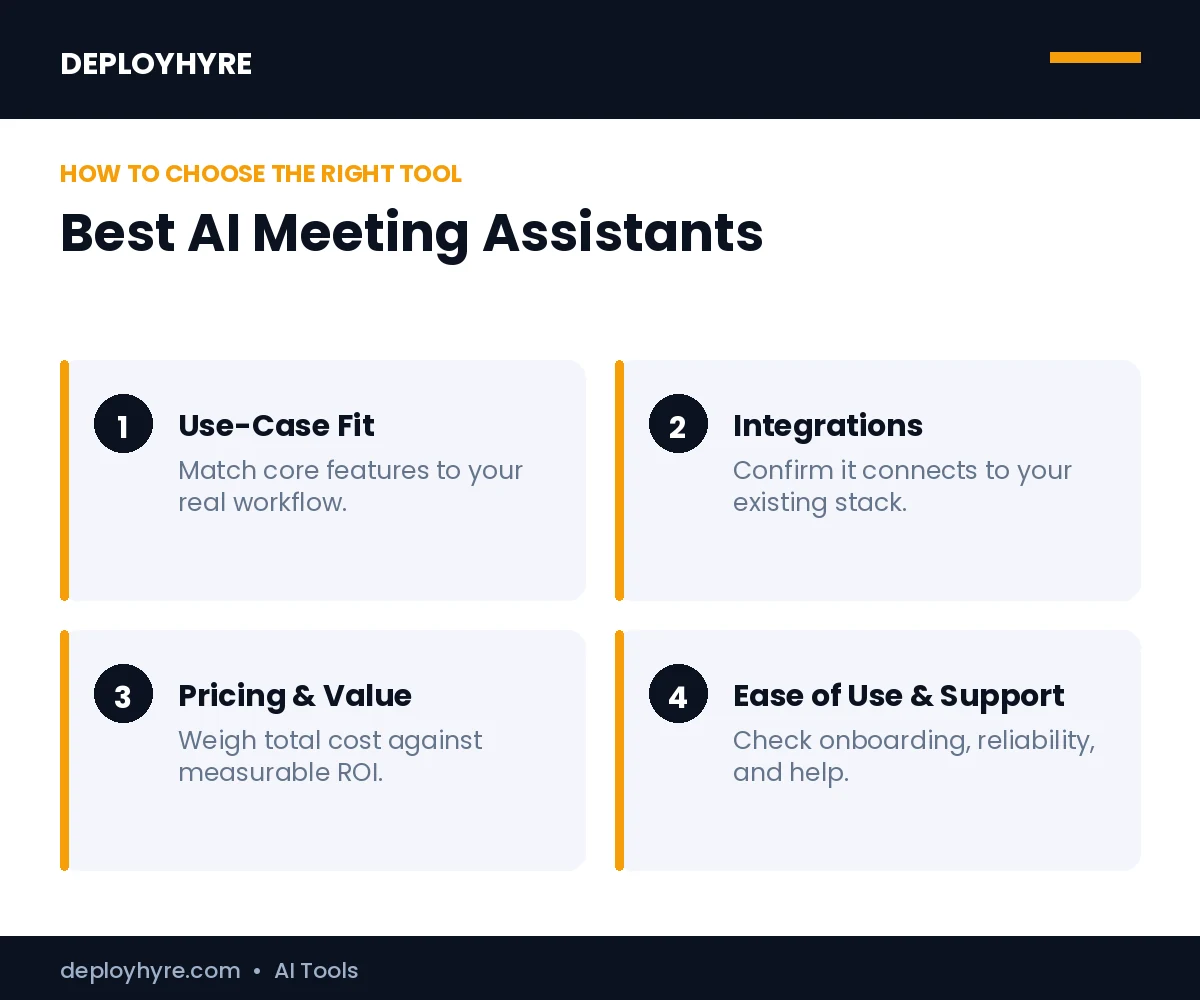
A great AI meeting assistant produces accurate transcripts, clear summaries, and reliable action items, then sends them where your team already works. The best tools label speakers correctly, support your video platform, and integrate with your CRM or task manager. Accuracy and useful summaries matter more than long feature lists.
We weighed five things: transcription accuracy, summary and action-item quality, platform coverage, integrations, and price including the free tier. Participants call 67 percent of meetings unproductive, so a tool that surfaces decisions earns its cost quickly.
Best Free AI Meeting Assistants
1. Fathom: Best Overall and Best Free Tier
Fathom is the strongest all-around pick and the most generous free option for individuals.
What it does well. Fathom records, transcribes, and summarizes calls with fast turnaround, often within a minute of the meeting ending. Its free plan allows unlimited recording, which is rare, and its summaries are clean and easy to share.
Key features:
- Unlimited recording on the free tier
- Fast post-call summaries
- Action-item and highlight capture
- CRM and task tool integrations
Best for: Individuals and teams that want top-tier notes with a real free option.
Limitations. Free summaries are capped per month, and deep team analytics sit on paid tiers.
Happy Scribe: Best for Transcription and Subtitles
Happy Scribe combines AI-powered transcription with subtitles and translation tools, making it a strong choice for teams working with audio and video content.
What it does well. Happy Scribe can automatically transcribe audio and video, generate subtitles, and translate content into multiple languages. It also supports human-made transcription and subtitles for projects where higher accuracy is important.
Key features:
- AI-powered audio and video transcription
- Automatic subtitle generation
- Transcription and subtitles in multiple languages
- Speaker identification and timestamps
- Exports in formats such as TXT, SRT, and VTT
- Human transcription and subtitle services
Pricing. Happy Scribe offers AI transcription and subtitle options with pricing based on usage, while human-made services are available at different rates.
Best for: Individuals, content teams, and businesses that need transcription, subtitles, or multilingual video workflows.
Limitations. AI-generated transcripts may still require editing, particularly with poor-quality audio, overlapping speakers, or specialized terminology.
2. tl;dv: Best for Multilingual Teams
tl;dv pairs a generous free tier with strong language support for global teams.
What it does well. tl;dv records and transcribes across many languages and offers unlimited recordings, transcripts, and AI summaries on its free plan. It clips key moments into shareable highlights, which suits distributed teams reviewing calls asynchronously.
Key features:
- Unlimited recording and transcripts free
- Wide multilingual support
- Highlight clips and timestamps
- CRM and collaboration integrations
Pricing. The free tier is unusually generous, and paid plans start around $18 per user each month.
Best for: Global and remote teams that meet across languages.
Limitations. Advanced analytics and CRM features require paid plans.
Best for Transcription and Search
3. Otter.ai: Best for Live Transcription and Search
Otter.ai is the go-to for people who want accurate live transcripts they can search later.
What it does well. Otter delivers real-time transcription with speaker labels and a searchable archive of every meeting. Its conversational assistant answers questions about call content, so you can find a decision without rewatching the recording.
Key features:
- Real-time, speaker-labeled transcription
- Searchable meeting archive
- Conversational meeting search
- Automated summaries and action items
Best for: Teams that need accurate transcripts and fast search.
Limitations. Search works only on meeting content, not your email, chat, or task tools.
Best for Sales and CRM
4. Fireflies.ai: Best for Sales Teams and CRM Sync
Fireflies.ai fits revenue teams that need every call pushed into their CRM automatically.
What it does well. Fireflies records meetings, transcribes them, and syncs notes and action items into Salesforce or HubSpot. It analyzes conversations for talk time and topics, which helps sales managers coach reps from real call data.
Key features:
- CRM sync to Salesforce and HubSpot
- Conversation and talk-time analytics
- Searchable transcripts and summaries
- Workflow automations
Best for: Sales and revenue teams that live in a CRM. Pair it with the best AI tools for sales for full pipeline coverage.
Limitations. The bot joins as a visible participant, and full analytics need paid plans.
Best Bot-Free Note Takers
5. Granola: Best for Private, Bot-Free Notes
Granola records meetings without sending a visible bot into the call.
What it does well. Granola captures audio locally and blends your own typed notes with an AI summary, so nobody sees a recording bot in the participant list. It suits sensitive calls where a named bot would feel intrusive.
Key features:
- Bot-free, local recording
- Blend of human and AI notes
- Clean, editable summaries
- Quick sharing and export
Pricing. Mid-tier monthly plans; confirm current rates with the vendor.
Best for: Executives and consultants who want discreet notes.
Limitations. Platform coverage is narrower than bot-based tools, and team analytics are lighter.
Best for Meeting Management and Analytics
6. Fellow, #7 Read.ai, and #8 MeetGeek: Best for Structure and Insights
Three tools stand out when you want meetings to run better, not just get transcribed.
What they do well. Fellow adds shared agendas and action tracking around its notes, so meetings start and end with structure. Read.ai scores engagement and sentiment to flag when meetings run long or lose the room. MeetGeek auto-summarizes calls and surfaces trends across many meetings. All three turn raw transcripts into management insight.
Key features:
- Shared agendas and action tracking (Fellow)
- Engagement and sentiment analytics (Read.ai)
- Cross-meeting insights and trends (MeetGeek)
- Integrations with calendars and task tools
Pricing. Mid-tier monthly plans, with Fellow free up to 300 minutes a month.
Best for: Managers who want better-run, measurable meetings.
Limitations. Each is strongest in its niche rather than as a pure transcription tool.
9. Krisp: Best for Noise Removal Plus Notes
Krisp started in noise cancellation and now adds meeting notes on top.
What it does well. Krisp removes background noise from any call, then transcribes and summarizes it. It works across apps at the system level, so you get clean audio and notes even in noisy home or office settings.
Key features:
- Real-time noise cancellation
- App-agnostic transcription
- Automated summaries and action items
- Works across meeting platforms
Pricing. Mid-tier monthly plans with a limited free tier.
Best for: Remote workers in noisy environments who also want notes.
Limitations. Note-taking depth trails dedicated assistants like Fathom and Otter.
How Should You Choose an AI Meeting Assistant?
Start with your main need. Choose Fathom or tl;dv for free, high-quality notes, Otter for transcription and search, Fireflies for CRM sync, Granola for bot-free privacy, and Fellow or Read.ai for meeting management. The right tool depends on whether you value free use, accuracy, sales workflows, or discretion most.
Next, check platform and integration fit. Confirm the tool supports Zoom, Meet, or Teams as you use them, and that it pushes notes into your CRM or task manager. Always tell participants they are being recorded, then run a one-week pilot before rolling it out across the team.
How We Evaluated These AI Meeting Assistants
We assessed each tool on five criteria: transcription accuracy, summary and action-item quality, platform coverage, integrations, and price including the free tier. We prioritized tools with published capabilities and real 2026 usage, then cross-checked features and pricing against vendor pages and independent reviews. Meeting tool pricing and free limits change often, so confirm current rates and minutes before you commit.
Are AI meeting assistants accurate at transcription?
Yes, in clear audio. Leading tools transcribe with high accuracy and support many languages. Accents, crosstalk, and jargon lower accuracy. Always skim the transcript for names and technical terms, since a quick edit keeps notes reliable.
Do AI meeting assistants work with Zoom, Teams, and Google Meet?
Most do. Fathom, Fireflies, and Otter join Zoom, Microsoft Teams, and Google Meet to record, transcribe, and summarize. Some need a bot to join the call. Confirm support for your main platform before subscribing.
Is it legal to record meetings with an AI assistant?
It depends on your region. Some places require consent from all participants. Notify attendees and get consent before recording. Many tools announce the bot automatically. Check local rules and company policy to stay compliant.
The Bottom Line
AI meeting assistants are now standard, with most professionals already using one and saving hours each week. The right tool turns scattered talk into clear decisions and frees your team for focused work.
Match the tool to your need. Start free with Fathom or tl;dv, add Otter for search or Fireflies for sales, and layer Fellow or Read.ai when you want better-run meetings. Pilot one tool for a week, check the summaries against reality, and expand once you trust the output.
Next steps: Connect meetings to your wider stack with our AI for business guide, turn action items into tracked work with the best AI project management tools, and equip recruiters with the best AI recruiting software.
Frequently Asked Questions
What is the best AI meeting assistant in 2026?
There is no single best tool; it depends on your need. Fathom is best overall and offers the most generous free tier, Otter.ai leads for transcription and search, Fireflies.ai suits sales teams that sync to a CRM, and Granola is best for bot-free privacy. Match the tool to whether you value free use, accuracy, sales workflows, or discretion.
Are there free AI meeting assistants?
Yes. Fathom and tl;dv both offer free tiers with unlimited recording, while Otter.ai gives 300 minutes a month and Fireflies.ai gives 800 minutes a month free. Free plans usually cap summaries, storage, or advanced features. They are enough for individuals, and you can upgrade for team analytics and integrations as needs grow.
How accurate are AI meeting assistants?
Leading AI meeting assistants claim around 90 to 95 percent transcription accuracy in clear audio with distinct speakers. Accuracy drops with heavy accents, crosstalk, jargon, or poor microphones. Tools like Krisp that remove background noise help. Always review summaries of important calls, since AI can still miss names, numbers, or nuanced decisions.
Do AI meeting assistants work with Zoom, Teams, and Google Meet?
Most leading AI meeting assistants support Zoom, Microsoft Teams, and Google Meet. Bot-based tools like Fathom, Otter, and Fireflies join as a visible participant, while bot-free tools like Granola record locally. Confirm your specific platform before buying, and check whether the tool also captures in-person meetings if you need that.
Is it legal to record meetings with an AI assistant?
Recording laws vary by region, and some require consent from all participants. The safe practice is to tell everyone the meeting is being recorded and get agreement before you start. Many AI assistants announce themselves or add a visible bot. Check local laws and your company policy, especially for calls that cross state or national borders.

David Austin is a technology writer and software analyst at DeployHyre, where he covers AI tools, SaaS platforms, cloud hosting, and business automation. He focuses on hands-on comparisons of pricing, features, and real-world performance so teams can pick the right software with confidence.