
The web is getting less English every year. W3Techs usage data put English at 49.7% of all websites whose content language can be identified as of mid-2026, down from 56.1% in March 2023. Spanish and German follow at about 6% each, with Japanese, French, Portuguese and Russian close behind.
That shift has a direct revenue cost for English-only businesses. Research from RWS, reported by BusinessWire in 2023, found that more than four in five consumers will not buy from a brand that does not offer support in their own language.
AI translation closed most of the price gap that used to make localization a large-company project. Machine output now gets a human review instead of a human first draft, which cuts both cost and turnaround. We compared nine AI translation platforms on output quality, workflow fit, integrations and published pricing. They are grouped below by the job each one does best, because a tool built for translating a marketing site is the wrong tool for translating a mobile app.
Quick Comparison: Top 9 AI Translation Software Tools
| Tool | Best For | Starting Price | Core AI Capability |
|---|---|---|---|
| DeepL | Highest raw translation quality | Free tier; from about $8.74/user/mo | Neural MT plus DeepL Write |
| Google Cloud Translation | High-volume API translation | 500,000 chars/mo free, then $20/million | NMT and LLM translation models |
| Smartcat | AI translation with human review | Free tier; paid from about $99/mo | AI drafts plus a linguist marketplace |
| Weglot | Translating a website with no developer | Free tier; paid from about EUR 15/mo | Automatic detection and multilingual SEO |
| Smartling | Regulated enterprise localization | Custom quote | AI-first workflow with quality scoring |
| Phrase | Enterprise TMS with model choice | Custom quote | Routes jobs across multiple MT engines |
| Crowdin | Developer and open-source projects | From about $59/mo | Git sync, CLI and AI pre-translation |
| Lokalise | Product, mobile and design workflows | From about $140/mo | AI translation with Figma and SDK hooks |
| POEditor | Small teams on a tight budget | Free tier; paid from about $14.99/mo | Automatic translation and API access |
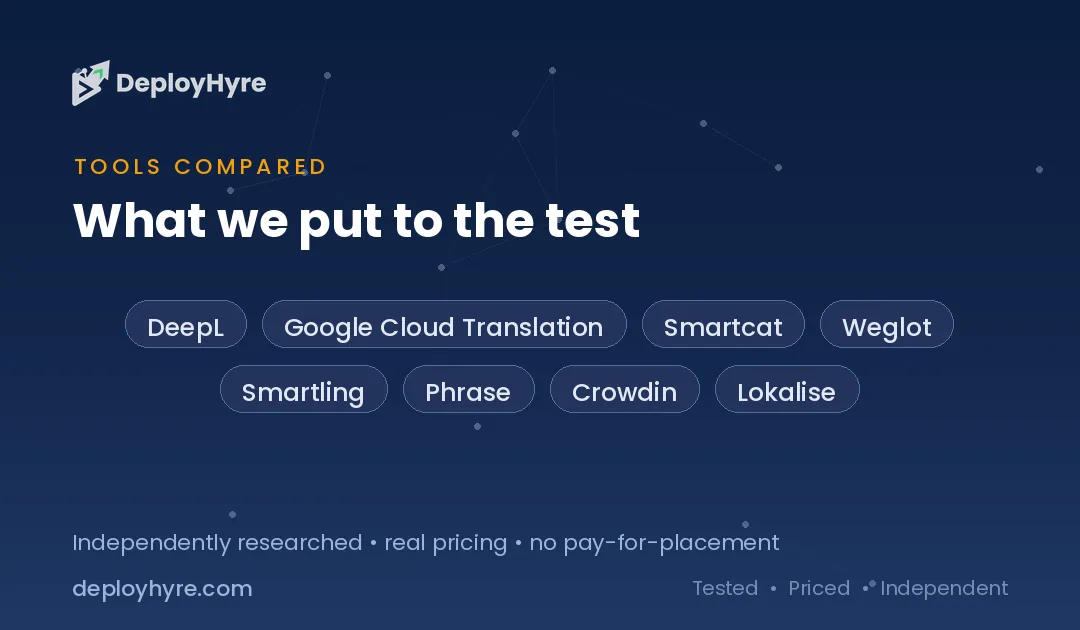
Prices reflect publicly listed rates in September 2026 and are commonly billed annually. Word limits, character limits and language counts vary widely between tiers, so read the allowance as carefully as the price.
What Makes a Great AI Translation Tool?
A great AI translation tool produces accurate output in your subject area, then keeps that output consistent across every future update. It needs translation memory, a glossary you control, a review workflow for human editors, and integrations that pull content in and push it back without manual copying.
Raw quality is only the entry requirement. The leading engines are close enough on general text that the difference rarely decides a purchase. What separates tools is everything around the translation.
Translation memory stores every approved sentence and reuses it, so you never pay twice for the same string and your wording stays stable. A glossary locks brand names, product terms and legal phrases so the engine cannot paraphrase them. Both features compound: a suite that is expensive in year one becomes cheap in year three because most content is already matched.
Workflow matters just as much. If translated content has to be copied out of a spreadsheet and pasted into a CMS, the process breaks the first time someone is busy. The strongest tools connect to the system that holds your content, whether that is a Git repository, a Figma file, a Shopify store or a WordPress site. Teams that already use AI tools for blog writing for source content will find the same principle applies: automation only pays off when it removes handoffs.
Best AI Translation Software for Speed and Raw Quality
These tools focus on producing excellent translated text quickly. They suit documents, support content and high-volume pipelines more than long-running product localization.
1 DeepL: Best for the highest quality general translation
DeepL is the reference point for machine translation quality, especially across European language pairs.
What it does well. DeepL produces output that reads naturally rather than literally, which shows most clearly on German, French, Dutch and Polish. It preserves formality registers, handles idiom better than most engines, and offers a glossary so product and brand terms stay fixed. DeepL Write adds a rewriting assistant for polishing the source text before you translate it.
Key features:
- Strong quality on European language pairs
- Formality control for languages that distinguish formal and informal address
- Glossary support to lock brand and product terminology
- Document translation for Word, PowerPoint, PDF and HTML with formatting kept
- Well-documented API plus desktop, browser and mobile apps
Pricing. A free tier covers 50,000 characters per month. Paid individual plans start around $8.74 per user per month billed annually, with team tiers near $28.74 per user per month and higher unlimited tiers above that. The API is billed separately.
Best for: Teams translating documents and support content into European languages.
Limitations. DeepL supports fewer languages than Google, and coverage of some Asian, African and Middle Eastern languages is thinner. It is a translation engine, not a full localization management system, so it lacks project workflow and review stages.
2 Google Cloud Translation: Best for high-volume programmatic translation
Google Cloud Translation is the volume workhorse: the widest language coverage, exposed as a pay-as-you-go API.
What it does well. Google supports more than 100 languages, which matters when you need coverage rather than polish. Pricing is predictable and transparent, and the newer LLM-based translation model produces noticeably better output on conversational and marketing text than the older neural model. AutoML Translation lets you train a custom model on your own bilingual data.
Key features:
- Support for over 100 languages
- Choice of neural machine translation or an LLM translation model
- Custom model training on your own translation data
- Batch and document translation endpoints
- Glossary support and automatic language detection
Pricing. Google publishes its rates openly gives the first 500,000 characters per month free, then charges $20 per million characters for standard neural translation. The LLM model is billed at $10 per million characters of input and $10 per million of output. Custom models cost more.
Best for: Developers translating large volumes programmatically, or apps needing rare language pairs.
Limitations. This is an API, not an application. There is no editor, no review workflow and no project management, so a team without engineering support cannot use it directly.
3 Smartcat: Best for pairing AI output with human review
Smartcat combines an AI translation workspace with a built-in marketplace of freelance linguists.
What it does well. Smartcat solves the practical problem of who reviews the machine output. It generates an AI first draft, then lets you hire and pay a vetted reviewer for that language inside the same platform, with one consolidated invoice. Translation memory and glossaries are shared across every project, so quality improves as your archive grows.
Key features:
- AI first draft plus an integrated linguist marketplace
- Shared translation memory and glossary across all projects
- Consolidated payments to freelancers in one invoice
- Connectors for WordPress, HubSpot, Google Drive and Figma
- Generous free tier for small volumes
Pricing. Smartcat offers a free plan covering roughly 15,000 words per month with full workspace features. Paid plans start around $99 per month, and linguist work is billed separately at marketplace rates.
Best for: Marketing and content teams that want reviewed translation without managing an agency.
Limitations. Marketplace linguist quality varies, so you have to build a trusted roster. The platform is broad, which makes it heavier than a simple engine if all you need is fast machine output.
Best AI Translation Tools for Websites and Ecommerce
Website translation has requirements a plain engine cannot meet: hreflang tags, indexable translated URLs, and content that keeps up as pages change. These three handle that.
4 Weglot: Best for translating a website without a developer
Weglot detects all the text on your site, translates it, and serves each language on its own indexable URL.
What it does well. Weglot is the fastest route from a monolingual site to a multilingual one. It works with any CMS through a snippet or plugin, finds content automatically including strings inside JavaScript, and handles the multilingual SEO details that teams usually get wrong: separate URLs per language, correct hreflang tags and translated metadata. Setup takes under an hour on most sites.
Key features:
- Automatic content detection, including dynamic JavaScript text
- Dedicated indexable URL per language with correct hreflang tags
- Visual editor for reviewing translations in page context
- Works with WordPress, Shopify, Webflow, Squarespace and custom sites
- Machine translation with optional professional review ordering
Pricing. A free tier covers a small word count for evaluation. Paid plans start around EUR 15 per month billed annually and rise by word allowance and language count, with higher tiers at roughly EUR 79 and EUR 299 per month.
Best for: Marketing teams and store owners who need a multilingual site quickly.
Limitations. The word allowance is a total for all translated content rather than a monthly refill, so a large catalog escalates cost quickly. Weglot also serves translations through its own layer, which means an ongoing subscription dependency.
5 Smartling: Best for regulated and brand-critical enterprise localization
Smartling is an enterprise localization platform built around governance, quality measurement and auditability.
What it does well. Smartling gives large organizations the controls that compliance teams ask for: quality scoring on every job, a full audit trail, role-based permissions and enforced review stages. Its AI-first workflow routes each string to machine translation, machine translation with light editing, or full human translation based on how visible and risky that content is, which is where the cost savings come from.
Key features:
- Automated quality scoring and quality-estimation routing
- Full audit trail and role-based access control
- Large connector library for CMS, help desk and product systems
- Optional managed translation services from in-house linguists
- Enterprise security and compliance certifications
Pricing. Smartling does not publish pricing. Every engagement is quoted, and the platform is priced for enterprise budgets, commonly into five or six figures per year.
Best for: Regulated industries and global brands with strict quality and audit requirements.
Limitations. The cost and onboarding effort put it out of reach for small teams. Without published pricing, evaluation requires a sales process.
6 Phrase: Best for enterprise teams that want engine choice
Phrase is a localization platform that routes each job to the best translation engine rather than betting on one.
What it does well. Phrase evaluates multiple machine translation engines and selects per language pair and content type, which usually beats any single engine across a broad language set. It scores quality automatically and flags only the segments that need human attention, so reviewers spend their time where it changes the outcome. The platform covers both document translation and software string management.
Key features:
- Automatic routing across multiple machine translation engines
- Automated quality estimation that flags only risky segments
- Both document translation and software string management
- Integrations with major CMS, repository and design tools
- Detailed analytics on cost, quality and turnaround
Pricing. Phrase does not publish rates for its enterprise platform. Plans are quoted per team and normally combine a per-user component with volume-based charges.
Best for: Companies translating into many languages that want engine selection handled for them.
Limitations. The feature depth creates a real learning curve. Smaller teams pay for governance capability they will not use.
Best AI Translation Tools for Software and App Localization
Localizing a product is a different problem from localizing a page. Strings live in code, change every sprint, and need context so translators do not guess. These tools are built for that cycle.
7 Crowdin: Best for developer workflows and open-source projects
Crowdin connects to your repository, picks up new strings automatically, and opens a pull request with the translations.
What it does well. Crowdin fits the way engineering teams already work. It syncs with GitHub, GitLab and Bitbucket, supports more than 80 file formats, and offers a CLI for pipeline use. AI pre-translation produces a first pass the moment a string lands, so translation stops being a release blocker. Screenshot-based context lets translators see where a string appears before they translate it.
Key features:
- Two-way Git sync with automatic pull requests
- Over 80 supported file formats
- CLI and API for full CI/CD integration
- AI pre-translation with your glossary and translation memory applied
- Free plans for qualifying open-source projects
Pricing. Crowdin starts around $59 per month for small teams and scales by project count, string volume and seats. Enterprise is quoted separately.
Best for: Engineering teams that want localization to run inside their existing Git pipeline.
Limitations. The interface is dense for non-technical contributors. Marketing teams typically need a separate tool for website content.
8 Lokalise: Best for product, mobile and design team collaboration
Lokalise is built for product teams shipping web and mobile apps on a regular release cycle.
What it does well. Lokalise puts designers, developers, product managers and translators in one workflow. Its Figma plugin pulls copy straight from designs, so translation starts before code is written and layout problems in longer languages surface early. Mobile SDKs push updated strings to live apps without an app store release, which removes a common bottleneck for shipping fixes.
Key features:
- Figma plugin that pulls copy directly from designs
- iOS and Android SDKs for over-the-air string updates
- AI translation with translation memory and glossary enforcement
- Branching that mirrors your Git workflow
- Automated quality assurance checks on placeholders and length
Pricing. Lokalise starts around $140 per month for entry teams and rises with seats, projects and key volume. Enterprise plans are quoted.
Best for: Product teams localizing mobile and web apps alongside design.
Limitations. It is one of the more expensive options at the entry tier, and key-based pricing penalizes large string catalogs. Document translation is weaker than in document-first tools.
9 POEditor: Best for small teams on a tight budget
POEditor is a lightweight, low-cost string management tool that covers the essentials without extra weight.
What it does well. POEditor does string management well and leaves everything else out, which keeps the price low and the learning curve short. It supports the common localization file formats, integrates with GitHub, GitLab and Bitbucket, offers automatic translation through connected engines, and exposes a clean API. For a small team with a few thousand strings, it does the job for a fraction of the cost of a full platform.
Key features:
- Simple string management across common localization formats
- GitHub, GitLab and Bitbucket integration
- Automatic translation through connected engines
- Translation memory and term glossaries included
- Free tier for up to 1,000 strings
Pricing. A free tier covers up to 1,000 strings. Paid plans start around $14.99 per month and scale by string count, with no per-seat charge on most tiers.
Best for: Startups and small teams localizing an app without a localization budget.
Limitations. There is no design tool integration, no advanced workflow and no quality estimation. Larger teams outgrow it once review stages and governance matter.
How Should You Choose the Right AI Translation Software?
Choose by where your content lives, not by translation quality scores. Content in a Git repository needs Crowdin or Lokalise. Content on a website needs Weglot. Documents and support articles need DeepL or Smartcat. Regulated enterprise content needs Smartling or Phrase.
Five questions narrow the field quickly.
- Where does the source content live? A repository, a CMS, a design file and a document folder each point to a different tool. Pick the one that connects natively, because manual export and import fails within a month.
- How often does the content change? Static documents can use a simple engine. Content that changes every sprint needs translation memory and automated sync.
- Who reviews the output? If you have in-house speakers, a platform with review stages is enough. If you do not, Smartcat or a tool with managed services attached solves the harder problem.
- Which languages, exactly? DeepL wins on European pairs. Google Cloud Translation wins on breadth. Check your specific pairs rather than trusting an overall ranking.
- Does the price scale the way your content does? Word-count, string-count and character-based pricing behave very differently. Model your real volume at 12 and 36 months before signing.
Run a pilot on genuinely difficult content, not marketing boilerplate. Translate your hardest support article or your most technical product screen, and have a native speaker score it. If you are localizing video or audio as well, our guides to AI dubbing software and AI subtitle generators cover the adjacent workflow, and AI transcription software handles the source transcript step.
How We Evaluated These AI Translation Tools
This shortlist was built from vendor documentation, published pricing pages, product release notes and practitioner reports current to September 2026. Each tool was assessed against six criteria.
- Output quality. Accuracy and fluency across the language pairs each tool claims to serve.
- Language coverage. Breadth, and honest quality on lower-resource languages rather than a long list.
- Workflow fit. Translation memory, glossaries, review stages and version control.
- Integrations. Native connections to the CMS, repository, design tool or help desk holding the content.
- Pricing transparency. Published rates scored higher than contact-sales-only models.
- Total cost at scale. How the pricing model behaves as word, string or character volume grows.
We excluded consumer translation apps with no team workflow, and browser plugins that translate on the fly without producing content you own. Pricing in this category changes often and varies by billing term, so confirm current figures with the vendor before committing.
The Bottom Line
DeepL is the best AI translation software in 2026 for quality on European languages, Weglot is the fastest way to translate a website, and Crowdin is the strongest choice for software teams working in Git. Smartcat is the best option when you need reviewed output but have no linguists on staff.
Pick by content location and change frequency. A store owner who wants six languages live this month should start with Weglot. A mobile product team shipping fortnightly belongs in Lokalise or Crowdin. A support team translating a help center will get further with DeepL plus Smartcat review than with any enterprise platform. Smartling and Phrase earn their price only when governance, audit trails and many language pairs are genuine requirements.
Start with translation memory and a glossary on day one, whichever tool you choose. Those two assets are what make year three cheap, and they are the part you keep if you ever switch vendors.
For the wider content stack, see our guides to the best AI tools for ecommerce and AI paraphrasing tools.
Frequently Asked Questions
What is the best AI translation software?
DeepL is the best AI translation software for quality, particularly on European language pairs. Weglot is the best choice for translating a website without a developer, Crowdin is the best fit for software teams working in Git, and Google Cloud Translation offers the widest language coverage for high-volume API use.
Is AI translation accurate enough for business use?
Yes for most business content, with human review on anything customer-facing or legally binding. Modern engines handle marketing copy, support articles and product strings well. Contracts, medical content, regulated disclosures and brand-critical campaigns still need a qualified reviewer, which is why review workflows matter more than raw engine quality.
How much does AI translation software cost?
Entry pricing runs from free to roughly $140 per month, and enterprise platforms are quoted individually. POEditor starts near $14.99 per month and DeepL near $8.74 per user per month. Crowdin starts around $59 and Lokalise around $140. Google Cloud Translation charges $20 per million characters after a free monthly allowance.
What is translation memory and why does it matter?
Translation memory is a database of every sentence you have already had translated and approved. When the same or a similar sentence appears again, the tool reuses the stored version. This keeps wording consistent across your content and steadily lowers cost, because you never pay to translate the same string twice.
Can AI translation replace human translators?
No. AI translation replaces the first draft, not the reviewer. The standard professional workflow is now machine translation followed by human post-editing, which is faster and cheaper than translating from scratch. Human expertise remains necessary for cultural nuance, legal accuracy, creative campaigns and any content where an error carries real cost.
Related Articles

David Austin is a technology writer and software analyst at DeployHyre, where he covers AI tools, SaaS platforms, cloud hosting, and business automation. He focuses on hands-on comparisons of pricing, features, and real-world performance so teams can pick the right software with confidence.
Know AI, SaaS, or cloud tools inside out? Pitch a guest post and get in front of thousands of buyers researching their next tool.