
TL;DR: AI for finance uses machine learning and generative AI to automate accounting, payroll, tax, budgeting, and forecasting work. In 2026, finance teams use it to code invoices, catch errors, predict cash flow, and answer data questions in plain language. This guide explains how AI for finance works, where it delivers value, its risks, and how to choose the right tools.
AI for finance is now standard practice, not an experiment. Gartner’s 2025 survey of 183 CFOs found that 59% of finance functions were using AI, up from 37% in 2023. Adoption slowed slightly year over year, but the technology moved from pilots into daily workflows.
The payoff is getting concrete. Gartner predicts that by 2029, CFOs who deploy AI strategically will add 10 margin points of growth. That upside comes from automation, faster reporting, and better decisions, not from spending more on tools.
This guide is part of our broader coverage of AI for business. Below, we define what AI for finance is, walk through each major use case, cover the real risks, and explain how to pick tools that fit your team.
What Is AI for Finance and How Does It Work?
AI for finance is the use of machine learning, natural language processing, and generative AI to automate and improve financial tasks. It reads documents, categorizes transactions, spots anomalies, forecasts outcomes, and answers questions in plain English. Most tools sit inside accounting or ERP platforms and learn from your historical data.
Three technologies do most of the work. Machine learning finds patterns in past transactions to code new ones. Natural language processing reads invoices, contracts, and receipts. Generative AI drafts reports, summaries, and answers to finance questions.
Modern tools increasingly act as agents. An AI agent completes a multi-step task, like matching an invoice to a purchase order and routing it for approval, with limited human input. Grand View Research estimated the AI agents in financial services market at $691 million in 2025, growing at a 31.5% annual rate through 2033.
The value comes from scale and speed. AI processes thousands of transactions in seconds and flags the ones that need a human. That frees finance staff to focus on analysis and judgment instead of data entry.
How Is AI Used in Accounting and Bookkeeping?
AI handles the repetitive core of accounting: categorizing transactions, reconciling accounts, and flagging errors. It reads bank feeds and receipts, assigns each entry to the right account, and matches records automatically. This cuts manual data entry and reduces the errors that come with it.
Bookkeeping is the clearest win. Modern AI bookkeeping software learns how you code transactions and applies those rules to new ones. Over time, it needs less correction and catches duplicates or miscoded entries before they reach your books.
The accounting profession is embracing this shift. One industry analysis found that 95% of accountants have adopted automation for tasks like payroll and accounts payable. Most report better accuracy and faster workflows as the top benefits.
AI does not replace the accountant. It handles the routine work so professionals can review exceptions, advise clients, and interpret results. The human still owns the final numbers.
How Does AI Help With Payroll?
AI streamlines payroll by calculating pay, applying tax rules, and catching errors before checks go out. It flags unusual hours, missed deductions, and compliance gaps across states or countries. This reduces the manual review that makes payroll slow and risky.
Payroll is high-stakes because mistakes cost money and trust. Good AI payroll software validates entries against tax tables and past runs. It spots a paycheck that looks wrong before an employee ever sees it.
AI also keeps pace with changing rules. Tax rates and labor laws shift often, and AI-driven systems update automatically. That lowers the risk of a costly filing error.
For teams paying workers in multiple regions, AI handles the complexity that trips up spreadsheets. It applies the right rate, currency, and deduction for each worker without manual lookups.
How Does AI Improve Accounts Payable and Receivable?
AI transforms accounts payable by reading invoices, matching them to purchase orders, and routing them for approval automatically. On the receivable side, it predicts which customers will pay late and prioritizes collections. Both cut cycle times and free up cash.
Accounts payable is a top AI use case. Gartner found 37% of finance teams use AI for AP automation, second only to knowledge management. Modern AI accounts payable software extracts invoice data, flags discrepancies, and catches duplicate payments before they go out.
The savings are real. Industry data shows invoice processing costs can drop from about $13 to under $3 per invoice, while approval cycles compress from more than 17 days to around 3 at best-in-class teams.
Receivables benefit too. AI accounts receivable software scores customers by payment risk and automates reminders. It tells your team which overdue accounts to chase first, which speeds up cash collection.
How Is AI Changing Tax Preparation?
AI speeds tax work by extracting data from documents, categorizing it, and drafting returns for human review. It pulls figures from prior-year returns and source files, then routes them to the right fields. A qualified professional still reviews and signs every return.
Tax firms are adopting fast. The 2026 Thomson Reuters Institute report found 34% of tax firms already use generative AI, with another 47% planning or considering it. Agentic tools now deliver a draft return that is “ready to review” before a human touches it.
The best AI tax software automates the tedious steps: data extraction, categorization, and research. That lets preparers spend more time on planning and advisory work.
Human review stays mandatory. The IRS has not approved AI-prepared returns, and preparers remain personally liable for every filing under IRC section 6694. AI drafts. People confirm and sign.
How Does AI Support Budgeting, Forecasting, and FP&A?
AI improves budgeting and forecasting by analyzing history, spotting trends, and predicting future results faster than manual models. It updates forecasts as new data arrives and answers finance questions in plain language. This shifts FP&A from building spreadsheets to interpreting insights.
Budgeting gets faster and more accurate. AI budgeting software builds baseline budgets from past spending and flags variances as they happen. You spend less time on formulas and more time on decisions.
Forecasting is where AI shines. Good cash flow forecasting software reads receivables, payables, and seasonal patterns to predict your cash position weeks ahead. That warning helps you avoid a shortfall before it hits.
Financial planning is becoming continuous, not quarterly. AI financial planning software runs scenarios in seconds, so teams test many outcomes instead of one. For deeper diagnostics, AI financial analysis software surfaces the drivers behind a number, not just the number itself.
The demand is clear in the budget data. Three quarters of CFOs raised their tech budgets for 2026, with nearly half increasing by 10% or more. Much of that spend targets analytics and automation.
How Does AI Help With Procurement and Spend?
AI improves procurement by analyzing spending, flagging maverick purchases, and suggesting vendor consolidation. It reads purchase data to find savings and enforce policy. This gives finance real control over where money goes.
Procurement hides a lot of waste. AI procurement software spots duplicate vendors, off-contract buying, and price differences across suppliers. It surfaces savings that manual review would miss.
AI also speeds approvals. It routes requests by policy rules and flags only the purchases that need a human decision. That keeps buying moving without losing oversight.
Better spend data feeds better forecasts. When procurement and FP&A share clean AI-driven data, cash forecasts get sharper and budgets hold up.
How Does AI Streamline Expenses and Invoicing?
AI automates expense management by reading receipts, categorizing spend, and flagging policy violations in real time. For invoicing, it generates bills, sends reminders, and predicts payment timing. Both remove manual work and speed up cash flow.
Expenses are a common pain point. AI expense management software scans a receipt photo, extracts the details, and codes the expense automatically. It flags a duplicate or out-of-policy claim before an approver ever sees it.
Invoicing gets faster too. AI invoicing software creates and sends invoices, then tracks who has paid. It predicts when a client will pay and nudges late accounts automatically.
Together these tools shorten the cash cycle. Money moves in faster and goes out with less manual effort, which improves working capital.
How Is AI Used in Personal Finance and Credit?
AI now helps consumers budget, track spending, and improve credit through apps and chatbots. It categorizes transactions, suggests savings, and answers money questions in plain language. Adoption among everyday users is rising fast.
Consumers are leaning in. FNBO’s 2025 study found 46% of Americans have used AI for personal finances, and a LendingTree survey found budgeting is the top decision AI influences. People use it to plan spending and understand their finances.
Credit is a growing use case. AI credit repair software scans credit reports, finds errors, and drafts dispute letters. It automates a process that used to take hours of manual work.
The most common questions are practical. Consumers ask AI about budgeting, credit scores, and managing everyday expenses. A LendingTree survey found nearly half of chatbot users say AI has shaped at least one financial decision.
Caution still applies. Most consumers want a human involved in big financial choices. AI is a helpful assistant here, not a replacement for professional advice on major purchases, investments, or debt.
What Are the Risks and How Does the Human Stay in the Loop?
The main risk of AI in finance is hallucination: the tool produces confident but wrong numbers. Generative AI can invent a figure or a calculation that looks correct. That makes human review non-negotiable for any output that touches money or compliance.
The risk is well documented. McKinsey’s 2025 research found nearly one-third of AI adopters reported inaccuracy issues. In finance, a hallucinated figure can trigger a filing error or a compliance violation with real penalties.
Regulators are watching. The PCAOB’s 2025 inspection priorities flag generative AI as a focus area, and inspectors expect firms to document how they control AI use. Governance is now part of the job.
Data security is a second concern. Finance AI touches sensitive records, so tools need strong access controls and clear data handling. Ask vendors where your data goes and whether it trains their models.
The fix is the human-in-the-loop model. AI proposes, assists, and flags. Humans confirm, override, and sign off. Any workflow where AI makes final calls without review creates exposure you do not want.
Governance also protects trust. Clear audit trails let you explain how a number was produced. That matters for auditors, regulators, and your own leadership.
How Do You Choose AI Finance Tools?
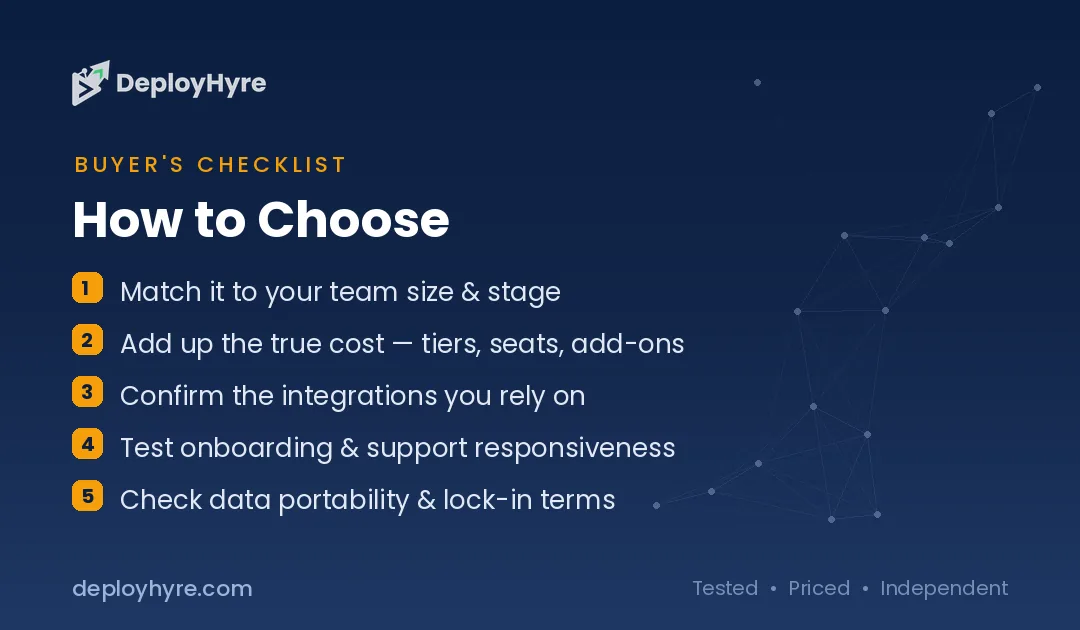
Choose AI finance tools by matching the tool to a specific job, checking data integration, and confirming human oversight is built in. Start with your biggest bottleneck, not the flashiest feature. The right tool solves a real problem in your workflow.
First, define the task. Bookkeeping, payroll, AP, tax, and forecasting each have purpose-built tools. A tool designed for your exact job beats a general one.
Second, check integration. The tool must connect to your accounting system, bank feeds, and ERP. AI is only as good as the data it can reach.
Third, weigh governance. Gartner warns that CFOs gain advantage from strategic AI deployment, not spending levels. Pick tools with audit trails, explainability, and clear human controls.
Finally, start small. Automate one high-volume process, measure the result, then expand. That approach avoids the wasted budget that comes from buying into hype.
The Bottom Line
AI for finance in 2026 is practical, proven, and worth adopting. It automates the repetitive core of accounting, payroll, AP, tax, and forecasting, then hands the judgment calls back to your team. Adoption has crossed the halfway mark, and the margin upside is real for teams that deploy it well.
The winning approach is focused, not sweeping. Start with your biggest bottleneck, choose a purpose-built tool, keep a human in the loop, and expand from there. Explore our spoke guides, from AI bookkeeping software to cash flow forecasting software, to find the right fit for each job. For the wider picture, see our hub on AI for business.

Frequently Asked Questions
What is AI for finance?
AI for finance is the use of machine learning, natural language processing, and generative AI to automate financial tasks. It categorizes transactions, reads invoices, forecasts cash flow, catches errors, and answers finance questions in plain language across accounting, payroll, tax, and planning.
Is AI accurate enough to trust with financial data?
AI is accurate for structured tasks like categorization and reconciliation, but generative AI can hallucinate wrong numbers. That is why finance teams keep a human in the loop. AI proposes and flags; a qualified person reviews, confirms, and signs off on any output that affects money or compliance.
Will AI replace accountants and finance teams?
No. AI automates repetitive work like data entry, matching, and drafting, but it does not replace judgment. Accountants and finance professionals review exceptions, interpret results, advise stakeholders, and own the final numbers. AI frees them to focus on analysis instead of manual tasks.
What finance tasks can AI automate today?
AI can automate bookkeeping, payroll calculations, accounts payable and receivable, expense coding, invoicing, tax data extraction, budgeting, and cash flow forecasting. A large share of finance activities are automatable with current technology, though human review remains essential for accuracy.
How do I choose the right AI finance tool?
Match the tool to a specific task, confirm it integrates with your accounting system and bank feeds, and check for governance features like audit trails and human controls. Start by automating one high-volume process, measure the results, then expand to other workflows.
Know AI, SaaS, or cloud tools inside out? Pitch a guest post and get in front of thousands of buyers researching their next tool.
Related Articles



David Austin is a technology writer and software analyst at DeployHyre, where he covers AI tools, SaaS platforms, cloud hosting, and business automation. He focuses on hands-on comparisons of pricing, features, and real-world performance so teams can pick the right software with confidence.