ClickUp wins for teams that live in tasks, timelines, and project operations, while Notion wins for teams that live in documents, wikis, and flexible knowledge bases. Both call themselves an all-in-one workspace, and both have raced to bolt AI onto everything, but they solve fundamentally different problems: ClickUp is a project-management engine that also holds docs, and Notion is a document engine that also tracks projects. If your day is driven by deadlines, dependencies, and dashboards, ClickUp fits. If your day is driven by writing, organizing, and sharing knowledge, Notion fits. The trap is picking one for a job it was not built to do, then fighting the tool forever. This comparison is built on current, vendor-published pricing pulled directly from clickup.com/pricing and notion.com/pricing (verified September 2026); treat all figures as pricing bands that shift with billing cycle and promotions, and confirm the current number before you buy.
Quick Comparison: ClickUp vs Notion at a Glance
| Tool | Best For | Entry Price | Note |
|---|---|---|---|
| ClickUp | Task management, sprints, and project operations at scale | Free plan; paid Unlimited from $7/user/mo billed yearly ($10 monthly) | Deep view types (Gantt, Board, Workload) and native time tracking; AI via ClickUp Brain from $9/user/mo. |
| Notion | Docs, wikis, and flexible knowledge-base building | Free plan; paid Plus from $10/member/mo | Best-in-class editor and databases; core AI (Notion Agent, Meeting Notes, Enterprise Search) now bundled into the Business plan at $20/member/mo. |
What a Work-Management Workspace Actually Does
A modern work-management workspace tries to collapse a stack of single-purpose apps into one place: task tracking, documents, wikis, spreadsheets or databases, dashboards, and increasingly an AI layer that reads across all of it. The pitch is that context stops leaking between tools. Instead of a task in one app, a spec in a second, and a status update in a third, everything lives in one linked graph so nothing gets lost in the handoff.
In practice, every workspace tool leans toward one of two centers of gravity. Task-first tools model work as items with owners, statuses, due dates, and dependencies, then let you view that data as lists, boards, calendars, and Gantt charts. Document-first tools model work as pages and blocks you can nest infinitely, then let you turn collections of pages into databases. ClickUp sits firmly in the first camp and Notion in the second, which is why the honest question is not “which is better” but “which shape matches how your team actually works.” If you are still mapping the broader landscape before narrowing to these two, our roundup of the best AI project management tools covers the wider field and where each contender is strongest.
The Real Cost: Plans and AI Add-Ons Compared
Sticker prices hide the real decision, which is what you pay once AI is switched on. ClickUp keeps AI as a paid add-on stacked on top of every seat, while Notion has folded its core AI features into its Business tier. That single design difference can flip which tool is cheaper for your team. Here is how the published plans line up.
| Plan / Tier | ClickUp | Notion |
|---|---|---|
| Free plan | Free Forever, unlimited tasks, unlimited free members, 60MB storage | Free, unlimited pages for individuals, limited blocks for teams, 5MB file uploads |
| Entry paid tier | Unlimited, $7/user/mo billed yearly ($10 monthly) | Plus, $10/member/mo |
| Mid / business tier | Business, around $12/user/mo billed yearly | Business, $20/member/mo (AI included) |
| AI pricing | ClickUp Brain add-on from $9/user/mo; Everything AI plan $28/user/mo | Core AI (Notion Agent, AI Meeting Notes, Enterprise Search) included in Business; Custom Agents free to try, then $10 per 1,000 credits |
| Enterprise | Custom pricing | Custom pricing |
The nuance that catches teams out: ClickUp Brain is billed on paid members across the workspace, not per person who actually uses AI, so a large team pays for AI on every seat even if only a handful touch it. Notion’s approach folds the everyday AI features into the $20 Business seat, which looks pricier per seat but can be cheaper once you would have added AI anyway. Model your own headcount both ways before committing; the “cheaper” tool depends entirely on how many seats need AI.
Best for Docs & Knowledge Management
Winner: Notion. Notion’s editor is the reason it earned its following. Every page is built from blocks you can rearrange, nest, and turn into toggles, callouts, synced blocks, or embedded databases, and the writing experience is clean enough that teams genuinely draft in it rather than pasting from elsewhere. Wikis, meeting notes, product specs, and onboarding hubs feel native, and the Business plan’s Enterprise Search and AI Meeting Notes turn that pile of pages into something you can actually query. At $10/member/mo on Plus or $20/member/mo on Business, you are paying for a document tool that happens to track projects.
ClickUp has Docs too, and they are competent for task-adjacent notes and specs, but they are not the reason anyone buys ClickUp. If knowledge capture is your core need, Notion is the stronger home base, and it pairs naturally with dedicated note apps, our guide to the best AI note-taking apps is worth a look if meeting capture is a priority. Teams weighing Notion specifically against a structured-database alternative should also read our Airtable vs Notion breakdown, since the docs-versus-database tradeoff is the whole ballgame there. Verdict: for docs and knowledge management, Notion Plus at $10/member/mo is the value pick, stepping up to Business at $20 when you need AI search across everything.
Best for Tasks & Project Operations
Winner: ClickUp. This is ClickUp’s home turf. Its paid Unlimited plan ($7/user/mo billed yearly, $10 monthly) unlocks unlimited Gantt charts, custom fields, native time tracking, and goal and portfolio management, and the Business tier (around $12/user/mo billed yearly) adds workload management, advanced automations, and timeline views. For teams running sprints, managing capacity, or juggling dozens of concurrent projects, ClickUp’s depth of views and automation is hard to match at the price.
Notion can model tasks with databases and now offers automations on paid tiers, but it does not natively replicate ClickUp’s time tracking, workload balancing, or the sheer variety of purpose-built project views. If your operations resemble what a dedicated PM suite handles, ClickUp is the more complete engine, and if you are comparing the broader dedicated-PM field, our Asana vs Monday comparison covers two rivals ClickUp is often shortlisted against. Teams whose “projects” are really client pipelines may find neither is ideal and should check our best AI CRM software guide instead. Verdict: for tasks and project operations, ClickUp Unlimited at $7/user/mo (yearly) delivers the most capability per dollar, with Business the step up for capacity planning.
Best for Budget & Small Teams
Winner: Depends on your workload, but ClickUp edges it on paid entry price. Both tools have genuinely usable free plans, which is where most small teams should start. ClickUp Free Forever gives unlimited tasks and unlimited free members with 60MB of storage, which is generous for a small team that mainly needs task tracking. Notion Free gives individuals unlimited pages but limits blocks once you add multiple members, and caps file uploads at 5MB, so collaborative teams hit the ceiling sooner.
When you outgrow free, ClickUp’s paid entry point of $7/user/mo billed yearly undercuts Notion’s Plus at $10/member/mo, and it unlocks more operational features at that price. Notion closes the gap only if you value its editor enough to pay the premium, or if you jump to Business to get bundled AI. For a lean team optimizing purely for cost per seat while still getting real project features, ClickUp is the value leader; for a lean team that mostly writes and organizes, Notion Free may carry you the longest before any spend at all. Verdict: start on either free plan, and when you upgrade, ClickUp’s $7 entry seat wins on price while Notion’s $10 Plus seat wins on writing experience.
How Should You Choose Between ClickUp and Notion?
Start by naming the center of gravity of your work. If your team’s day is organized around deliverables with deadlines, dependencies, and status, sprints, client projects, product roadmaps, operations, ClickUp is built for that shape and its pricing rewards it. If your day is organized around information you write, structure, and share, documentation, wikis, research, planning, Notion is built for that shape, and its editor will keep your team from drifting back to Google Docs.
Next, model the AI cost honestly, because it is where the two diverge most. ClickUp Brain adds from $9/user/mo on top of your plan and is billed across paid members, so multiply it by every seat, not by the number of AI enthusiasts. Notion folds its everyday AI into the $20 Business seat, which can be the better deal if you were going to enable AI for everyone anyway. Run both scenarios at your real headcount before deciding which is “cheaper.”
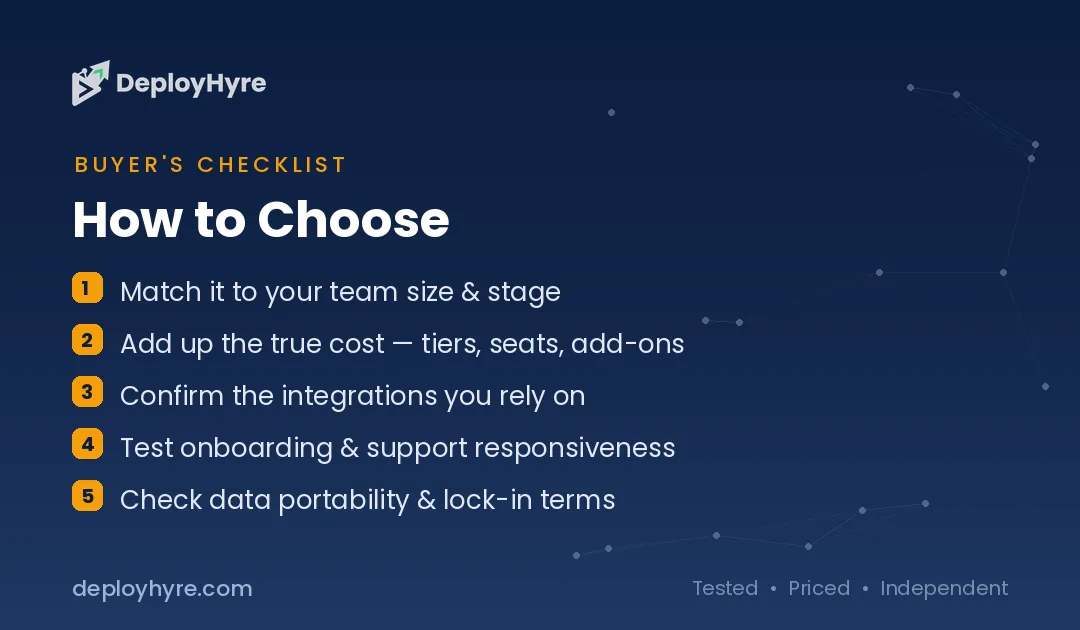
Finally, weigh switching cost and team habits. A team that already thinks in nested pages will adopt Notion overnight and resent ClickUp’s density; a team that already thinks in tasks and boards will feel at home in ClickUp and find Notion’s freeform structure loose. When it is genuinely a tie, let the free plans decide, run a real project in each for two weeks and keep the one your team stops complaining about.
How We Evaluated ClickUp and Notion
We based this comparison on the vendors’ own published pricing and feature pages, captured in September 2026 from clickup.com/pricing, clickup.com/brain, and notion.com/pricing. Prices are presented as bands rather than fixed quotes because both vendors vary pricing by billing cycle (monthly versus annual), region, and periodic promotions, and AI add-on pricing in particular changes frequently. Where a figure could not be confirmed directly on a vendor page, we flagged it as approximate rather than stating it as fact.
We did not run paid AI benchmarks or reproduce either vendor’s internal performance claims, and we treat marketing statistics such as “wins 100% of the time” as vendor claims, not independent findings. DeployHyre does not accept payment for placement or ranking in this comparison; the winners named in each section reflect the fit between each tool’s design and the use case, not any commercial relationship. We may earn an affiliate commission if you sign up through links on this page, which never changes which tool we recommend for a given job.
The Bottom Line
ClickUp and Notion are both excellent, and the right answer is dictated by your work, not by which has the longer feature list. Choose ClickUp if your team runs on tasks, timelines, and project operations and you want the most operational capability per dollar, its $7/user/mo (yearly) entry seat is the value leader, with ClickUp Brain from $9/user/mo when you want AI. Choose Notion if your team runs on documents, wikis, and shared knowledge and you want the best editor on the market, starting at $10/member/mo on Plus or $20/member/mo on Business with AI included. Both offer free plans strong enough to pilot before you pay a cent, so the lowest-risk move is to run a live project in each for two weeks and let your team’s habits break the tie. Confirm the current pricing on each vendor’s page before you commit, since the numbers move.
Frequently Asked Questions
Is ClickUp cheaper than Notion?
At the paid entry level, yes. ClickUp’s Unlimited plan starts at $7 per user per month billed yearly ($10 monthly), while Notion’s Plus plan is $10 per member per month, per each vendor’s pricing page (verified September 2026). But total cost depends on AI: ClickUp Brain adds from $9/user/mo across paid seats, whereas Notion bundles core AI into its $20 Business seat. Model your headcount both ways.
Can Notion replace ClickUp for project management?
For lightweight project tracking, Notion’s databases, boards, and automations can handle it well. For heavier operations, sprints, capacity and workload management, native time tracking, and a wide range of purpose-built project views, ClickUp is the more complete engine, per its published feature set. Teams whose work is deadline- and dependency-driven usually find ClickUp fits better, while document-centric teams prefer Notion.
How much does ClickUp Brain cost?
According to ClickUp’s Brain page (verified September 2026), ClickUp Brain starts at $9 per user per month and includes access to premium models plus a monthly allotment of AI credits, while the fuller Everything AI plan is $28 per user per month. Brain is billed on paid members across the workspace rather than only the people who use it, so factor it across all seats.
Is Notion AI included in the price or an add-on?
Per Notion’s pricing page (verified September 2026), core AI features, Notion Agent, AI Meeting Notes, and Enterprise Search, are included in the Business plan at $20 per member per month. Free and Plus users get a limited AI trial. Custom Agents are free to try, then cost $10 per 1,000 monthly Notion credits, billed separately on top of your plan.
Which is better for a small team, ClickUp or Notion?
Both have free plans strong enough to start with. ClickUp Free Forever offers unlimited tasks and members, making it ideal for task-focused small teams, while Notion Free suits individuals and writing-heavy teams but limits blocks and file sizes for multiple members. When upgrading, ClickUp’s $7 entry seat is cheaper; Notion’s $10 Plus seat wins on editing experience. Match the tool to your primary work.
Know AI, SaaS, or cloud tools inside out? Pitch a guest post and get in front of thousands of buyers researching their next tool.
Related Articles



David Austin is a technology writer and software analyst at DeployHyre, where he covers AI tools, SaaS platforms, cloud hosting, and business automation. He focuses on hands-on comparisons of pricing, features, and real-world performance so teams can pick the right software with confidence.