Choose Vercel if you build with Next.js or ship dynamic, full-stack React apps and want the tightest framework integration on the market; choose Netlify if you run static sites, agency projects, or multi-framework work and want unlimited team members plus a hard-capped free tier that will never surprise you with a bill. Both platforms start their paid tier at the same $20 per month, so the real decision is not price on the sticker — it is which billing philosophy matches how your traffic behaves.
Here is the part most comparisons miss: Vercel and Netlify look nearly identical on the surface (Git push, instant deploy, global CDN, serverless and edge functions, preview URLs), but they meter and bill usage in fundamentally different ways. One charges per developer seat with uncapped pay-as-you-go overages; the other bundles unlimited members into a credit pool you top up. That difference decides who gets a scary invoice and who does not.
All prices and limits below come straight from each vendor’s own pricing pages and are best read as bands rather than fixed quotes — both platforms bill usage-based resources that shift with your traffic, and Netlify moved to a new credit-based model in late 2025. Verify the current figure for your exact plan before you commit.
Quick Comparison: Vercel vs Netlify at a Glance
| Tool | Best For | Entry Price | Note |
|---|---|---|---|
| Vercel | Next.js and dynamic full-stack React teams that want first-party framework support | Free Hobby (non-commercial); Pro from $20/mo per developer seat | Includes $20 usage credit on Pro; overages are uncapped pay-as-you-go unless you enable Flat Rate CDN or spend limits |
| Netlify | Static sites, agencies, and multi-framework teams that want unlimited members and no bill surprises | Free ($0, hard-capped); Personal from $9/mo; Pro from $20/mo with unlimited members | New credit-based pricing; Pro lets you pick a monthly credit tier from 3,000 to 20,000 credits |
What a Frontend Hosting Platform Actually Does
A frontend hosting and deployment platform sits between your Git repository and your visitors. You connect a repo, and every push triggers a build; the platform compiles your framework (Next.js, Astro, SvelteKit, Nuxt, plain static HTML), pushes the output to a global content delivery network, gives you a live URL in seconds, and generates a unique preview URL for every branch and pull request so your team can review changes before they ship. Both Vercel and Netlify also run serverless functions and edge functions, so a “static” site can still handle form submissions, authentication, API routes, and personalization.
This is a different job from traditional web hosting, where you rent a server and manage the runtime yourself. If you are weighing a Jamstack platform against a more general server or VPS, our guide to the best cloud hosting options frames where these deploy platforms fit against raw infrastructure — the short version is that Vercel and Netlify trade control and per-gigabyte cost for speed, git-native workflows, and near-zero operations overhead.
What matters for a buying decision is that the deploy experience on both platforms is genuinely excellent and broadly comparable. Push to main, get a global deploy, roll back instantly if something breaks. Nobody chooses between these two because one can deploy and the other cannot. They choose based on framework fit, team structure, and — above all — how the bill is calculated.
The Hook: You Are Not Comparing Two Prices, You Are Comparing Two Billing Models
Both platforms charge $20 per month to enter their Pro tier, which makes them look interchangeable. They are not. Vercel’s Pro is priced per developer seat at $20 each, bundles $20 of included usage credit, and then bills overages on a pay-as-you-go basis that is uncapped by default — great for scaling, but the source of Vercel’s long-standing reputation for the occasional viral bandwidth bill. Vercel has responded with Spend Management (default $200 on-demand budget with alerts and an optional hard pause) and an opt-in Flat Rate CDN that fixes your CDN cost regardless of traffic spikes.
Netlify’s new credit-based model works the opposite way. A single $20 Pro plan covers unlimited team members and gives you a monthly credit pool (starting at 3,000 credits, selectable up to 20,000). Every metered action draws down credits: a production deploy costs 15 credits, compute is 10 credits per GB-hour, bandwidth is 20 credits per gigabyte, and web requests are 2 credits per 10,000. The free tier is genuinely hard-capped at 300 credits — hit the ceiling and the project pauses until the next cycle rather than generating a charge.
| Dimension | Vercel | Netlify |
|---|---|---|
| Free tier limit | Non-commercial Hobby; ~100 GB fast data transfer, 1M edge requests, 1M function invocations included | $0 forever, hard-capped at 300 credits/month (project pauses at limit) |
| Pro entry price | $20/mo per developer seat (+ $20 included usage credit) | $20/mo total, unlimited members |
| Overage behavior | Uncapped pay-as-you-go by default; Spend Management and Flat Rate CDN available | Buy add-on credits ($10 / 1,500 on Pro); auto-recharge off by default |
| Team seat model | Per developer seat; viewer seats free | Unlimited members on Pro; free unlimited Git contributors |
| Bill-surprise risk | Higher if unmanaged; strong tools to cap it | Lower — credit ceiling stops spend unless you opt into auto-recharge |
Read that table before you read anything else. If your traffic is spiky and unpredictable, Netlify’s hard ceiling protects you by default while Vercel asks you to configure protection. If your team is large but your usage is modest, Netlify’s unlimited-member Pro is dramatically cheaper than paying $20 per Vercel seat.
Best for Next.js and Full-Stack React Teams
Winner: Vercel. Vercel is the company behind Next.js, and it shows. Features land on Vercel first, edge middleware and Incremental Static Regeneration are tuned for the framework, and Server Components, streaming, and image optimization work with the least configuration you will find anywhere. If your app is Next.js and it does real server-side work — dynamic rendering, API routes, personalization at the edge — Vercel is the path of least resistance.
Pricing is $0 to prototype on Hobby (personal, non-commercial only) and $20 per month per developer seat on Pro, which includes $20 of usage credit and unlimited free viewer seats. The caveat is the one from the section above: server-rendered Next.js apps consume function invocations, Fluid compute, and data transfer, so a popular app can outrun the included credit quickly. Enable Spend Management and consider Flat Rate CDN before you launch anything that might go viral.
Netlify runs Next.js competently too, and if your React app is mostly static with light serverless work, the difference narrows. But when you need heavy Node.js runtime behavior at scale, it is worth comparing against dedicated application hosts as well — our roundup of the best Node.js hosting platforms covers options that give you more runtime control than either Jamstack platform if your backend is doing serious work. Verdict: for Next.js-first teams, Vercel wins on integration depth; just turn on spend controls from day one.
Best for Static Sites, Agencies, and Multi-Framework Shops
Winner: Netlify. Netlify was built framework-agnostic, and it remains the more natural home for Astro, Hugo, Eleventy, SvelteKit, and mixed portfolios of client sites. The unlimited-members Pro plan at $20 per month is a decisive advantage for agencies: you can add every designer, developer, and reviewer without watching a per-seat meter climb. Free unlimited Git contributors and unlimited reviewer roles reinforce that collaboration-first posture.
For agencies juggling many small client sites, Netlify’s credit pool and predictable ceiling make budgeting straightforward across a portfolio, and deploy previews with visual review feedback are first-class. If some of those clients run online stores, you will want to pair this with a look at the best ecommerce hosting for the transactional side, since a Jamstack front end usually sits in front of a commerce backend rather than replacing it. Agencies coming from the WordPress world often run a hybrid stack; our Cloudways vs Kinsta comparison covers the managed-WordPress half of that setup.
Verdict: if you deploy many sites across many frameworks with a growing team, Netlify’s economics and framework neutrality make it the stronger agency and static-site platform. Vercel can do the work, but its per-seat pricing punishes large collaborative teams.
Best for Budget Control and Predictable Bills
Winner: Netlify, narrowly. This is where the billing-model difference becomes a deciding factor. Netlify’s free plan is hard-capped — at 300 credits a month, a project simply pauses when it hits the limit rather than charging you, and paid plans keep auto-recharge off by default. For a hobbyist, a student, or a cautious small business, that ceiling is peace of mind you do not have to configure. The Personal plan at $9 per month (1,000 credits) is also a genuinely cheaper on-ramp than anything Vercel offers between free and $20.
Vercel can be made just as predictable, but the safety is opt-in rather than default: Spend Management ships with a $200 on-demand budget and can hard-pause projects, and Flat Rate CDN converts your CDN line item into a fixed monthly charge that absorbs traffic spikes. The difference is that Netlify protects you by default and Vercel protects you once you set it up — and unmanaged Vercel accounts are the ones that generate the horror-story invoices.
If predictability is your top priority because you are running a content or WordPress-based business rather than a bespoke app, remember that a flat-fee managed host may serve you better than either usage-metered platform; see our guide to the best managed WordPress hosting for fixed-price alternatives. Verdict: for buyers who value a bill they can predict to the dollar, Netlify’s default ceiling and $9 tier edge it ahead — but a well-configured Vercel Pro account closes most of the gap.
How Should You Choose Between Vercel and Netlify?
Start with your framework and your workload. If you are building a dynamic, server-rendered Next.js application and want the deepest framework integration available, Vercel is the default answer — it is the platform Next.js is designed against, and the developer experience is unmatched. Everything else being equal, framework fit should carry the most weight, because fighting your host over rendering behavior costs more engineering time than any pricing difference.
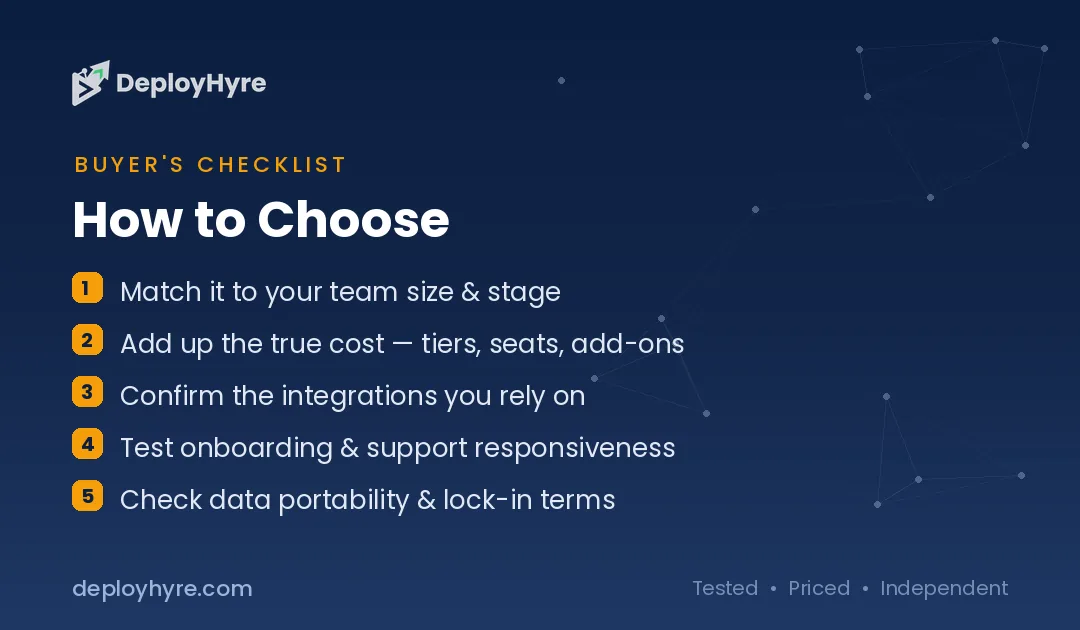
Next, weigh your team shape and your traffic profile. A large team on a modest-traffic site is far cheaper on Netlify’s unlimited-member Pro than on Vercel’s per-seat model. Conversely, a small team on a high-traffic dynamic app needs to model usage carefully on either platform and turn on spend controls regardless of which they pick. If your traffic is unpredictable and a runaway bill would genuinely hurt, Netlify’s default hard cap is the more forgiving starting point.
Finally, do not over-index on the $20 headline. The sticker prices match; the bills will not, because the two platforms meter usage differently. Model a realistic month — deploys, bandwidth, function invocations, team members — against each pricing page, treat every number as a band, and let the projected total plus your framework preference make the call. When in doubt, both offer capable free tiers; prototype on both for a week before you commit real traffic.
How We Evaluated Vercel and Netlify
We evaluated both platforms against the criteria that actually drive a hosting decision: framework support and integration depth, deploy and preview workflow, edge and serverless function capabilities, team and collaboration model, and — weighted heavily — the transparency and predictability of billing. We prioritized the dimensions where the two platforms genuinely diverge rather than the many where they are equivalent.
All pricing and limits in this article were taken directly from Vercel’s and Netlify’s own pricing pages and are presented as bands, not fixed quotes, because both vendors bill usage-based resources that vary with traffic and because Netlify’s credit-based model is recent. We do not invent figures, and where a number is a starting point or a per-unit rate we say so. Verify the current price for your specific plan and region before purchasing.
DeployHyre does not accept payment for placement or ranking. Our recommendations reflect platform fit for a given use case, not commercial relationships. Where we earn affiliate commissions, it never changes which tool we name as the winner for a use case — the verdicts above would read identically with no affiliate program attached.
The Bottom Line
Vercel and Netlify are both excellent, and most teams would ship happily on either. Pick Vercel if you build with Next.js or run dynamic full-stack React apps and want the tightest framework integration available — just enable Spend Management and Flat Rate CDN before you scale. Pick Netlify if you run static sites, agency portfolios, or multi-framework projects, want unlimited team members on a single $20 plan, or value a hard-capped bill that will not surprise you.
For budget-first buyers, Netlify’s default ceiling and $9 Personal tier make it the safer on-ramp; for framework-first buyers on Next.js, Vercel’s integration is worth configuring the guardrails for. The prices match at $20 — the billing philosophies do not, and that is the real decision.

Frequently Asked Questions
Is Vercel or Netlify cheaper?
Both start their paid Pro tier at $20 per month, so neither is universally cheaper. Vercel bills $20 per developer seat plus uncapped usage overages, while Netlify’s $20 Pro covers unlimited members from a credit pool. Netlify is usually cheaper for larger teams and offers a $9 Personal tier; Vercel can be cheaper for solo developers with heavy per-seat needs. Model your real usage against each pricing page.
Which is better for a Next.js app, Vercel or Netlify?
Vercel is generally better for Next.js because it is the company that builds the framework, so new features, edge middleware, Incremental Static Regeneration, and Server Components work with the least configuration. Netlify runs Next.js competently and is fine for mostly-static React sites, but for dynamic, server-rendered Next.js apps at scale, Vercel’s first-party integration is the path of least friction.
Does Netlify or Vercel have a free plan?
Both do. Netlify’s free plan is $0 forever with a hard cap of 300 credits per month; when a project hits the limit it pauses rather than charging you. Vercel’s Hobby plan is free for personal, non-commercial use and includes roughly 100 GB of fast data transfer, 1 million edge requests, and 1 million function invocations per month. Both are genuinely usable for prototypes and personal projects.
Why do people get surprised by Vercel bills?
Vercel’s Pro overages are uncapped and pay-as-you-go by default, so a traffic spike or a viral post can drive bandwidth and function usage — and the invoice — well past the $20 base plus $20 included credit. Vercel now ships Spend Management with a default $200 on-demand budget, usage alerts, an optional hard pause, and a Flat Rate CDN option, but these protections are opt-in rather than automatic.
Can I move from Netlify to Vercel or vice versa?
Yes. Both platforms deploy from the same Git repositories and support the major frameworks, so migrating is mostly a matter of reconnecting the repo, moving environment variables, porting any platform-specific serverless or edge function config, and updating build settings. Static sites and standard framework apps migrate quickly; the more platform-specific edge functions, redirects, and integrations you use, the more configuration you will need to translate.
Know AI, SaaS, or cloud tools inside out? Pitch a guest post and get in front of thousands of buyers researching their next tool.
Related Articles


David Austin is a technology writer and software analyst at DeployHyre, where he covers AI tools, SaaS platforms, cloud hosting, and business automation. He focuses on hands-on comparisons of pricing, features, and real-world performance so teams can pick the right software with confidence.