Table of Contents
The best AI video conferencing software for most teams is Zoom for a reliable standalone platform, Microsoft Teams if you have Microsoft 365, Google Meet if you have Google Workspace, and Webex for enterprise security. Video conferencing tools run your meetings, video, screen sharing, recording, and they use AI to transcribe, summarize, and generate action items automatically, turning meetings into searchable, actionable records.
The money-saving fact most teams overlook: if you have Microsoft 365 or Google Workspace, you already own a capable video platform. Microsoft Teams is included with M365 and Google Meet with Workspace, so paying for standalone Zoom often duplicates a tool you already have. Standalone platforms range from $3 to $30-plus per user a month, but for many organizations the real question is whether Teams or Meet, already paid for, is good enough before buying anything extra. Checking what you already own is the first step.
Every price below is a recent observed figure. Because bundles and tiers vary, treat each as a band.
Quick Comparison: Video Conferencing Software at a Glance
| Platform | Best For | Observed Price | Note |
|---|---|---|---|
| Zoho Meeting | Budget standalone | From $3/host/mo | Lowest cost |
| Google Meet | Google Workspace users | From $6/user/mo (in Workspace) | Included with Workspace |
| Webex | Enterprise security | Meet $12–$14.50; Suite $22.50–$25/user/mo | Strong security/compliance |
| GoTo Meeting | Simple standalone meetings | ~$12/user/mo | Straightforward |
| Zoom | Best overall standalone | ~$15.99/user/mo (Pro) | Reliable, feature-rich |
| Microsoft Teams | Microsoft 365 shops | Included in M365 (E5 $30+ full) | Bundled with M365 |
What AI Video Conferencing Software Does
Video conferencing software hosts your online meetings, video and audio, screen sharing, chat, recording, and webinars, connecting distributed teams and customers. The category matured through the shift to hybrid work, and the platforms now differ less on core calling (which all do well) and more on ecosystem integration, scale, security, and increasingly AI features. Reliability, meetings that just work across devices and networks, remains the baseline expectation.
The AI layer is now the main differentiator: built-in meeting assistants transcribe conversations in real time, generate summaries and action items, catch you up if you join late, and let you search past meetings by content. Zoom’s AI Companion, Teams’ Copilot, and Meet’s Gemini features all do versions of this, turning meetings from ephemeral events into searchable, actionable records, though the best AI features often sit on higher tiers or require the vendor’s broader AI subscription.
Video conferencing overlaps with meeting productivity tools. It pairs with the note-taking in our best AI meeting assistants guide and the transcription in our best AI transcription software guide, and supports the broader collaboration across our AI for business coverage.
You May Already Own It
Before buying any video conferencing software, check what you already have, because Microsoft Teams comes with Microsoft 365 and Google Meet with Google Workspace, so a standalone purchase often duplicates a capable tool you are already paying for. Most organizations run either M365 or Google Workspace for email and productivity, and both bundle a full video platform, Teams and Meet respectively, at no extra cost beyond the subscription you already have. For these organizations, the default should be to use the included platform and only buy something else if it genuinely falls short.
This matters because Zoom, while excellent, is a separate paid subscription (about $15.99 per user a month for Pro), and paying for it when Teams or Meet is already included is a duplicate cost many organizations incur out of habit or preference rather than need. There are legitimate reasons to add Zoom, superior reliability and features for heavy meeting users, external-participant experience, webinar capability, but the honest first step is to evaluate whether the platform you already own is sufficient. Often it is, and the standalone spend is avoidable, which is exactly the kind of cost consolidation worth doing.
Best Overall Standalone Platform
Zoom is the best overall standalone video conferencing platform, reliable and feature-rich for teams of every size, at about $15.99 per user a month for Pro. Its reputation for meetings that simply work, across devices, networks, and with external participants, is why it became the default for many organizations and why external guests find it frictionless to join. Its AI Companion handles transcription, summaries, and action items, and its webinar and events capabilities extend beyond basic meetings. For organizations that want the most polished, reliable standalone meeting experience, especially those frequently meeting external parties, Zoom is the leader.
Zoom’s case is strongest when you are not already committed to Microsoft or Google’s ecosystem, or when meeting quality and external-participant experience matter enough to justify a separate subscription alongside your productivity suite. Many organizations run Zoom for external and important meetings even while having Teams or Meet included, because the experience is worth it. For the best standalone platform, meeting-first, reliable, external-friendly, Zoom is the recommendation, complemented by the note-taking tools in our best AI meeting assistants guide.
Best If You Have Microsoft 365 or Google Workspace
Microsoft Teams is the natural choice for Microsoft 365 organizations, included with the M365 subscription you already pay for, with deep integration across Office, SharePoint, and the Microsoft ecosystem, and Copilot AI on higher tiers (full features around E5 at $30-plus). For Microsoft shops, Teams is not just video conferencing but a collaboration hub, chat, files, apps, and meetings in one, and using it avoids a duplicate standalone cost. Its integration with the tools your team already uses daily is the decisive advantage, and its AI meeting features arrive through Copilot.
Google Meet plays the identical role for Google Workspace organizations, included from $6 per user a month within Workspace, integrated with Gmail, Calendar, and Docs, with Gemini-powered AI meeting features. For Workspace teams, Meet is the included, integrated default. Both are the pragmatic choice when you are already in that ecosystem; Teams for M365 shops, Meet for Workspace users. The key point is that these are effectively free with your existing suite, so they should be your default before considering a standalone platform, unless meeting quality or specific features genuinely demand otherwise.
Best Value and Enterprise Security
Zoho Meeting is the budget standalone option at just $3 per host a month, the lowest cost in the category, ideal for small teams or those already in the Zoho ecosystem that need reliable meetings without Zoom’s price. It covers the core, video, screen sharing, recording, at a fraction of the cost, and suits cost-conscious organizations whose meeting needs are straightforward. GoTo Meeting is another simple standalone option at about $12 per user a month for teams that want dependable meetings without ecosystem complexity.
Webex by Cisco is the choice for enterprise security and compliance, at $12 to $14.50 per user a month for Meet and $22.50 to $25 for the Suite, favored by large organizations, government, and regulated industries that need Cisco’s security posture and enterprise controls. Its strength is security and enterprise-grade reliability rather than the lowest price or the flashiest AI. All three serve specific needs; Zoho Meeting for budget, GoTo for simple standalone meetings, Webex for enterprise security. Choose based on whether cost, simplicity, or security and compliance is your priority, since core meeting quality is solid across all reputable platforms.
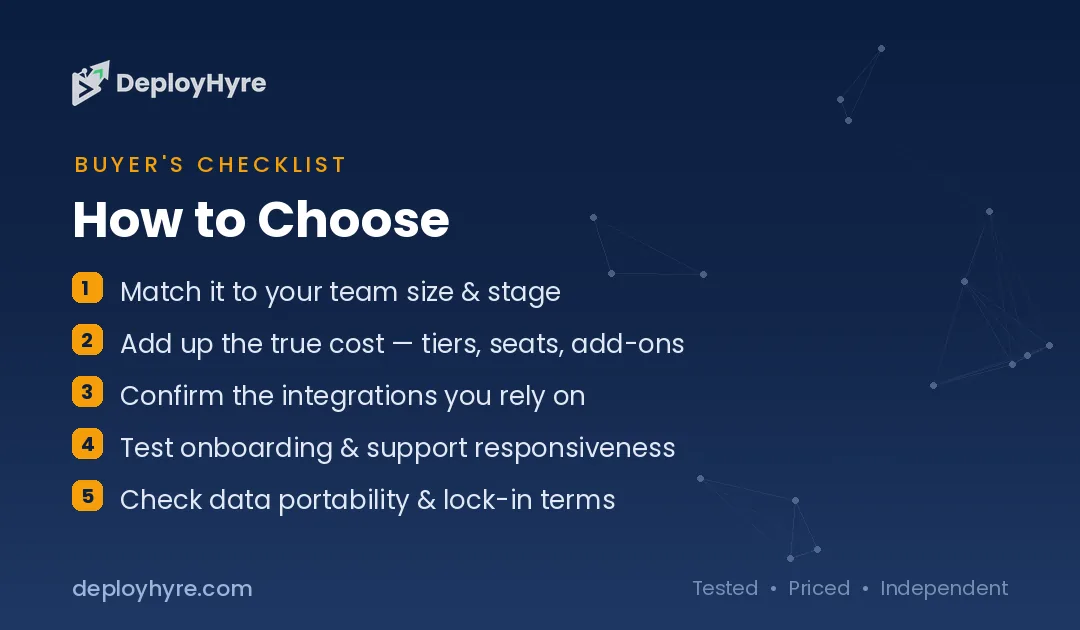
How Should You Choose a Video Conferencing Tool?
Check what you already own first, because it is often the answer. If you have Microsoft 365, Teams is included; if you have Google Workspace, Meet is included. For most organizations, the included platform is capable enough, so buying standalone Zoom duplicates a tool you already pay for. Start by evaluating Teams or Meet before spending anything extra.
Then decide if a standalone platform is genuinely worth it. Reasons to add Zoom include superior reliability, a better external-participant experience, and webinar capability, legitimate for organizations that meet externally often or run events. If those matter, Zoom is the best standalone; if not, your included platform likely suffices.
Finally, match specialized needs to the right tool. Tight budgets point to Zoho Meeting ($3 per host). Enterprise security and compliance point to Webex. Simple standalone meetings point to GoTo. And weigh AI meeting features, transcription, summaries, action items, since they are now the main differentiator, but note the best AI often sits on higher tiers or requires the vendor’s AI subscription, so price the tier that includes the AI you want.
How We Evaluated These Platforms
We evaluated each platform on meeting reliability and quality, ecosystem integration, AI meeting features, security and scale, and pricing including bundling. Figures come from vendor pages and comparison sources. Because Teams and Meet are bundled with M365 and Workspace, we stress checking what you already own before buying standalone. We accepted no payment for placement; rankings reflect fit for a stated use case.
The Bottom Line
Zoom is the best standalone platform for reliability and external meetings, but Microsoft Teams (included with M365) and Google Meet (included with Workspace) are the pragmatic defaults if you already own them, avoiding a duplicate cost. Zoho Meeting is the budget pick at $3 per host, Webex the enterprise-security choice, and GoTo a simple standalone option. Check what your productivity suite already includes first, then buy standalone only if meeting quality or specific features genuinely justify it.
Frequently Asked Questions
How much does video conferencing software cost?
Standalone platforms range from about $3 to $30-plus per user a month: Zoho Meeting from $3, Google Meet from $6 (in Workspace), GoTo Meeting ~$12, Webex $12 to $25, and Zoom ~$15.99 (Pro). Microsoft Teams is included with Microsoft 365 (full features around E5 at $30-plus), and Google Meet is included with Google Workspace.
Do I need to pay for Zoom if I have Microsoft 365?
Often not. Microsoft 365 includes Teams, a full video conferencing and collaboration platform, so paying for standalone Zoom duplicates a tool you already own. Legitimate reasons to add Zoom include superior reliability, better external-participant experience, and webinars, but for many organizations Teams is sufficient, and the standalone cost is avoidable.
What is the best video conferencing tool for Microsoft shops?
Microsoft Teams, because it is included with your Microsoft 365 subscription and integrates deeply with Office, SharePoint, and the Microsoft ecosystem, with Copilot AI meeting features on higher tiers. For Microsoft-invested organizations, Teams is both the video platform and a collaboration hub, and using it avoids a duplicate standalone cost.
What does AI add to video conferencing?
AI meeting assistants transcribe conversations in real time, generate summaries and action items, catch late joiners up, and let you search past meetings by content. Zoom’s AI Companion, Teams’ Copilot, and Meet’s Gemini features all provide versions of this, turning meetings into searchable, actionable records, though the best AI features often require a higher tier or the vendor’s AI subscription.
What is the cheapest video conferencing software?
Zoho Meeting is the lowest-cost standalone option at $3 per host a month. Beyond that, if you already have Google Workspace or Microsoft 365, Google Meet and Microsoft Teams are effectively free with your existing subscription, making them the cheapest capable option for organizations already paying for those suites.
Related Articles

David Austin is a technology writer and software analyst at DeployHyre, where he covers AI tools, SaaS platforms, cloud hosting, and business automation. He focuses on hands-on comparisons of pricing, features, and real-world performance so teams can pick the right software with confidence.