
ElevenLabs is the best Murf AI alternative for most creators in 2026. It starts at $5 per month with commercial rights included, offers stronger voice cloning, and bills by characters instead of hours. Speechify Studio is the best pick for teams, and OpenAI TTS is the cheapest option for developers.
Murf AI prices voice by the hour, not by the character. Creator costs $29 per month billed monthly, or $19 per month billed annually, and includes 24 hours of voice generation per year. Business costs $99 per month, or $66 per month billed annually, and includes 96 hours per year with one editor seat.
Two things follow from that structure. First, the advertised price is the annual price. Paying month to month costs about 33 percent more, so the $19 plan is really $29 unless you commit for a year. Second, hours per year is an awkward unit. Most voice tools and every text-to-speech API bill per character or per million characters, so comparing Murf to anything else means converting units before you can judge value.
The annual allowance also caps output in a way per-character plans do not. Twenty-four hours across twelve months is two hours of finished audio per month. A weekly podcast at 30 minutes an episode uses that entire allowance and needs the $99 tier, a jump of more than three times.
The market has plenty of room for other approaches. Grand View Research puts AI voice generators at $7.7 billion in 2026, growing to $21.8 billion by 2030 at 29.5 percent a year. We compared seven tools on real monthly cost, how each one meters output, voice cloning quality, and commercial rights. Start with our AI for business guide for the wider picture, then use this list to pick a replacement.
Table of Contents
Quick Comparison: Top 7 Murf AI Alternatives
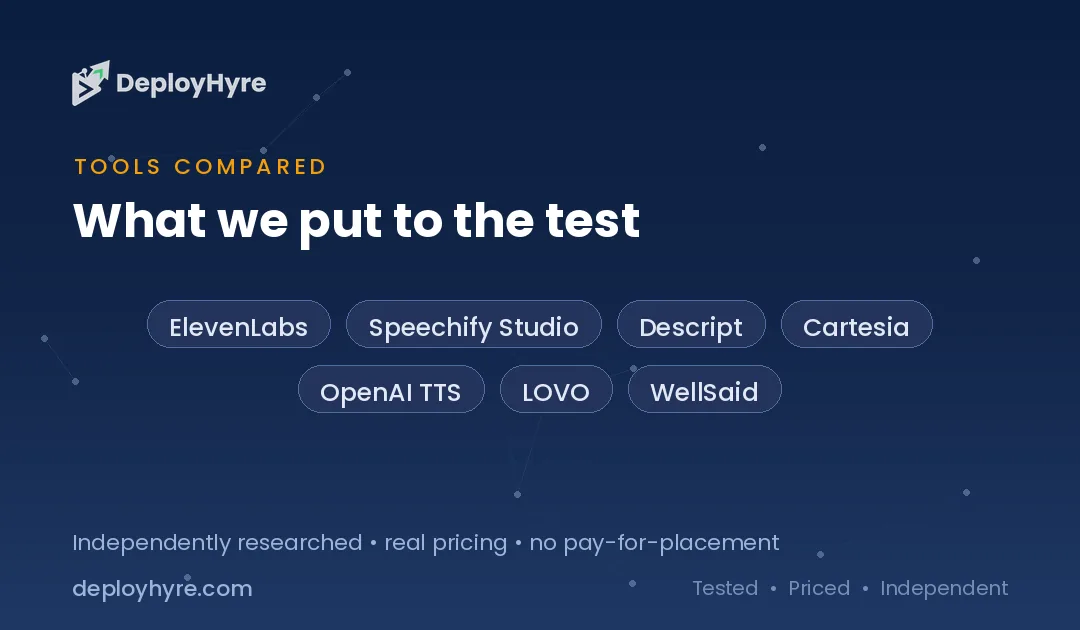
| Tool | Best For | Starting Price | How It Meters Output |
|---|---|---|---|
| ElevenLabs | Voice cloning and realism | $5 per month | Characters and credits |
| Speechify Studio | Teams and long documents | About $19 per user | Per seat, API per million characters |
| Descript | Podcast and video editing | $24 per month | Transcription hours |
| Cartesia | Low-latency applications | Free tier available | Credits, roughly per million characters |
| OpenAI TTS | Developers on a budget | No subscription | Per million characters |
| LOVO | Marketing and ad voiceover | About $24 per month | Monthly generation minutes |
| WellSaid | Enterprise brand voice | About $89 per month | Download minutes |
Why Do Creators Leave Murf AI?
Creators leave Murf AI because hourly allowances are hard to plan around and the monthly price is a third higher than the advertised annual rate. Twenty-four hours of generation per year on Creator works out to two hours a month, and every re-render of a corrected script draws from the same pool.
The re-render problem is the one that surprises people. Voiceover is iterative. You generate a take, hear a mispronounced product name, fix the script, and generate again. Under a per-character model the retry costs a few cents. Under an hourly allowance, three takes of a ten-minute video consume 30 minutes of a two-hour monthly budget.
Seat structure is the second issue. The Business plan includes one editor seat at $99 per month. A small team where two people write and produce audio needs additional seats or a shared login. Tools that price per character do not care how many people generate the audio.
Voice cloning is the third. Murf's studio, pronunciation controls, and timing tools are genuinely good for produced voiceover. Cloning quality is where rivals have moved fastest, and creators who want a version of their own voice increasingly find that a specialist tool clones better.
None of this makes Murf a weak product. Its editor pairs voice with background music and video timing better than most rivals. The question is whether the metering model matches how you actually work.
The 7 Best Murf AI Alternatives
1 ElevenLabs: Best for voice cloning and realism
ElevenLabs sets the quality benchmark for synthetic speech and prices entry access lower than almost anyone.
What it does well. ElevenLabs produces speech with natural pacing, breath, and emotional variation that most listeners do not identify as synthetic. Voice cloning works from a short sample, and the model handles multiple languages while keeping the cloned voice recognisable. Commercial rights are included from the Starter plan at $5 per month, which is lower than Murf's $19 annual Creator tier.
Key features:
- Instant voice cloning from a short audio sample
- Professional voice cloning on higher tiers
- Multilingual output that preserves the cloned voice
- API access for developers on every paid plan
- Commercial usage rights from the entry tier
Pricing. Starter costs $5 per month. Creator costs $22 per month for 121,000 credits and adds professional voice cloning. API usage runs roughly $0.05 to $0.10 per 1,000 characters, or $50 to $100 per million.
Best for: Creators who need the most realistic output and a clone of a specific voice.
Limitations. Credits burn faster than raw character counts suggest, so budget above your first estimate. The gaps between tiers are wide. Our ElevenLabs alternatives guide covers what to do if those jumps do not suit your volume.
2 Speechify Studio: Best for teams and long documents
Speechify started as a reading assistant and grew into a full studio for voiceover and dubbing.
What it does well. Speechify handles long-form text better than tools built for short clips. Feed it a full article, a script, or a report and it produces consistent narration without drifting in pace. The API is priced for volume, which suits teams generating audio at scale.
Key features:
- Long-document narration with consistent pacing
- Voice cloning and AI dubbing across languages
- Video editing with synchronised voiceover
- Browser extension and mobile apps for listening
- Team seats with shared voice libraries
Pricing. Studio Starter costs around $19 per user per month and Creator around $49 per user per month, with API access at roughly $10 per million characters. That API rate is five to ten times cheaper than ElevenLabs for bulk generation.
Best for: Teams converting written content into audio at volume.
Limitations. Per-seat pricing scales the same way Murf's does, so a large team still pays per person. Cloned voices are good rather than best in class. Emotional range is narrower than ElevenLabs on dramatic reads.
3 Descript: Best for podcast and video editing
Descript edits audio and video by editing the transcript, and generates synthetic speech inside the same timeline.
What it does well. Descript merges the voice tool and the editor. You record, it transcribes, you delete a sentence in the text, and the audio changes to match. Its Overdub feature generates a clone of your voice to patch a line you got wrong without rerecording the session.
Key features:
- Transcript-based audio and video editing
- Overdub voice cloning for corrections
- Filler word and gap removal in one click
- Studio Sound for cleaning up poor recordings
- Multitrack editing with screen recording
Pricing. Hobbyist costs $24 per month and Creator costs $35 per month, both with commercial rights included. Plans meter transcription hours rather than generated characters.
Best for: Podcasters and video producers who want editing and voice generation in one tool.
Limitations. Descript is an editor first and a voice generator second. If you only need voiceover files, you are paying for editing features you will not open. Synthetic voice quality trails the specialists. Pair it with our best AI video editing software guide if editing is the real requirement.
4 Cartesia: Best for low-latency applications
Cartesia builds speech models tuned for speed, aimed at live agents and interactive products rather than produced media.
What it does well. Cartesia generates speech fast enough for real-time conversation. That matters for voice agents, phone systems, and any interface where a pause feels broken. Quality holds up well against slower models, and the free tier is large enough to prototype properly.
Key features:
- Very low latency suited to live voice agents
- Voice cloning from short samples
- Streaming API for real-time output
- Free tier with 20,000 credits
- Multilingual voices
Pricing. The free tier includes 20,000 credits. Paid plans run up to Scale at $299 for 8 million credits, which works out to roughly $5 to $37 per million characters depending on tier.
Best for: Developers building voice agents, assistants, or interactive audio products.
Limitations. Cartesia is a developer platform, not a studio. There is no timeline editor, no background music, and no drag-and-drop interface. If you want to produce a marketing video, this is the wrong tool.
5 OpenAI TTS: Best for developers on a budget
OpenAI offers text-to-speech through the same API as its other models, with no subscription attached.
What it does well. There is no monthly fee. You pay for the characters you convert and nothing else, which suits irregular workloads better than any allowance-based plan. If you already call OpenAI models, voice arrives through the same key and the same billing account.
Key features:
- No subscription or minimum commitment
- Several preset voices with adjustable speed
- Streaming output for real-time playback
- Same API key as other OpenAI models
- Straightforward per-character pricing
Pricing. Usage runs roughly $12 to $30 per million characters depending on the model. There is no monthly floor, so a light month costs a few dollars.
Best for: Developers adding narration to an app where volume varies month to month.
Limitations. You cannot clone a voice. The preset voices are clear but generic, and they will not carry a brand. There is no interface at all, so this only works if someone writes code.
6 LOVO: Best for marketing and ad voiceover
LOVO focuses on advertising and marketing audio, with a large voice library sorted by tone and use case.
What it does well. LOVO organises voices around commercial intent. You filter for an upbeat product ad, a calm explainer, or a serious corporate read, and the library surfaces voices that match. Its Genny editor pairs voice with music and simple video, which covers the full path from script to finished ad.
Key features:
- Large voice library filtered by tone and use case
- Emotion controls per line of script
- Built-in editor with music and video
- Voice cloning on higher tiers
- Commercial rights on paid plans
Pricing. Paid plans start around $24 per month with a monthly generation allowance, placing it just above Murf's annual Creator rate and below its monthly one.
Best for: Marketers producing ads, explainers, and social video voiceover.
Limitations. LOVO meters by monthly minutes, so it shares some of Murf's planning problem, though the reset is monthly rather than annual. Quality on emotional reads sits behind ElevenLabs. See our best free AI tools for marketing guide for lower-cost options.
7 WellSaid: Best for enterprise brand voice
WellSaid builds consistent brand voices for companies that need the same speaker across thousands of assets.
What it does well. WellSaid prioritises consistency over novelty. A voice sounds identical in January and in December, across every asset a team produces. That matters for training libraries, product tours, and IVR systems where a shifting voice feels wrong. Its enterprise controls cover approvals and shared pronunciation dictionaries.
Key features:
- Consistent brand voices across large asset libraries
- Shared pronunciation dictionaries for product names
- Team workspaces with approval workflows
- Custom voice creation for enterprise accounts
- Download-minute pricing rather than character counts
Pricing. Paid plans start at $19 per month, or $10 per month billed annually, and meter by download minutes. Enterprise custom voices are quoted separately.
Best for: Companies producing training, onboarding, or product audio at scale.
Limitations. This is the most expensive entry point here, and it is aimed squarely at organisations rather than individual creators. The voice library is smaller than LOVO's or Murf's. Solo creators will find better value elsewhere on this list.
How Should You Choose the Right Murf AI Alternative?
Choose based on how you meter output. Pick ElevenLabs for realism and cloning, Speechify Studio for team volume, OpenAI TTS for cheap developer access, Descript if you also edit video, and WellSaid if a consistent brand voice matters more than price. Match the billing unit to your workflow.
Convert your usage to characters first. One hour of speech is roughly 50,000 to 60,000 characters at normal pace. Murf's 24-hour annual Creator allowance is therefore about 1.3 million characters a year, or 110,000 a month. At Speechify's API rate of $10 per million, that same volume costs about $1.10 a month. At ElevenLabs API rates it costs $5 to $11. Run this conversion before you compare any two plans.
Count your retries next. If you typically generate three versions of every script, your real consumption is triple your finished output. Per-character tools handle that gracefully. Allowance-based tools punish it.
Decide whether you need a clone. A cloned voice is the main reason to pay a premium. If preset voices work for your content, OpenAI TTS at $12 to $30 per million characters undercuts everything else here by a wide margin.
Finally, check commercial rights explicitly. ElevenLabs includes them from $5, Descript from $24, and Murf from its $19 Creator tier. Free tiers usually do not include them. Publishing commercial audio generated on a free plan creates a licensing problem that is cheap to avoid and expensive to fix.
How We Evaluated These Voice Tools
We scored each tool on four criteria that decide real cost and real usefulness rather than marketing claims.
Published pricing. We used current pricing pages and independent 2026 breakdowns, and we separated monthly rates from annual rates wherever a vendor advertises the annual price as the headline.
Metering model. We recorded whether each tool bills per character, per credit, per minute, or per seat, because that determines how retries and team growth affect the bill.
Voice cloning. We checked whether cloning is available, what sample length it needs, and which tier unlocks it.
Commercial rights. We confirmed the lowest paid tier that permits commercial publication, since that is the threshold most creators actually need.
We did not score on voice count. A library of 200 voices is not better than a library of 50 if the 50 sound more human. We weighted output quality and predictable cost above catalogue size.
The Bottom Line
ElevenLabs is the strongest Murf AI alternative for most creators because it starts at $5 per month, includes commercial rights from that tier, and bills by characters so retries cost cents rather than minutes of an annual allowance. Voice cloning quality is the best available.
Choose Speechify Studio if a team generates audio at volume and the API rate of roughly $10 per million characters matters more than peak realism. Choose OpenAI TTS if you write code, need no cloning, and want to pay only for what you convert. Choose Descript if the real job is editing a podcast or video and voice generation is a supporting feature.
Before switching, convert your current output to characters and price it on two or three of these tools. The unit conversion, not the sticker price, is what reveals which plan actually fits.
For related workflows, see our guides to best AI dubbing software, best AI subtitle generators, and best AI transcription software, which cover the steps either side of voice generation.
Frequently Asked Questions
Is there a cheaper alternative to Murf AI?
Yes. ElevenLabs starts at $5 per month with commercial rights included, compared to Murf's Creator plan at $19 per month billed annually or $29 billed monthly. For developers, OpenAI TTS has no subscription at all and costs roughly $12 to $30 per million characters.
Which Murf AI alternative has the best voice cloning?
ElevenLabs has the best voice cloning. It creates a usable clone from a short sample, keeps the cloned voice recognisable across languages, and offers a higher-fidelity professional cloning option on its Creator tier at $22 per month. Descript's Overdub is the better choice if the clone is only for patching mistakes in a recording.
How much audio does Murf AI's Creator plan actually include?
Murf's Creator plan includes 24 hours of voice generation per year, which is about two hours per month. At normal speaking pace that is roughly 110,000 characters a month. Every regenerated take counts against the same allowance, so the usable output is lower than the headline number suggests.
Do free AI voice tools allow commercial use?
Usually not. Most free tiers, including trial plans from these vendors, restrict output to personal or evaluation use. ElevenLabs grants commercial rights from its $5 Starter plan, Murf from its Creator plan, and Descript from Hobbyist at $24. Check the licence before publishing anything monetised.
Can I move my Murf projects to another tool?
You can move the scripts but not the voices. Voice models are proprietary to each platform, so audio must be regenerated on the new tool with a different speaker. Export your finished audio files from Murf before cancelling, since access ends when the subscription lapses.
Related Articles

David Austin is a technology writer and software analyst at DeployHyre, where he covers AI tools, SaaS platforms, cloud hosting, and business automation. He focuses on hands-on comparisons of pricing, features, and real-world performance so teams can pick the right software with confidence.
Know AI, SaaS, or cloud tools inside out? Pitch a guest post and get in front of thousands of buyers researching their next tool.
Pitch your idea →