
Pick Wix if you want maximum flexibility, an app ecosystem, and granular drag-and-drop control; pick Squarespace if polished, design-led templates and a cleaner editing experience matter more than raw configurability. Both are mature, all-in-one builders that bundle hosting, a domain, SSL, and SEO tools, so the decision rarely comes down to a missing feature. It comes down to how you like to build and what the site needs to do a year from now. This guide compares the two on design flexibility, ecommerce, AI tooling, and real entry pricing so you can match the builder to the project rather than the marketing.
A note on pricing: plan costs shift by region, promotion, and billing term, and vendors frequently run introductory discounts. Treat every figure below as a band drawn from each company’s own pricing page (Wix’s wix.com/plans and Squarespace’s squarespace.com/pricing) rather than a fixed quote, and confirm the current number at checkout before you commit. Prices here reference annual (paid-up-front) billing in USD unless noted.
Quick Comparison: Wix vs Squarespace at a Glance
| Tool | Best For | Entry Price | Note |
|---|---|---|---|
| Wix | Flexibility, apps, and feature breadth across any business type | From ~$17/mo (Light, billed annually); free plan with Wix branding available | Drag-and-drop freedom plus a large app market; more choices, steeper tidying |
| Squarespace | Design-forward sites, portfolios, and brands that want polish out of the box | From ~$16/mo (Personal, billed annually); free trial, no permanent free tier | Structured, template-driven editor that is hard to make look bad |
What a Website Builder Actually Does
A website builder is an all-in-one platform that combines the pieces you would otherwise assemble yourself: a visual editor, hosting, a domain, an SSL certificate, templates, and usually a built-in store, blog, and marketing tools. Instead of installing software, choosing a host, and wiring plugins together, you sign up, pick a template or generate one, and edit on a live canvas. The trade is control for convenience: you give up some low-level flexibility in exchange for never touching a server.
Wix and Squarespace both sit at the convenience end of that spectrum, which is why they are so often compared. If your goal is a single high-converting page rather than a full site, it is worth scanning our roundup of the best AI landing page builders first, since a dedicated landing-page tool can out-convert a general builder for that one job. For a multi-page brand site, store, or portfolio, though, the Wix-vs-Squarespace question is the right one to settle.
The Real Split: Flexibility vs Design, and True Cost
The honest summary is that Wix optimizes for flexibility and Squarespace optimizes for design discipline. Wix gives you a free-form, pixel-level drag-and-drop editor, a library of 2,000+ templates, and an app market you can bolt onto almost any feature gap. That freedom is its strength and its tax: you can build nearly anything, but you can also create a cluttered, inconsistent layout if you are not careful, and templates are harder to swap once you commit. Squarespace takes the opposite stance. Its editor is more structured and section-based, its template catalog is smaller but uniformly polished, and it is genuinely difficult to produce something that looks amateur. Designers and visual brands tend to prefer it for exactly that reason.
AI tooling has converged. Both platforms now offer prompt-to-site generation and AI writing assistance: Wix’s AI website builder spins up a full site from a description and flows into its drag-and-drop editor, while Squarespace layers AI copy and design help into its structured flow. Neither is a decisive advantage on its own; the underlying editing philosophy still drives the experience.
The place buyers underestimate cost is ecommerce. Entry plans look close, but selling online pushes you up each ladder. The table below maps the plans that matter against each other.
| Need | Wix (band, annual) | Squarespace (band, annual) | What changes |
|---|---|---|---|
| Entry / basic site | Light, ~$17/mo | Personal, ~$16/mo | Custom domain, hosting, no platform ads; limited ecommerce |
| Business site + payments | Core, ~$29/mo | Business, ~$23/mo | Payments enabled; Squarespace Business charges a transaction fee on sales |
| Serious online store | Business, ~$36/mo | Basic Commerce, ~$28/mo | 0% platform transaction fees; fuller store tooling on both |
| Advanced / scaling | Business Elite, ~$159/mo | Advanced Commerce, ~$52/mo | Advanced shipping, subscriptions, developer features; prices diverge sharply |
| Free option | Yes (Wix-branded) | No (free trial only) | Wix lets you build free; Squarespace requires a paid plan to launch |
Best for Flexibility & Features
Winner: Wix. If you expect your site to grow sideways into bookings, events, memberships, a restaurant menu, or a custom workflow, Wix is the safer bet. Its drag-and-drop editor lets you place elements anywhere, and its app market fills gaps without you leaving the platform. Entry pricing starts around $17/mo on the Light plan (billed annually), with payment-enabled plans in the ~$29/mo (Core) range and a full store on Business around ~$36/mo. There is also a genuinely free plan if you can live with Wix branding and a Wix subdomain while you build.
That breadth is the reason businesses with varied or evolving needs gravitate to Wix. It behaves less like a template engine and more like a modular platform. If you are weighing a general builder against purpose-built design-and-prototype tools, our Webflow vs Framer comparison is a useful counterpoint for teams that want more control than Wix but less overhead than hand-coding. The caveat with Wix remains discipline: more freedom means more opportunity to create inconsistent layouts, and you cannot swap templates freely once a site is live, so plan the structure before you build.
Best for Design & Portfolios
Winner: Squarespace. For photographers, designers, restaurants, boutique brands, and anyone whose site is the product, Squarespace’s template quality is the deciding factor. Its structured editor keeps spacing, typography, and responsiveness consistent, so the finished site looks intentional with far less fiddling. Entry pricing starts around $16/mo on the Personal plan (billed annually), with the Business tier near ~$23/mo and Basic Commerce around ~$28/mo once you need a real store without per-sale platform fees.
Squarespace also tends to win on content presentation: galleries, editorial layouts, and portfolio grids feel native rather than bolted on. It is worth being clear about the trade, though. The template catalog is smaller than Wix’s, the editor gives you less absolute positioning control, and there is no permanent free plan, only a trial. If your ambitions outgrow a hosted builder entirely, migrating to a self-managed stack is common, and our guides to the best managed WordPress hosting cover that path for content-heavy sites that need a CMS with room to grow.
Best for Budget & Ease
Winner: it depends on what “cheap” means to you. On headline entry price the two are effectively tied: Squarespace Personal sits around ~$16/mo and Wix Light around ~$17/mo, both billed annually. For the lowest possible outlay, Wix wins outright because it offers a free plan (with Wix branding) that Squarespace does not match. For ease of getting a good-looking result fast with no design decisions, Squarespace wins because its templates do the heavy lifting.
Where “budget” gets decided is ecommerce. Squarespace’s Business plan applies a transaction fee on sales, so if you are selling more than occasionally you will want Basic Commerce (~$28/mo) to drop that fee to zero, and Wix’s store-ready Business plan lands around ~$36/mo. Run your expected monthly sales through those fee structures before you choose the cheapest-looking tier. If a dedicated store is the whole point of the site, compare both against specialist platforms in our best ecommerce hosting guide, since a purpose-built commerce stack can be cheaper at scale than a general builder’s top tier. The verdict: Wix for the lowest floor, Squarespace for the fastest polished result, and a dedicated commerce platform if selling is the core job.
How Should You Choose Between Wix and Squarespace?
Start with the kind of builder you are, not the feature list. If you enjoy control and want to position elements precisely, bolt on apps, and grow the site into new functions over time, Wix will feel liberating. If you would rather make a few good choices and let the platform keep everything consistent, Squarespace will feel calmer and get you to a professional result faster. Most frustration with either tool comes from picking the one that fights your working style.
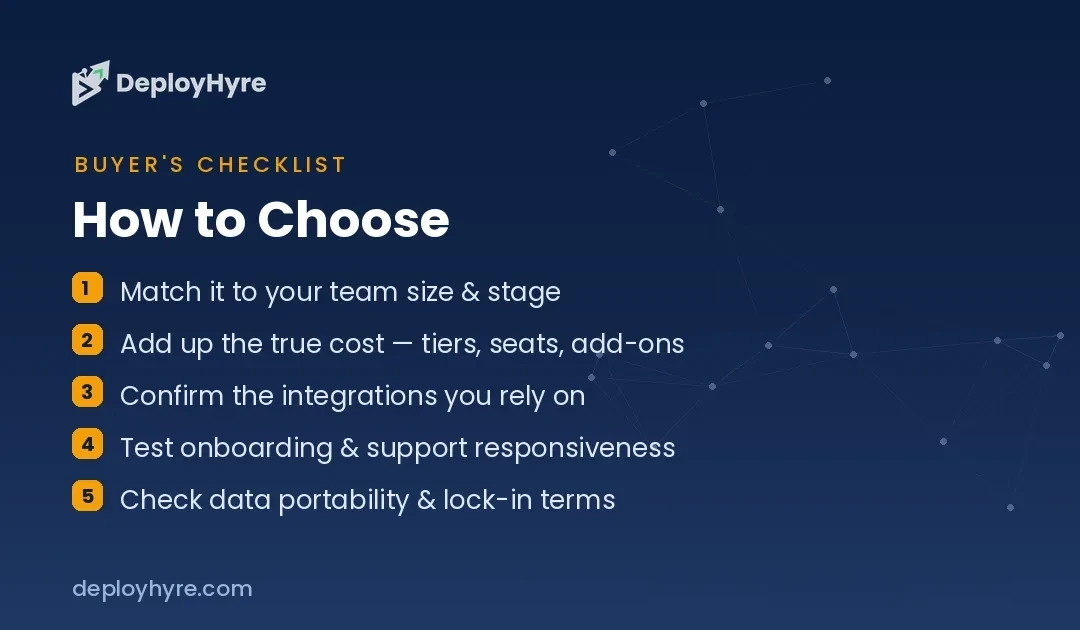
Then weigh what the site must do in twelve months, not today. A portfolio that stays a portfolio is a clean Squarespace fit. A small business that might add bookings, a membership area, or a second storefront is better served by Wix’s breadth and app market. Map the likely growth path first, because switching builders later means rebuilding, and neither platform lets you export a site and drop it into the other.
Finally, model the real cost at your sales volume rather than the entry price. The two platforms are close at the bottom of the ladder and diverge sharply at the top, especially once transaction fees and advanced commerce tiers enter the picture. The cheapest plan that still forces a per-sale fee is often more expensive than the next tier up once you are actually selling. Decide on the tier you will realistically land on, then compare those numbers.
How We Evaluated Wix and Squarespace
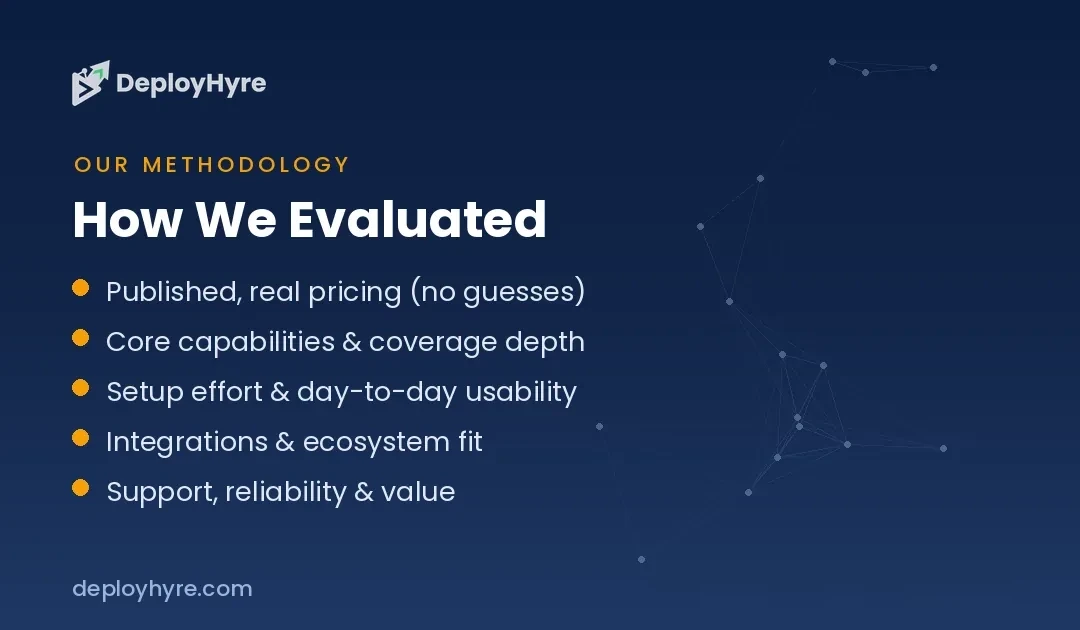
We compared Wix and Squarespace on the factors that decide real projects: editing model and design flexibility, template quality, ecommerce capability and fees, AI tooling, and the true cost of the plan each type of buyer actually lands on, not just the advertised entry price. We prioritized the differences that change the decision over feature parity that both platforms share.
Pricing and plan details are taken from each vendor’s own pricing pages and are presented as bands because costs vary by region, billing term, and active promotions. We do not accept payment for placement or ranking; the recommendations reflect which tool fits which job, not commercial relationships. Where a figure could go stale, we favored durable guidance (“entry-level,” “store-ready tier”) over a precise number, and we recommend confirming the current price at checkout before you buy.
The Bottom Line
Wix and Squarespace are both excellent, and neither is a wrong answer for a typical small site. Choose Wix when you value flexibility, an app ecosystem, and room to grow the site into new functions, and when a free starting plan matters. Choose Squarespace when design polish, portfolio and editorial presentation, and a calmer, more structured editor are the priority. Entry pricing is effectively a wash at roughly $16-$17/mo billed annually, so let working style, growth plans, and your real ecommerce costs break the tie. If selling is the whole point of the site, price both top tiers against a dedicated commerce platform before committing.
Frequently Asked Questions
Is Wix or Squarespace cheaper?
At the entry level they are nearly identical: Squarespace Personal is around ~$16/mo and Wix Light around ~$17/mo, both billed annually, per each vendor’s pricing page. Wix is cheaper for the lowest possible outlay because it offers a free, Wix-branded plan that Squarespace does not. For ecommerce, compare the store-ready tiers and transaction fees rather than the entry price, since that is where real cost is decided.
Which is better for ecommerce, Wix or Squarespace?
Both handle online stores well. Squarespace’s Business plan charges a per-sale transaction fee, so serious sellers move to Basic Commerce (around ~$28/mo billed annually) for 0% platform fees; Wix’s store-ready Business plan lands around ~$36/mo. Wix offers broader app-based extensions, while Squarespace offers cleaner product presentation. Model your expected sales volume against each fee structure before choosing, as published on each vendor’s pricing page.
Does Squarespace have a free plan like Wix?
No. Squarespace offers a free trial but no permanent free tier, so launching a live site requires a paid plan. Wix does offer a genuinely free plan, though it displays Wix branding and uses a Wix subdomain rather than a custom domain. If building at zero cost matters to you, Wix is the only one of the two that supports it long-term, per each company’s current plans.
Can I switch a template or move my site between the two?
Not easily. Wix does not let you freely swap templates once a site is live, so structure matters up front, whereas Squarespace lets you restyle more within its system. Neither platform lets you export a finished site and import it into the other; moving between builders means rebuilding. Plan your choice as a longer-term commitment rather than something you can painlessly reverse later.
Which is better for SEO and AI search visibility?
Both include the SEO fundamentals: editable titles and meta descriptions, clean URLs, SSL, mobile-responsive output, and sitemaps, and both ship AI site-generation and content tools. Neither holds a decisive ranking advantage for a well-built site; content quality and structure matter far more than the platform. For a single high-intent page, a dedicated landing-page or CMS tool can outperform either general builder, as covered in our related guides.
Related Articles




The DeployHyre Editorial Team writes buyer guides on AI tools, SaaS, cloud hosting and proxies. We compare tools using published pricing, official documentation and third-party reviews. All content is for educational and informational purposes only.