For most people the best general-purpose AI chatbot is ChatGPT for everyday all-round use, Claude for coding and long-form reasoning, and Perplexity for research that needs cited sources. But “best” depends entirely on what you actually do all day. A developer, a student writing a literature review, and a marketer drafting emails will each be happiest with a different tool, and almost every option here has a genuinely usable free tier, so you can test-drive your shortlist before paying a cent. This roundup compares nine leading assistants on what they cost, what they are actually good at, and where each one quietly falls short. All pricing below is entry-level consumer pricing pulled from each vendor and cross-checked against pricing trackers in late 2026; treat the paid figures as starting bands, since promotional, annual, and student rates move around.
Quick Comparison: Best AI Chatbots at a Glance
| Tool | Best For | Entry Price | Note |
|---|---|---|---|
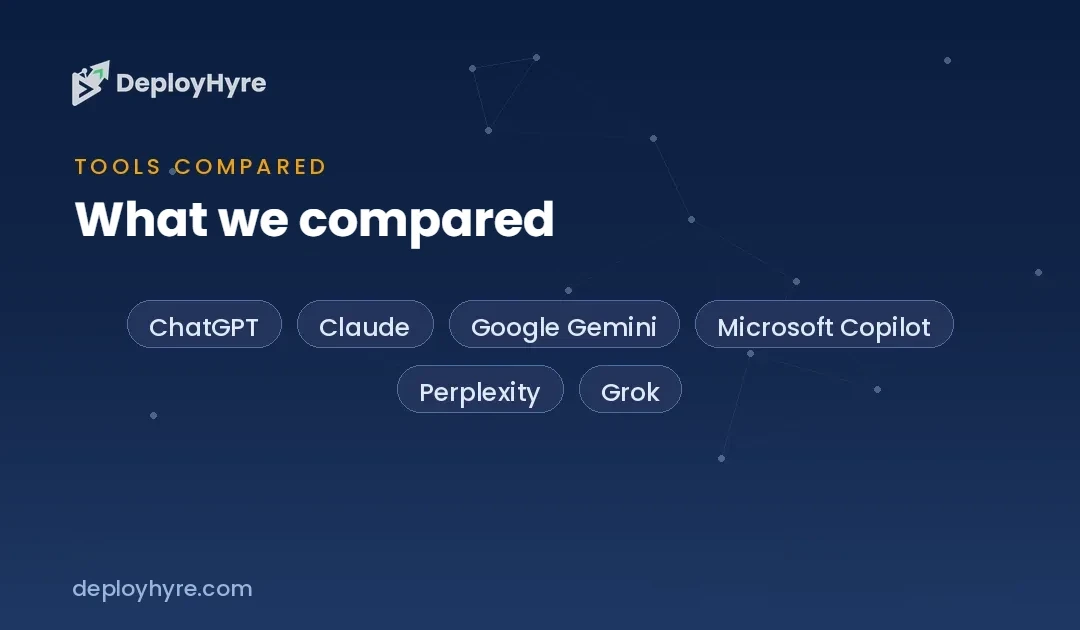
| ChatGPT (OpenAI) | Everyday all-rounder | Free; Plus $20/mo (Go tier ~$8/mo) | Largest ecosystem, voice, image gen, custom GPTs |
| Claude (Anthropic) | Coding & long-form reasoning | Free; Pro $20/mo ($17/mo billed annually) | Strong writing quality and large context handling |
| Google Gemini | Google Workspace users | Free; AI Pro $19.99/mo (AI Plus ~$7.99/mo) | Deep Gmail, Docs and Android integration |
| Microsoft Copilot | Microsoft 365 / Office users | Free; M365 Premium $19.99/mo | Standalone Copilot Pro folded into M365 in 2026 |
| Perplexity | Research with citations | Free; Pro $20/mo (~$16.67/mo annually) | Answer engine that shows its sources |
| Grok (xAI) | Real-time X / social context | Free; SuperGrok $30/mo (X Premium ~$8/mo) | Tied into the X platform and live posts |
| Mistral (Le Chat) | Budget-conscious EU users | Free; Pro $14.99/mo | Cheapest premium tier from a major provider |
| DeepSeek | Free power users | Free (no consumer paid tier) | Full chat features at no cost; API billed separately |
| Poe (Quora) | Trying many models in one app | Free (~300 pts/day); Starter $4.99/mo | One subscription, many models, points-based limits |
What an AI Chatbot Actually Does
A general-purpose AI chatbot is a conversational interface sitting on top of a large language model. You type (or speak) a request in plain language, and it drafts text, answers questions, summarizes documents, writes and debugs code, brainstorms, translates, and increasingly searches the live web or reasons step by step before answering. The distinction worth keeping straight: these are open-ended personal assistants, not the narrow bots that sit on a company website to deflect support tickets. If your goal is deflecting inbound customer questions rather than helping yourself think and write, you want a different category entirely, start with our guide to the best AI customer service software, which covers platforms built for that job.
The tools in this roundup all handle the same core tasks competently. What separates them is depth in specific directions: how well they reason through hard problems, how fast they respond, whether they cite sources, how much of your document or codebase they can hold in context at once, and which software ecosystem they plug into. Those differences, not raw “intelligence,” are what should drive your choice.
The Real Split: Reasoning vs. Speed vs. Search
Here is the insight most “best chatbot” lists bury: these assistants are no longer competing on a single axis of quality. They have specialized. Broadly, they now fall into three camps, and picking the right camp matters more than picking the “smartest” model.
Reasoning-first tools (Claude, ChatGPT’s thinking modes, DeepSeek) spend extra compute working through a problem before answering, better for code, math, and analysis, but slower and more likely to eat your usage allowance. Speed-and-ecosystem tools (Gemini, Copilot) prioritize being instantly available where you already work, inside Gmail, Docs, Word, or Windows. Search-native tools (Perplexity, Grok) treat the live web as the primary source and hand you citations, trading some raw writing polish for freshness and verifiability. The other decisive variable is the free tier: nearly all of these throttle their best model on the free plan, so the practical question is often “how good is the free tier, and how fast do I hit the wall?”
| Tool | Primary Strength | Free-Tier Reality | Best-Model Access |
|---|---|---|---|
| ChatGPT | Balanced all-rounder + ecosystem | Generous; default model free, caps on advanced modes | Plus $20/mo lifts limits |
| Claude | Reasoning, code, writing quality | Usable but hits message limits quickly on heavy use | Pro $20/mo raises caps |
| Perplexity | Sourced, citation-backed answers | Unlimited quick search; limited daily Pro searches | Pro $20/mo for more Pro searches |
| Gemini | Speed + Google integration | Solid free access to a capable model | AI Pro $19.99/mo for top model + context |
| DeepSeek | Strong reasoning at zero cost | Full features free, including web search | No paywall on the consumer chat |
| Grok | Live social / X context | Free with usage caps | SuperGrok $30/mo for higher limits |
Best for Everyday Use
ChatGPT (OpenAI) remains the default everyday pick, and for good reason. The free tier gives most people everything they need, drafting, summarizing, brainstorming, voice conversations, and image generation, with the paid Plus plan at $20/month (and a cheaper Go tier around $8/month) lifting rate limits and unlocking the newest models and advanced modes. Its ecosystem is the widest: custom GPTs, a large plugin and app surface, mobile and desktop apps, and voice that actually feels conversational. If you only ever try one chatbot, this is the safe bet.
Google Gemini is the everyday choice if your life already runs on Google. The free tier is capable, and AI Pro at $19.99/month upgrades you to the top Gemini model with a very large context window plus assistance woven directly into Gmail, Docs, and Android. For anyone drafting inside Google Workspace all day, that integration removes copy-paste friction entirely.
Microsoft Copilot plays the same role for the Microsoft world. Copilot Free covers casual chat, and Microsoft folded the old standalone Copilot Pro into Microsoft 365 Premium at $19.99/month during 2026, bundling the AI features into Word, Excel, Outlook, and PowerPoint alongside generous cloud storage. If you live in Office, it meets you where you work. Everyday, general-purpose chat is only one job these assistants take on, if you are evaluating bots to sell and support products online, see our roundup of the best AI ecommerce chatbots instead.
Best for Coding & Reasoning
Claude (Anthropic) is the standout here. Developers repeatedly rate it at or near the top for writing, refactoring, and explaining code, and its long-form reasoning and natural writing quality make it a favorite for documentation and analysis too. The free tier lets you sample it, and Pro at $20/month (or $17/month billed annually) raises message limits substantially. The one thing to plan around is throttling: heavy users can hit caps mid-session, so it is worth understanding how the caps work, our breakdown of Claude usage limits explains exactly when they reset and how to stretch them.
ChatGPT is the strong second choice for code and reasoning, especially on the Plus plan where its dedicated thinking modes tackle harder problems and its huge tooling ecosystem (code interpreter, file analysis, custom GPTs) adds real leverage. For many developers the honest answer is to keep both Claude and ChatGPT open and lean on whichever handles the task in front of them better.
DeepSeek is the wildcard: a reasoning-capable assistant whose consumer chat is genuinely free, with web search and file uploads included and no Plus tier to upsell you. Its API is billed separately per token for developers, but for individuals who want strong step-by-step reasoning without a subscription, it is hard to beat on price. Note that voice-driven and phone-based automation is a different discipline, if you need an assistant that talks to callers rather than one you type to, look at the best AI voice agents.
Best for Research & Search
Perplexity is purpose-built for research. Rather than answering from training data alone, it searches the live web and returns an answer with inline citations you can click and verify, invaluable for anything you need to trust or footnote. The free plan gives unlimited quick searches plus a limited daily number of deeper “Pro” searches; Pro at $20/month (around $16.67 billed annually) raises that Pro-search allowance and unlocks more powerful underlying models. If you fact-check for a living or write anything with sources, start here.
Grok (xAI) earns its research slot on freshness rather than citations. Because it is wired into the X platform, it is unusually good at surfacing what is happening right now, breaking news, live sentiment, trending discussion. A free tier exists with usage caps; SuperGrok at $30/month (or X Premium bundling from around $8/month) lifts limits and adds the fuller feature stack. It is the tool to reach for when recency and social pulse matter more than a formal reference list.
Mistral (Le Chat) rounds out the value end. At $14.99/month for Pro, it is the cheapest premium tier from a major provider, with a free plan underneath, and it appeals particularly to European users who want a capable, well-integrated assistant with web search at a lower price than the $20 incumbents. For light-to-moderate research it holds its own while costing less. Aggregators like Poe deserve a mention too: one subscription (free at roughly 300 points a day, or Starter from $4.99/month) lets you switch between many models in a single app, though its points system means expensive models drain your allowance fast.
How Should You Choose an AI Chatbot?
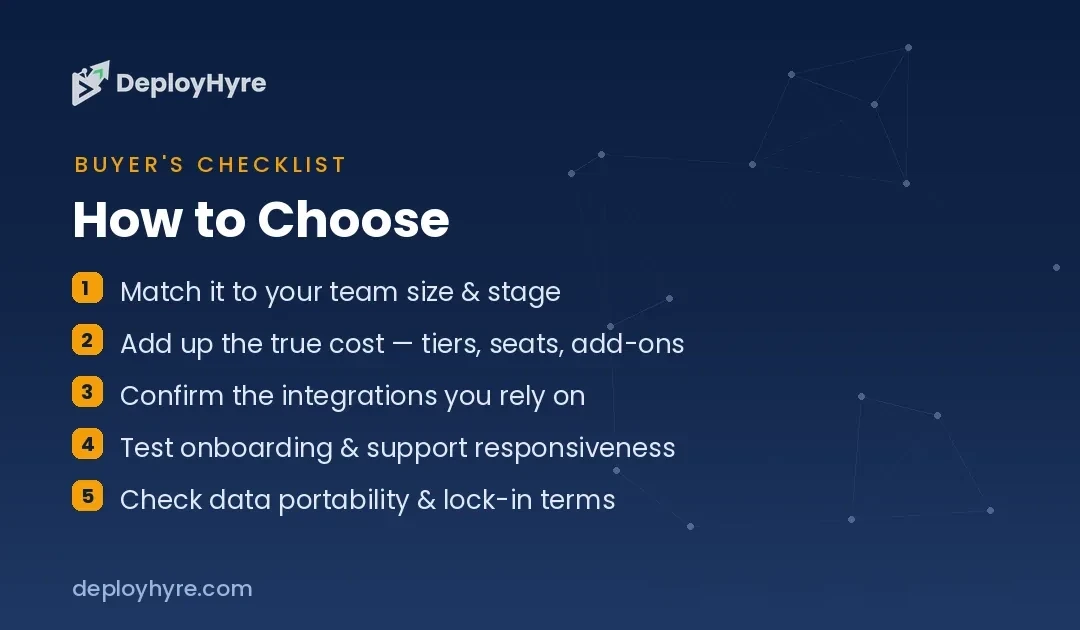
Start with where you already work, not with benchmark charts. If your day happens in Google Workspace, Gemini removes the most friction; if it happens in Microsoft Office, Copilot does. That ecosystem fit will save you more time in practice than a marginal difference in model quality, because the assistant is right there in the app instead of in a separate tab.
Then match the tool to your dominant task. Code and hard reasoning point to Claude or ChatGPT; sourced research points to Perplexity; real-time and social context point to Grok; strict budget points to DeepSeek (free) or Mistral (cheapest paid). Be honest about volume, too, if you send hundreds of messages a day, free-tier caps will define your experience far more than headline features, so weigh how quickly each tool throttles you.
Finally, test before you commit. Every tool here has a free tier or trial, so spend a week running your real work through your top two before paying. Many power users end up subscribing to one and keeping a second open on the free plan for tasks it handles better, a perfectly rational setup given that the paid tiers cluster around the same $15 to $20 price point.
How We Evaluated These Tools
We limited this roundup to general-purpose consumer AI assistants, the ones you chat with to help yourself think, write, code, and research, and excluded platforms built for narrow customer-service or embedded-bot use. Each tool was screened for three things: it is live and actively maintained as of late 2026; it offers a genuine free tier or trial so readers can test it; and its entry pricing could be confirmed from the vendor and cross-checked against independent pricing trackers. Pricing is reported as entry-level consumer bands, not enterprise or API rates, because promotional, annual, and student discounts shift frequently. “Best for” verdicts reflect each tool’s documented strengths and the consensus of practitioner reviews rather than a single controlled benchmark, since real-world fit depends on your workflow more than any leaderboard score.
The Bottom Line
There is no single best AI chatbot, there is the best one for your work. For a versatile everyday assistant with the widest ecosystem, ChatGPT is the safe default at $20/month for Plus, with a strong free tier. For coding, analysis, and long-form writing, Claude leads at $20/month for Pro. For research you need to cite and trust, Perplexity’s citation-backed answers are unmatched at $20/month for Pro. If you live inside Google or Microsoft, Gemini and Copilot (both around $19.99/month) win on integration alone. And if budget is the deciding factor, DeepSeek is free with no paywall and Mistral’s Le Chat is the cheapest premium tier at $14.99/month. Pick the camp that matches your dominant task, test the free tier for a week, and only then reach for your wallet.
Frequently Asked Questions
What is the best free AI chatbot?
DeepSeek stands out because its consumer chat is fully free with web search and file uploads and no paid tier to upsell you. ChatGPT, Claude, Google Gemini, and Perplexity also offer strong free plans, though each throttles its most advanced model or limits deeper searches. For most people the best free option is whichever ecosystem they already use, since Gemini and Copilot free tiers integrate directly with Google and Microsoft apps.
How much does ChatGPT Plus cost?
ChatGPT Plus costs $20 per month, a price that has held steady since the plan launched. OpenAI also offers a lower-cost Go tier at roughly $8 per month and higher Pro tiers running from about $100 to $200 per month. A free plan remains available and covers most everyday needs, with Plus mainly raising rate limits and unlocking the newest models and advanced reasoning modes.
Which AI chatbot is best for coding?
Claude is widely rated at or near the top for coding, refactoring, and explaining code, with Pro at $20 per month (or $17 monthly billed annually) raising message limits. ChatGPT Plus is a close second thanks to its thinking modes and tooling ecosystem, and DeepSeek is a strong free alternative for step-by-step reasoning. Many developers keep both Claude and ChatGPT open and switch based on the task.
Is Perplexity better than ChatGPT for research?
For research that needs verifiable sources, yes. Perplexity is built as an answer engine that searches the live web and returns inline citations you can click and check, which ChatGPT does not foreground by default. Its free plan allows unlimited quick searches plus limited daily Pro searches, and Pro at $20 per month raises that allowance. For open-ended drafting and reasoning, though, ChatGPT is more versatile.
Do AI chatbots have usage limits on paid plans?
Yes. Even paid plans cap how many messages or advanced-model queries you can send in a window, and heavy users can hit those caps mid-session. Claude, for example, enforces message limits that reset on a schedule, and Perplexity limits daily Pro searches. Points-based tools like Poe drain faster on expensive models. If you send high volumes daily, check each tool’s specific limits before subscribing.
Related Articles

The DeployHyre Editorial Team writes buyer guides on AI tools, SaaS, cloud hosting and proxies. We compare tools using published pricing, official documentation and third-party reviews. All content is for educational and informational purposes only.