
TL;DR: The best Grammarly alternative for most writers is ProWritingAid, which pairs accurate grammar checks with 20+ deep style reports and a one-time lifetime option. LanguageTool is the best free pick, QuillBot wins for paraphrasing and students, and Wordtune leads on rewriting. This guide compares nine tools by use case, with current pricing and honest limitations. Paid plans range from free to about $12 per month.
More than 40 million people use Grammarly every day, according to reported usage figures. It is the default writing assistant for a reason: it catches errors fast and works almost everywhere you type. Yet it is no longer the only strong option, and for many writers it is not the best value.
Grammarly Pro now starts at $12 per month billed annually, or $30 month to month. That price buys polished grammar and tone checks, but weaker rewriting and long-form help than several rivals. If you write blog posts, essays, or reports, you may want deeper editing than Grammarly gives. If you write in more than one language, Grammarly cannot help at all.
AI writing tools have improved sharply in the past year. Several now rewrite full sentences, restructure paragraphs, and check text in dozens of languages, tasks Grammarly either does lightly or not at all. That progress is why switching, or adding a second tool, makes sense for more writers than ever.
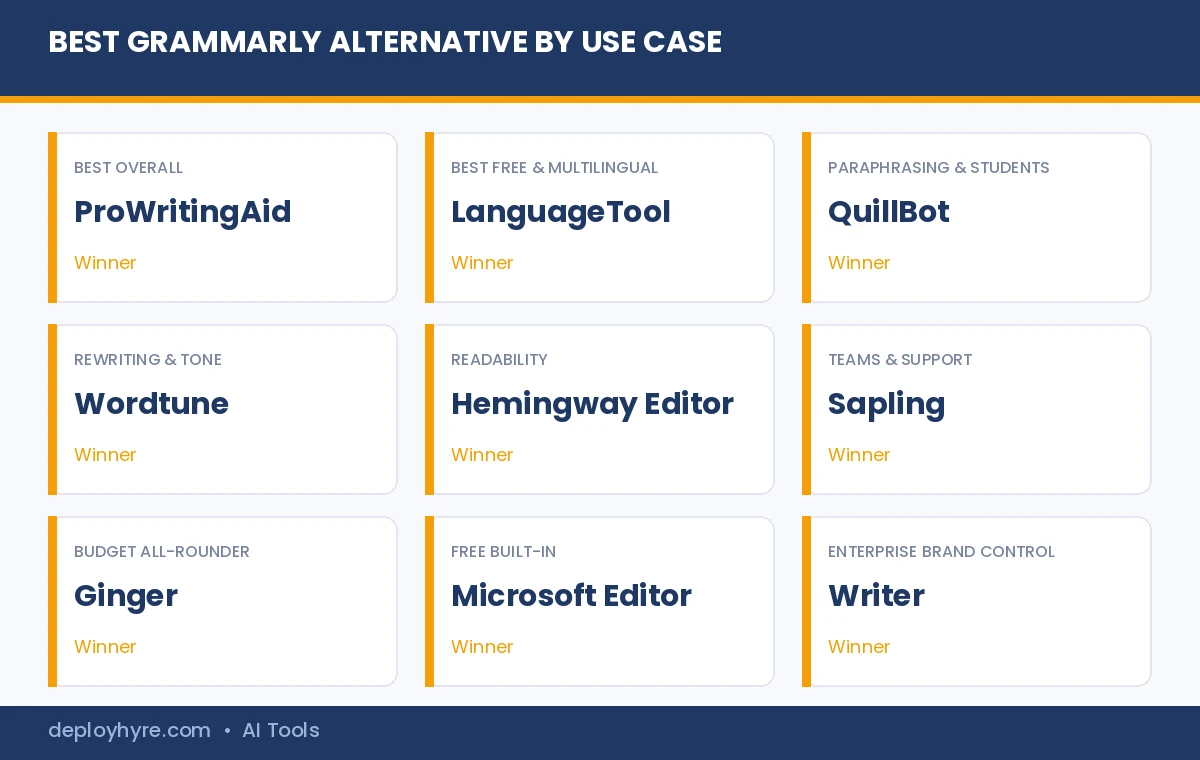
We compared nine Grammarly alternatives and picked a winner for each use case, so you can match a tool to your writing instead of paying for features you never touch. Each pick lists what it does well, current pricing from the vendor, who it suits, and where it falls short. For a wider view of this category, see our guide to the best AI writing tools.
Quick Comparison: 9 Best Grammarly Alternatives
| Tool | Best for | Starting price (billed annually) | Free plan |
|---|---|---|---|
| ProWritingAid | Best overall alternative | $10/mo, or $399 lifetime | Yes |
| LanguageTool | Best free and multilingual | About €5/mo | Yes |
| QuillBot | Paraphrasing and students | $8.33/mo | Yes |
| Wordtune | Rewriting and tone | $6.99/mo | Yes |
| Hemingway Editor | Readability and concise writing | Free web, or $8.33/mo Plus | Yes |
| Sapling | Teams and customer-facing writing | $12/mo | Yes |
| Ginger | Budget all-rounder | About $13.99/mo | Yes |
| Microsoft Editor | Free built-in checker | Free, premium with Microsoft 365 | Yes |
| Writer | Enterprise brand control | Quote-based | No |
What Makes a Good Grammarly Alternative?
A good Grammarly alternative matches or beats Grammarly on the one job you care about most, at a lower cost. For some writers that job is deep style editing, for others it is paraphrasing, multilingual support, or a strong free tier. The right tool depends on what you write, not on a single overall score.
Grammarly is broad but shallow. It corrects grammar, spelling, punctuation, tone, and clarity, and it adds plagiarism detection on paid plans. The tools below each take one of those jobs further. ProWritingAid goes deeper on style, QuillBot goes deeper on rewriting, and LanguageTool goes wider on languages. Pick the strength that fits your work.
Grammarly Alternatives Feature Snapshot
No single Grammarly alternative wins on every feature, so the snapshot below shows which tools include a free tier, plagiarism checks, multilingual support, and strong rewriting. Use it to rule tools in or out fast, then read the full pick for your top priority.
| Tool | Free tier | Plagiarism check | Multilingual | Strong rewriting |
|---|---|---|---|---|
| ProWritingAid | Yes | Yes (Premium Pro) | No | Yes |
| LanguageTool | Yes | No | Yes (30+) | Basic |
| QuillBot | Yes | Yes (add-on) | Limited | Yes |
| Wordtune | Yes | No | Limited | Yes |
| Hemingway Editor | Yes | No | No | Basic |
| Sapling | Yes | No | Limited | Yes |
| Ginger | Yes | No | Yes (40+ translation) | Basic |
| Microsoft Editor | Yes | No | Yes | Basic |
| Writer | No | Yes (enterprise) | Limited | Yes |
Best Overall Grammarly Alternative
#1 ProWritingAid: Best for serious editing and long-form writing
ProWritingAid is the closest thing to a full editing suite in this list, which is why it takes the top overall spot.
What it does well. ProWritingAid pairs a solid grammar and spelling checker with more than 20 in-depth writing reports. It flags overused words, sticky sentences, pacing problems, repeated sentence starts, and readability issues that Grammarly ignores. For novelists, bloggers, and anyone editing long drafts, that feedback is far richer than a red underline.
Key features:
- 20+ style, structure, and readability reports
- Grammar, spelling, and clarity checks
- Integrations for Word, Google Docs, Scrivener, and Chrome
- Plagiarism checking on the Premium Pro tier
- One-time lifetime license option
Pricing. A free plan covers basic checks. Premium costs $120 per year, about $10 per month, and Premium Pro adds plagiarism at $144 per year. A one-time Premium lifetime license is $399, and Premium Pro lifetime is $699. The lifetime plan pays for itself against annual billing in a little over three years.
Best for: Bloggers, authors, students, and professionals who edit long documents and want more than surface fixes.
ProWritingAid vs Grammarly. Grammarly wins on speed and on catching errors as you type across apps. ProWritingAid wins on depth: its structure, pacing, and readability reports explain why a passage is weak, not just that it is. For short emails, Grammarly is fine. For anything long, ProWritingAid teaches you to write better, and the lifetime license undercuts Grammarly’s yearly fee over time. See our full Grammarly vs ProWritingAid comparison for the head-to-head.
Limitations. The volume of reports can overwhelm new users, and the real-time checker feels slower than Grammarly on very long files. English is its only strong language.
Best Free Grammarly Alternative
#2 LanguageTool: Best free and multilingual checker
LanguageTool gives you the most useful free grammar checker here, and it works in more than 30 languages.
What it does well. LanguageTool checks grammar, spelling, punctuation, and style across English, Spanish, German, French, Dutch, and dozens more languages. The free tier is generous enough for daily use, and a paid plan adds longer text checks, deeper style suggestions, and a personal dictionary. For multilingual writers, it solves a problem Grammarly cannot touch.
Key features:
- Grammar and style checks in 30+ languages
- Browser, Word, Google Docs, and desktop apps
- Personal dictionary and style rules
- Privacy-focused, with a self-hosting option for teams
Pricing. The free plan checks shorter texts in every supported language. Premium runs about €59.89 per year, roughly €5 per month billed annually, with monthly and team plans also available. Prices are set in euros, so the dollar amount shifts with exchange rates.
Best for: Multilingual writers, students on a budget, and anyone who wants a strong free grammar checker.
Limitations. Rewriting and tone tools are lighter than Wordtune or QuillBot, and the free tier caps how much text you can check at once.
Best Grammarly Alternative for Paraphrasing and Students
#3 QuillBot: Best for rewording and research
QuillBot built its name on paraphrasing, and it remains the go-to alternative for students and researchers who rewrite text often.
What it does well. QuillBot rewrites sentences and paragraphs in several styles, including standard, fluency, formal, and creative. It also bundles a summarizer, a grammar checker, and a citation generator for MLA, APA, and Chicago references. That mix makes it a strong fit for essays and research work, and it pairs well with our list of AI tools for teachers and students.
Key features:
- Multi-mode paraphrasing tool
- Summarizer for long articles and papers
- Citation generator in major academic styles
- Grammar checker and Chrome extension
Pricing. A free plan covers limited paraphrasing and a character cap. Premium is $8.33 per month billed annually, or $19.95 month to month, which unlocks every writing mode and higher word limits.
Best for: Students, researchers, and writers who reword and summarize text regularly.
Limitations. Heavy paraphrasing can flatten your voice, and the free tier is too limited for long projects.
Best Grammarly Alternative for Rewriting and Tone
#4 Wordtune: Best for sentence rewrites
Wordtune focuses on how a sentence sounds, offering fresh phrasings rather than a list of errors.
What it does well. Wordtune suggests multiple ways to rewrite a sentence, then lets you shift tone to casual or formal, and expand or shorten with one click. It is the tool to reach for when a sentence is technically correct but awkward. Professionals use it to sharpen emails, and writers use it to break up repetitive phrasing.
Key features:
- Multiple rewrite options per sentence
- Tone shifts between casual and formal
- Expand and shorten controls
- Browser, Word, and Google Docs support
Pricing. A free plan gives a small number of daily rewrites. The Advanced plan is $6.99 per month billed annually, and Unlimited is $9.99 per month billed annually, removing daily caps.
Best for: Professionals and writers who care about flow, tone, and clarity more than raw grammar.
Limitations. It is a rewriting aid, not a full grammar suite, and the free plan runs out of rewrites quickly.
Best Grammarly Alternative for Readability
#5 Hemingway Editor: Best for concise, clear writing
Hemingway Editor is less a grammar checker and more a readability coach that shows you where your writing gets dense.
What it does well. Hemingway grades your text for reading level and highlights hard-to-read sentences, passive voice, adverbs, and complex words. The color-coded system makes editing fast and teaches clearer writing over time. It is ideal for blog posts, newsletters, and business writing that must be easy to scan.
Key features:
- Readability grade scoring
- Color-coded sentence highlighting
- Passive voice and adverb detection
- Free web app and offline desktop option
Pricing. The classic web editor is free. Editor Plus starts at $8.33 per month, about $100 per year, and adds AI-powered rewrites. A one-time desktop app is $19.99 without AI features.
Best for: Bloggers, content marketers, and business writers who want plain, readable prose.
Limitations. It does not check grammar or spelling in depth, so pair it with a dedicated checker.
Best Grammarly Alternative for Teams and Support
#6 Sapling: Best for customer-facing writing
Sapling is built for teams that write to customers, with suggestions that appear inside help desks and CRMs.
What it does well. Sapling checks grammar and tone in real time inside tools like Zendesk, Salesforce, and Gmail. It adds autocomplete, saved snippets, and a rephrase tool, so support and sales reps write faster and more consistently. For teams, that consistency matters more than any single report.
Key features:
- Real-time checks inside help desks and CRMs
- Autocomplete and saved snippet library
- Rephrase and tone tools
- Team analytics and shared style rules
Pricing. A free plan covers basic checks. The Pro plan is $12 per month billed annually, or $25 month to month, and enterprise pricing is quote-based.
Best for: Support, sales, and customer success teams that write high volumes of messages.
Limitations. It is aimed at business messaging, so long-form authors will find ProWritingAid more useful.
Best Budget Grammarly Alternative
#7 Ginger: Best affordable all-rounder
Ginger covers the core Grammarly features at a lower price, with translation built in.
What it does well. Ginger checks grammar, spelling, and punctuation, rephrases sentences, and translates text into dozens of languages. It works across browsers and desktop, and its sentence rephraser is handy for non-native English writers. The package is a practical, low-cost alternative for everyday writing.
Key features:
- Grammar, spelling, and punctuation checks
- Sentence rephraser
- Translation into 40+ languages
- Browser and desktop apps
Pricing. A free plan covers basic checks. Premium is around $13.99 per month, with lower rates on longer billing terms. Ginger runs frequent promotions, so confirm the current rate on its site.
Best for: Budget-conscious writers and non-native English speakers who want checks plus translation.
Limitations. Its interface feels dated, and its style feedback is thinner than ProWritingAid.
Best Free Built-In Grammarly Alternative
#8 Microsoft Editor: Best checker you may already own
Microsoft Editor is free inside Word, Outlook, and the Edge browser, so most people already have it.
What it does well. Microsoft Editor checks spelling and basic grammar for free across Microsoft apps and the web. If you have a Microsoft 365 subscription, it adds clarity, conciseness, and tone suggestions that get close to Grammarly for everyday documents. There is nothing new to install.
Key features:
- Free spelling and grammar checks
- Works in Word, Outlook, and Edge
- Premium clarity and tone tips with Microsoft 365
- Multilingual proofing support
Pricing. The core checker is free. Premium features come with Microsoft 365 Personal at $99.99 per year, about $9.99 per month, which also includes Word, Excel, and cloud storage.
Best for: Microsoft 365 users who want solid checks without another subscription.
Limitations. The advanced suggestions trail Grammarly and ProWritingAid, and the best features are locked behind Microsoft 365.
Best Grammarly Alternative for Enterprise
#9 Writer: Best for brand voice and compliance
Writer is built for companies that need every team member to write in one consistent voice.
What it does well. Writer enforces custom style guides, brand voice rules, and terminology across an organization. It adds compliance checks and secure, enterprise-grade controls that consumer tools lack. For marketing, support, and documentation teams, it keeps thousands of documents on-brand automatically.
Key features:
- Custom style guides and brand voice rules
- Terminology and compliance enforcement
- Team analytics and governance controls
- Enterprise security and integrations
Pricing. Writer is aimed at teams, and its plans are quote-based through sales, with a trial available. It is priced above individual tools because it solves an organization-wide problem.
Best for: Enterprises and larger teams that need consistent, compliant writing at scale.
Limitations. It is overkill and too expensive for individuals, students, or small blogs.
Is Grammarly Still Worth It in 2026?
Grammarly is still worth it if you want one reliable tool that checks grammar, tone, and plagiarism across almost every app you use. It remains the most polished all-round assistant. It stops being worth it when you need deeper style editing, multilingual support, or a lower price, which is exactly where the alternatives above win.
Think of Grammarly as the safe default and the tools above as specialists. A blogger editing long drafts gets more from ProWritingAid. A student rewording sources gets more from QuillBot. A multilingual writer needs LanguageTool. Match the tool to the task and you often pay less for better help.
Which Grammarly Alternative Fits Your Type of Writing?
The best Grammarly alternative depends on the kind of writer you are, because each tool is built around a different job. A novelist, a student, a support agent, and a non-native English speaker each have a clear winner, and matching that profile is faster than reading every review.
Freelance writers and bloggers get the most from ProWritingAid for deep edits and Hemingway Editor for readable drafts. Students should pair QuillBot for paraphrasing and citations with the free LanguageTool for grammar. Business and support teams need Sapling for customer messages or Writer for brand control at scale. Non-native English speakers benefit from Ginger and LanguageTool, which add translation and multilingual checks. Budget-focused writers can stay free with LanguageTool or Microsoft Editor and never pay a cent. Marketers who also generate copy can combine an editor here with our picks for free AI marketing tools.
Free vs Paid Grammarly Alternatives: Which Should You Pick?
Pick a free Grammarly alternative if you mainly need grammar and spelling checks, and pay only when you need deep style edits, unlimited rewrites, or plagiarism detection. The free tiers here are strong enough for everyday writing, so most people should start free and upgrade only when a limit blocks their work.
Free plans from LanguageTool, Hemingway Editor, and Microsoft Editor cover the basics well. Paid plans earn their price in three cases: long-form editing, where ProWritingAid’s reports save hours; heavy rewriting, where Wordtune and QuillBot remove daily caps; and academic work, where plagiarism checks and citations matter. If none of those apply, a free tool is the smarter choice.
How to Choose the Right Grammarly Alternative
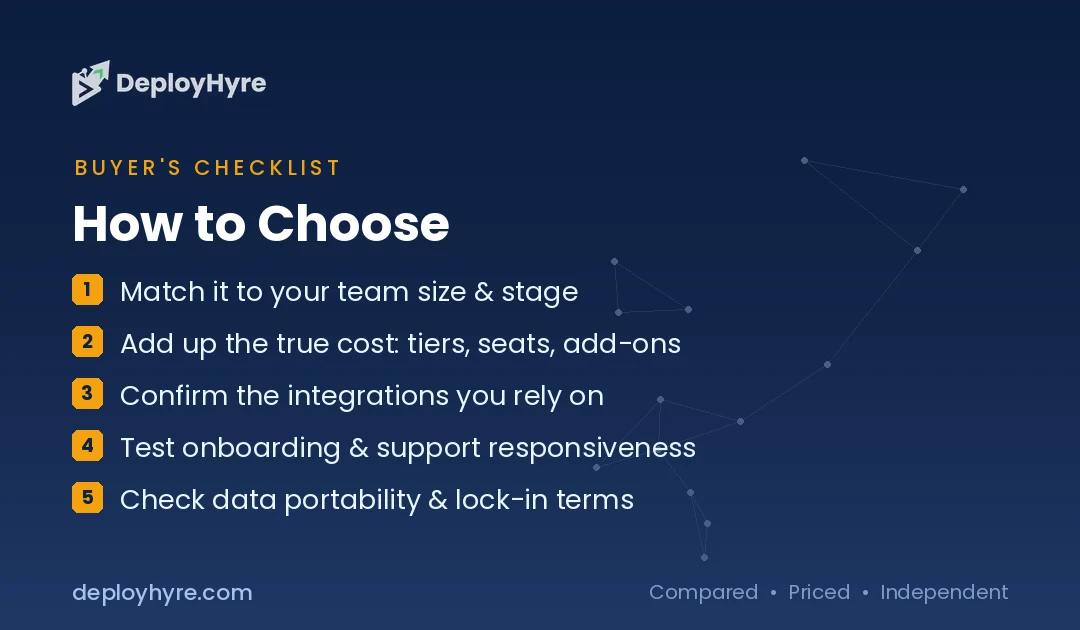
Choose a Grammarly alternative by naming your main writing job first, then matching it to the tool built for that job. Decide whether you most need deep editing, paraphrasing, rewriting, multilingual checks, or a free option, and let that single priority guide the choice.
Weigh four things before you commit. First, your main task, since a paraphraser and a style checker solve different problems. Second, price and billing, because annual plans and lifetime licenses change the math. Third, where you write, so the tool works inside Word, Google Docs, or your browser. Fourth, language support, which rules out Grammarly and most rivals if you write outside English.
Test the free plan before paying. Every tool here offers one, except Writer, so you can run the same paragraph through two or three and keep the one that fits your voice. That short test tells you more than any score.
How We Evaluated These Grammarly Alternatives
We did not fake a hands-on test of every tool. Instead, we evaluated each Grammarly alternative against its official documentation, current pricing pages, and the features it publishes, then cross-checked those against verified user reviews on independent platforms.
We scored each tool on four factors: editing depth, ease of use, value for money, and how well it fits a specific writing job. Pricing in this guide is taken from each vendor’s own site at the time of writing and links back to the source. Software prices change often, so confirm the current rate before you buy. Where a figure could not be verified from a primary source, we labeled it or left it out.
The Bottom Line
Grammarly is a strong default, but it is no longer the automatic choice. For most writers, ProWritingAid delivers deeper editing and a lifetime option that beats Grammarly on value. LanguageTool is the best free and multilingual pick, QuillBot owns paraphrasing, and Wordtune leads on rewriting.
Start with the free plan of the tool that matches your main job, run a real paragraph through it, and upgrade only if it earns the spot. To go further, explore our full guide to AI writing tools and our roundup of Jasper alternatives for AI-first content generation.
Frequently Asked Questions
Is there a free Grammarly alternative?
Yes. LanguageTool is the best free Grammarly alternative, with grammar and style checks in more than 30 languages. Hemingway Editor is free for readability, and Microsoft Editor is free inside Word, Outlook, and Edge. Each free plan covers everyday writing without a subscription.
What apps are like Grammarly?
Apps like Grammarly include ProWritingAid, LanguageTool, QuillBot, Wordtune, Ginger, and Sapling. ProWritingAid is closest for deep editing, LanguageTool is the strongest free option, and QuillBot leads for paraphrasing. Each focuses on a different writing strength.
What is better than Grammarly for rewriting?
Wordtune and QuillBot are better than Grammarly for rewriting. Wordtune restructures full sentences and shifts tone, while QuillBot paraphrases in several styles. Both go further than Grammarly’s minor suggestions, which makes them stronger for reworking awkward or repetitive text.
What websites are like Grammarly?
Websites like Grammarly include LanguageTool, Hemingway Editor, QuillBot, and ProWritingAid. You can open each in your browser without installing software, and most also offer extensions for Word, Google Docs, and Chrome.
Which Grammarly alternative is best for students?
QuillBot is the best Grammarly alternative for students because it combines paraphrasing, summarizing, and a citation generator. LanguageTool is a strong free backup for grammar and multilingual checks, and both cost less than Grammarly Premium.
Is any Grammarly alternative good for plagiarism checking?
Yes. ProWritingAid’s Premium Pro plan includes plagiarism checking, and it is the strongest alternative for that feature. QuillBot and a few others also offer plagiarism tools, though scan limits and sources vary, so compare caps before choosing.
What is the best paid Grammarly alternative?
ProWritingAid is the best paid Grammarly alternative for most writers. At about $10 per month billed annually, or a one-time lifetime license, it offers deeper style and structure reports than Grammarly Premium at a similar or lower long-term cost.
Who are Grammarly’s main competitors?
Grammarly’s main competitors are ProWritingAid, LanguageTool, QuillBot, Wordtune, Ginger, and Microsoft Editor. In the enterprise market, Writer and Sapling compete for teams. Each rival targets a specific strength, such as style depth, price, multilingual support, or brand control.
Is there a completely free alternative to Grammarly?
Yes. LanguageTool, Hemingway Editor’s web app, and Microsoft Editor are completely free for core grammar, style, or readability checks. They have paid tiers for extra features, but you can use the free versions indefinitely without a subscription.
Are there browser extensions like Grammarly?
Yes. LanguageTool, ProWritingAid, QuillBot, Wordtune, and Ginger all offer Chrome and browser extensions that check your writing as you type across websites, email, and documents, the same way Grammarly’s extension works.
Is QuillBot or Grammarly better?
It depends on the task. Grammarly is better for catching errors as you write across apps. QuillBot is better for paraphrasing, summarizing, and citations. Many students use both: Grammarly or LanguageTool for grammar, and QuillBot for reworking text.
Can I use more than one Grammarly alternative at once?
Yes, and many writers do. A common setup pairs a grammar checker like LanguageTool with a rewriting tool like Wordtune or QuillBot. Run one tool for errors and another for style, but avoid stacking two live checkers in the same editor, as they can conflict.
Know AI, SaaS, or cloud tools inside out? Pitch a guest post and get in front of thousands of buyers researching their next tool.
Related Articles


David Austin is a technology writer and software analyst at DeployHyre, where he covers AI tools, SaaS platforms, cloud hosting, and business automation. He focuses on hands-on comparisons of pricing, features, and real-world performance so teams can pick the right software with confidence.