
Document AI got a compliance deadline. The European Commission’s AI Act applies its high-risk system rules from 2 August 2026, and the Commission has published guidelines for providers and deployers of high-risk AI systems. Any team running automated extraction over hiring, credit, or benefits documents now has a governance question attached to a procurement question.
That changes what “best” means in this category. Extraction accuracy used to be the whole scorecard. In 2026 the audit trail counts too.
The technology itself is mature. Intelligent document processing combines OCR, machine learning, and natural language processing to read a document, pull specific fields out of it, and push that data into a business system. The word “intelligent” means the software handles layouts it has never seen, rather than needing a template for every vendor invoice.
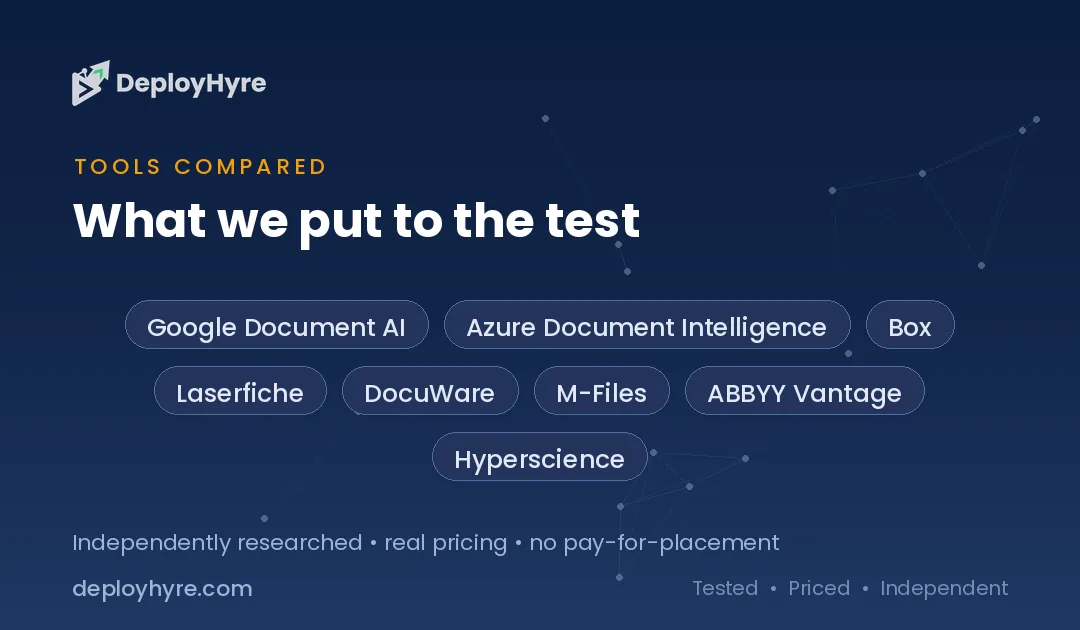
We reviewed 9 platforms across three buyer types: developers who want an API, enterprises that need governance, and teams that just want their files organized. This guide connects to our coverage of AI contract management software, which handles the narrower case of agreements.
Quick Comparison: Top 9 AI Document Platforms
| Platform | Best For | Starting Price | Signature Capability |
|---|---|---|---|
| Google Document AI | Developers building at scale | $1.50 per 1,000 pages, Enterprise OCR | Processor library with custom extractors |
| Azure Document Intelligence | Microsoft 365 and Power Platform shops | Free tier, then per-page API rates | Prebuilt invoice, receipt, and tax form models |
| Box | Content collaboration plus AI | From $5 per user per month | Box AI extract agents on stored content |
| Laserfiche | Records management and government | From about $50 per user per month | AI data extraction with audit logging |
| DocuWare | Mid-market invoice and HR workflows | From about $30 per user per month, list | Preconfigured document workflow packages |
| M-Files | Metadata-driven knowledge work | Quote only, not published | Metadata classification instead of folders |
| ABBYY Vantage | High-volume regulated extraction | Quote only, page-based licensing | Prebuilt document skills with human review |
| Hyperscience | Complex back-office at volume | Quote only, not published | Human-in-the-loop with document drift handling |
| Rossum | Accounts payable document capture | Quote only, not published | Template-free invoice understanding |
What Does AI Document Management Software Actually Do?
AI document management software reads unstructured documents, extracts named fields, classifies each file, and routes the result into a business system. It replaces manual keying. The AI part means it handles unfamiliar layouts without a template, so a new vendor’s invoice works on day one rather than after configuration.
Three jobs sit under that label, and buyers regularly conflate them.
Capture and extraction turns a PDF into structured data. This is what Google Document AI, ABBYY, Rossum, and Hyperscience do.
Storage and retrieval keeps documents findable and governed over years. This is Laserfiche, M-Files, Box, and DocuWare territory.
Generation and summarization writes or explains documents. Most platforms bolted this on after 2023, and quality varies widely.
Decide which of the three you actually need before you take a demo. Vendors will happily sell you all three.
Why Does Compliance Matter More?
The EU AI Act’s high-risk obligations apply from 2 August 2026. Document AI that informs decisions about employment, creditworthiness, or access to essential services falls inside that scope. Teams in that position need logged human review, documented accuracy, and traceable outputs, not just a good extraction rate.
The practical effect is a new question in every evaluation: can this platform prove what it did?
That means per-document audit trails, recorded confidence scores, and evidence that a human reviewed low-confidence extractions. Platforms built for regulated industries already have this. API-first services expect you to build it.
Teams outside the EU are not automatically exempt, because the rules follow where the system’s output is used. Check scope with counsel rather than assuming geography protects you. Our guide to AI legal software covers the adjacent tooling.
Best AI Document Platforms for Developers
API-first services give you the lowest cost per page and none of the interface. You build the workflow.
1 Google Document AI: Best for developers building at scale
Google’s platform parses, classifies, splits, and extracts data from documents through a library of processors.
What it does well. You choose a processor per document type rather than buying a monolith. Prebuilt parsers handle common forms, a custom extractor learns your own layouts, and a custom classifier routes mixed batches. Output flows into BigQuery for downstream analysis without an export step.
Key features:
-
Processor library covering OCR, layout, forms, and custom extraction
-
Custom extractor and classifier trained on your documents
-
Document splitting for multi-document PDFs
-
Native BigQuery integration for analytics
Pricing. Google publishes per-page rates on its Document AI pricing page: Enterprise Document OCR at $1.50 per 1,000 pages, Layout Parser at $10 per 1,000 pages, custom extractor and form parser at $30 per 1,000 pages, and custom classifier and splitter at $5 per 1,000 pages. New Google Cloud customers receive trial credit.
Best for: Engineering teams processing high volume with their own workflow layer.
Limitations. There is no business-user interface. Everything past the API call, including review queues and audit trails, is yours to build.
2 Azure AI Document Intelligence: Best for Microsoft-centric organizations
Azure’s service extracts fields, key-value pairs, tables, and selection marks from forms and documents.
What it does well. Prebuilt models cover invoices, receipts, tax forms, and identity documents, which removes training work for the most common cases. For organizations already inside Microsoft 365 and Power Platform, the connectors make a working pipeline reachable without heavy engineering.
Key features:
-
Prebuilt models for invoices, receipts, tax and insurance forms
-
Layout model extracting tables, titles, and selection marks
-
Custom field extraction trained on your own documents
-
Power Automate and Logic Apps connectors
Pricing. Billing is per page analyzed, published on the Azure Document Intelligence pricing page. A free tier exists for testing all features. Custom template training is free, and custom neural training is free for the first 10 hours, then billed hourly. Commitment pricing is available for large workloads.
Best for: Enterprises standardized on Azure and Power Platform.
Limitations. Microsoft has been reorganizing this service under its Foundry Tools umbrella, so confirm which SKU and pricing page applies to your region before you commit.
Best AI Document Management for Storage and Governance
These platforms manage documents over their whole life, from capture through retention and disposal.
3 Box: Best for content collaboration with AI attached
Box is cloud content management with AI extraction layered on stored files.
What it does well. Box AI answers questions about documents in place and extracts structured fields from stored content. Because the files already live there with permissions applied, you skip the ingestion problem that standalone extraction tools create.
Key features:
-
Box AI question answering over stored documents
-
AI extract agents for structured field extraction
-
Granular permissions, watermarking, and data loss protection
-
Unlimited external collaborators on business tiers
Pricing. Box publishes plans from $5 per user per month, with business and enterprise tiers running higher. Note the AI packaging: Box states that Enterprise, Enterprise Plus, and Enterprise Advanced include AI Units, while Business and Business Plus customers purchase AI Units separately for Box AI API access.
Best for: Companies that want one system for storing, sharing, and querying documents.
Limitations. Box is content management, not records management. Retention and disposition controls are lighter than Laserfiche or M-Files.
4 Laserfiche: Best for records management and public sector
Laserfiche combines document management, process automation, and records retention in one platform.
What it does well. Retention schedules, audit logging, and granular access control are native rather than add-ons, which is why the platform is common in government and regulated industries. AI data extraction feeds the same repository that holds the retention rules.
Key features:
-
AI data extraction into governed repositories
-
Records retention and disposition schedules
-
Audit logging across document access and changes
-
Process automation with custom forms
Pricing. Laserfiche publishes tiers on its pricing page, with cloud plans commonly listed from roughly $50 per user per month and professional tiers higher. Implementation and migration are quoted separately.
Best for: Government agencies and regulated organizations with retention obligations.
Limitations. Implementation is a project. Budget for configuration and training, and expect the true first-year cost to exceed the license line.
5 DocuWare: Best for mid-market invoice and HR workflows
DocuWare ships preconfigured workflow packages rather than a blank platform.
What it does well. The packaged approach shortens deployment. Invoice processing and employee file management arrive already configured, so a mid-market finance team gets a working approval flow in weeks instead of quarters. Our guide to AI accounts payable software covers the narrower invoice case.
Key features:
-
Preconfigured invoice processing and HR file workflows
-
Intelligent indexing that learns from user corrections
-
Approval routing with mobile capture
-
Cloud and on-premise deployment options
Pricing. DocuWare does not publish a full public rate card. Third-party comparisons commonly cite a list starting point near $30 per user per month, which should be treated as an estimate and confirmed with the vendor.
Best for: Mid-market finance and HR teams with defined document workflows.
Limitations. Less flexible than a general platform. If your workflow sits outside the packaged templates, configuration effort rises sharply.
6 M-Files: Best for metadata-driven knowledge work
M-Files organizes documents by what they are rather than where they sit.
What it does well. The metadata model removes the folder problem. A contract belongs to a customer, a project, and a fiscal year at once, and users find it through any of those without duplicating the file. AI classification assigns that metadata on ingest.
Key features:
-
Metadata classification instead of folder hierarchies
-
AI-assigned document properties on ingest
-
Connectors that manage documents in place in other systems
-
Version control with compliance-grade audit trails
Pricing. Not published. M-Files quotes per deployment, and third-party ranges vary widely enough to be unreliable as a budgeting input.
Best for: Professional services and engineering firms with complex document relationships.
Limitations. The metadata model requires upfront design and user retraining. Teams that skip that work end up with an expensive file share.
Best AI Document Platforms for High-Volume Extraction
These are built for back-office operations measured in millions of pages.
7 ABBYY Vantage: Best for regulated high-volume extraction
ABBYY packages extraction as prebuilt document skills with review workflows.
What it does well. Document skills arrive pretrained for common types, and the human review interface is designed for production operators rather than developers. ABBYY’s OCR heritage shows on poor-quality scans, where newer entrants degrade faster.
Key features:
-
Prebuilt document skills for common business documents
-
Operator review interface with confidence thresholds
-
Strong OCR on degraded and handwritten source material
-
Governance and analytics for regulated environments
Pricing. Not published. ABBYY licenses Vantage on a page-based model billed annually. Third-party marketplaces cite per-page ranges, which are estimates rather than vendor figures.
Best for: Regulated operations processing large, messy document volumes.
Limitations. Enterprise sales cycle and enterprise cost. Small teams will not clear the minimum.
8 Hyperscience: Best for complex back-office document work
Hyperscience targets high-volume, high-complexity extraction with supervision built in.
What it does well. The platform pairs extraction with human-in-the-loop review and manages document drift, meaning it detects when incoming layouts shift away from what the model learned. For operations where an error carries real cost, that supervision layer is the product.
Key features:
-
Human-in-the-loop review routing by confidence
-
Document drift detection and retraining prompts
-
Handwriting and low-quality scan handling
-
Throughput designed for millions of pages
Pricing. Not published. Public commentary indicates meaningful deployments land in six-figure annual contracts, which is an estimate and not a vendor-published figure.
Best for: Insurance, financial services, and public sector back offices.
Limitations. Cost and implementation scale rule it out below very large volumes.
9 Rossum: Best for accounts payable document capture
Rossum focuses on transactional documents and reads them without templates.
What it does well. The engine understands invoice semantics rather than coordinates, so a new supplier’s layout works immediately. That narrow focus produces better accuracy on invoices than general platforms, and it shortens time to value for AP teams specifically. Teams evaluating the surrounding stack should also see our AI procurement software roundup.
Key features:
-
Template-free invoice and purchase order extraction
-
Validation rules with supplier matching
-
ERP and accounting system integrations
-
Review interface designed for AP clerks
Pricing. Not published as a public rate card. Third-party comparisons cite an enterprise entry point in the low thousands per month, which is an estimate to confirm with the vendor.
Best for: Accounts payable teams processing high invoice volume.
Limitations. Narrow by design. Documents outside the transactional set are a poor fit.
How Should You Choose AI Document Management Software?
Choose by job, not by brand. Need data out of documents at low cost? Take an API service. Need documents governed for years? Take a records platform. Need millions of pages with supervision? Take a high-volume extraction vendor. Buying the wrong category is the expensive mistake here.
Test on your worst documents, not your best. Vendors demo on clean PDFs. Your actual queue contains phone photos, faxes, and scans at an angle. Insist the proof of concept runs on a representative sample you choose.
Measure straight-through processing, not field accuracy. A platform reporting 95% field accuracy can still send most documents to human review if the errors scatter across documents. The number that matters is what fraction clears with no human touch.
Price the review labor. Extraction cost per page is usually the smaller number. If a platform is cheaper per page but sends twice as many documents to a person, it costs more.
Check the audit trail against the compliance question above. If your documents inform decisions about people, logged human review is a requirement, not a feature.
Confirm where data is processed and retained. Regulated teams need that answer in writing before procurement, and it is easier to ask in week one than week twelve. For the broader governance picture, see our DocuSign alternatives comparison, which covers signature and records handling.
How We Evaluated These Document Platforms
We assessed all 9 platforms on five criteria, chosen because they predict whether a deployment survives contact with real documents.
Extraction quality on imperfect input. We weighted performance on degraded scans, handwriting, and unfamiliar layouts above performance on clean digital PDFs, because the clean case is solved.
Template dependence. Platforms requiring a template per layout were marked down. Template-free understanding is the difference between onboarding a new vendor in a day and in a sprint.
Governance and auditability. We looked for per-document audit trails, confidence logging, and recorded human review, given the August 2026 high-risk obligations described above.
Pricing transparency. Vendors publishing rate cards are listed with those figures and a link to the source. Vendors that do not publish are marked quote only. No estimate in this guide is presented as a vendor figure.
Fit to buyer type. We separated developer, governance, and high-volume requirements rather than ranking dissimilar products on one list.
All published pricing reflects vendor rate cards at the time of writing. These change often, especially across Microsoft’s Foundry Tools reorganization, so verify before purchase.
The Bottom Line
For engineering teams, Google Document AI offers the clearest per-page economics and the widest processor library. Azure Document Intelligence wins when the organization already runs on Microsoft and needs prebuilt invoice and tax form models.
For governance, Laserfiche is the strongest choice where retention schedules and audit logging are obligations rather than preferences. Box fits teams that want collaboration first with AI extraction attached. M-Files suits firms whose documents have complex relationships that folders cannot express.
For volume, ABBYY Vantage and Hyperscience handle messy input at scale with supervision. Rossum is the sharper tool if your volume is specifically invoices.
Start by naming the job. Most failed deployments in this category began as a platform purchase in search of a workflow. Decide whether you are extracting, governing, or both, then evaluate only the vendors built for that. Teams automating adjacent finance work should start with our guide to AI accounts payable software.
Frequently Asked Questions
What is the best AI document management software?
The answer depends on the job. Google Document AI is best for developers extracting data at scale, with Enterprise OCR at $1.50 per 1,000 pages. Laserfiche is best for records management and retention compliance. Rossum is best for invoice capture. Hyperscience and ABBYY Vantage are best for high-volume regulated back-office work.
How much does AI document processing cost?
API services publish per-page rates. Google charges $1.50 per 1,000 pages for Enterprise OCR and $30 per 1,000 pages for custom extraction. Azure bills per page analyzed with a free testing tier. Seat-based platforms start near $5 per user per month for Box and roughly $50 per user per month for Laserfiche. ABBYY, Hyperscience, Rossum, and M-Files quote privately.
What is intelligent document processing?
Intelligent document processing combines OCR, machine learning, and natural language processing to read documents, extract specific fields, and feed that data into business systems. The intelligent element is handling layouts the software has not seen before, which removes the need to configure a template for every document variant.
Does the EU AI Act apply to document AI?
It can. The European Commission applies high-risk system obligations from 2 August 2026, and document AI that informs decisions on employment, creditworthiness, or access to essential services falls within that scope. Affected deployments need logged human review, documented accuracy, and traceable outputs. Confirm scope with legal counsel.
Can AI document software replace manual data entry entirely?
Not entirely. Modern platforms clear a large share of documents with no human touch, but low-confidence extractions still route to a reviewer, and regulated workflows require that review by design. Measure straight-through processing rate during evaluation, since that figure, not field accuracy, determines how much manual work remains.

David Austin is a technology writer and software analyst at DeployHyre, where he covers AI tools, SaaS platforms, cloud hosting, and business automation. He focuses on hands-on comparisons of pricing, features, and real-world performance so teams can pick the right software with confidence.
Know AI, SaaS, or cloud tools inside out? Pitch a guest post and get in front of thousands of buyers researching their next tool.