
Cloudflare Pages is the best Netlify alternative for most sites in 2026. Bandwidth is not metered, static hosting costs nothing, and Workers adds server-side code for $5 per month. Vercel is the best pick for Next.js teams, and Render is the best full-stack option with a real free tier.
Netlify's price did not rise. The meter behind it did. Netlify bills a credit-based plan where bandwidth costs 20 credits per GB, CDN requests cost 2 credits per 10,000, function compute costs 10 credits per GB-hour, and each production deploy costs 15 credits. Pro still reads $20 per month. What that $20 buys shrank.
On April 14, 2026, Netlify updated the credit rates for bandwidth, compute, and web requests. The bandwidth rate doubled. A site that used 60 percent of its credits in March used more than its full allowance in May without adding a single visitor. Overage packs cost $10 per 1,500 credits, which works out to roughly $0.13 per GB.
The plan structure moved again in July. Netlify split Pro into five credit tiers. The entry tier holds at $20 for 3,000 credits with no rollover. Above it sit 5,000 credits at $33, 10,000 at $63, 15,000 at $95, and 20,000 at $126. Only the paid-up tiers roll unused credits forward. Teams that grow past 3,000 credits face a 65 percent jump to reach the next step.
The platform market keeps expanding, from $127.4 billion in 2025 to $140.63 billion in 2026, and rivals now match Netlify feature for feature. We compared seven platforms on real monthly cost, free tier size, how each one bills traffic, and what happens when you exceed the plan. Start with our best cloud hosting guide for the wider market, then use this list to pick a landing spot.
Table of Contents
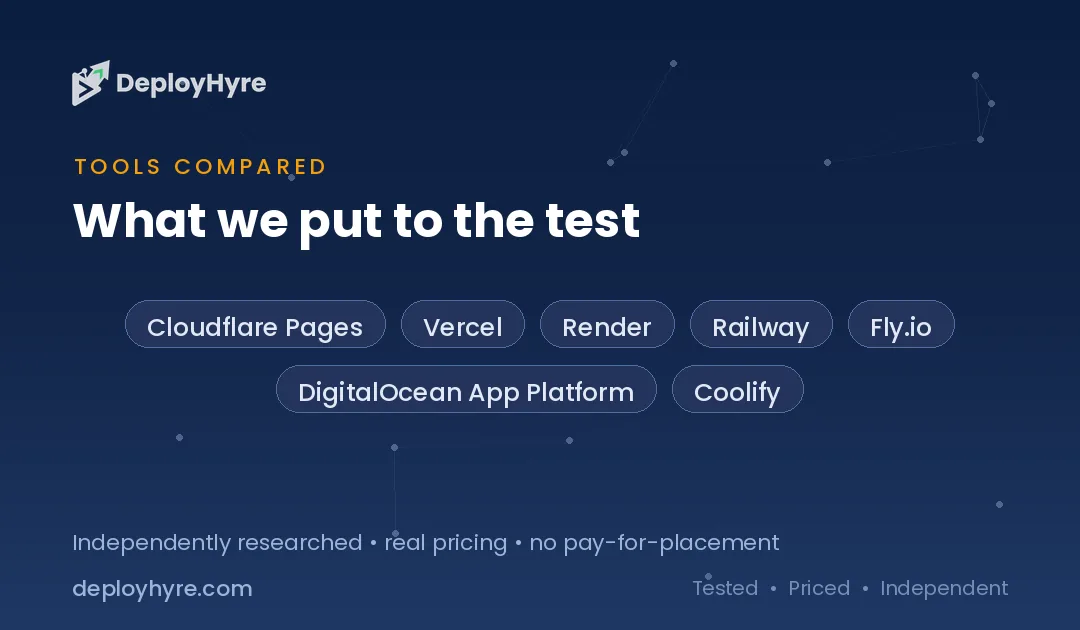
Quick Comparison: Top 7 Netlify Alternatives
| Platform | Best For | Starting Price | How It Bills Traffic |
|---|---|---|---|
| Cloudflare Pages | High-traffic sites | $0 (Workers $5/mo) | Bandwidth not metered |
| Vercel | Next.js teams | $20 per seat | 1 TB included, then flat tiers |
| Render | Full-stack apps | $7 per service | 5 to 25 GB egress, then $0.15/GB |
| Railway | Usage-based billing | $5 per month | Metered per second |
| Fly.io | Global edge apps | About $5 per month | Pay per resource |
| DigitalOcean App Platform | Predictable flat pricing | $0 static, $5 apps | Fixed transfer per app |
| Coolify | Self-hosting on your own box | Free, or $5 cloud | Your server, your bandwidth |
Why Do Teams Leave Netlify?
Teams leave Netlify because credit-based billing makes cost hard to predict. Bandwidth, CDN requests, build minutes, and each production deploy all draw from one credit pool, so a traffic spike and a busy deploy day can drain an allowance in the same week. The April 2026 rate change doubled the bandwidth cost per credit.
The credit model has a second effect. It ties deployment frequency to spend. Every production deploy costs 15 credits. A team practicing continuous delivery with 40 deploys a month spends 600 credits, or a fifth of the entry Pro plan, before serving one visitor. Teams on a fixed-price host pay nothing extra for deploying often.
Rollover is the third friction point. The $20 entry tier does not roll unused credits forward. A site with seasonal traffic pays for capacity it never uses in quiet months, then pays overage in busy ones. The higher tiers fix this, but reaching the first one that rolls over means moving from $20 to $33.
None of this makes Netlify a bad product. Deploy previews, form handling, and the branch workflow remain excellent. The question is whether you are paying for a metering system you do not need. If your site is mostly static and your traffic is growing, an unmetered platform removes the problem entirely.
The 7 Best Netlify Alternatives
1 Cloudflare Pages: Best for high-traffic sites
Cloudflare Pages hosts static sites and front-end frameworks on the same global network that fronts a large share of the web.
What it does well. Cloudflare does not meter bandwidth. That single decision removes the variable that makes Netlify bills jump. A viral post, a large image gallery, or a video embed costs the same as a quiet Tuesday. Pages remains $0 per month and Workers opens at $5, and Pages is the strongest argument in the Cloudflare developer stack precisely because bandwidth is not metered.
Key features:
- Unmetered bandwidth on every plan, including free
- Git integration with preview deployments per branch
- Workers for server-side logic, APIs, and middleware
- R2 object storage with no egress fees
- Built-in DDoS protection and WAF on the free plan
Pricing. Pages costs nothing for static hosting. Workers costs $5 per month on the paid plan. The Workers free tier allows 100,000 requests per day and 10 ms of CPU time per invocation, which covers most small sites without payment.
Best for: Content sites, marketing sites, and anything where traffic is the main cost driver.
Limitations. Workers uses a runtime built on V8 isolates rather than full Node.js. Some npm packages that expect Node APIs need adjustment. The dashboard spans the whole Cloudflare product line, so finding one setting takes longer than on a focused platform.
2 Vercel: Best for Next.js teams
Vercel builds and maintains Next.js, so the framework and the host ship as one system.
What it does well. Vercel supports every Next.js feature the day it launches. Incremental static regeneration, server components, and streaming all work without configuration. Preview deployments attach to pull requests automatically, and the analytics tie page performance to specific deploys.
Key features:
- First-party Next.js support with zero configuration
- Edge functions and middleware across a global network
- Automatic image optimization and font loading
- Preview URLs on every pull request
- Built-in Web Vitals and speed insights
Pricing. Pro costs $20 per seat per month and includes 1 TB of data transfer, 1 million CDN requests, and a $20 usage credit. Since September 2026, new Pro teams get Flat Rate CDN by default, with fixed tiers from $20 per month instead of per GB overage.
Best for: Teams already building in Next.js who value framework support over the lowest bill.
Limitations. Vercel charges per seat, so a five-person team starts at $100 before usage. That is the opposite of Netlify's newer model, which now includes unlimited team seats. Compare the two carefully in our Vercel alternatives guide before you commit.
3 Render: Best for full-stack apps
Render runs static sites, web services, background workers, cron jobs, and managed databases from one dashboard.
What it does well. Render handles the parts of an app that a static host cannot. You deploy a front end, an API, a Postgres database, and a scheduled job in the same project with the same Git workflow. The free tier is a real free tier, not a trial.
Key features:
- Static sites, web services, workers, and cron jobs in one place
- Managed PostgreSQL and Redis
- Free tier with automatic sleep after inactivity
- Private networking between services
- Native Docker support
Pricing. A Starter web service costs $7 per month and Standard costs $25. In April 2026 Render dropped per-seat workspace plans for flat workspace fees of $0 on Hobby, $25 on Pro, and $499 on Scale. The same repricing cut included egress from a flat 100 GB to 5 GB on Hobby and 25 GB on Pro, with overage at $0.15 per GB.
Best for: Teams that need a database and a back end alongside the front end.
Limitations. The egress cut matters. A media-heavy site can pass 25 GB quickly, and $0.15 per GB adds up. Free tier services sleep after inactivity and take 30 to 50 seconds to wake, which is fine for side projects and wrong for anything customer-facing.
4 Railway: Best for usage-based billing
Railway meters everything per second and shows the running total on a live dashboard.
What it does well. Railway charges for what runs, not for what you reserved. A service handling light traffic costs a few dollars. The deploy experience is close to the shortest in this list: connect a repository, and Railway detects the language, builds it, and assigns a URL.
Key features:
- Per-second metering with a live cost dashboard
- One-click templates for Postgres, Redis, and MongoDB
- Automatic language and framework detection
- Private networking between services
- Environment-based deploys with variable management
Pricing. The Hobby plan costs $5 per month and includes $5 of usage credit. Most solo workloads land between $10 and $15 per month once traffic is real.
Best for: Side projects, prototypes, and small services where usage varies week to week.
Limitations. There is no hard spending cap by default. A runaway process or a traffic spike bills at the metered rate with nothing to stop it. Set a usage alert on day one.
5 Fly.io: Best for global edge apps
Fly.io runs full application containers in data centers close to your users rather than shipping only static files to a CDN.
What it does well. Fly runs your actual app in multiple regions. A database read in Sydney hits a Sydney machine instead of crossing an ocean. You control the Docker image, so anything that runs in a container runs on Fly.
Key features:
- Multi-region deployment of full application containers
- Full Docker control with custom images
- Fly Postgres with read replicas in multiple regions
- Automatic scale to zero on idle machines
- Private WireGuard networking
Pricing. Fly uses pay-per-resource pricing with a minimum around $5 per month. A small shared-cpu-1x machine with 256 MB of memory runs roughly $2 per month before bandwidth and storage.
Best for: Applications with users spread across continents where latency is a product concern.
Limitations. Bandwidth, dedicated IPv4 addresses, and persistent volumes bill separately and add up faster than the headline suggests. Fly expects comfort with Docker and command-line tooling. It is the least beginner-friendly option here.
6 DigitalOcean App Platform: Best for predictable flat pricing
DigitalOcean App Platform gives fixed monthly prices per app instead of a metered pool.
What it does well. You know the bill before the month starts. Each component has a stated price and a stated transfer allowance. For teams that need to forecast infrastructure cost, this removes the guesswork that credit systems introduce.
Key features:
- Flat monthly pricing per app component
- Free tier for up to three static apps
- Managed databases in the same account
- Container and buildpack deployment
- Integrated with DigitalOcean Droplets and Spaces
Pricing. Static sites are free for up to three apps with 1 GiB of outbound transfer each, and extra static apps cost $3 per month. Dynamic apps start at $5 for prototyping and $12 for production workloads.
Best for: Agencies and teams that bill clients and need a fixed line item.
Limitations. The edge network is smaller than Cloudflare's or Vercel's, so global latency is higher. Build times run slower than the specialist front-end hosts. See our DigitalOcean alternatives guide if the wider platform matters to your decision.
7 Coolify: Best for self-hosting on your own box
Coolify is open-source software that turns any server you rent into a deployment platform with a Netlify-style interface.
What it does well. Coolify removes the platform margin. You rent a server for a few dollars, install Coolify, and get Git-based deploys, automatic HTTPS, and a dashboard. The bandwidth is whatever your provider includes, which on many budget hosts means terabytes rather than gigabytes.
Key features:
- Open source under the Apache 2.0 license
- Git push-to-deploy with automatic HTTPS
- Deploy databases, apps, and services on one server
- Works with any provider that gives you a Linux box
- Automated backups to S3-compatible storage
Pricing. The self-hosted version is free. Coolify Cloud costs $5 per month for two servers, with roughly $3 for each additional server. Your only other cost is the server itself.
Best for: Developers comfortable with servers who want to cut hosting cost sharply.
Limitations. You own the uptime. Security patches, backups, and recovery are your responsibility. There is no support team at 3 a.m. Coolify saves money by moving work to you, and that trade only pays off if you have the skills and the time. Our best VPS hosting guide covers the server side of this setup.
How Should You Choose the Right Netlify Alternative?
Choose based on what drives your bill. Pick Cloudflare Pages if bandwidth is your largest cost, Vercel if you build in Next.js, Render or Railway if you need a back end and a database, and Coolify if you can run your own server. Match the pricing model to your traffic shape, not to a feature list.
Start by reading your current Netlify usage. The dashboard shows how credits split between bandwidth, requests, functions, and deploys. If bandwidth dominates, an unmetered host solves the problem outright. If build minutes and deploys dominate, a flat-price host removes the penalty for shipping often.
Count your seats next. Netlify now includes unlimited team seats on its credit plans, while Vercel charges $20 per seat. A team of six pays $120 per month on Vercel Pro before usage. That difference alone can outweigh every other factor.
Check whether you actually need a back end. Many teams pay for a full application platform to serve a site that is entirely static. If your build outputs HTML, CSS, and JavaScript, a static host is enough and costs far less. Add a platform like Render only when you have a database or a long-running process.
Finally, test the migration before you commit. Every platform here connects to a Git repository and builds from the same command. Deploy a branch, point a subdomain at it, and run it in parallel for a week. Migration risk is low, and a week of real traffic tells you more than any pricing page.
How We Evaluated These Platforms
We scored each platform on four criteria that decide the real monthly cost rather than the advertised one.
Published pricing. We used current pricing pages, changelogs, and independent breakdowns published in 2026. Where a platform changed its rates this year, we cite the change and the date rather than the older figure.
Traffic billing. We looked at how each platform charges for bandwidth and requests, because that is where Netlify's credit model bites hardest. Unmetered, included-then-metered, and pay-per-GB are three different risk profiles.
Free tier honesty. We separated genuine free tiers from time-limited trials, and noted where a free service sleeps or throttles.
Migration effort. We checked whether each platform supports Git-based deploys, framework auto-detection, and custom domains with automatic HTTPS, since those determine how long a switch takes.
We did not rank on brand or on funding. A platform earns a place here by lowering total cost or removing a specific constraint that Netlify imposes.
The Bottom Line
Cloudflare Pages is the strongest Netlify alternative for most sites because unmetered bandwidth removes the cost variable that Netlify's credit system amplified in April 2026. Static hosting is free, and Workers adds server-side code for $5 per month.
Choose Vercel if your team builds in Next.js and framework support matters more than per-seat cost. Choose Render or Railway if you need a database and a back end rather than a static host. Choose Coolify if you can run a server and want to cut the bill to the price of the hardware.
The switch is smaller than it looks. All seven platforms deploy from Git, detect common frameworks, and issue certificates automatically. Run a parallel deploy for one week, compare the real invoice, and move the domain when the numbers agree with you.
For the wider hosting picture, read our best cloud hosting guide. If you are weighing the two front-end specialists directly, our Vercel alternatives and Linode alternatives guides cover the neighbouring options, and Cloudways vs DigitalOcean compares two managed hosts on the same terms.

Frequently Asked Questions
Is there a free alternative to Netlify?
Yes. Cloudflare Pages hosts static sites free with unmetered bandwidth, and DigitalOcean App Platform hosts up to three static apps free with 1 GiB of transfer each. Render offers a free tier for web services, though those services sleep after inactivity and take 30 to 50 seconds to wake.
Why did my Netlify bill increase?
Netlify updated its credit rates on April 14, 2026, and the bandwidth rate doubled. Because bandwidth, CDN requests, function compute, and production deploys all draw from one credit pool, the same traffic now consumes credits roughly twice as fast. Overage packs cost $10 per 1,500 credits.
Is Cloudflare Pages better than Netlify?
Cloudflare Pages is better for high-traffic static sites because bandwidth is not metered. Netlify is better for teams that rely on built-in forms, identity, and split testing, which Cloudflare does not provide natively. For a plain static site with growing traffic, Cloudflare costs less at every scale.
Can I move a Netlify site without downtime?
Yes. Deploy the same repository to the new platform, verify the build on a temporary subdomain, then change the DNS record for your domain. Keep the Netlify deploy live until DNS has propagated. Because both platforms build from the same Git repository, no code changes are usually required.
Which Netlify alternative is cheapest for a small site?
Cloudflare Pages is cheapest at $0 for a static site with no server-side code. If the site needs functions, Cloudflare Workers costs $5 per month. Coolify is cheapest for developers willing to self-host, since the software is free and you pay only for the server.
Related Articles


David Austin is a technology writer and software analyst at DeployHyre, where he covers AI tools, SaaS platforms, cloud hosting, and business automation. He focuses on hands-on comparisons of pricing, features, and real-world performance so teams can pick the right software with confidence.
Know AI, SaaS, or cloud tools inside out? Pitch a guest post and get in front of thousands of buyers researching their next tool.
Pitch your idea →