
TL;DR: Xero is our top QuickBooks alternative for most small businesses. It offers unlimited users on every plan, clean cloud accounting, and pricing that starts at $25/month. Many teams are leaving QuickBooks after repeated price hikes, with Intuit raising QuickBooks Online plans 15% to 25% in 2026. Cheaper picks include Wave (free) and Zoho Books (free under $50K revenue).
QuickBooks is the default accounting software for millions of small businesses. It is also getting more expensive. Intuit is raising QuickBooks Online prices 15% to 25% across all plans in 2026, and QuickBooks Desktop subscribers face their own jump too.
Price is not the only reason people leave. QuickBooks charges per user, locks features behind higher tiers, and can feel bloated for freelancers and small teams. If any of that sounds familiar, you have options.
We researched pricing and features for the top accounting platforms on the market. Below are the 7 best QuickBooks alternatives, ranked by value, ease of use, and who they fit best. New here? Start with our AI for finance guide to see where accounting software fits your wider stack.
Quick Comparison: QuickBooks Alternatives
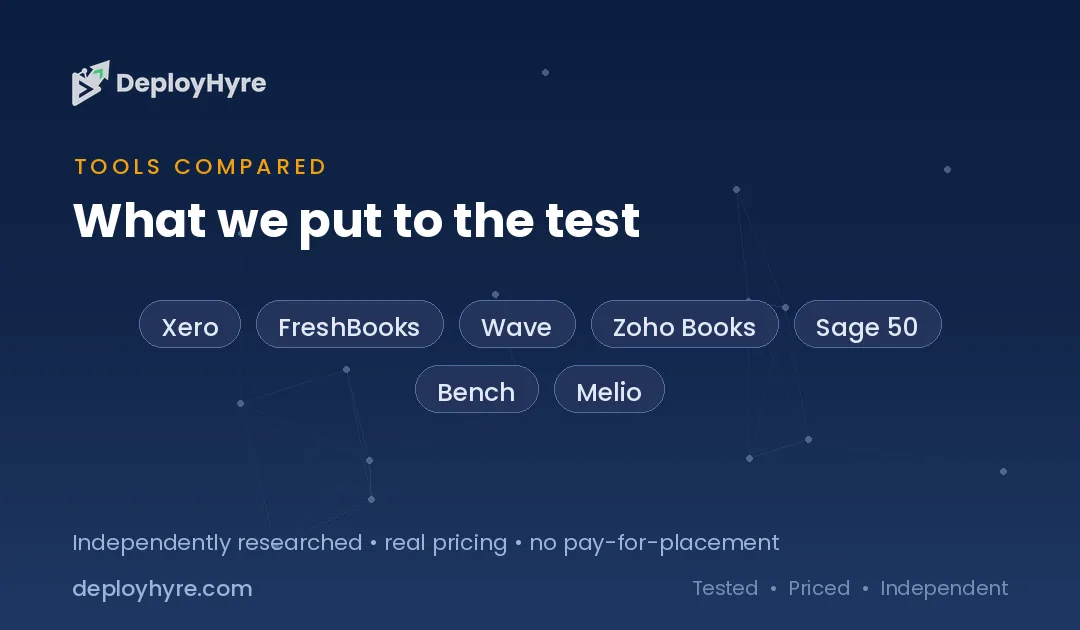
| Tool | Best For | Starting Price | Key Strength |
|---|---|---|---|
| Xero | Growing small businesses | $25/month | Unlimited users on every plan |
| FreshBooks | Freelancers and service pros | $23/month | Best-in-class invoicing |
| Wave | Very small budgets | Free | Free core accounting |
| Zoho Books | Zoho and automation users | Free / $20/month | Deep integrations and workflows |
| Sage 50 | Established and inventory-heavy firms | ~$29/month | Robust desktop-grade reporting |
| Bench | Owners who hate bookkeeping | Custom quote | Real human bookkeepers |
| Melio | Bill payments and AP | Free | Free ACH bill pay |
Why Look for a QuickBooks Alternative?
People leave QuickBooks mostly over rising prices and per-user fees. Intuit has hiked plan costs several years running, and features you need often sit in pricier tiers. Alternatives can cut your bill, add unlimited users, or match your workflow better.
QuickBooks is powerful, but that power comes at a cost. Desktop Pro Plus is rising from $999 to $1,149 for single-user licenses in February 2026. Online plans climb again on top of prior increases.
Beyond price, common complaints include a steep learning curve, upsells, and charging extra per seat. A freelancer rarely needs everything QuickBooks bundles. A five-person shop may not want to pay per user. The right alternative fixes the specific thing that bugs you. For a deeper look at automated options, see our guide to AI bookkeeping software.
The 7 Best QuickBooks Alternatives
#1 Xero: Best for growing small businesses
Xero is the closest true rival to QuickBooks and our top overall pick. It is cloud-based, well-designed, and built to scale with your team.
What it does well. Xero includes unlimited users on every plan. That alone makes it cheaper than QuickBooks for any business with more than one person in the books. Bank reconciliation is smooth, and the dashboard is easy to read.
Key features:
-
Unlimited users on all plans
-
Bank reconciliation and cash flow tracking
-
Hubdoc receipt and bill capture included
-
Sales tax, W-9, and 1099 support
-
Large app marketplace for integrations
Pricing. Xero U.S. plans start at $25/month for Early, $55/month for Growing, and $90/month for Established. The first month is often free. The Early plan caps you at 20 invoices and 5 bills per month.
Best for: Small businesses that expect to grow and want to add team members without paying more per seat.
Limitations. The entry Early plan has tight invoice and bill limits. Payroll is handled through a third-party integration, not built in.
#2 FreshBooks: Best for freelancers and service businesses
FreshBooks started as invoicing software and still shines there. It is built for freelancers, agencies, and anyone who bills clients for time or projects.
What it does well. Invoicing is the easiest we tested. You can send professional invoices, track time, and log expenses in a few clicks. The interface is friendly for non-accountants.
Key features:
-
Simple, polished invoicing and estimates
-
Time tracking and project tracking
-
Expense logging and receipt capture
-
Client portal for approvals and payments
-
Automated late-payment reminders
Pricing. FreshBooks Lite starts at $23/month for 5 billable clients. Plus is $43/month for 50 clients, and Premium is $70/month for unlimited clients. Extra team members cost $11/month each.
Best for: Freelancers and service pros who invoice clients and want billing to feel effortless.
Limitations. Plans are single-user, so each teammate adds cost. Lower tiers cap the number of billable clients.
#3 Wave: Best for the tightest budgets
Wave is the strongest free option on this list. If you want real accounting without a monthly fee, start here.
What it does well. The free Starter plan covers unlimited invoices, expense tracking, and basic accounting. For a solo owner or side hustle, it often does everything you need at zero cost.
Key features:
-
Free core accounting and invoicing
-
Unlimited invoices and estimates
-
Income and expense reports
-
Bank reconciliation
-
Optional paid payments and payroll add-ons
Pricing. Wave offers a permanently free Starter plan and a Pro plan at $16/month that adds receipt scanning and automatic bank imports. Payment processing runs about 2.9% + $0.60 per card transaction.
Best for: Freelancers, side businesses, and micro-companies that need free, no-fuss accounting.
Limitations. Payroll and payments cost extra. It lacks the depth larger or inventory-heavy businesses will want.
#4 Zoho Books: Best for automation and integrations
Zoho Books packs a lot into a low price, especially if you already use other Zoho apps. It is a serious QuickBooks rival for detail-minded owners.
What it does well. Automation is the standout. You can build workflows, automate reminders, and connect Zoho CRM and other tools. There is even a genuinely usable free tier.
Key features:
-
Free plan for businesses under $50K annual revenue
-
Workflow automation and custom rules
-
Deep Zoho ecosystem integration
-
Invoicing, bills, and expense tracking
-
Client portal and project billing
Pricing. Zoho Books offers a free plan plus paid tiers starting at $20/month for Standard, then Professional at $50/month and up. Annual billing saves roughly 20%. Extra users cost about $3/month each.
Best for: Small businesses that value automation, or teams already inside the Zoho ecosystem.
Limitations. The free plan limits revenue and invoices. The interface has a learning curve if you are new to Zoho.
#5 Sage 50: Best for established and inventory-heavy firms
Sage 50 (formerly Peachtree) is built for businesses that have outgrown basic tools. It leans desktop-grade, with strong reporting and inventory features.
What it does well. Reporting depth and inventory management are its strengths. Sage handles job costing, budgeting, and role-based permissions that smaller apps skip.
Key features:
-
Advanced reporting and budgeting
-
Inventory and job costing
-
Multi-user support on higher tiers
-
Bill tracking and expense management
-
Cloud-connected desktop hybrid
Pricing. Sage 50 Pro Accounting starts around $29/month billed annually ($668/year), with Premium at about $45.75/month for up to five users. Sage also offers a lighter cloud-based Accounting product from $19/month.
Best for: Established small and mid-sized businesses that need robust reporting and inventory control.
Limitations. Pricing climbs fast at higher tiers. The interface feels dated next to cloud-first rivals.
#6 Bench: Best for owners who hate bookkeeping
Bench is not software you run yourself. It pairs a platform with real human bookkeepers who do the work for you.
What it does well. Bench handles your books so you do not have to. A dedicated team reconciles accounts and delivers monthly financials, which frees busy owners to run the business.
Key features:
-
Real in-house bookkeepers
-
Monthly financial statements
-
Year-end tax-ready reports
-
Simple review dashboard
-
Add-on tax and advisory services
Pricing. Bench uses custom quotes rather than public flat pricing, so request a quote for your business size. Note the company had an abrupt shutdown in late 2024 and was acquired by Employer.com, which kept the service running with most customers retained.
Best for: Owners who want to hand off bookkeeping entirely and just review the results.
Limitations. It is a service, not self-serve software, so you have less hands-on control. The 2024 shutdown is a reminder to keep your own data exportable.
#7 Melio: Best for paying bills and vendors
Melio is not a full accounting suite. It is a bill-pay tool that solves one job well: paying vendors without fees. It pairs nicely with any app above.
What it does well. Free ACH bill payments are the headline. You can pay vendors by bank transfer at no cost, schedule payments, and even pay by card when you need to float cash.
Key features:
-
Free ACH bank transfers
-
Pay vendors by card (fee applies)
-
Payment scheduling and approvals
-
Syncs with QuickBooks and Xero
-
Vendors get paid by check or transfer
Pricing. Melio has no subscription or signup fees, and ACH transfers are free to send. Card payments carry a 2.9% fee, and fast checks cost a flat $20.
Best for: Businesses that want free, flexible accounts-payable on top of their main accounting tool.
Limitations. It does not do full accounting, invoicing, or bookkeeping. Treat it as a companion, not a replacement.
How to Choose a QuickBooks Alternative
Pick based on the single problem that made you leave QuickBooks. Match price, users, and features to your business instead of chasing the tool with the longest feature list.
Ask yourself a few quick questions. How many people touch the books? If more than one, Xero’s unlimited users saves real money. Do you mainly invoice clients? FreshBooks makes that painless. Is budget the issue? Wave and Zoho Books both have free tiers.
Also weigh what you need to keep. If you run inventory or need deep reports, Sage fits. If you would rather never open accounting software, Bench does it for you. And if the pain is just paying vendors, add Melio alongside whatever you choose.
Finally, test before you commit. Most tools offer a free trial or free plan. Import a month of data, run your usual tasks, and see what feels right. Weighing two tools head to head? Our QuickBooks vs Xero breakdown compares the two most popular choices in detail.
The Bottom Line
QuickBooks is a strong product, but it is no longer the automatic choice. With prices climbing 15% to 25% in 2026, plenty of businesses can spend less and get a better fit elsewhere.
For most small businesses, Xero is the best all-around QuickBooks alternative thanks to unlimited users and clean cloud accounting. Freelancers should look hard at FreshBooks. If budget rules, Wave and Zoho Books both start free.
Whatever you pick, test it with real data before you migrate. The right tool should cost less, fit your workflow, and get out of your way.
Frequently Asked Questions
What is the best free alternative to QuickBooks?
Wave is the best fully free QuickBooks alternative. Its Starter plan includes unlimited invoicing, expense tracking, and basic accounting at no cost. Zoho Books also offers a free plan for businesses earning under $50,000 in annual revenue.
Why are people switching away from QuickBooks?
The main reason is price. Intuit raised QuickBooks Online plans 15% to 25% in 2026, on top of earlier increases. Other reasons include per-user fees, a steep learning curve, and features locked behind higher-priced tiers.
Which QuickBooks alternative is best for freelancers?
FreshBooks is the top pick for freelancers and service businesses. It has the easiest invoicing, plus time tracking, expense logging, and a client portal. Its Lite plan starts at $23/month for up to 5 billable clients.
Can I move my data from QuickBooks to another tool?
Yes. Most alternatives, including Xero and Zoho Books, offer QuickBooks import tools or migration support. Export your data first, then import it into the new platform. Always keep a backup copy of your records before you switch.
Is Xero cheaper than QuickBooks?
For teams, usually yes. Xero includes unlimited users on every plan, while QuickBooks charges per seat and caps users by tier. Xero starts at $25/month, so a multi-user business often pays less overall than it would on QuickBooks.
Know AI, SaaS, or cloud tools inside out? Pitch a guest post and get in front of thousands of buyers researching their next tool.

David Austin is a technology writer and software analyst at DeployHyre, where he covers AI tools, SaaS platforms, cloud hosting, and business automation. He focuses on hands-on comparisons of pricing, features, and real-world performance so teams can pick the right software with confidence.