
TL;DR: The best Midjourney alternative for most people is Leonardo AI, thanks to a real free tier, fine-grained controls, and a friendly web app. Midjourney makes gorgeous art, but it has no free plan and starts at $10 a month. If you want free credits, better text in images, or commercially safe output, one of these seven tools will fit better.
Midjourney sets the bar for AI art quality. It also locks everyone out unless they pay. There has been no free trial since March 2023, and the cheapest plan is $10 a month. That paywall pushes a lot of creators to look elsewhere.
The demand is huge. Over 150 million people use AI image generators every month, producing around 80 million images per day. With that much competition, several rivals now match or beat Midjourney on price, control, and specific features.
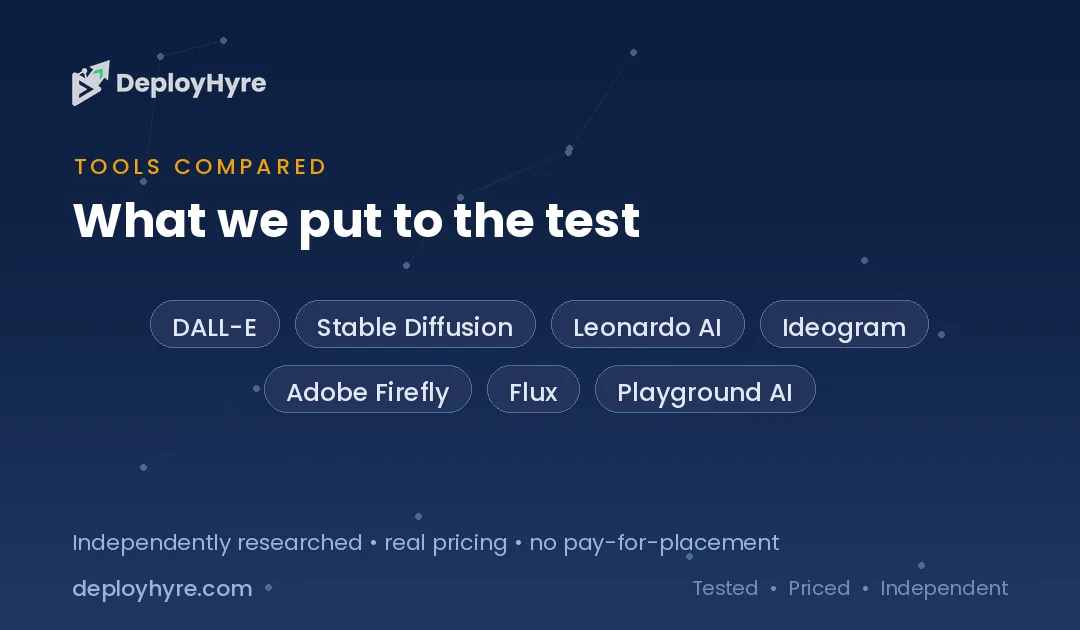
We compared the top seven Midjourney alternatives on pricing, features, and best use case. Some are free. Some run on your own computer. Some create readable text or IP-safe images that Midjourney cannot. If you are also shopping for other creative software, see our guide to the best AI design tools before you commit.
Quick Comparison: Midjourney Alternatives
| Tool | Best For | Starting Price | Key Strength |
|---|---|---|---|
| DALL-E / GPT Image | Chat-based creation | $20/mo (ChatGPT Plus) | Built into ChatGPT, easy prompts |
| Stable Diffusion | Full control and privacy | Free (self-hosted) | Open source, runs locally |
| Leonardo AI | All-round creators | Free / $12 mo | Free daily tokens plus fine controls |
| Ideogram | Text inside images | Free / $7 mo | Accurate text rendering |
| Adobe Firefly | Commercially safe images | Free / $9.99 mo | IP-safe, licensed training data |
| Flux (Black Forest Labs) | Developers and quality | ~$0.04/image (API) | Open weights, top-tier output |
| Playground AI | Budget hobbyists | Free / $15 mo | Generous free plan, design tools |
Why Look for a Midjourney Alternative?
Most people leave Midjourney for one reason: cost. It has no free tier, so you pay before you make a single image. Others want features Midjourney is weak at, like readable text, commercial safety, or offline use.
Midjourney charges $10 a month at the Basic level, with no way to test it for free. If you only need a few images a month, that is hard to justify. Alternatives like Leonardo, Ideogram, and Playground all offer free daily credits.
Midjourney also struggles with text inside images and does not promise your output is safe for commercial use. Tools like Ideogram and Adobe Firefly solve those exact problems. The right pick depends on what you value most: price, control, text accuracy, or legal peace of mind.
#1 DALL-E / GPT Image: Best for chat-based creation
OpenAI’s image models live inside ChatGPT, so you make art by simply describing it in a conversation.
What it does well. GPT Image understands plain-language prompts better than most rivals. You do not need special syntax or parameters. You type what you want, then refine it by chatting. That makes it the easiest on-ramp for beginners who already use ChatGPT.
Key features:
-
Built directly into the ChatGPT app and website
-
Strong prompt understanding and natural editing
-
Handles text in images better than older models
-
API access for developers who want to build tools
Pricing. Image generation is available on the free ChatGPT tier with limits. ChatGPT Plus costs $20 a month and gives you roughly 50 images per 3-hour window. API pricing runs from about $0.005 to $0.20 per image depending on quality and size.
Best for: Casual users and writers who want to create images inside a chat they already use.
Limitations. You do not get the fine-grained model controls that power users love in Stable Diffusion or Leonardo. Rate limits on Plus can slow down heavy sessions.
#2 Stable Diffusion: Best for full control and privacy
Stable Diffusion is the open-source model that started the AI art boom, and you can run it on your own hardware.
What it does well. Because it is open source, Stable Diffusion gives you total control. You can run it locally with no usage limits, no content filters, and no subscription. Add custom models, LoRAs, and extensions to fine-tune every image. Your prompts and images never leave your machine.
Key features:
-
Fully open weights you can download and run
-
Huge library of community models and add-ons
-
Runs locally on a consumer GPU with 8GB or more VRAM
-
Interfaces like ComfyUI and AUTOMATIC1111 for beginners and pros
Pricing. Free if you self-host on your own hardware. Stability’s hosted DreamStudio service is paid and priced by credit. Many cloud platforms also host Stable Diffusion for a fee.
Best for: Tinkerers, developers, and privacy-focused users who want maximum control at zero software cost.
Limitations. Local setup takes technical effort and a capable graphics card. There is a real learning curve compared with click-and-go web apps.
#3 Leonardo AI: Best for all-round creators
Leonardo AI wraps powerful image models in a polished web app with a genuine free plan.
What it does well. Leonardo balances power and ease. It offers fine control over models, styles, and settings without forcing you into a command line. The free tier gives 150 tokens per day, enough for roughly 25 to 37 standard images daily. That makes it easy to test before you pay.
Key features:
-
Free daily tokens with no credit card needed
-
Multiple fine-tuned models and style presets
-
Built-in tools for upscaling, editing, and canvas work
-
Paid plans grant full ownership of your images
Pricing. Free plan with 150 daily tokens. Paid plans start at $12 a month for the Essential tier, then $30 and $60 for Premium and Ultimate. Annual billing saves around 30 percent.
Best for: Creators who want Midjourney-level control with a free way to start.
Limitations. On the free plan your images are public and Leonardo holds the IP. You also generate one image at a time and cannot use the API.
#4 Ideogram: Best for text inside images
Ideogram is built to solve the one thing most AI generators fail at: putting readable words into an image.
What it does well. Ideogram renders text with roughly 90 percent accuracy, compared with around 30 percent for Midjourney. If you make logos, posters, ads, or social graphics with words, this is a game-changer. The typography actually looks right instead of turning into gibberish.
Key features:
-
Best-in-class text rendering inside images
-
Strong at logos, posters, and marketing graphics
-
Free tier includes accurate text generation
-
Style presets and remix tools on paid plans
Pricing. Free plan with 10 slow credits per day, about 40 images a week. Paid plans start at $7 a month for Basic, then $15 for Plus and $42 for Pro. Annual billing saves roughly 40 percent.
Best for: Marketers and designers who need text, headlines, or branding baked into the image.
Limitations. You cannot upload reference images on the free plan, and free creations are public. Pure artistic quality can trail Midjourney on some styles.
#5 Adobe Firefly: Best for commercially safe images
Adobe Firefly is built for teams that need images they can use commercially without legal worry.
What it does well. Firefly is trained only on licensed and public domain content, not scraped web images. Adobe designed it to be commercially safe and offers IP indemnification on eligible plans. For businesses, that guarantee is the whole point. It also plugs directly into Photoshop and other Creative Cloud apps.
Key features:
-
Trained on licensed, commercially safe content
-
Deep integration with Photoshop and Creative Cloud
-
Generative fill, expand, and text effects
-
Free tier with monthly generative credits
Pricing. Free tier with 25 generative credits a month. Standalone plans start at $9.99 a month for Standard, then $19.99 for Pro. Firefly is also bundled into Creative Cloud subscriptions.
Best for: Businesses and agencies that need IP-safe images for client and commercial work.
Limitations. Free credits run out fast. Raw creative quality on stylized art can lag behind Midjourney and Flux.
#6 Flux (Black Forest Labs): Best for developers and quality
Flux comes from Black Forest Labs and delivers top-tier image quality with open-weight options.
What it does well. Flux produces some of the sharpest, most coherent images available, and it rivals Midjourney on detail. Black Forest Labs ships open-weight models alongside a paid API, so developers can self-host or call it in the cloud. It has quickly become a favorite base model in the open-source community.
Key features:
-
Flagship quality that competes with Midjourney
-
Open-weight Dev and Schnell models to download
-
Simple credit-based API for developers
-
Strong prompt adherence and fine detail
Pricing. API pricing is credit-based, with FLUX 1.1 Pro at about $0.04 to $0.05 per image. Open-weight models are free for non-commercial use, and commercial licenses are available from Black Forest Labs.
Best for: Developers and power users who want elite quality and the option to self-host.
Limitations. There is no simple consumer app from Black Forest Labs, so you access Flux through third-party tools or the API. Licensing rules differ by model, so read them before commercial use.
#7 Playground AI: Best for budget hobbyists
Playground AI pairs image generation with design tools and one of the most generous free plans around.
What it does well. Playground gives free users 10 generations per 3-hour window with no credit card, plus daily downloads and unlimited design files. It works like a design canvas, not just a prompt box, so you can lay out graphics and social posts around your images.
Key features:
-
Free plan with rolling generation limits
-
Canvas-style editor for layouts and social content
-
Background removal, upscaling, and templates on Pro
-
Commercial license included on paid plans
Pricing. Free for personal use. Pro costs $15 a month monthly or $12 billed annually. Pro Plus is around $36 a month annually and adds unlimited generation and API access.
Best for: Hobbyists and small creators who want free images plus light design tools.
Limitations. Free output is for personal use only, so you need a paid plan for commercial rights. Top-tier artistic quality can trail Flux and Midjourney.
How to Choose a Midjourney Alternative
Start with your budget. If you want zero cost, Leonardo, Ideogram, Adobe Firefly, and Playground all have real free tiers, and Stable Diffusion is free forever if you self-host. Midjourney’s paywall is the main reason to switch, so lead with what you are willing to spend.
Next, match the tool to your job. Need readable text in graphics? Pick Ideogram. Need images you can legally sell to clients? Choose Adobe Firefly. Want total control and privacy? Run Stable Diffusion or Flux locally. Want the easiest chat workflow? Use GPT Image inside ChatGPT.
Finally, weigh quality against effort. Flux and Stable Diffusion reward technical users with elite results but ask for more setup. Leonardo and Playground trade a little raw quality for a smooth web app. If your work touches video too, our roundup of AI social media video tools pairs well with these image generators.
The Bottom Line
Midjourney is excellent, but it is no longer the only strong choice, and its lack of a free tier pushes many creators away. For most people, Leonardo AI is the best all-round Midjourney alternative because it blends free daily credits, fine control, and an easy web app.
Pick Ideogram if you need text in images, Adobe Firefly if you need commercially safe output, and Stable Diffusion or Flux if you want open-source power. Test a free tier first, then upgrade only for the features you actually use. For broader creative comparisons, see our Canva alternatives guide next.
Frequently Asked Questions
What is the best free alternative to Midjourney?
Leonardo AI is the best free all-round option, giving 150 tokens per day for roughly 25 to 37 images. Ideogram, Adobe Firefly, and Playground AI also offer free tiers. If you have a capable GPU, Stable Diffusion is completely free to run on your own computer with no limits.
Is there a Midjourney alternative that does text well?
Yes. Ideogram is built for text and renders words with about 90 percent accuracy, far better than Midjourney’s roughly 30 percent. It is the top pick for logos, posters, ads, and any image where readable words matter. A free plan lets you test its text rendering before paying.
Which Midjourney alternative is safe for commercial use?
Adobe Firefly is the safest choice for commercial work. It is trained only on licensed and public domain content and offers IP indemnification on eligible plans. Paid Leonardo and Playground plans also grant commercial rights, but Firefly’s licensed training data gives businesses the strongest legal protection.
Can I run a Midjourney alternative on my own computer?
Yes. Stable Diffusion is open source and runs locally on a consumer GPU with 8GB or more of VRAM, with no subscription or usage limits. Flux from Black Forest Labs also offers open-weight models you can download. Both need some technical setup but cost nothing in software fees.
Why do people switch from Midjourney?
The main reason is cost, since Midjourney has no free tier and starts at $10 a month. Others switch for features Midjourney lacks, like accurate text in images, commercially safe output, or the ability to run a model offline for privacy and full control.
Know AI, SaaS, or cloud tools inside out? Pitch a guest post and get in front of thousands of buyers researching their next tool.

David Austin is a technology writer and software analyst at DeployHyre, where he covers AI tools, SaaS platforms, cloud hosting, and business automation. He focuses on hands-on comparisons of pricing, features, and real-world performance so teams can pick the right software with confidence.