

TL;DR: Monday.com is the best ClickUp alternative for most teams. It gives you the same all-in-one power with a cleaner, faster interface and less setup pain. Teams leave ClickUp because it packs in too many features, loads slowly, and buries simple tasks under menus. The seven tools below trade that clutter for speed, clarity, and pricing that fits how you actually work.
ClickUp promises to replace every app you use. That ambition comes with a cost. Workers already toggle between apps nearly 1,200 times a day, losing about 9% of their work year to context switching, according to a Harvard Business Review study. A tool meant to fix that problem should feel simple. Many teams find ClickUp does the opposite. The endless views, settings, and nested menus create their own kind of overload.
If your team spends more time configuring ClickUp than finishing work, you are not alone. Before you settle, compare the best AI project management tools and the focused alternatives below. Each one does fewer things, but does them cleanly.
Quick Comparison: ClickUp Alternatives
| Tool | Best For | Starting Price | Key Strength |
|---|---|---|---|
| Monday.com | All-in-one work management | $9/seat/mo | Visual, colorful boards |
| Asana | Structured team workflows | $10.99/user/mo | Timeline and workflow builder |
| Trello | Simple visual task boards | $5/user/mo | Kanban simplicity |
| Notion | Docs plus lightweight PM | $10/user/mo | Docs and databases in one |
| Wrike | Scaling and cross-team work | $25/user/mo | Enterprise reporting |
| Teamwork | Client and agency work | $10.99/user/mo | Built-in billing |
| Smartsheet | Spreadsheet-style planning | $9/user/mo | Familiar grid layout |
Prices reflect the lowest paid tier billed annually, per each vendor’s pricing page. Verify current rates before buying.
Why Look for a ClickUp Alternative?
Most teams leave ClickUp because it does too much. The platform bundles tasks, docs, goals, chat, and dashboards into one dense workspace, which sounds efficient but often overwhelms new users.
That density is the core trade-off. ClickUp is powerful, but power adds friction. New members face a steep learning curve, simple actions require several clicks, and some users report sluggish performance as boards grow. If you want to plan a sprint without a training session first, a lighter, more focused tool usually wins.
#1 Monday.com: Best for all-in-one work management
Monday.com is the closest like-for-like swap for ClickUp, and it is the top pick for most teams making the switch. It covers the same broad ground, from tasks to CRM to project tracking, but wraps everything in a bright, drag-and-drop interface that feels far more approachable.
What it does well. Monday.com turns project data into color-coded boards that anyone can read at a glance. Setup is fast, templates are strong, and the visual status columns make progress obvious without a report. Non-technical teams get productive on day one.
Key features:
-
Customizable boards with 27+ column types
-
Timeline, Gantt, Kanban, and calendar views
-
Workflow automations to cut manual updates
-
200+ integrations plus a built-in CRM option
-
Dashboards that roll up multiple boards
Pricing. A free plan covers up to 2 seats. Paid plans start at $9/seat/month for Basic, $12/seat for Standard, and $19/seat for Pro, all billed annually with a 3-seat minimum. Automations and integrations require the Standard tier.
Best for: Teams that want ClickUp’s breadth without ClickUp’s clutter, especially marketing, ops, and sales groups.
Limitations. The 3-seat minimum raises the real entry cost. Basic lacks automations and integrations, so most teams need Standard or higher.
Weighing these two head to head? Read our full ClickUp vs Monday breakdown.
#2 Asana: Best for structured team workflows
Asana is the go-to alternative for teams that value structure and clarity over feature count. It focuses on tasks, projects, and workflows, and it does that job with polish that ClickUp struggles to match.
What it does well. Asana keeps work organized without visual noise. Its workflow builder, clean task lists, and reliable notifications make it easy to see who owns what and when it is due. The interface stays calm even on large projects.
Key features:
-
List, board, timeline, and calendar views
-
Unlimited automations and a workflow builder
-
Project dashboards and universal reporting
-
Forms, custom fields, and task dependencies
-
Goals and portfolios on higher tiers
Pricing. A free Personal plan supports small teams. Starter is $10.99/user/month billed annually, and Advanced is $24.99/user/month annually. Annual billing saves up to 18% versus monthly.
Best for: Cross-functional teams that want dependable structure, especially those managing recurring processes.
Limitations. Asana bills every workspace member as a paid seat, which adds up. It also lacks native docs and a built-in chat, so it is less of an all-in-one hub than ClickUp.
#3 Trello: Best for simple visual task boards
Trello is the anti-ClickUp. Where ClickUp piles on features, Trello strips everything back to cards and columns. For teams that just need to see what is next, that simplicity is the whole point.
What it does well. Trello’s Kanban boards are instantly understandable. You drag a card from one list to the next, and the work moves. There is almost no learning curve, which makes it ideal for onboarding casual users and small teams.
Key features:
-
Drag-and-drop Kanban boards
-
Power-Ups to add calendars, maps, and integrations
-
Butler automation with rule-based triggers
-
Timeline, Calendar, and Dashboard views on Premium
-
Templates for common workflows
Pricing. Trello has a capable free tier. Standard is $5/user/month billed annually, and Premium is $10/user/month annually, which adds AI features and advanced views.
Best for: Small teams, side projects, and anyone who finds ClickUp overwhelming.
Limitations. Trello scales poorly for complex, multi-team projects. Advanced views and reporting only arrive on Premium, and heavy users often outgrow the card model.
#4 Notion: Best for docs plus lightweight PM
Notion attracts ClickUp users who care as much about documentation as tasks. It blends notes, wikis, and databases into one flexible workspace, so your project plan and your knowledge base live side by side.
What it does well. Notion’s databases turn any page into a task tracker, roadmap, or content calendar. The writing experience is best in class, and the flexibility lets each team shape its own system. It is a knowledge hub and a light PM tool at once.
Key features:
-
Docs, wikis, and databases in one place
-
Board, table, calendar, and timeline views
-
Relational databases and custom properties
-
Templates for almost any workflow
-
AI features and agents on paid plans
Pricing. A free plan works for individuals. Plus is $10/user/month billed annually, and Business is $20/user/month annually, which unlocks full AI access and advanced controls.
Best for: Startups, content teams, and anyone who wants docs and project tracking under one roof.
Limitations. Notion is not a dedicated PM tool. It lacks native time tracking and strong Gantt support, and heavy databases can slow down. If tasks matter more than docs, look elsewhere.
If Notion is your main comparison, see our roundup of Notion alternatives too.
#5 Wrike: Best for scaling and cross-team work
Wrike targets larger teams that have outgrown scrappy tools. It leans into robust reporting, request forms, and approval workflows, making it a strong fit when project management becomes a company-wide function.
What it does well. Wrike handles complexity that trips up lighter tools. Real-time reporting, resource management, and cross-project dashboards give leaders a clear view across many teams. It is built for coordination at scale.
Key features:
-
Gantt charts and workload views
-
Approval and request-form workflows
-
Real-time analytics and custom reporting
-
Resource and capacity management
-
AI Copilot on Business and above
Pricing. Wrike offers a free tier and a Team plan, with the Business plan at $25/user/month billed annually. Business carries a 5-seat minimum, so the annual floor is $1,500.
Best for: Mid-size and enterprise teams that need heavy reporting and cross-department visibility.
Limitations. The Business tier is pricey, and the 5-seat minimum locks small teams out. The interface is denser than Monday or Asana, so expect a real ramp-up period.
#6 Teamwork: Best for client and agency work
Teamwork.com is purpose-built for teams that bill clients. It bakes time tracking, budgeting, and invoicing into the project view, which makes it a natural ClickUp replacement for agencies and service firms.
What it does well. Teamwork connects the work to the money. You track billable hours against a project, watch budgets in real time, and invoice from the same place you manage tasks. Unlimited client users keep collaboration free of extra seat costs.
Key features:
-
Built-in time tracking and billing
-
Budget and profitability tracking
-
Unlimited free client users and collaborators
-
Gantt charts and workload planning
-
Templates for client onboarding
Pricing. A free tier exists. The Deliver plan is $10.99/user/month billed annually with a 3-user minimum, and Accelerate is $24.99/user/month annually with a 5-user minimum.
Best for: Agencies, consultancies, and any team that bills clients for time.
Limitations. The client-focused feature set is overkill for internal-only teams. Higher tiers carry user minimums, and the interface feels utilitarian next to Monday.com.
#7 Smartsheet: Best for spreadsheet-style planning
Smartsheet wins over ClickUp users who never wanted to leave the spreadsheet. It looks and behaves like a supercharged grid, then layers on automations, dashboards, and Gantt views for real project management.
What it does well. Smartsheet meets spreadsheet lovers where they already are. Teams that live in Excel adopt it fast because the grid feels familiar. Underneath, it delivers formulas, cross-sheet references, and automations that go well beyond a normal spreadsheet.
Key features:
-
Grid, Gantt, card, and calendar views
-
Cross-sheet formulas and references
-
Automated workflows and alerts
-
Dashboards and reporting
-
Forms for structured data intake
Pricing. Smartsheet’s Pro plan is $9/user/month billed annually, and the Business plan runs higher with advanced admin and resource features. Business requires a 3-license minimum.
Best for: Operations, finance, and planning teams that think in rows and columns.
Limitations. The spreadsheet model can feel rigid for creative or agile workflows. Business-tier pricing climbs quickly, and the interface is less visual than board-first tools.
How to Choose a ClickUp Alternative
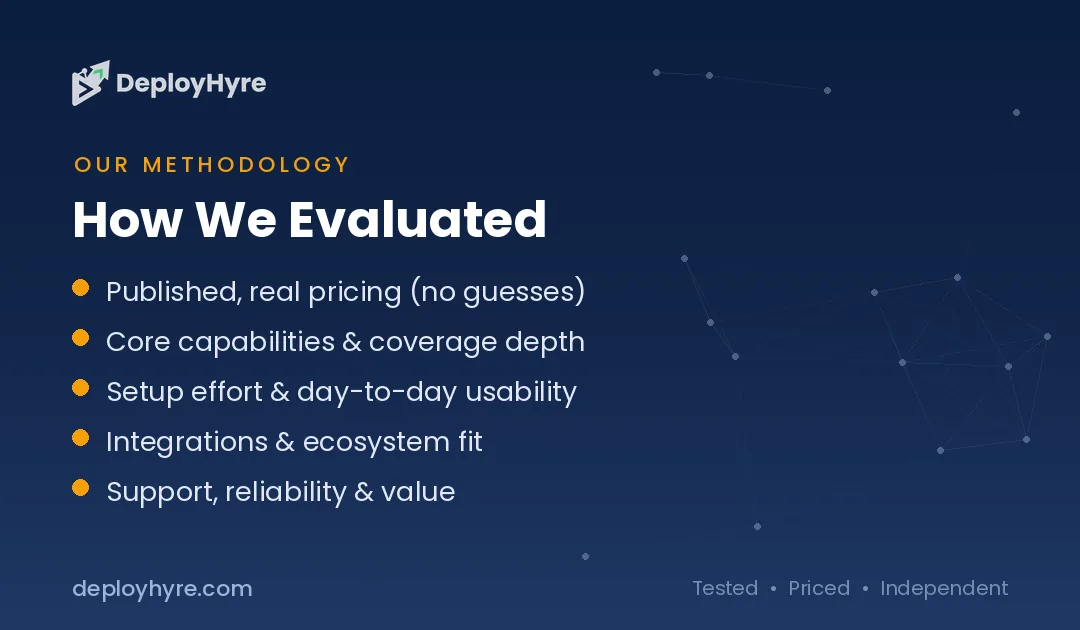
Start with the reason you are leaving. If ClickUp felt too cluttered, pick the tool that removes the most friction, not the one with the longest feature list. That single question narrows your choices fast.
Match the tool to your team’s core work:
-
Want a true all-in-one? Monday.com is the safest swap.
-
Need clean structure? Asana keeps large teams organized.
-
Just want simple boards? Trello has the shortest learning curve.
-
Live in documents? Notion blends docs and tasks.
-
Scaling across departments? Wrike handles the complexity.
-
Billing clients? Teamwork ties work to revenue.
-
Think in spreadsheets? Smartsheet feels like home.
Then test on price and team size. Watch for seat minimums, which raise the real cost on Monday.com, Wrike, Teamwork, and Smartsheet. Finally, run a free trial with a live project before you commit. The tool that feels obvious after a week is usually the right one.
The Bottom Line
ClickUp is powerful, but power is not the same as fit. For most teams, Monday.com is the best ClickUp alternative because it delivers the same all-in-one capability with a cleaner, faster experience your whole team can use on day one. If you want simplicity, Trello wins. If you want structure, Asana leads. If docs drive your work, Notion is the pick.
The best move is to try your top two with a real project. Most of these tools offer a free plan or trial, so you can compare them without risk.
What is the best alternative to ClickUp?
Monday.com is the best ClickUp alternative for most teams. It offers the same all-in-one work management across tasks, projects, and CRM, but in a cleaner, more visual interface that is easier to learn. Asana and Trello are strong picks for structure and simplicity.
Why do people switch away from ClickUp?
Most people leave ClickUp because it does too much. The platform bundles tasks, docs, goals, and chat into one dense workspace, which creates a steep learning curve and slower performance on large boards. Teams that want a focused, faster tool often switch to a lighter alternative.
Is there a free alternative to ClickUp?
Yes. Trello, Notion, Asana, Monday.com, Teamwork, and Wrike all offer free plans. Trello and Notion have the most generous free tiers for small teams. These plans work well for basic projects, though features like automations and advanced views usually require a paid upgrade.
What happened to Height.app?
Height.app shut down permanently on September 24, 2025. The AI project management startup announced the closure in early 2025 and deleted user data after the shutdown date. Teams that used Height have migrated to alternatives like Monday.com, Asana, or Notion.
Which ClickUp alternative is best for small teams?
Trello is the best ClickUp alternative for small teams. Its Kanban boards are simple to learn, it has a capable free plan, and paid tiers start at just $5 per user per month. Notion and Asana are also strong low-cost options for small groups.
Know AI, SaaS, or cloud tools inside out? Pitch a guest post and get in front of thousands of buyers researching their next tool.
Related Articles

David Austin is a technology writer and software analyst at DeployHyre, where he covers AI tools, SaaS platforms, cloud hosting, and business automation. He focuses on hands-on comparisons of pricing, features, and real-world performance so teams can pick the right software with confidence.