
A great cover letter is tailored to the job, and writing one from scratch for every application is exhausting. AI cover letter tools fix that, generating personalized, professional letters you can refine in minutes.
Table of Contents
For the full picture, see our complete guide to AI writing tools.
The best ones go beyond fill-in-the-blank templates. The best AI cover letter builders in 2026 generate tailored, job-specific content that sounds professional and personal at the same time. This guide tests 8 of them, free and paid. For related writing help, see our roundups of the best AI for writing essays and the best AI for proposal writing.
What Is the Best AI for Cover Letters?
The best AI for cover letters is a tool that generates a tailored, job-specific letter matching your experience to the role, in a professional yet personal voice. For most job seekers, a general assistant like ChatGPT handles this well for free, while dedicated tools like Cover Letter Copilot and Kickresume add job-matching, tone control, and templates. The right pick depends on whether you want a free quick draft or a guided, feature-rich builder.
Always edit the output. AI gives you a strong first draft, but your specific achievements and voice are what make a letter land.
Quick Comparison: 8 Best AI Cover Letter Tools in 2026
| Tool | Best For | Starting Price | Free Tier |
|---|---|---|---|
| ChatGPT | Free, flexible drafting | Free / $20/mo | Yes |
| Grammarly | Polished tone and editing | Free / ~$15/mo | Yes |
| Cover Letter Copilot | Dedicated cover letters | Paid | Limited |
| Kickresume | Resume + cover letter combo | Free / $24.16/mo | 2 letters |
| ResuFit | Tailored customization | Free / paid | Yes |
| ApplyArc | Generous real free tier | Free / paid | 10 generations |
| Canva | Designed letter templates | Free / paid | Yes |
| CareerBldr | Budget builder | Free / ~$19.99/mo | 1 letter |
What Makes a Great AI Cover Letter Tool?
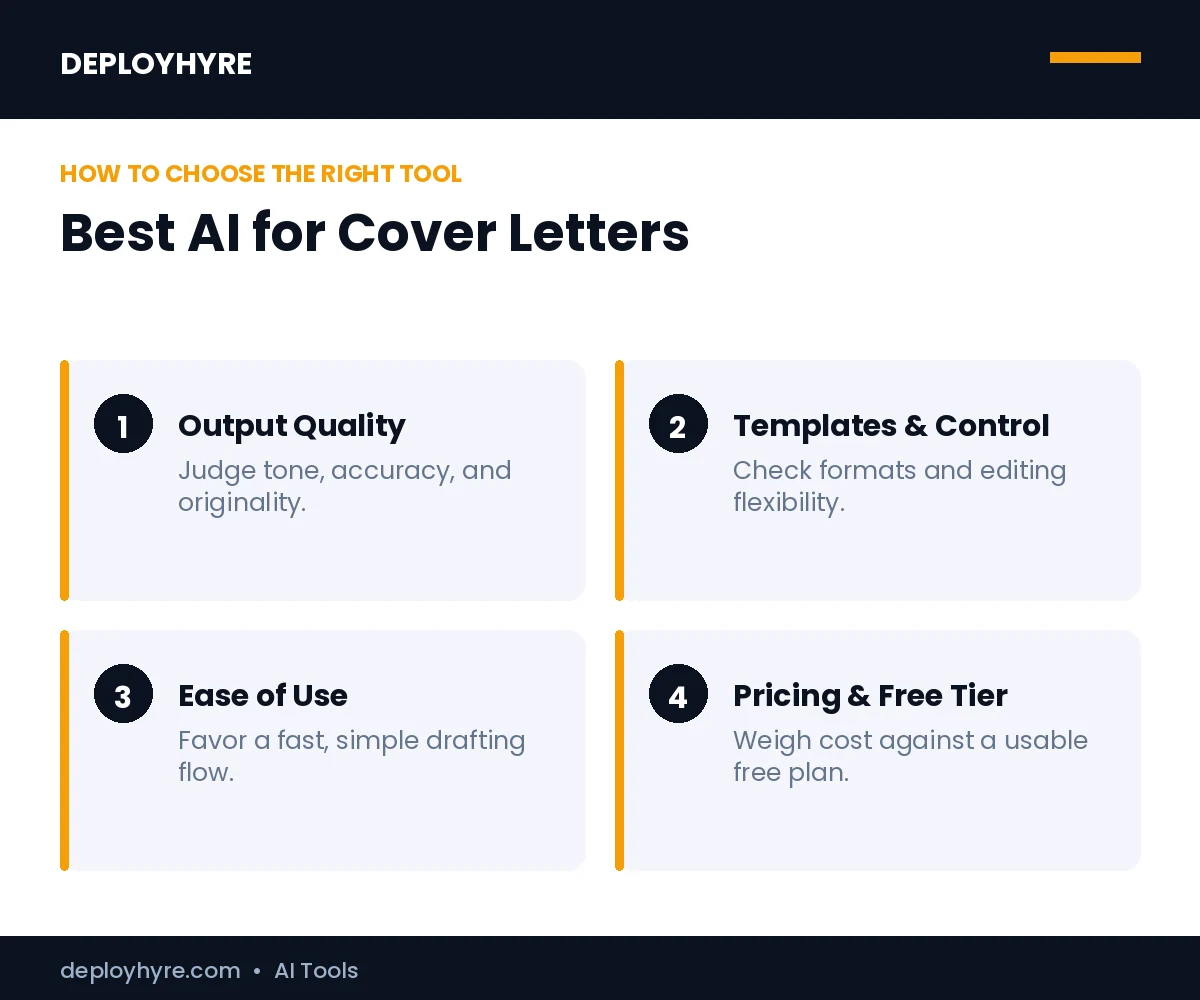
A great AI cover letter tool produces a tailored, job-specific letter that sounds like you, not a template, lets you control tone, and is easy to edit. The best ones match your resume and the job description to generate relevant, professional content, and offer a usable free tier so you can apply without paying.
We weighed four things: output quality and personalization, tone and customization control, ease of use, and how generous the free tier is.
Best Free AI Tools for Cover Letters
1 ChatGPT: Best Free, Flexible Option
ChatGPT is the most versatile free way to draft a cover letter.
What it does well. ChatGPT generates tailored letters when you paste the job description and your resume, and adapts tone on request. Its pricing is free on GPT-4o mini, with Plus at $20/month for heavier use.
Key features:
- Tailored letters from job + resume input
- Flexible tone and length
- Capable free tier
- Iterates on feedback
Pricing. Free; Plus $20/month.
Best for: Job seekers who want a free, flexible draft they control.
Limitations. No built-in job-matching UI; you supply structure and prompts.
2 Grammarly: Best for Polished Tone and Editing
Grammarly turns a rough draft into a polished letter.
What it does well. Grammarly generates and refines cover letter text with strong tone and clarity controls, ideal for polishing your own draft or AI output. It offers a free plan with paid tiers from about $15/month.
Key features:
- Tone and clarity refinement
- Grammar and style checks
- Generation plus editing
- Free plan available
Pricing. Free; paid from about $15/month.
Best for: Polishing cover letters to a professional finish.
Limitations. Less of a from-scratch generator than dedicated tools.
3 ApplyArc: Best Generous Free Tier
ApplyArc stands out for a genuinely free entry point.
What it does well. ApplyArc offers a real free tier with 10 AI generations and no credit card required, enough to cover an active job search before paying.
Key features:
- 10 free AI generations, no card
- Job-specific tailoring
- Simple workflow
- Affordable upgrades
Pricing. Free tier; paid for more.
Best for: Active job seekers who want real free usage.
Limitations. Free generations are capped; advanced features need a plan.
Best Dedicated Cover Letter Generators
4 Cover Letter Copilot: Best Dedicated Tool
Cover Letter Copilot focuses solely on cover letters.
What it does well. Cover Letter Copilot specializes in generating tailored, job-specific cover letters, with workflows built around matching your experience to the role.
Key features:
- Purpose-built for cover letters
- Job-specific tailoring
- Tone options
- Guided workflow
Pricing. Paid, with limited free use.
Best for: Job seekers who want a dedicated cover-letter tool.
Limitations. Narrower than all-in-one resume suites.
5 Kickresume and 6 ResuFit: Best for Resume Plus Cover Letter
These tools combine cover letters with resume building.
What they do well. Kickresume generates matched resumes and cover letters; its free plan allows 2 basic cover letters, with premium at $24.16/month for unlimited generations, tone matching, plagiarism checks, and 35+ languages. ResuFit offers a free tier with premium unlocking unlimited generation and advanced customization.
Key features:
- Matched resume and cover letter
- Tone matching and languages (Kickresume)
- Tailored customization (ResuFit)
- Templates and exports
Pricing. Kickresume free (2 letters) / $24.16/mo; ResuFit free / paid.
Best for: Job seekers building a resume and cover letter together.
Limitations. Free tiers are limited; full value needs a subscription.
7 Canva and 8 CareerBldr: Best for Design and Budget
Two more options cover design and tight budgets.
What they do well. Canva pairs AI text with designed letter templates for a polished look, while CareerBldr offers a budget builder. CareerBldr’s free tier is limited to 1 cover letter, with premium around $19.99/month.
Key features:
- Designed templates (Canva)
- Budget-friendly building (CareerBldr)
- AI text plus formatting
- Easy export
Pricing. Canva free/paid; CareerBldr free (1 letter) / ~$19.99/mo.
Best for: Designed letters (Canva) or budget building (CareerBldr).
Limitations. Canva is design-led; CareerBldr’s free tier is very limited.
How Should You Choose an AI Cover Letter Tool?
Start free. ChatGPT, Grammarly, and ApplyArc all let you produce strong letters at no cost, and for many job seekers that is enough. Use ChatGPT to draft, Grammarly to polish, and ApplyArc if you want a dedicated free tool.
Upgrade only if you need more. Dedicated tools like Cover Letter Copilot or Kickresume add job-matching, tone control, and resume integration that frequent applicants value. Whatever you choose, always edit the draft with your real achievements and check the tone before sending.
How We Evaluated These AI Cover Letter Tools
We assessed each tool on four criteria: output quality and personalization, tone and customization control, ease of use, and how generous the free tier is. We prioritized tools with published pricing and real free options, and cross-checked against independent 2026 reviews. Free tiers and prices change often, so confirm current limits before relying on a tool for an active job search.
Can AI write a cover letter that passes ATS?
Yes. AI cover letters can include role keywords and clean formatting that applicant tracking systems read. Paste the job description so the tool aligns terms, then personalize the result. Recruiters using AI recruiting software still favor tailored letters.
How do I make an AI cover letter sound personal?
Add specifics AI cannot know. Include the company, the role, and your real achievements, then edit the draft to match your voice. Use AI for structure and phrasing, and inject genuine motivation so the letter feels human.
Are AI cover letters obvious to recruiters?
Generic ones are. Recruiters spot vague, templated language fast, while personalized AI letters with real specifics read naturally. Use AI to draft, then tailor each letter to the job so it stands out rather than blends in.
The Bottom Line
The best AI for cover letters in 2026 produces tailored, job-specific letters fast. ChatGPT and Grammarly are the best free-to-start options, ApplyArc offers the most generous real free tier, and Cover Letter Copilot and Kickresume lead dedicated tools.
Start free, paste in the job description and your resume for a tailored draft, then edit with your own achievements and voice. Used well, AI turns cover letters from a chore into a quick, polished step.
Next steps: Sharpen your writing with our best AI for writing essays and best AI for proposal writing guides.
Frequently Asked Questions
What is the best AI for cover letters in 2026?
For most job seekers, ChatGPT is the best free AI for cover letters thanks to its flexibility, while Grammarly excels at polishing tone. Dedicated tools like Cover Letter Copilot and Kickresume add job-matching and resume integration, and ApplyArc offers a generous free tier. The best choice depends on whether you want a free quick draft or a guided, feature-rich builder.
Can I write a cover letter with free AI tools?
Yes. ChatGPT, Grammarly, and ApplyArc all let you generate strong cover letters at no cost, and ApplyArc offers 10 free generations with no credit card. Free tiers cap usage, but they are enough for most job searches. Paste the job description and your resume for a tailored draft, then edit it to add your specific achievements.
Do employers mind AI-written cover letters?
Employers care about relevance and authenticity, not whether you used AI to draft. The risk is sending a generic, obviously templated letter. Use AI to create a tailored first draft, then personalize it with your real achievements, specific reasons for wanting the role, and your own voice. A well-edited AI-assisted letter is perfectly acceptable.
What is the best free AI cover letter generator?
ApplyArc offers one of the most generous real free tiers, with 10 AI generations and no credit card required. ChatGPT’s free plan is excellent for flexible drafting, and Grammarly’s free plan handles polishing. Kickresume allows 2 free basic cover letters. For an active search, combining a free generator with free editing covers most needs.
How do I make an AI cover letter sound personal?
Give the AI specifics and then edit. Paste the exact job description and your real resume, and prompt it to reference particular achievements and reasons you want the role. After generating, replace generic phrases with concrete results, add a genuine opening line, and adjust the tone to sound like you. Personalization is what turns an AI draft into a winning letter.

David Austin is a technology writer and software analyst at DeployHyre, where he covers AI tools, SaaS platforms, cloud hosting, and business automation. He focuses on hands-on comparisons of pricing, features, and real-world performance so teams can pick the right software with confidence.