Pick Cursor if you want the most mature, model-flexible AI editor with the largest community and the deepest agent tooling; pick Windsurf if you want a cleaner agent-first workflow, unlimited autocomplete on every tier, and a proprietary model built for speed. Both start at the same $20-per-month entry price and both offer a genuinely usable free tier, so the decision comes down to how you work, not what you can afford.
Here is the hook nobody mentions in a normal “Cursor vs Windsurf” search: Windsurf is not the independent underdog it was a year ago. Cognition (the company behind the Devin agent) acquired it, and as of mid-2026 the editor has been folded into the Devin brand. That changes who you are actually betting on when you pick it.
Every price below is a real figure taken from each vendor’s own pricing page at the time of writing. Treat each number as a band, not a locked quote: both companies revise tiers and usage rules often, so verify the current page before you subscribe.
Quick Comparison: Cursor vs Windsurf at a Glance
| Tool | Best For | Entry Price | Note |
|---|---|---|---|
| Cursor | Solo devs and teams who want maximum model choice, the biggest ecosystem, and mature agent tooling | Free (Hobby); paid from $20/mo (Pro) | Built by Anysphere. Frontier models from multiple providers, plus its own Composer. Usage-based limits on top of each tier. |
| Windsurf | Devs who want an agent-first flow (Cascade), unlimited autocomplete, and a fast in-house model | Free ($0); paid from $20/mo (Pro) | Now owned by Cognition and rebranded toward “Devin Desktop.” Ships proprietary SWE-series models. Quota-based usage. |
What an AI Code Editor Actually Does
An AI code editor is a full development environment with a large language model wired into the core of the editing loop, rather than a chat window bolted onto the side. In practice that means three layers working together: inline autocomplete that predicts your next edit as you type, a chat panel that can read your open files and answer questions about them, and an agent that can plan a change, edit multiple files, run commands, and iterate until a task is done.
Both Cursor and Windsurf are forks of VS Code, so if you have ever used Microsoft’s editor the interface will feel immediately familiar, and your existing extensions and keybindings largely carry over. The differences are not in the shell but in how aggressively each one leans on its agent, which models it routes your requests to, and how it meters usage. If you are still deciding whether this category is right for you at all, our roundup of the best AI coding tools frames where editors like these sit against CLI agents and plugin-based assistants.
The Detail Most Comparisons Miss
Most “Cursor vs Windsurf” pieces treat the two as symmetrical rivals. They are not, and the reason is ownership. Windsurf began life as Codeium, spun out its editor, and then was acquired by Cognition for a reported $250 million. By mid-2026 Cognition had begun unifying Windsurf under its Devin brand, to the point that windsurf.com now redirects to Devin’s pricing page. Cursor, by contrast, is still an independent product from Anysphere with a single, focused roadmap.
That matters because the two products are now optimizing for different things. Cursor is a best-of-breed editor that routes you to whichever frontier model wins a given task. Windsurf is increasingly a client for Cognition’s own agent stack and its in-house SWE-series models, which run extremely fast on specialized hardware. You are choosing between an open model router and a vertically integrated agent company.
| Dimension | Cursor | Windsurf |
|---|---|---|
| Owner / roadmap | Anysphere, independent | Cognition (Devin), being unified under the Devin brand |
| Model strategy | Router across frontier models (OpenAI, Anthropic, Google, Grok) plus its own Composer | Frontier models plus proprietary SWE-series models tuned for speed |
| Agent identity | Cursor Agent, cloud agents, Bugbot code review | Cascade agent, cloud sessions, tied into Devin’s autonomous engineering |
| Usage model | Included usage per tier plus on-demand billing in arrears | Daily and weekly quotas; unlimited Tab autocomplete on every plan |
| Ecosystem | Larger community, marketplace for rules/skills/plugins, MCP support | Smaller but focused; benefits from Cognition’s research pipeline |
Best for Solo Developers
Winner: Cursor for most solo developers, at $20/mo on the Pro plan (its free Hobby tier is genuinely usable for light work). The reason is maturity and choice. As a solo dev you switch between languages and tasks constantly, and Cursor’s ability to route a refactor to one model, a quick explanation to another, and autocomplete to its own fast Composer model means you rarely feel boxed in. The community is also larger, so when you hit a wall the answer is usually one search away.
Windsurf is a strong alternative here, also $20/mo on Pro, and its Cascade agent plus unlimited Tab autocomplete on the free tier make it especially appealing if you want an agent-led flow without watching a usage meter for basic completions. If your day is dominated by “describe the change, let the agent do it” work rather than hands-on editing, Windsurf’s agent-first design can feel more natural. If you are weighing editors against terminal-based agents too, our Cursor vs Claude Code comparison covers when a CLI agent beats an in-editor one for solo work.
Best for Teams and Large Codebases
Winner: Cursor for most teams, at $40/user/mo on the Teams plan, with Enterprise available at custom pricing. Cursor’s team tier adds centralized billing, a shared marketplace for internal rules and skills, team-wide privacy mode, usage analytics, and SAML/OIDC SSO, and its Bugbot brings agentic code review into the workflow. For a company standardizing on one editor, that administrative surface area is the deciding factor as much as the code quality.
Windsurf’s team plan is structured differently, listed at a base platform fee plus $40/mo per full developer seat, and it leans on Cognition’s Devin infrastructure for shared cloud agents and collaboration. On very large codebases, Windsurf’s fast context handling and proprietary models can be a real advantage for whole-repository reasoning. Teams that also run autonomous agents outside the editor should read our take on the broader best AI coding assistants and our Claude Code vs Codex breakdown before committing to a single stack, because the editor is only one piece of a team’s tooling.
Best for Budget and Free Use
Winner: Windsurf on the strength of its free tier, at $0. Windsurf gives you unlimited Tab autocomplete and unlimited inline edits even without paying, plus a light daily and weekly quota for its Cascade agent, so the everyday “finish my line” experience never costs anything. That makes it an excellent way to try an agentic editor with zero commitment.
Cursor’s free Hobby tier is also real and requires no credit card, but its agent requests are more tightly limited, so heavy agent users will hit the paid $20/mo Pro tier sooner. Both are worth trying free before you spend a cent. If cost is the primary constraint, compare them against the wider field in our guide to the best free AI coding tools, which covers no-cost options beyond just these two editors.
How Should You Choose Between Cursor and Windsurf?
Start with how you actually write code. If you spend most of your time hands-on in files, tab-completing and steering edits line by line, Cursor’s model routing and mature autocomplete tend to feel better, and its larger ecosystem smooths the rough edges. If you prefer to describe a task in plain language and let an agent execute across files, Windsurf’s Cascade-first design was built for exactly that rhythm.
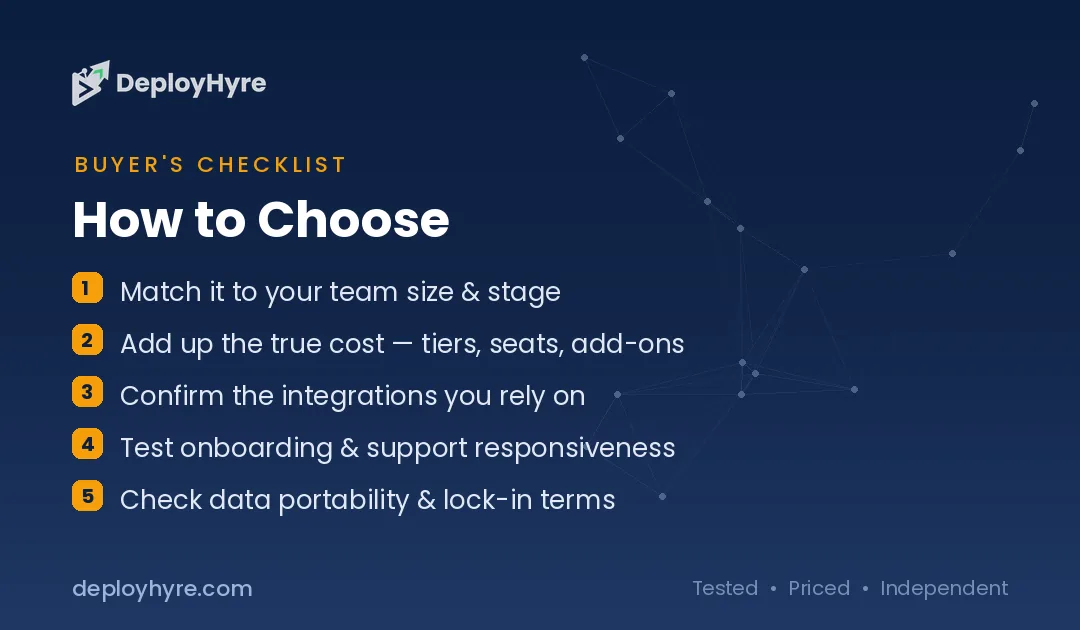
Next, weigh the ownership question honestly. Cursor is an independent, single-purpose editor, which usually means a tightly focused roadmap. Windsurf is now part of Cognition’s Devin ecosystem, which means it benefits from that company’s research and fast in-house models but is also being steered toward a broader autonomous-engineering vision that may not match every developer’s preferences. Neither is wrong; they are different bets.
Finally, let price break the tie only if everything else is even, because at $20/mo they are matched at entry. Try both free tiers on a real task from your own codebase for a week each. The editor that produces fewer wrong edits and fewer moments of fighting the tool is the right one, regardless of which review calls a winner.
How We Evaluated Cursor and Windsurf
We based this comparison on each vendor’s own current pricing and product pages, cross-checked against public reporting on Cognition’s acquisition of Windsurf and its ongoing rebrand. We prioritized primary sources for every price and tier structure, and where a figure could not be confirmed directly we described it qualitatively rather than inventing a number. Because both products change tiers, usage rules, and model line-ups frequently, we treat every price as a band and recommend verifying the live pricing page before subscribing.
We do not accept payment for placement, and no ranking here was influenced by any commercial relationship. Pricing is drawn from primary sources; feature claims reflect the products as documented at the time of writing. Where we mention model speed or acquisition figures, those come from the vendors’ announcements and public reporting, not from our own benchmarks.
The Bottom Line
For most solo developers and most teams, Cursor is the safer default: it is independent, offers the widest model choice, ships the most mature agent and review tooling, and has the largest community, all from $20/mo for individuals and $40/user/mo for teams. Choose Windsurf if you want an agent-first workflow, unlimited autocomplete without a meter, a fast proprietary model, and you are comfortable being inside Cognition’s Devin ecosystem, starting free and moving to $20/mo Pro when you need more. On a pure budget basis, Windsurf’s free tier is the more generous of the two for everyday completions. The honest answer is that both are excellent; the tiebreaker is a week of real work in each.
Frequently Asked Questions
Is Cursor or Windsurf better for beginners?
Both are approachable because each is a fork of VS Code, so the layout, extensions, and shortcuts feel familiar from day one. Windsurf’s free tier is the friendlier starting point because it offers unlimited autocomplete and inline edits at no cost, letting beginners feel the benefit immediately. Cursor’s Hobby tier is also free and its larger community makes troubleshooting easier. Try both free before deciding.
How much do Cursor and Windsurf cost?
Both offer a free tier and both start paid plans at $20 per month: Cursor’s Pro and Windsurf’s Pro. Cursor’s Teams plan is $40 per user per month, with higher individual tiers (Pro+ and Ultra) and custom Enterprise pricing above that. Windsurf’s team plan uses a base platform fee plus $40 per full developer seat, with a $200/mo Max tier and custom Enterprise pricing. Verify current figures on each vendor’s pricing page.
Is Windsurf the same as Devin now?
Not identical, but closely linked. Cognition, the company behind the autonomous engineer Devin, acquired Windsurf for a reported $250 million and began unifying it under the Devin brand in 2026, to the point that windsurf.com redirects to Devin’s pricing. The editor still works as a standalone tool, but it is now part of Cognition’s Devin ecosystem and ships Cognition’s proprietary SWE-series models rather than being an independent product.
Which one supports more AI models?
Cursor is the more model-flexible of the two. It routes requests across frontier models from multiple providers, including OpenAI, Anthropic, Google, and Grok, alongside its own Composer model. Windsurf also offers access to major frontier models on its paid tiers, but it emphasizes its proprietary SWE-series models, which are tuned to run very fast on specialized hardware. If broad model choice is your priority, Cursor has the edge.
Can I use Cursor and Windsurf for free forever?
Yes, within limits. Both maintain permanent free tiers rather than time-limited trials. Windsurf’s free plan includes unlimited Tab autocomplete and inline edits plus a light daily and weekly agent quota. Cursor’s free Hobby tier requires no credit card and includes limited agent requests and access to Composer. Heavy agent users on either tool will eventually want the $20/mo paid plans, but light users can stay free indefinitely.
Know AI, SaaS, or cloud tools inside out? Pitch a guest post and get in front of thousands of buyers researching their next tool.
Related Articles




David Austin is a technology writer and software analyst at DeployHyre, where he covers AI tools, SaaS platforms, cloud hosting, and business automation. He focuses on hands-on comparisons of pricing, features, and real-world performance so teams can pick the right software with confidence.