Table of Contents
The best AI e-signature software for most teams is DocuSign for the established standard, Dropbox Sign or PandaDoc for value, and Adobe Acrobat Sign if you already use Adobe. E-signature tools let you send documents for legally-binding electronic signature, track their status, and store the signed records, replacing print-sign-scan with a fast, auditable digital workflow, and adding AI to draft, summarize, and extract data from documents.
The limit that catches DocuSign buyers: DocuSign’s Standard plan includes only 100 envelopes per user per year, about eight documents a month. An “envelope” is one send (which can hold multiple documents and signers), so a team sending contracts regularly can blow through the allowance and face overage or a forced upgrade. Meanwhile e-signature software broadly costs $8 to $49 per user a month, with cheaper rivals matching DocuSign’s core signing at half the price. Knowing the envelope cap, and that alternatives cost less, keeps you from overpaying.
Every price below is a recent observed figure on published list pricing. Treat each as a band.
Quick Comparison: E-Signature Software at a Glance
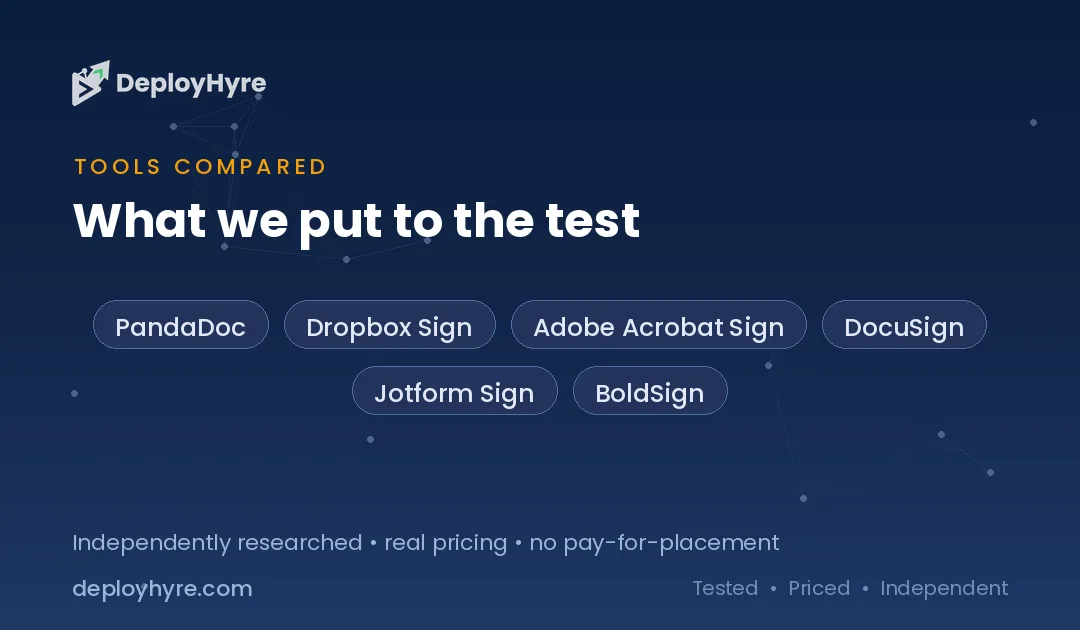
| Tool | Best For | Observed Price | Note |
|---|---|---|---|
| PandaDoc | Document workflow + signing | Free tier; Starter $19; Business $49 per user/mo | Docs + e-sign |
| Dropbox Sign | Value e-signature | From $15/user/mo (annual); free (3/mo) | Formerly HelloSign |
| Adobe Acrobat Sign | Adobe/PDF users | $15 (teams) to $30/user/mo | In Acrobat Pro |
| DocuSign | Established standard | Standard $30/user/mo (100 envelopes/user/yr) | Envelope cap applies |
| Jotform Sign | Forms + signatures | Tiered; value-priced | Form-integrated |
| BoldSign | Affordable API-first e-sign | Low per-user tiers | Developer-friendly |
What AI E-Signature Software Does
E-signature software sends documents for legally-binding electronic signature and manages the whole process: you upload a document, place signature and data fields, send it to signers, and the tool routes it in order, sends reminders, captures the signatures with a tamper-evident audit trail, and stores the completed record. Electronic signatures are legally recognized in most jurisdictions (under laws like the U.S. ESIGN Act and eIDAS in the EU), so this replaces printing, signing, and scanning with a fast, trackable, auditable digital flow.
The AI layer is expanding what these tools do beyond signing: drafting documents from templates or prompts, summarizing long contracts, extracting key terms and data from signed documents, and flagging risky clauses. Document-workflow platforms like PandaDoc lean heavily into this, positioning e-signature as one step in a broader create-send-sign-analyze flow. For teams that handle high document volume, the AI-assisted authoring and data extraction is increasingly the differentiator over pure signing.
E-signature overlaps with contract and document management. It complements the contract workflows in our best AI contract management software guide, the proposal writing in our best AI for proposal writing guide, and the AP processes in our best AI accounts payable software guide.
The Envelope Limit Nobody Mentions
DocuSign’s Standard plan (and Business Pro) includes 100 envelopes per user per year, which is only about eight documents a month, and exceeding it means overage charges or a forced upgrade. An envelope is a single send, it can contain multiple documents and multiple signers, but each transaction counts as one envelope against your allowance. For a salesperson sending contracts, an HR team onboarding hires, or any role that signs documents regularly, 100 a year runs out quickly, and the effective cost per document rises well above the headline $30-per-user rate once you factor in overages or the upgrade.
This envelope cap is the most common surprise in e-signature buying, because the per-user price looks reasonable until you hit the send limit. Cheaper alternatives, Dropbox Sign, PandaDoc, often provide more generous or unlimited signing at lower per-user prices, so a team that sends many documents can pay half as much and avoid the envelope anxiety. Before choosing DocuSign, count how many documents each user actually sends per month, and if it is more than a handful, price the alternatives or DocuSign’s higher tiers against that real volume.
Best Established Enterprise Options
DocuSign is the established e-signature standard, the most widely recognized and integrated platform, with the enterprise features, integrations, and legal-acceptance track record that make it the safe default, at $30 per user a month on Standard (with the 100-envelope-per-user-per-year cap). Its ubiquity means signers recognize and trust it, integrations exist for virtually every business system, and its compliance and audit capabilities satisfy the strictest requirements. For organizations that want the market-standard, most-recognized e-signature platform and send a moderate document volume, DocuSign remains the safe choice, provided you watch the envelope allowance.
Adobe Acrobat Sign is the natural pick for organizations already using Adobe, integrated with Acrobat and the PDF workflows many teams already run, at $15 (Acrobat Standard for teams) to $30 (Acrobat Pro) per user a month, so signing comes bundled with PDF editing. For Adobe-invested teams, Acrobat Sign avoids a separate vendor and keeps document creation and signing in one place. Both are established options; DocuSign for the market-standard recognition and enterprise depth, Adobe Acrobat Sign for Adobe/PDF-centric teams. Match to whether ubiquity or Adobe integration matters more.
Best Value and Document Workflow
PandaDoc is the best choice when you want document workflow and e-signature together, covering create, send, sign, and track in one platform, with a free tier, Starter at $19, and Business at $49 per user a month. Rather than just signing, PandaDoc handles the whole document lifecycle, proposals, quotes, and contracts, with templates, e-signature, and analytics, which suits sales and revenue teams that create and send documents constantly. For teams whose need is broader than pure signing, PandaDoc’s document-workflow breadth at a competitive price makes it the standout, and its free tier lets small teams start at no cost.
Dropbox Sign (formerly HelloSign) is the value pick for straightforward e-signature, from $15 per user a month billed annually with a free plan (3 signature requests a month), offering clean, reliable signing at a lower price than DocuSign without the envelope cap anxiety. It suits teams that just need dependable e-signature affordably. Both undercut DocuSign; PandaDoc for full document workflow, Dropbox Sign for value-focused pure signing. For teams sending high document volumes, either avoids DocuSign’s envelope limit while costing less, connecting to the proposals in our best AI for proposal writing guide.
Best Bundled With Documents You Own
Jotform Sign is the best fit for teams that also collect data through forms, integrating e-signature with Jotform’s form-building so you can gather information and signatures in one flow, at value-priced tiers. For organizations whose documents originate as forms, applications, agreements, intake documents, Jotform Sign keeps form data and signatures together rather than requiring separate tools, and it is priced affordably. It is the pragmatic pick when your signing need is tied to data collection rather than standalone contracts.
BoldSign is the developer-friendly, API-first option for teams that want to embed e-signature into their own applications or workflows at low per-user cost, suited to product teams building signing into their software. Both are the specialized value options; Jotform Sign for form-integrated signatures, BoldSign for API-first embedding. The broader point is that e-signature has matured into a commodity capability available affordably from many vendors, so unless you need DocuSign’s specific ecosystem or Adobe’s PDF integration, a value or specialized tool usually serves better at lower cost, complementing the contract tooling in our best AI contract management software guide.
How Should You Choose E-Signature Software?
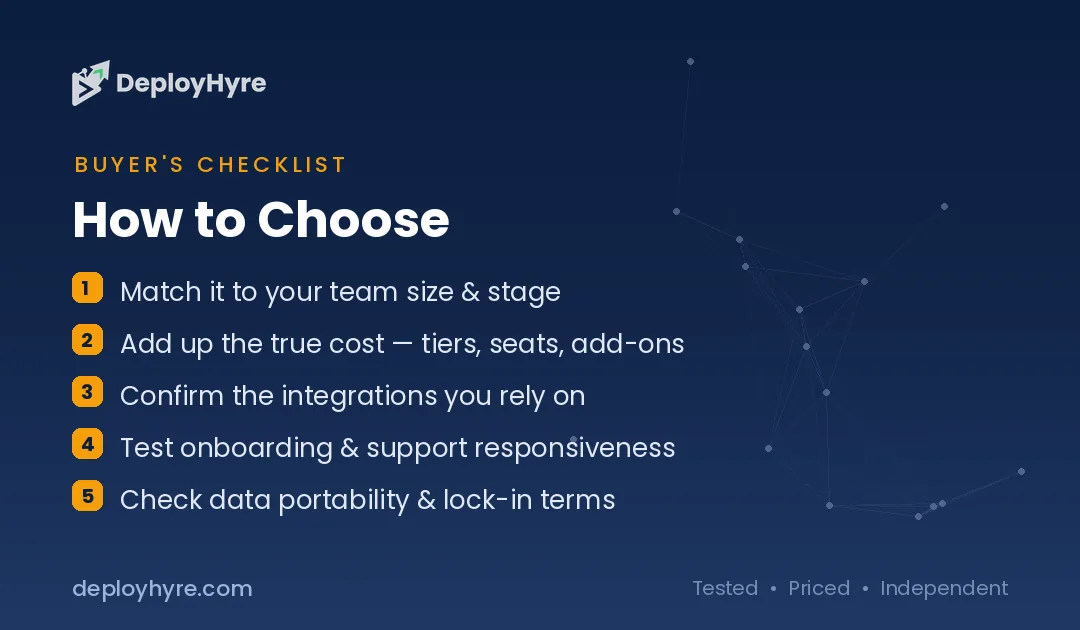
Count your real document volume first, because DocuSign’s 100-envelope-per-user-per-year cap (about eight a month) catches high-volume senders. If each user sends many documents, either budget DocuSign’s higher tiers or choose an alternative with more generous or unlimited signing (Dropbox Sign, PandaDoc) that often costs less. Low-volume teams can use DocuSign Standard or free tiers comfortably.
Then decide pure signing versus document workflow. If you just need reliable e-signature, Dropbox Sign or DocuSign covers it. If you create, send, and track documents constantly (sales proposals, contracts), PandaDoc’s full workflow is worth it. If signing is tied to forms, Jotform Sign; if you are embedding signing in your own app, BoldSign.
Finally, weigh ecosystem and recognition against value. DocuSign offers unmatched recognition and integrations, Adobe Acrobat Sign fits Adobe-invested teams, but e-signature is now a commodity, so cheaper rivals match the core capability at half the price. Choose the established platforms when their ecosystem specifically matters, and a value or specialized tool otherwise, since the legal validity of the signature is equivalent across all reputable options.
How We Evaluated These Platforms
We evaluated each tool on core e-signature capability, document limits (envelope caps), workflow and AI features, integrations and ecosystem, and pricing. Figures come from vendor pages on published list pricing. Because DocuSign’s envelope cap is a common surprise, we flag document limits alongside per-user rates. We accepted no payment for placement; rankings reflect fit for a stated use case.
The Bottom Line
DocuSign is the established standard with unmatched recognition (watch its 100-envelope-per-user cap), Adobe Acrobat Sign the pick for Adobe/PDF teams, and PandaDoc and Dropbox Sign the value leaders (full document workflow and value-focused signing respectively), with Jotform Sign and BoldSign the form-integrated and API-first specialists. Count your real document volume before choosing DocuSign, because the envelope cap and its premium price make cheaper rivals the better deal for many teams.
Frequently Asked Questions
How much does e-signature software cost?
Published pricing runs roughly $8 to $49 per user a month. DocuSign Standard is $30 per user (with a 100-envelope-per-user-per-year cap), Adobe Acrobat Sign $15 to $30, Dropbox Sign from $15, and PandaDoc free to $49 (Starter $19, Business $49). Most business plans land between $15 and $45 per user.
What is an envelope in DocuSign?
An envelope is a single send in DocuSign, one transaction that can contain multiple documents and multiple signers. DocuSign’s Standard plan includes 100 envelopes per user per year (about eight a month), so each send counts against that allowance. High-volume senders can exceed it and face overage charges or a forced upgrade.
Is there a cheaper alternative to DocuSign?
Yes. Dropbox Sign (from $15 per user) and PandaDoc (Starter $19) offer core e-signature at lower prices than DocuSign’s $30, often with more generous signing limits and no envelope-cap anxiety. Since e-signature is now a commodity with equivalent legal validity, these alternatives match DocuSign’s core signing at roughly half the price.
Are electronic signatures legally binding?
Yes, in most jurisdictions. Electronic signatures are legally recognized under laws like the U.S. ESIGN Act and the EU’s eIDAS regulation, and reputable e-signature tools capture a tamper-evident audit trail that supports enforceability. The legal validity is equivalent across established platforms, so it is not a differentiator when choosing between reputable vendors.
What is the best e-signature tool for sales teams?
PandaDoc is often the best fit for sales teams because it combines e-signature with full document workflow, proposals, quotes, and contracts with templates and analytics, at $19 to $49 per user a month. Sales teams that create and send documents constantly benefit from the integrated create-send-sign-track flow rather than a pure signing tool.
Related Articles

David Austin is a technology writer and software analyst at DeployHyre, where he covers AI tools, SaaS platforms, cloud hosting, and business automation. He focuses on hands-on comparisons of pricing, features, and real-world performance so teams can pick the right software with confidence.