
Railway is the best Render alternative for most small teams in 2026. It costs $5 per month, applies that subscription toward actual resource usage, and charges no separate workspace fee. Cloudflare Workers is the best pick for high-traffic apps, and Northflank is the best option for teams that need a real free tier.
Render changed how it bills. On April 23, 2026, Render replaced its per-seat workspace plans with flat workspace fees: $0 for Hobby, $25 per month for Pro, and $499 per month for Scale. Removing per-seat charges helped growing teams. It also introduced a fixed monthly floor that lands before you run a single service.
Bandwidth is where the math turned. The same repricing cut included egress from a flat 100 GB down to 5 GB on Hobby and 25 GB on Pro, with overage at $0.15 per GB. An app serving 200 GB a month now pays roughly $26 in transfer on Pro, on top of the $25 workspace fee and the compute bill. Render documents moving a legacy workspace onto the new plans as a change the customer chooses to make, and it has not published a forced cutoff date. Older comparisons quoting "$19 per user" describe the legacy plan rather than what a new workspace pays today.
Compute costs stack on top of both. Render instances run $7 for Starter at 512 MB and 0.5 CPU, $25 for Standard at 2 GB and 1 CPU, and $85 for Pro at 4 GB and 2 CPU. The platform-as-a-service market grew from $127.4 billion in 2025 to $140.63 billion in 2026, and seven competitors now match Render feature for feature at lower entry cost. We compared each on monthly floor, free tier, egress policy, and how the bill behaves when traffic doubles. Read our best cloud hosting guide for the wider market, then use this list to choose a destination.
Table of Contents
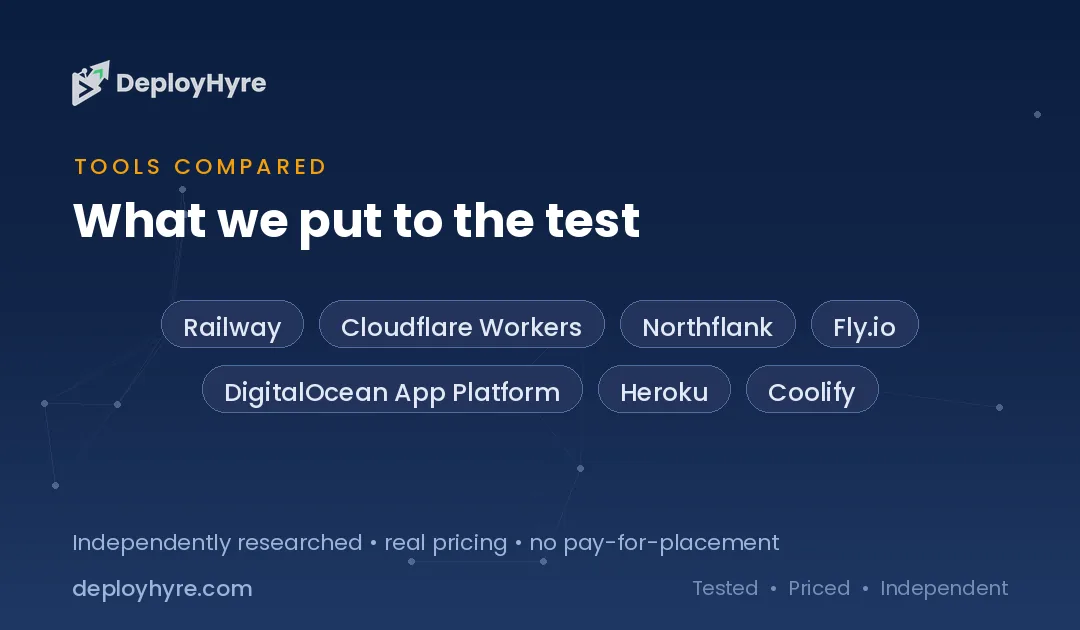
Quick Comparison: Top 7 Render Alternatives
| Platform | Best For | Free Tier | Paid Entry |
|---|---|---|---|
| Railway | Best for most small teams | $1 trial credit | $5/mo, credited to usage |
| Cloudflare Workers | Best for high-traffic apps | Free plan with daily limits | $5/mo |
| Northflank | Best real free tier | 2 services, 1 database, 2 cron jobs | About $5 per container/mo |
| Fly.io | Best for global Docker apps | No free plan, pay per second | No monthly minimum |
| DigitalOcean App Platform | Best for predictable flat bills | 3 free static sites | $5/mo |
| Heroku | Best managed add-on ecosystem | None since 2022 | $5/mo Eco, $7/mo Basic |
| Coolify | Best for full control and lowest cost | Free self-hosted, forever | $5/mo cloud, plus a VPS |
Your platform choice is only half the stack. For the database layer that sits behind it, see our guide to the best Supabase alternatives and our Neon vs Supabase comparison.
Why Do Teams Leave Render?
Teams leave Render for three reasons: a flat workspace fee that bills before any compute runs, an egress allowance cut to a fraction of its former size, and a free tier that sleeps too aggressively for real projects. The developer experience is rarely the complaint. The invoice structure is.
Start with the floor. Pro costs $25 per month for the workspace itself. A solo developer running one $7 Starter service now pays $32 before traffic. That structure rewards teams with many services and penalizes small projects, which is the opposite of how most accounts start.
Then look at transfer. Twenty times less included bandwidth on Hobby is a large change to absorb. Media-heavy apps, file downloads, and public APIs feel it first, because those workloads move gigabytes without moving CPU. Platforms that bill CPU time instead of bytes, such as Cloudflare, reprice those same apps by an order of magnitude.
The free tier is the third friction point. Free web services spin down after 15 minutes of inactivity and take 30 to 60 seconds to wake. That behavior is fine for a demo and unusable for a portfolio site, a webhook receiver, or a staging environment that a client might open at any hour.
The 7 Best Render Alternatives
1 Railway: Best for Most Small Teams
Railway keeps the Git-based deploy flow Render users expect and removes the fixed workspace fee entirely.
What it does well. Railway charges a $5 monthly Hobby subscription and applies that amount toward your actual resource consumption, so light months cost $5 total rather than $5 plus compute. Usage past the credit bills at $10 per GB of RAM per month and $20 per vCPU per month, metered by the minute. Databases, cron jobs, and private networking come built in, and the deploy graph makes multi-service apps easy to reason about.
Key features:
- Subscription credited toward usage instead of charged on top
- Per-minute metering for RAM and vCPU
- One-click Postgres, MySQL, Redis, and MongoDB
- Private networking between services at no extra cost
- Deploy from GitHub, a Dockerfile, or a template
Pricing. $5 per month Hobby with the subscription credited to usage, then metered. See railway.com.
Best for: Solo developers and small teams running a handful of services with bursty traffic.
Limitations. Usage-based billing has no hard spend cap by default, so a runaway process can cost real money before you notice.
2 Cloudflare Workers: Best for High-Traffic Apps
Cloudflare bills CPU milliseconds instead of bandwidth, which reprices traffic-heavy workloads dramatically.
What it does well. The Workers Paid plan costs $5 per month and includes 10 million requests plus 30 million CPU milliseconds, with extra requests at $0.30 per million and extra CPU at $0.02 per million milliseconds. Because a typical request finishes in single-digit milliseconds, an app that would push Render past its 25 GB egress allowance often stays entirely inside the $5 tier. Code runs on Cloudflare's global network by default, so latency stays even across regions without you choosing one.
Key features:
- No bandwidth charges at all
- CPU-time billing rather than byte or request billing
- Global edge execution with no region selection
- D1 SQL, KV, R2 object storage, and Queues in the same platform
- Zero cold starts on the standard runtime
Pricing. Free plan with daily limits, then $5 per month Paid. See cloudflare.com.
Best for: APIs, edge functions, and high-traffic sites where bandwidth dominates the bill.
Limitations. The Workers runtime is not Node.js. Long-running processes, native binaries, and some npm packages need rewriting or a different host.
3 Northflank: Best Real Free Tier
Northflank gives you a permanent free allowance that includes a database, which almost no competitor does.
What it does well. The free Developer Sandbox covers up to 2 services, 1 database, and 2 cron jobs, with no expiry. That combination runs a genuine side project rather than a demo. Paid usage starts around $5 per container per month plus network costs, with no workspace fee layered underneath. Northflank also handles stateful workloads, GPU jobs, and bring-your-own-cloud deployment, so the platform scales past the point where most Render alternatives stop.
Key features:
- Permanent free tier including a managed database
- Pay per container with no fixed workspace charge
- Managed Postgres, Redis, MongoDB, and MinIO
- Bring your own AWS, GCP, or Azure account
- Preview environments per pull request
Pricing. Free Developer Sandbox, then roughly $5 per container per month. See northflank.com.
Best for: Developers who want a free environment that survives past the prototype stage.
Limitations. The interface exposes more infrastructure concepts than Render does, which is a longer first day.
4 Fly.io: Best for Global Docker Apps
Fly.io runs your container in specific cities and bills purely by the second, with no monthly subscription.
What it does well. There is no base fee. Fly Machines bill per second while started, based on a CPU and RAM preset, and stopped machines bill only root filesystem storage at $0.15 per GB per 30 days. That model suits workloads that idle, because a stopped machine costs cents rather than dollars. You choose regions explicitly, so a Sydney user hits a Sydney machine instead of routing to Virginia.
Key features:
- Per-second billing with no monthly minimum
- Explicit region placement across dozens of cities
- Machines suspend and resume in under a second
- Managed Postgres and object storage
- Any Docker image deploys without modification
Pricing. Pay-as-you-go with no subscription. See fly.io.
Best for: Latency-sensitive apps and teams comfortable with Docker and CLI-first workflows.
Limitations. Attached volumes bill separately even when the machine is stopped, and the platform assumes more operational knowledge than Render.
5 DigitalOcean App Platform: Best for Predictable Flat Bills
App Platform prices per container in fixed tiers, so the invoice matches the plan you picked.
What it does well. DigitalOcean hosts three static sites free at 1 GiB each, then charges $5 and $12 per month for basic containers. Bandwidth allowances are generous and shared across your account rather than metered per service. Because DigitalOcean also sells droplets, managed databases, and Spaces object storage, an app can grow into raw infrastructure without changing vendors or rewriting deployment.
Key features:
- Fixed monthly container pricing with no workspace fee
- Three free static sites per account
- Generous pooled bandwidth allowances
- Managed Postgres, MySQL, Redis, and Kafka alongside
- Auto-deploy from GitHub, GitLab, or a container registry
Pricing. Free for static sites, then $5 and $12 per month per container. See digitalocean.com.
Best for: Teams that want a boring, forecastable bill and room to move down to VPS pricing later.
Limitations. Build times run slower than Railway or Render, and the platform feature set moves less quickly. Our DigitalOcean alternatives guide covers the cheaper raw-compute options if you outgrow it.
6 Heroku: Best Managed Add-On Ecosystem
Heroku remains the deepest catalog of one-command managed services, which matters more than raw price for some teams.
What it does well. The Eco plan costs $5 per month for 1,000 shared dyno hours, and a Basic dyno costs $7 per month. Eco dynos sleep after 30 minutes of inactivity, while Basic dynos stay awake. The add-on marketplace attaches monitoring, logging, search, and dozens of managed databases with a single command, and the buildpack system still handles more language runtimes with zero configuration than any competitor.
Key features:
- Largest managed add-on marketplace in the category
- Buildpacks for Ruby, Python, Node, Java, PHP, Go, and Scala
- Review apps and pipelines built into the workflow
- Mature Postgres with rollback and follower databases
- Eco dyno hours pooled across all Eco dynos
Pricing. $5 per month Eco, $7 per month Basic, then higher Standard and Performance tiers. See heroku.com.
Best for: Teams that value a mature ecosystem and managed add-ons over the lowest possible monthly cost.
Limitations. Heroku removed free dynos, free Postgres, and free Redis on November 28, 2022, and add-ons raise the real bill well above the dyno price.
7 Coolify: Best for Full Control and Lowest Cost
Coolify gives you the Render interface on your own server, which removes the platform margin entirely.
What it does well. Coolify is open source under Apache 2.0 and free to self-host forever. Point it at any VPS and you get Git deploys, automatic HTTPS, databases, backups, and preview environments through a dashboard that looks familiar to anyone leaving Render. A capable VPS runs $4 to $20 per month and hosts a dozen projects, so per-project cost drops toward zero as you add more. A managed Coolify Cloud plan costs $5 per month for two servers if you would rather not host the control plane.
Key features:
- Free and open source under Apache 2.0
- Runs on any VPS from any provider
- Git push-to-deploy with automatic HTTPS
- Built-in databases, backups, and preview deploys
- No per-seat and no workspace fees
Pricing. Free self-hosted, or $5 per month for Coolify Cloud with two servers. See coolify.io.
Best for: Developers running several projects who want one flat server bill instead of a platform meter.
Limitations. You own updates, monitoring, and recovery. Pair it with a solid host from our best VPS hosting guide before you commit.
How Should You Choose the Right Render Alternative?
Match the platform to your bill shape. Choose Railway for small multi-service apps, Cloudflare for heavy traffic, Northflank for a free environment, Fly.io for regional control, DigitalOcean for flat bills, Heroku for managed add-ons, and Coolify for lowest total cost.
Price your real usage before you price the entry tier. Pull last month's egress, CPU hours, and service count from the Render dashboard, then run those figures against each plan. An app moving 500 GB a month saves far more by moving to Cloudflare than by any tier change. A three-service app moving 10 GB saves more by moving to Railway.
Count your fixed floor next. Render's $25 Pro workspace fee is charged whether you deploy or not, and none of the seven platforms above charge a comparable fee at entry level. For a team running one or two services, removing that floor is often the entire saving.
Check runtime compatibility before you migrate. Cloudflare Workers is not Node.js, so native modules and long-running processes need a different destination. Railway, Northflank, Fly.io, DigitalOcean, and Coolify all run standard containers, which makes them drop-in for most Render services.
Finally, decide how much operations work you want to own. Managed platforms cost more per month and less per hour of your attention. Self-hosting inverts that trade. Teams shipping with AI coding assistants deploy far more often than they used to, so build minutes and deploy counts deserve modeling too. Front-end-heavy teams should compare our Vercel alternatives and Netlify alternatives guides, which cover the same platforms from a static and Jamstack angle.
How We Evaluated These Platforms
We scored each platform on five criteria: total monthly floor, free tier usefulness, egress and overage policy, runtime compatibility with existing Render services, and operational burden. Pricing was verified against vendor documentation and changelogs in August 2026.
Monthly floor means everything you pay before a single request arrives, including workspace fees, seat fees, and minimum instance charges. We treated a platform with no fixed floor as materially better for small teams, because that is where most Render accounts sit.
Free tier usefulness was judged on whether a real project survives on it, not whether a free label exists. A tier that sleeps after 15 minutes scores lower than one that runs a database continuously.
Egress policy carried heavy weight this year because it is the line item Render changed most. We recorded included transfer, overage rate, and whether the platform meters bytes at all. Runtime compatibility was tested against standard Docker images and common Node, Python, and Go services. Operational burden reflects who patches the host, rotates certificates, and restores backups.
The Bottom Line
Railway is the best Render alternative for most teams, because $5 per month buys usage rather than a workspace fee. Cloudflare Workers wins on traffic-heavy workloads, Northflank wins on free tier, and Coolify wins on absolute cost for anyone willing to run a server.
Render is still a capable platform, and the April 2026 repricing genuinely helps large teams that were paying per seat. The change hurts the opposite end of the market. If you run one or two services and modest traffic, the $25 Pro workspace fee and the 25 GB egress allowance are the two numbers driving your bill, and both disappear on the platforms above.
Before you migrate, export your actual usage and model three months on your shortlist. Then read our best cloud hosting guide for the wider market and our Cloudways vs DigitalOcean comparison if managed infrastructure is where you are heading next.
Frequently Asked Questions
What is the best free alternative to Render?
Northflank offers the strongest permanent free tier, covering two services, one database, and two cron jobs with no expiry. Cloudflare Workers has a generous free plan for edge code, and DigitalOcean App Platform hosts three static sites free. None of the three sleep the way Render free web services do.
Why did my Render bill go up?
Two changes drive most increases. Render moved to flat workspace fees on April 23, 2026, adding $25 per month on Pro and $499 on Scale, and it cut included egress from 100 GB to 5 GB on Hobby and 25 GB on Pro, with overage at $0.15 per GB. Check your workspace plan and your data transfer first.
Is Railway cheaper than Render?
For small teams, yes. Railway charges $5 per month and credits that amount toward usage, so a light month costs $5 total. Render Pro charges a $25 workspace fee plus $7 or more per service. A two-service app on modest traffic typically costs three to six times more on Render.
Does Render still have a free tier?
Yes. Render still offers free static sites and free web services on the Hobby workspace, which costs $0. Free web services spin down after 15 minutes of inactivity and take 30 to 60 seconds to wake, so they suit demos rather than production. Hobby now includes 5 GB of egress per month.
Can I move a Render service without rewriting it?
Usually yes. Railway, Northflank, Fly.io, DigitalOcean App Platform, Heroku, and Coolify all run standard Docker containers, so a service with a Dockerfile moves with configuration changes only. Cloudflare Workers is the exception, because its runtime is not Node.js and some libraries need replacing.
Related Articles

David Austin is a technology writer and software analyst at DeployHyre, where he covers AI tools, SaaS platforms, cloud hosting, and business automation. He focuses on hands-on comparisons of pricing, features, and real-world performance so teams can pick the right software with confidence.
Know AI, SaaS, or cloud tools inside out? Pitch a guest post and get in front of thousands of buyers researching their next tool.
Pitch your idea →