
Supabase Pro costs $25 per month for the organization, but compute is billed separately for every project. Supabase’s own worked example prices a two-project Pro organization at $35 per month before a single user signs up: $25 for the plan, $10 per Micro instance, minus the $10 compute credit. Paid projects never scale to zero, so that compute bills 24 hours a day whether anyone visits your app or not.
That billing model is the reason most teams start shopping. The second reason is the Free plan: free Supabase projects pause after one week of inactivity and you are capped at 2 active projects.
Supabase bundles five products into one: a Postgres database, authentication, file storage, realtime subscriptions, and edge functions. Replacing it is rarely one swap. It is five swaps, and the right alternative depends entirely on which of those five you actually use. We compared 7 platforms on published 2026 rates, free-tier terms, and how much of the bundle each one replaces.
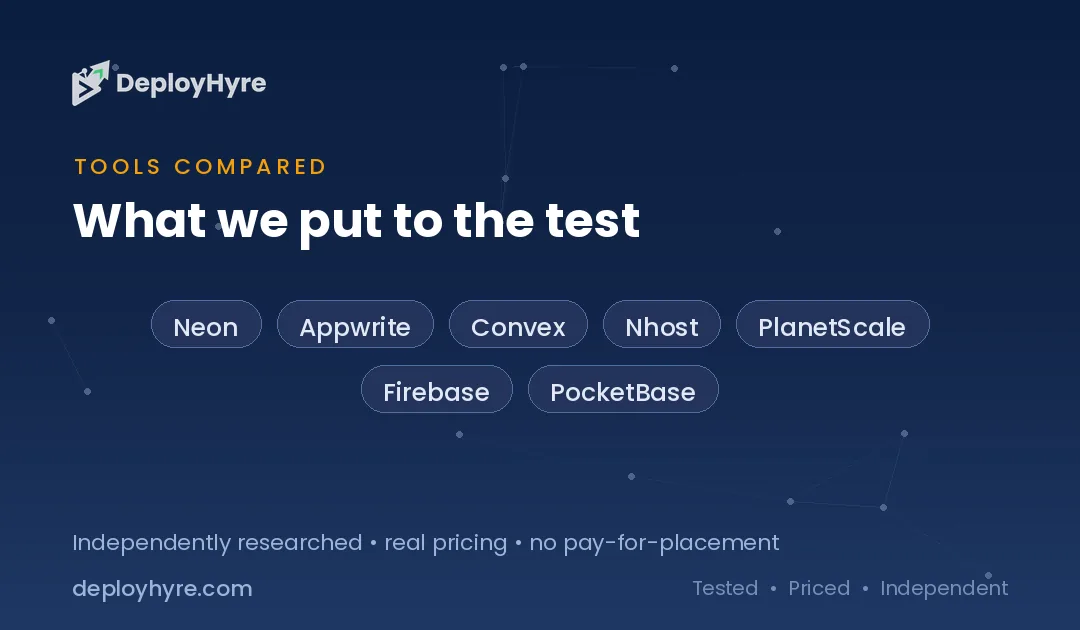
Quick Comparison: Top 7 Supabase Alternatives
| Platform | Best for | Entry price | Scales to zero | Replaces |
|---|---|---|---|---|
| Neon | Postgres without the bundle | $0, then $0.106/CU-hour | Yes, after 5 minutes | Database only |
| Appwrite | Closest like-for-like bundle | $0, then $25/month | No | All five products |
| Convex | Realtime-first TypeScript apps | $0, then usage | Yes | Database, functions, realtime |
| Nhost | GraphQL-first teams | $0, then $25/month | No | All five products |
| PlanetScale | Dedicated production clusters | $5/month, no free tier | No | Database only |
| Firebase | Mobile apps and fast prototypes | $0, then pay as you go | Yes | All five products |
| PocketBase | Zero-cost self-hosting | Free, self-hosted | Not applicable | All five products |
What Should a Supabase Alternative Actually Replace?
A Supabase alternative must replace the specific products you use, not the brand. Supabase is five services in one bill: Postgres, Auth, Storage, Realtime, and Edge Functions. Teams that use only the database can move to a serverless Postgres host and cut costs sharply. Teams that use auth and storage too need a full backend platform, or they will be wiring three vendors together.
Start by opening your Supabase usage page and listing which products show non-zero usage. Most teams discover they use two of the five. That answer determines which half of this list applies to you.
The second question is billing shape. Supabase charges a fixed monthly compute fee per project. Neon and Convex charge for compute only while queries run. For an app with traffic spikes and quiet nights, that difference is the entire bill.
Best Supabase Alternatives for Postgres Only
These platforms replace the database and nothing else. Pick one if you are happy to source auth and storage separately, or already have them.
1 Neon: Best for cutting idle compute costs
Neon is serverless Postgres with Git-style branching, and it is the closest thing to a drop-in database replacement for Supabase.
What it does well. Neon suspends your compute after 5 minutes of inactivity and bills nothing while it sleeps. That single behaviour is what Supabase Pro does not do. Neon’s own light-usage example bills $2.31 for a month covering 10 CU-hours of compute, 3 GB of storage, and 1 GB of restore history. Branching is the other draw: each branch is a full copy-on-write Postgres instance, so preview environments cost cents rather than dollars.
Key features:
- Scale to zero after 5 minutes, disableable on paid plans
- Autoscaling to 16 CU (64 GB RAM) on Launch and Scale
- 10 branches per project included, then $1.50 per branch-month
- Instant restore with a 7-day history window on Launch
- Managed Better Auth in beta, up to 1M MAU
Pricing. The Free plan gives 100 projects, 100 CU-hours per project per month, 0.5 GB storage per project, and 5 GB egress per project. Launch is pure usage at $0.106 per CU-hour plus $0.35 per GB-month of storage, with no monthly minimum. Scale runs $0.222 per CU-hour and adds SOC 2, ISO 27001, HIPAA, uptime SLAs, and private networking.
Best for: Teams whose Supabase bill is mostly idle compute, and anyone who wants per-branch preview databases. Our full Neon vs Supabase comparison breaks down where the pricing crosses over.
Limitations. Neon is a database, not a backend. Auth is still in beta and there is no file storage product outside the beta S3-compatible offering. Databricks acquired Neon in May 2025 for a reported $1 billion, so the roadmap now sits inside a much larger analytics company.
2 PlanetScale: Best for dedicated clusters and predictable performance
PlanetScale sells dedicated database clusters rather than shared serverless compute, and it now offers Postgres alongside its original MySQL product.
What it does well. You get a dedicated cluster with an explicit high-availability choice, billed to the millisecond and prorated daily. Performance is consistent because you are not sharing compute with other tenants. Teams that were burned by noisy-neighbour latency tend to land here.
Key features:
- Dedicated single-node or 3-node HA clusters
- Postgres and MySQL both available
- Branch-per-cluster workflow for schema changes
- Millisecond billing, prorated daily
Pricing. Entry is $5 per month for a single-node PS-5 cluster, with 3-node high availability from $15 per month. Storage above 10 GB is $0.50 per GB, egress above 100 GB is $0.06 per GB, and backups are $0.023 per GB.
Best for: Production workloads that need guaranteed resources and a real HA story.
Limitations. PlanetScale removed its free Hobby plan in April 2024 and has not brought it back, so you pay before your first user exists. There is no auth, storage, or functions layer.
Best Full-Bundle Supabase Alternatives
These platforms replace all five Supabase products, so the migration is a platform swap rather than a re-architecture.
3 Appwrite: Best for a like-for-like replacement with a self-host exit
Appwrite is the closest structural match to Supabase: databases, authentication, storage, functions, messaging, and sites in one console, with an open-source core you can self-host.
What it does well. The product surface maps almost one to one onto Supabase, which keeps migration work mechanical instead of architectural. The self-hosting option is credible rather than theoretical, and it is the exit hatch that Supabase’s own Docker setup also provides. Appwrite’s SDKs cover Flutter, Apple, and Android properly, which matters if you ship mobile.
Key features:
- Databases, Auth, Storage, Functions, Messaging, Sites
- Open-source core with a documented self-host path
- Strong mobile SDK coverage including Flutter and Apple
- 2 TB bandwidth per project per month on Pro
Pricing. The Free plan allows one organization and 2 projects, and free projects pause after one week of inactivity, the same rule Supabase applies. Pro moved from $15 to $25 per month on September 1, 2025, and bandwidth rose from 300 GB to 2 TB per project in the same change. Scale starts at $599 per organization per month.
Best for: Teams who want everything Supabase does, in one vendor, with a self-host escape route.
Limitations. Appwrite’s database is not Postgres, so raw SQL, Postgres extensions, and existing Postgres tooling do not carry over. Appwrite bills Pro per organization member, which grows faster than Supabase’s per-project model on larger teams.
4 Nhost: Best for GraphQL-first teams
Nhost pairs Postgres with an auto-generated GraphQL API, plus auth, storage, and serverless functions.
What it does well. Where Supabase exposes PostgREST, Nhost exposes GraphQL with subscriptions and row-level permissions in the same workflow. If your frontend already speaks GraphQL, this removes a translation layer rather than adding one. You keep real Postgres underneath, so extensions and SQL knowledge transfer directly.
Key features:
- Postgres with an auto-generated GraphQL API
- GraphQL subscriptions for realtime
- Auth, storage, and serverless functions included
- Point-in-time recovery and automated backups on Pro
Pricing. Starter is free with 1 GB database, 1 GB storage, and 5 GB bandwidth. Pro starts at $25 per month and includes $15 in compute credits, 10 GB database, 50 GB storage, and 50 GB bandwidth. Team is $599 per month and adds SOC 2 and a support SLA.
Best for: Teams standardised on GraphQL who want Postgres without writing REST glue.
Limitations. Nhost is a smaller company than Supabase, Firebase, or Appwrite, which matters for long-horizon bets. Like Supabase Pro, it does not scale to zero.
5 Firebase: Best for mobile apps and fast prototypes
Firebase is Google’s backend platform and the product Supabase was originally positioned against.
What it does well. Nothing gets a mobile app to a working backend faster. The client SDKs handle offline persistence and sync properly, which is genuinely hard to build yourself. Analytics, crash reporting, and push messaging sit in the same console, so a small team gets a lot of infrastructure without integrating anything.
Key features:
- Firestore with offline persistence and realtime sync
- Authentication with a broad set of providers
- Cloud Functions, Hosting, and Cloud Messaging
- Analytics and Crashlytics in the same project
Pricing. The Spark free plan includes 50,000 Firestore reads, 20,000 writes, and 20,000 deletes per day, 1 GiB stored, and 2 million Cloud Functions invocations per month. Blaze is pure usage billing and new Blaze projects get $300 in free credit. One 2026 change matters: since February 3, 2026, creating or maintaining a Cloud Storage bucket requires a linked billing account, which means Blaze regardless of how little you store.
Best for: Mobile-first products and prototypes that need to ship this month.
Limitations. Firestore is a document store, not Postgres, so relational queries and joins have to be redesigned. Blaze meters every read, write, and invocation on its own line, which makes bills hard to predict. Vendor lock-in is the highest on this list because there is no self-host path.
6 PocketBase: Best for zero-cost self-hosting
PocketBase is a single Go binary containing an embedded SQLite database, authentication, file storage, realtime subscriptions, and an admin dashboard.
What it does well. It is one executable file. You copy it to a $5 VPS, run it, and you have a working backend with a REST API and an admin UI. There is no plan, no metering, and no per-project fee, so your entire backend cost is whatever the server costs. For side projects and internal tools, that is difficult to beat. Our guide to affordable VPS hosting providers covers suitable servers.
Key features:
- Single binary, embedded SQLite, no dependencies
- Auth, file storage, and realtime subscriptions built in
- Admin dashboard and auto-generated REST API
- Extendable as a Go framework
Pricing. Free and open source. Your only cost is the server, which starts around $4 to $5 per month on most providers.
Best for: Side projects, internal tools, and anyone whose priority is eliminating platform fees entirely.
Limitations. SQLite means one writer, so PocketBase does not scale horizontally. You own backups, updates, and uptime. It is not a fit for applications that expect heavy concurrent writes.
Best Supabase Alternative for Realtime Applications
7 Convex: Best for reactive TypeScript backends
Convex is a TypeScript-first reactive backend where queries automatically push updates to connected clients.
What it does well. Convex solves a different problem rather than the same problem differently. You write backend functions in TypeScript, and any client subscribed to a query re-renders when the underlying data changes. There is no separate realtime subscription API to configure, because reactivity is the default. For collaborative tools and live dashboards, that removes a whole category of code.
Key features:
- Reactive queries that push updates automatically
- Backend functions written in TypeScript end to end
- Transactional guarantees on all mutations
- Scheduled functions and cron jobs built in
Pricing. The free Starter tier includes 1 million function calls per month and 0.5 GB of database storage, with overage at roughly $2.20 per million calls. A Professional plan adds higher limits and support.
Best for: Collaborative and realtime-heavy products built in TypeScript.
Limitations. Convex is not Postgres. You trade SQL, extensions, and portability for the reactive model, and moving off Convex later means rewriting your data layer. Teams that need relational reporting queries will feel the constraint.
How Should You Choose the Right Supabase Alternative?
Choose by which Supabase products you actually use, then by billing shape. Teams using only the database should move to Neon or PlanetScale. Teams using the full bundle should look at Appwrite, Nhost, or Firebase. Teams whose bill is dominated by idle compute should prioritise any platform that scales to zero.
Work through these in order:
- Audit usage first. Open your Supabase usage page and note which of the five products show real numbers. Two of five is typical.
- Check whether you need Postgres specifically. Appwrite, Firebase, Convex, and PocketBase are not Postgres. If you rely on extensions like PostGIS or pgvector, that rules them out.
- Match the billing shape to your traffic. Spiky or low traffic favours per-second billing that scales to zero. Steady high traffic favours a fixed cluster.
- Price your real workload, not the headline. Supabase Pro is $25 plus compute per project. Neon Launch has no minimum at all. Those are not comparable numbers until you plug in your own usage.
- Confirm the exit before you enter. Appwrite, Nhost, and PocketBase can be self-hosted. Firebase cannot.
One warning about team size. Appwrite Pro bills per organization member, while Supabase allows unlimited team members on every plan and bills by project instead. A five-person team crossing to Appwrite Pro pays five times the base fee, which reverses the price comparison.
How We Evaluated These Supabase Alternatives
We compared each platform on published 2026 pricing. Supabase, Neon, and Appwrite figures come from those vendors’ own pricing pages, documentation, and changelogs. Where a vendor does not publish a machine-readable pricing page, notably PlanetScale, Nhost, Convex, and Firebase, we used the most specific secondary source we could verify and have linked it so you can check it yourself.
Our criteria were: entry price and whether a usable free tier exists; whether compute scales to zero; how much of the Supabase bundle the platform replaces; whether the database is Postgres; and whether a self-hosting exit exists.
We excluded platforms with no published pricing, because a guide that sends you to a sales call is not a price comparison. We also state the limitations of each platform, including where a cheaper headline rate hides a per-seat fee or a missing free tier.
Where sources disagreed, we used the vendor’s own documentation. Appwrite Pro is a good example: third-party pages still list $15 per month, but Appwrite’s own changelog records the move to $25 on September 1, 2025.
The Bottom Line
Neon is the best Supabase alternative for most teams, because it removes the cost of idle compute while keeping real Postgres. If your Supabase bill is mostly a compute instance that runs all night serving nobody, Neon’s scale-to-zero and $0.106 per CU-hour rate will cut it sharply.
Pick Appwrite if you need the whole bundle replaced in one move and want a self-host exit. Pick Convex if realtime reactivity is the core of your product and you are comfortable leaving SQL behind. Pick PocketBase if your goal is a backend with no platform fee at all. Pick Firebase only if you are mobile-first and accept the lock-in.
Supabase remains a strong product, and for a team running one project with steady traffic, $25 a month covering the plan and one Micro instance is fair. The alternatives win when your usage pattern is spiky, your project count is high, or you only ever needed the database.
If you are choosing infrastructure more broadly, our comparisons of Render alternatives and Railway alternatives cover the application hosting layer that sits in front of these databases, and our guide to the best Node.js hosting providers covers runtime options. Developers evaluating their wider toolchain may also want our roundup of the best AI coding assistants.

Frequently Asked Questions
Is Neon cheaper than Supabase?
Neon is usually cheaper for spiky or low-traffic apps because compute suspends after 5 minutes of inactivity and bills nothing while idle. Supabase Pro bills a fixed compute instance 24 hours a day. For an app with steady round-the-clock traffic, the two land closer together, and Supabase includes auth and storage that Neon charges for separately or does not offer.
Can I self-host a Supabase alternative for free?
Yes. PocketBase is a single free binary you run on your own server, and Appwrite and Nhost both publish self-hosting paths. Supabase itself can also be self-hosted using its Docker setup, so leaving the hosted plan does not require leaving the product.
Which Supabase alternative uses real Postgres?
Neon, PlanetScale Postgres, and Nhost all run genuine Postgres, so SQL, extensions, and existing tooling transfer directly. Appwrite, Firebase, Convex, and PocketBase use different data stores, which means relational queries and any Postgres extensions have to be redesigned.
Why did Supabase pause my free project?
Supabase pauses free projects after one week of inactivity, and the Free plan is limited to 2 active projects. Your data is not deleted and you can unpause the project from the dashboard. Appwrite applies the same one-week pause rule on its Free plan.
Does Supabase scale to zero?
No. Paid Supabase projects run a compute instance continuously and never scale to zero, so you pay for that instance whether or not anyone uses your app. Neon and Convex both suspend compute when idle, which is the main structural cost difference between them and Supabase.

David Austin is a technology writer and software analyst at DeployHyre, where he covers AI tools, SaaS platforms, cloud hosting, and business automation. He focuses on hands-on comparisons of pricing, features, and real-world performance so teams can pick the right software with confidence.
Know AI, SaaS, or cloud tools inside out? Pitch a guest post and get in front of thousands of buyers researching their next tool.