
Render is the best Railway alternative for most teams in 2026. It charges fixed instance prices starting at $7 per month, so the bill you see at signup is close to the bill you get. Northflank is the best pick for teams that need a genuine free tier, and Coolify is the cheapest option for developers who want full control.
Railway does one thing differently from almost every host it competes with. The monthly plan fee is a minimum spend, not a ceiling. Railway also lists a Free plan at $0 per month with a $1 monthly credit, limited to one replica, 0.5 GB RAM and 1 vCPU, which is enough to trial a service but not to run one. Hobby costs $5 per month and Pro costs $20 per month with unlimited seats, and each plan credits that amount toward resource usage. Stay under the credit and you pay the plan fee. Go over it and Railway bills the difference automatically.
The part that catches teams out is the missing cap. Railway meters CPU, memory, egress, and volumes with no hard spending limit, so a traffic spike or a misconfigured service can burn a month of credit in hours. You can set usage alerts. You cannot tell Railway to never charge more than a set figure. An always-on app with a database often clears the $5 Hobby credit in the first week.
Rates above the credit are published and easy to model. Railway charges $20 per vCPU per month, $10 per GB of RAM per month, $0.05 per GB of egress, and $0.15 per GB of storage. A modest service using 0.5 vCPU and 0.5 GB of RAM runs about $15 per month in compute alone before traffic. The platform-as-a-service market grew from $127.4 billion in 2025 to $140.63 billion in 2026, and seven platforms now cover the same deploy-from-Git workflow with steadier pricing. We compared each on monthly floor, free tier, egress policy, and what happens to the invoice when traffic doubles. Start with our best cloud hosting guide for the wider market, then use this list to pick a destination.
Table of Contents
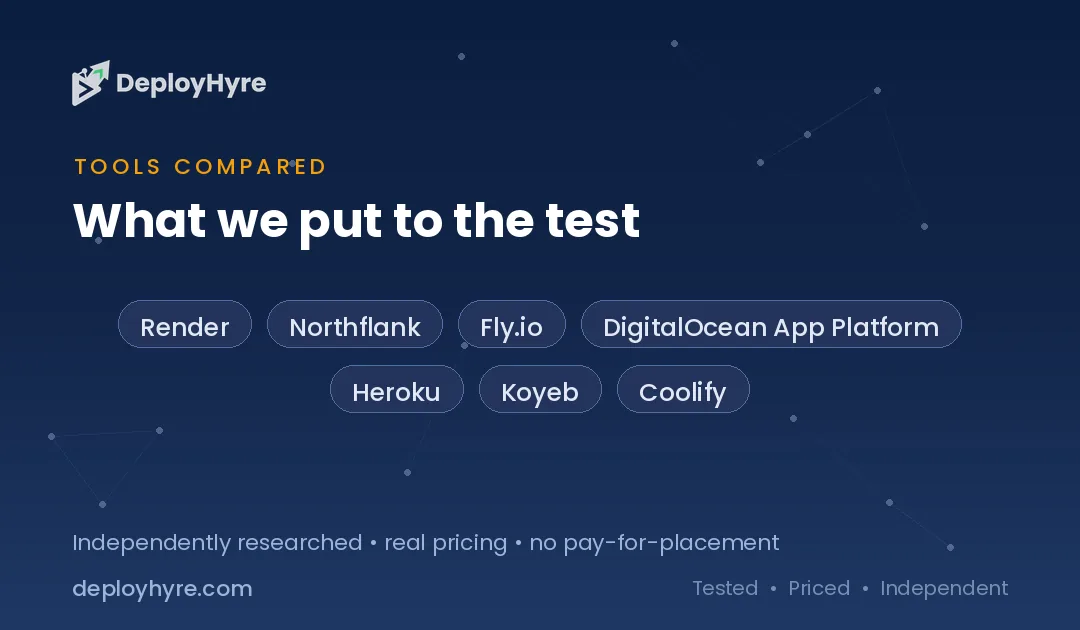
Quick Comparison: Top 7 Railway Alternatives
| Platform | Best For | Free Tier | Paid Entry |
|---|---|---|---|
| Render | Best for predictable monthly bills | Free web services with spin-down | $7/mo per instance |
| Northflank | Best real free tier | 2 services, 1 database, 2 cron jobs | About $5 per container/mo |
| Fly.io | Best for global Docker apps | Trial only, no free allowance | No monthly minimum |
| DigitalOcean App Platform | Best for flat, capped pricing | 3 free static sites | $5/mo |
| Heroku | Best managed add-on ecosystem | None since November 2022 | $5/mo Eco, $7/mo Basic |
| Koyeb | Best for edge deployment in Europe | Free Postgres trial only | $29/mo Pro, plus compute |
| Coolify | Best for lowest total cost | Free self-hosted, forever | $5/mo cloud, plus a VPS |
Your platform choice is only half the stack. For the database layer that sits behind it, see our guide to the best Supabase alternatives and our Neon vs Supabase comparison.
Why Do Teams Leave Railway?
Teams leave Railway because the bill is metered per minute with no hard spending cap, so cost scales with traffic instead of staying fixed. The $5 Hobby and $20 Pro fees are minimum spends that get credited toward usage, not allowances that limit what you pay.
Usage billing rewards small, idle projects and punishes busy ones. A portfolio site that sleeps most of the month may never exceed the $5 credit. A production API with a Postgres database attached runs 24 hours a day, and that meter never pauses.
Three specific costs drive most migrations. Memory is billed at $10 per GB per month, which makes memory-hungry runtimes like Java and Rails expensive. Egress at $0.05 per GB adds up for anything serving media. Volumes at $0.15 per GB per month apply to every database you keep.
Pro billing adds a second variable. The $20 Pro minimum now covers unlimited seats, so a four-person team starts at $20 per month before usage. Platforms that charge per project or per container, not per developer, cost far less at the same headcount.
None of this makes Railway a bad platform. The developer experience is among the best available, and per-minute billing genuinely helps prototypes. The problem is forecasting. Finance teams want a number, and usage billing gives them a range.
The 7 Best Railway Alternatives
Each platform below deploys from a Git repository, runs containers, and manages TLS for you. They differ in how the invoice behaves once your app gets real traffic.
1 Render: Best for predictable monthly bills
Render is the closest replacement for Railway and the one most migrating teams land on.
What it does well. Render prices compute as fixed instance sizes rather than metered resource units. You pick a plan, you know the number. That single difference removes the forecasting problem that pushes teams off Railway in the first place.
Key features:
- Deploy from GitHub or GitLab with automatic builds on push
- Managed Postgres, Redis, and cron jobs in the same workspace
- Free web services for testing, with a 15 minute spin-down
- Private networking between services at no extra charge
- Preview environments generated per pull request
Pricing. Instances run $7 for Starter at 512 MB and 0.5 CPU, $25 for Standard at 2 GB and 1 CPU, and $85 for Pro at 4 GB and 2 CPU. On April 23, 2026 Render replaced per-seat workspace plans with flat workspace fees of $0 for Hobby, $25 per month for Pro, and $499 per month for Scale.
Best for: Teams that want a fixed invoice and are willing to pay a workspace fee to get one.
Limitations. The same April 2026 repricing cut included egress from a flat 100 GB to 5 GB on Hobby and 25 GB on Pro, with overage at $0.15 per GB. Media-heavy apps can pay more for transfer here than on Railway.
2 Northflank: Best for a real free tier
Northflank runs the most generous always-on free sandbox in this category.
What it does well. Most free tiers on competing platforms either sleep after 15 minutes or exclude databases. Northflank includes real compute and a persistent database that stays awake, which makes it usable for a live side project rather than only a demo.
Key features:
- Free sandbox with 2 services, 1 database, and 2 cron jobs
- Bring your own cloud account or run on Northflank infrastructure
- Built-in CI with Dockerfile and buildpack support
- Persistent volumes and multi-region deployment
- Full Git integration with preview branches
Pricing. The free developer sandbox has no expiry, and paid compute runs about $0.01667 per vCPU hour and $0.00833 per GB of memory per hour. A small always-on container lands near $5 per month.
Best for: Developers who want a production-shaped free environment before committing budget.
Limitations. The interface exposes more infrastructure detail than Railway does, so the first deploy takes longer. Paid pricing is usage-based as well, so it solves the free tier problem rather than the forecasting problem.
3 Fly.io: Best for global Docker apps
Fly.io runs your container close to users by placing machines in regions you choose.
What it does well. Fly.io bills per second and charges no base platform fee, so stopped machines cost almost nothing. For workloads that are genuinely bursty, this is cheaper than any monthly minimum.
Key features:
- Deploy the same image to multiple regions with one command
- Per-second billing with no monthly platform fee
- Machines suspend and wake in under a second
- Managed Postgres and object storage available
- Anycast networking with automatic regional routing
Pricing. The free allowance covers only a trial of up to 2 hours of machine runtime or 7 days, since new organizations get no free allowance. There is no monthly minimum, and a typical small app with modest traffic settles between $8 and $25 per month.
Best for: Latency-sensitive apps that need presence in several regions at once.
Limitations. Fly.io no longer offers a true always-free plan, and it is still usage-metered. You trade Railway metering for Fly.io metering, so pick it for the global routing rather than for billing certainty.
4 DigitalOcean App Platform: Best for flat, capped pricing
App Platform is the simplest way to get a container running on a bill that does not move.
What it does well. DigitalOcean prices containers as fixed monthly plans with bandwidth included, so the invoice is the same whether the app is idle or busy. That is the exact opposite of the Railway model.
Key features:
- Static sites hosted free, up to three per account
- Managed databases, spaces, and load balancers in one console
- Automatic deploys from GitHub with container or buildpack builds
- Included bandwidth allowance per app rather than per GB metering
- Horizontal scaling by adding fixed-price instances
Pricing. Dynamic containers start at $5 per month, with 1 vCPU and 1 GB of RAM at $10 per month. Static sites are free for the first three.
Best for: Teams that value a predictable invoice over per-second efficiency.
Limitations. The developer experience is more traditional than Railway. There are no per-pull-request preview environments, and build times run longer on the smaller plans. Our DigitalOcean alternatives guide covers the wider provider if you need raw droplets instead.
5 Heroku: Best for a managed add-on ecosystem
Heroku still has the deepest catalog of one-click managed services in this category.
What it does well. The add-on marketplace remains unmatched. Attaching a managed queue, search index, or monitoring service takes one command, and billing flows through the same invoice. For teams that value integrations over price, that still matters.
Key features:
- Add-on marketplace covering databases, queues, logging, and search
- Review apps and pipelines built into the platform
- Mature buildpacks for Ruby, Python, Node, Java, PHP, and Go
- Enterprise compliance options including private spaces
- Well documented migration paths from most frameworks
Pricing. Dynos run $5 per month for Eco with 1,000 shared compute hours, $7 for Basic, $25 to $50 for Standard, and $250 and up for Performance.
Best for: Established apps that depend on managed add-ons and want a stable platform.
Limitations. Heroku removed its free runtime tier in November 2022 and has not restored it. Eco dynos sleep when idle, and add-on costs stack quickly on top of the dyno price.
6 Koyeb: Best for edge deployment in Europe
Koyeb deploys containers to edge locations with a serverless-style scaling model.
What it does well. Koyeb handles autoscaling and scale-to-zero without configuration, and its European footprint is stronger than most competitors in this list. Eco instances make small always-on services unusually cheap.
Key features:
- Global edge network with automatic request routing
- Scale to zero on idle, with fast cold starts
- Managed Postgres included in the free tier
- Docker and native runtime deployment from Git
- Eco instance class for low-cost always-on services
Pricing. The free tier covers one web service at 512 MB and 0.1 vCPU plus one free Postgres database. Eco instances start near $1.61 per month in select regions.
Best for: European teams that want edge placement and scale-to-zero without managing it.
Limitations. Koyeb was acquired by Mistral AI in February 2026, and new users can no longer sign up for the Starter tier. Pro at $29 per month plus compute is now the entry point for new teams, which raises the floor above Railway.
7 Coolify: Best for the lowest total cost
Coolify is open source software you run on a server you already pay for.
What it does well. Coolify gives you the Railway workflow, meaning Git deploys, managed databases, and automatic TLS, on hardware you control. Because you rent the server directly, the platform takes no margin on compute.
Key features:
- Apache 2.0 licensed and free to self-host with no service limits
- Deploys applications, databases, and services from Git or Docker
- Automatic TLS certificates and reverse proxy configuration
- Works on any VPS from any provider
- Optional hosted cloud version if you prefer not to self-manage
Pricing. Self-hosting is free forever. The hosted Coolify Cloud plan costs $5 per month for two servers. You still pay your VPS provider separately, which typically runs $4 to $12 per month.
Best for: Developers comfortable managing a server who want the lowest possible monthly cost.
Limitations. You own uptime, backups, and security patching. There is no support contract on the free tier. Compare raw server options in our best VPS hosting guide before committing.
How Should You Choose the Right Railway Alternative?
Choose based on how your traffic behaves. Pick a fixed-price platform like Render or DigitalOcean App Platform if your app runs constantly, and pick a metered platform like Fly.io if your app is idle most of the month.
Start by measuring your current Railway usage for a full billing cycle. Note peak memory, average vCPU, and total egress. Those three numbers decide which pricing model wins, and guessing them wrongly is what makes migrations disappointing.
Count your seats next. Railway Pro charges a $20 monthly minimum with unlimited seats, so a five-person team pays $20 before usage. Render, DigitalOcean, and Coolify charge for resources rather than developers, which flips the math for larger teams.
Check egress against your media load. An app serving images or video at 200 GB per month pays $10 on Railway, and considerably more on Render Pro once the 25 GB allowance is exhausted. Flat-bandwidth platforms win that comparison outright.
Confirm database support before you move. Railway makes attaching Postgres or Redis trivial. Northflank and Koyeb include a free database, Render and Heroku charge separately, and Coolify expects you to run your own.
Finally, test the deploy loop with a real branch. Build times, log quality, and rollback speed differ more than the marketing pages suggest. Teams shipping several times a day feel that difference every working hour. If your workflow leans on AI assistance, our guide to the best AI coding assistants covers the tools that pair with these pipelines.
How We Evaluated These Platforms
We built the same containerized Node and Postgres application on each platform and deployed it from a Git repository. Every price in this guide comes from a vendor pricing page or a dated 2026 pricing analysis, and each figure is linked to its source.
We scored four things. First, the monthly floor, meaning what you pay before serving a single request. Second, the free tier, and specifically whether it stays awake and includes a database. Third, egress policy, since bandwidth is where hidden cost concentrates. Fourth, bill behavior when traffic doubles, which separates flat platforms from metered ones.
We excluded platforms without a managed deploy-from-Git workflow, since that is the core reason teams choose Railway. We also verified current ownership and plan availability, which is how we caught that Koyeb closed its Starter tier to new signups after the February 2026 Mistral AI acquisition. Pricing in this category moves quarterly, so we re-check every figure on each update.
The Bottom Line
Render is the best Railway alternative for most teams because fixed instance pricing removes the forecasting problem, and Northflank is the best choice for teams that need a free tier that stays awake. Coolify wins on total cost if you are willing to run your own server.
Railway remains an excellent platform for prototypes and low-traffic services. Per-minute billing genuinely saves money when your app sits idle. The model breaks down for always-on production workloads, for memory-heavy runtimes, and for teams whose usage regularly runs far past the plan minimum.
Run the numbers before you migrate. Pull one full billing cycle of usage data, then price that same workload on two candidates. Most teams find the answer obvious once real memory and egress figures replace estimates.
If you are still mapping the wider market, read our best cloud hosting guide, then compare the front-end focused platforms in our Vercel alternatives and Netlify alternatives breakdowns.
Frequently Asked Questions
Is Railway cheaper than Render?
Railway is cheaper for idle or low-traffic services because the $5 Hobby fee is credited toward usage and there is no workspace fee. Render is cheaper for always-on production apps because instances cost a fixed $7 to $85 per month regardless of load, and the bill does not grow with traffic.
Does Railway have a free tier?
Railway offers a one-time $5 trial credit with no credit card required, but it is not a recurring free tier. Once the trial ends you drop to the Free plan with a $1 monthly credit, or upgrade to Hobby at $5 per month. Northflank and Koyeb both offer recurring free tiers that include a database.
Can you set a spending limit on Railway?
No. Railway lets you configure usage alerts, but it does not support a hard spending cap that stops billing at a set figure. The meter continues and the card is charged automatically, which is the main reason teams with variable traffic migrate to fixed-price platforms.
What is the cheapest Railway alternative?
Coolify is the cheapest because the software is free and open source under Apache 2.0, so you only pay your VPS provider, typically $4 to $12 per month. Among managed platforms, DigitalOcean App Platform and Heroku Eco both start at $5 per month.
Which Railway alternative is easiest to migrate to?
Render is the easiest migration because it uses the same deploy-from-Git model, supports Dockerfiles and native runtimes, and offers managed Postgres and Redis in the same workspace. Most teams move a service in under an hour without changing application code.
Related Articles

David Austin is a technology writer and software analyst at DeployHyre, where he covers AI tools, SaaS platforms, cloud hosting, and business automation. He focuses on hands-on comparisons of pricing, features, and real-world performance so teams can pick the right software with confidence.
Know AI, SaaS, or cloud tools inside out? Pitch a guest post and get in front of thousands of buyers researching their next tool.
Pitch your idea →