
Automation has moved from a nice-to-have to default operating procedure. Around 60 percent of businesses have already automated at least one workflow, and the business process automation market is set to grow from $22.3 billion in 2026 to $56.68 billion by 2034. AI now writes the logic, not just the trigger.
Table of Contents
For the full picture, see our complete guide to AI agents and automation.
The challenge is fit. Some tools connect SaaS apps with no code. Some let developers script every step. Some run autonomous AI agents that decide what to do. Pick the wrong layer and you either hit a ceiling fast or pay for power you never use.
We tested 9 of the best AI automation tools in 2026 against ease of use, integrations, AI capability, and pricing model. For the agent side of automation, see our guide to the best AI agents, and for company-wide context read AI for business.
What Are AI Automation Tools?
AI automation tools connect apps and run multi-step workflows with little or no code, using AI to decide actions, read documents, and generate content inside each step. They replace manual tasks like data entry, routing, and follow-up, triggering on events and acting across your SaaS stack automatically.
These tools split into three layers: no-code app connectors, developer-grade workflow engines, and AI agent platforms. More than 80 percent of organizations plan to maintain or increase automation investment, because the time saved compounds across every department.
Quick Comparison: 9 Best AI Automation Tools in 2026
| Tool | Best For | Starting Price | Type |
|---|---|---|---|
| Zapier | Most app connectors | $19.99/mo | No-code connector |
| Make | Visual value automation | $9/mo | No-code visual |
| n8n | Developers and self-hosting | Free self-host / $24/mo | Source-available engine |
| Gumloop | AI-native workflows | $37/mo | AI workflow builder |
| Lindy | Autonomous AI agents | $49.99/mo | AI agent platform |
| Microsoft Power Automate | Microsoft 365 teams | $15/user/mo | Enterprise + RPA |
| UiPath | Enterprise RPA | From ~$35/user/mo | RPA platform |
| Workato | Enterprise iPaaS | Custom | Integration platform |
| Bardeen | Browser automation | Free / ~$10/mo | Browser automation |
What Makes a Great AI Automation Tool?
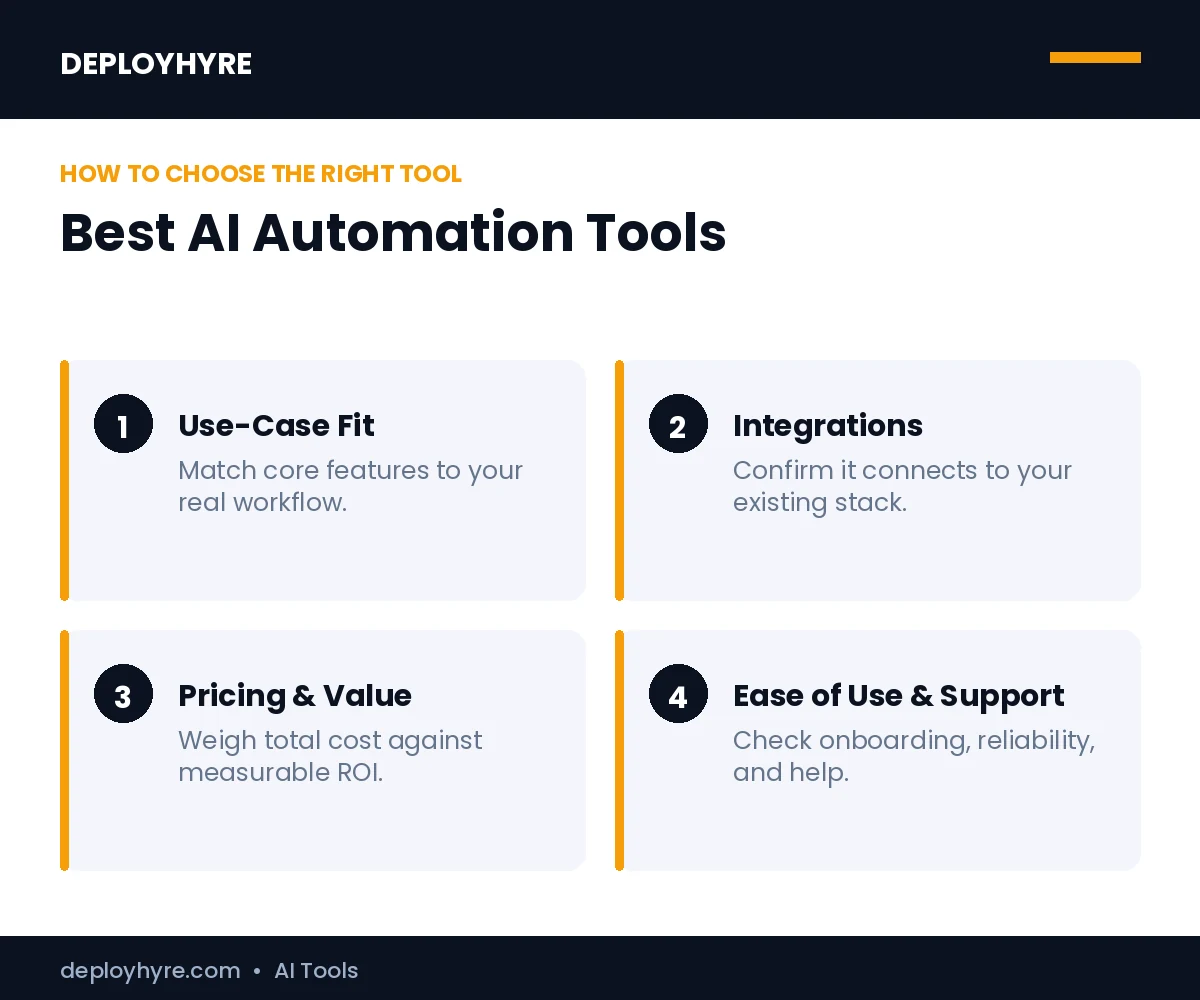
A great AI automation tool connects the apps you already use, builds workflows without heavy code, and adds AI steps that read, decide, and generate. It prices predictably for your volume, scales from simple triggers to multi-step agents, and stays reliable when a workflow runs thousands of times.
We weighed five things: integration breadth, build experience, AI capability, reliability, and pricing clarity. Pricing models differ in what they count. Zapier counts tasks, Make counts operations, and n8n counts workflow executions, so the cheapest headline rate is not always the cheapest at scale.
Best No-Code Automation Tools
1. Zapier: Best for App Connections
Zapier is the default choice for connecting everyday SaaS apps without code.
What it does well. Zapier links the widest range of apps and adds AI steps for content and decisions. Non-technical teams automate routine SaaS tasks fast, from lead routing to notifications, with a large template library.
Key features:
- 8,000-plus app connectors
- AI steps and chatbots
- Large prebuilt template library
- Multi-step Zaps with filters
Pricing. Zapier starts at $19.99 per month and bills by tasks run.
Best for: Teams automating everyday app-to-app SaaS tasks.
Limitations. Task-based pricing climbs fast at high volume.
2. Make: Best for Visual Value Automation
Make pairs a visual canvas with low operation costs for complex branching.
What it does well. Make shows each workflow as a visual map, making complex logic with branches and loops easy to follow. It bundles far more operations per dollar than task-based tools, which suits high-volume automations.
Key features:
- Visual workflow canvas
- Branching, loops, and routers
- High operations per plan
- 1,000-plus app connectors
Pricing. Make starts at $9 per month and bundles 10,000 operations.
Best for: Teams running high-volume, branching workflows on a budget.
Limitations. The operation model takes time to learn.
Best Developer Automation Engines
3. n8n: Best for Developers and Self-Hosting
n8n is the most flexible engine, with code steps and a free self-host option.
What it does well. n8n offers source-available code, custom JavaScript and Python steps, and the only genuine free self-hosting path. Developers get full control over data and logic, then add AI nodes for agentic workflows.
Key features:
- Source-available, self-hostable
- JavaScript and Python code steps
- AI agent and LLM nodes
- Execution-based cloud pricing
Pricing. n8n is free to self-host, with cloud plans from $24 per month billed by execution.
Best for: Developers who want control, code, and data ownership.
Limitations. Self-hosting requires technical setup and upkeep.
Best AI-Native Automation Tools
4. Gumloop: Best for AI-Native Workflows
Gumloop is a canvas-based builder designed around AI steps for ops teams.
What it does well. Gumloop gives a visual surface for workflows that lean on LLMs, with strong branching and AI nodes at the center rather than bolted on. Operations teams build document and data workflows that reason, not just route.
Key features:
- AI-first visual canvas
- Strong branching logic
- LLM nodes for parsing and writing
- Reusable subflows
Pricing. Gumloop starts at $37 per month.
Best for: Ops teams building AI-heavy workflows with control.
Limitations. Fewer raw connectors than Zapier or Make.
5. Lindy: Best for Autonomous AI Agents
Lindy builds AI agents that act like employees across your tools.
What it does well. Lindy sets up persona-based agents that handle calls, email, and multi-step tasks across CRMs and calendars on their own. One platform runs the conversation and the follow-up work it triggers.
Key features:
- Persona-based AI agents
- No-code agent builder
- CRM, email, and calendar actions
- Multi-step workflow triggers
Pricing. Lindy offers a free tier, with paid plans from $49.99 per month.
Best for: Teams that want autonomous agents, not just triggers.
Limitations. Autonomous agents need guardrails and review.
Best Enterprise Automation Platforms
6. Microsoft Power Automate: Best for Microsoft 365 Teams
Power Automate automates work across the Microsoft 365 stack and adds RPA.
What it does well. Power Automate connects deeply to Office, SharePoint, and Dynamics, then extends to desktop RPA for legacy apps. Organizations on Microsoft get cloud and desktop automation under one license.
Key features:
- Deep Microsoft 365 integration
- Cloud flows and desktop RPA
- AI Builder for documents
- Enterprise governance controls
Pricing. Power Automate starts at $15 per user per month, with a $40 RPA tier.
Best for: Enterprises standardized on Microsoft 365.
Limitations. Best value only inside the Microsoft ecosystem.
7. UiPath: Best for Enterprise RPA
UiPath leads robotic process automation for legacy and high-volume tasks.
What it does well. UiPath automates rule-based work across old and new systems with software robots, now paired with AI for document understanding. It scales attended and unattended bots across large operations.
Key features:
- Attended and unattended robots
- Document understanding AI
- Legacy system automation
- Enterprise orchestration
Pricing. UiPath attended robots run about $35 per user per month, with unattended robots priced higher.
Best for: Enterprises automating legacy, rule-based processes.
Limitations. Setup and licensing suit large budgets.
8. Workato: Best for Enterprise iPaaS
Workato combines integration and automation with enterprise-grade security.
What it does well. Workato connects enterprise systems and automates cross-app processes with strong governance and security. It suits IT teams that need integration platform depth plus business-user recipes.
Key features:
- Enterprise integration platform
- Prebuilt recipes and connectors
- Governance and security controls
- AI-assisted recipe building
Pricing. Workato uses custom enterprise pricing on request.
Best for: Enterprises that need iPaaS depth and governance.
Limitations. Pricing transparency requires a sales call.
Best Browser Automation Tool
9. Bardeen: Best for Browser Automation
Bardeen automates repetitive browser tasks straight from the page.
What it does well. Bardeen runs scraping, data entry, and outreach actions inside the browser with AI assistance. Sales and ops teams automate web-based tasks without moving data into a separate platform.
Key features:
- In-browser automation
- Web scraping and data entry
- AI-assisted actions
- Prebuilt playbooks
Pricing. Bardeen offers a free plan, with paid plans from about $10 per month.
Best for: Sales and ops teams automating browser-based work.
Limitations. Scope centers on the browser, not back-end systems.
How Should You Choose an AI Automation Tool?
Start with your team and stack. Choose Zapier or Make for no-code SaaS automation, n8n for developer control and self-hosting, Gumloop or Lindy for AI-native workflows and agents, Power Automate for Microsoft 365, UiPath or Workato for enterprise, and Bardeen for browser tasks. The right tool depends on whether you want a connector, an engine, or an agent.
Next, map pricing to your real volume. Estimate monthly runs, then compare how each tool counts work, since tasks, operations, and executions price very differently at scale. Pilot one high-value workflow, measure hours saved, then expand. To automate sales outreach specifically, pair this with the best AI tools for sales.
How We Evaluated These AI Automation Tools
We assessed each tool on five criteria: integration breadth, build experience, AI capability, reliability, and pricing clarity. We cross-checked features and current rates against vendor pages and independent 2026 comparisons, then grouped tools by who should use them. Automation pricing depends on volume and counting model, so estimate your monthly runs before you commit.
What are AI automation tools?
Software that automates workflows. AI automation tools connect apps, trigger actions, and complete repetitive tasks like data entry, routing, and notifications with little human input. Teams use them to save time across marketing, sales, and operations, often alongside AI agents.
How are AI automation tools different from AI agents?
Automation follows rules; agents decide. Automation tools run set workflows and triggers, while AI agents plan and adapt across steps toward a goal. Many platforms now blend both. See our guide to the agentic AI companies building them.
Do AI automation tools require coding?
Usually not. Most AI automation platforms use visual, no-code builders with templates and drag-and-drop steps. Advanced workflows may need light scripting or API setup. Non-technical teams can automate common tasks without writing code.
The Bottom Line
AI automation tools now do the deciding, not just the connecting. With the market heading toward $56.68 billion by 2034, the gap between teams that automate and teams that do not keeps widening.
Match the tool to your build style and scale. No-code teams should start with Zapier or Make, developers with n8n, AI-first teams with Gumloop or Lindy, and enterprises with Power Automate, UiPath, or Workato. Pilot one workflow, measure hours saved, and expand once the value is clear.
Next steps: Explore autonomous systems in our best AI agents guide, see who builds them in top agentic AI companies, and connect automation to strategy with AI for business.
Frequently Asked Questions
What is the best AI automation tool in 2026?
There is no single best tool; it depends on your needs. Zapier leads for app connections, Make for visual value, n8n for developers, Gumloop and Lindy for AI-native workflows and agents, Power Automate for Microsoft 365, and UiPath or Workato for enterprise. Match the tool to whether you want a connector, an engine, or an agent.
How much do AI automation tools cost?
Entry pricing ranges widely. Make starts at $9 per month, Zapier at $19.99, n8n cloud at $24, Gumloop at $37, and Lindy at $49.99. Power Automate runs $15 per user per month, while UiPath and Workato use higher enterprise pricing. n8n is also free to self-host.
What is the difference between Zapier and Make?
Zapier connects the most apps and prices by tasks, which suits simple SaaS automation. Make uses a visual canvas, prices by operations, and bundles far more runs per dollar, which suits complex, high-volume workflows. Zapier wins on connector breadth, while Make wins on value and branching logic.
Can AI automation tools replace employees?
AI automation tools replace repetitive tasks like data entry, routing, and follow-up, not whole roles. They free staff to focus on judgment and relationships, which is why more than 80 percent of organizations plan to keep or grow automation spend. Autonomous agents handle more, but still need human guardrails and review.
Do I need coding skills to use AI automation tools?
No. No-code tools like Zapier, Make, Gumloop, and Lindy let non-technical teams build workflows visually. Developer engines like n8n add JavaScript and Python steps for full control, and enterprise platforms like UiPath and Workato pair business recipes with IT governance. Pick the layer that matches your team’s skills.

David Austin is a technology writer and software analyst at DeployHyre, where he covers AI tools, SaaS platforms, cloud hosting, and business automation. He focuses on hands-on comparisons of pricing, features, and real-world performance so teams can pick the right software with confidence.