
TL;DR: Calendly works, but its free plan caps you at one event type and paid seats add up fast. Cal.com is the best overall Calendly alternative thanks to a genuinely free forever plan, open-source flexibility, and no meeting limits. Acuity wins for service businesses, SavvyCal for a smoother booker experience, and HubSpot Meetings if you already run its CRM. Pick by budget and workflow.
Calendly runs the scheduling world. It holds roughly 57.6% of the appointment scheduling and management market and is used by 86% of Fortune 500 companies. The broader scheduling software market is booming too, projected to grow from $5.2 billion in 2024 to $12.4 billion by 2033.
So why switch? Because Calendly’s free plan is thin. It limits you to one event type and one calendar connection, with no automated reminders. To unlock the basics, you pay per seat, and costs climb as your team grows. If you want more flexibility, better pricing, or a booking page that fits your brand, a Calendly alternative can do the job for less.
Before you commit to any tool, it helps to see how scheduling fits your wider stack. Our guide to the best AI project management tools covers the platforms your calendar should sync with.
Quick Comparison: Calendly Alternatives
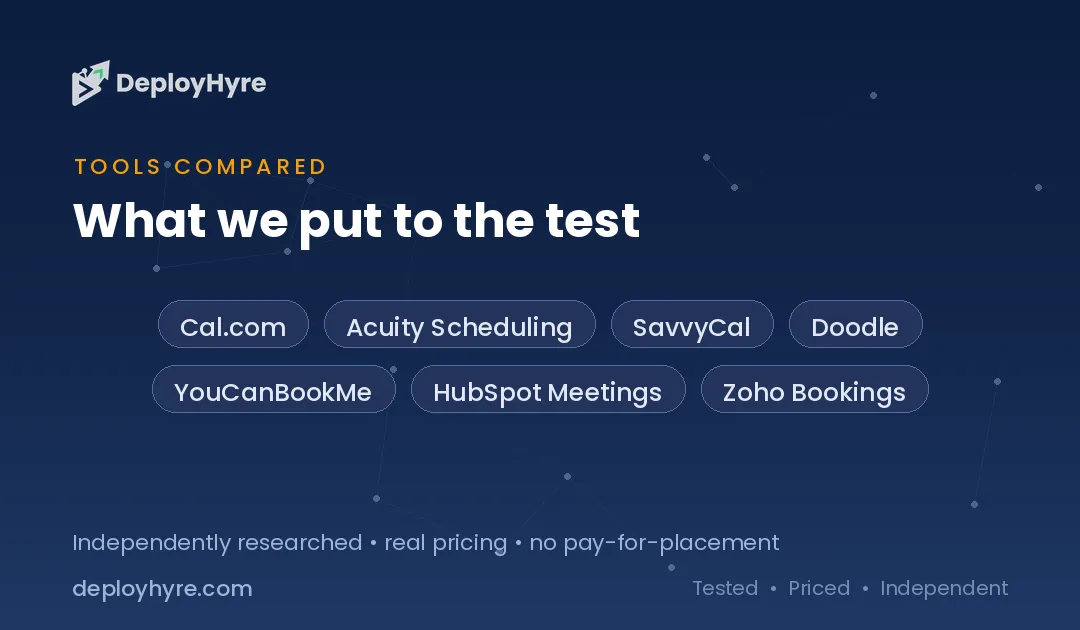
| Tool | Best For | Starting Price | Key strength |
|---|---|---|---|
| Cal.com | Overall + open source | Free (Teams $15/user/mo) | Free forever, self-hostable |
| Acuity Scheduling | Service businesses | $16/mo (annual) | Intake forms + payments |
| SavvyCal | Booker experience | Basic $10/user/mo | Overlay-your-calendar booking |
| Doodle | Group polling | Free (Pro $6.95/user/mo) | Group availability polls |
| YouCanBookMe | Simple team booking | Free (Individual $9/mo) | Clean, affordable tiers |
| HubSpot Meetings | HubSpot CRM users | Free | Native CRM integration |
| Zoho Bookings | Zoho ecosystem | Free (Basic $6/user/mo) | Deep Zoho integration |
Pricing reflects publicly listed rates and may change. Check each vendor for current plans.
Why Look for a Calendly Alternative?
Most people leave Calendly because the free plan is too limited and paid seats get expensive at scale. One event type and one calendar on the free tier forces an upgrade fast. From there, per-seat pricing across a growing team adds up. Alternatives offer free forever plans, cheaper seats, open-source control, or tighter CRM fits. The right pick depends on whether you value price, flexibility, or the person doing the booking.
Scheduling also does not live alone. If your team runs meetings all day, pairing your booking tool with AI meeting assistants can automate notes and follow-ups so the calendar is just the start.
The 7 Best Calendly Alternatives
#1 Cal.com: Best for overall value and open-source control
Cal.com is the Calendly alternative most people should try first. It is open source, which means you can self-host it, audit the code, and shape it to your exact workflow. For everyone else, the hosted version just works.
What it does well. Cal.com ships a free plan with no artificial meeting caps. You get unlimited event types and unlimited calendar connections at no cost, which is exactly where Calendly makes you pay. That alone makes it a strong swap for solo users and small teams.
Key features:
-
Free forever plan with unlimited event types and calendar connections
-
Open source and self-hostable for full data control
-
Workflow automation included on the free tier
-
Round-robin, collective, and group event types
-
Deep integrations with video and calendar apps
Pricing. The free plan covers most solo needs. Teams costs $15 per user monthly, and Organizations scales from there for larger companies.
Best for: Developers, privacy-conscious teams, and anyone who wants Calendly-grade features without the paywall.
Limitations. Self-hosting takes technical effort. The hosted free plan is generous, but advanced team routing sits behind the paid tiers.
#2 Acuity Scheduling: Best for service-based businesses
Acuity Scheduling, owned by Squarespace, is built for businesses that sell time. Think salons, coaches, clinics, and consultants. It handles the full booking-to-payment flow, not just the calendar slot.
What it does well. Acuity pairs scheduling with intake forms, client management, and payment processing. Clients book, fill out forms, and pay in one flow. That end-to-end handling is where it beats Calendly for appointment-heavy businesses.
Key features:
-
Custom intake forms tied to each appointment type
-
Accept payments and deposits at booking
-
Automated email and text reminders
-
Class and group scheduling support
-
Client self-rescheduling and cancellation
Pricing. Plans start at $16 per month billed annually for Starter, with Standard and Premium tiers adding features. Acuity offers a 7-day free trial but no permanent free plan.
Best for: Service providers who need forms, payments, and reminders in one tool.
Limitations. No free tier, and the feature depth can feel heavy if you only need a simple booking link.
#3 SavvyCal: Best for the booking experience
SavvyCal flips the script on scheduling etiquette. Instead of forcing invitees to pick from your slots, it lets them overlay their own calendar on yours to find a time that works for both.
What it does well. The overlay feature respects the person booking. They see mutual availability instantly, which cuts the back-and-forth. SavvyCal also nails polished, personalized scheduling links that feel considerate rather than transactional.
Key features:
-
Overlay-your-calendar booking view
-
Ranked availability to nudge preferred times
-
Personalized links and single-use links
-
Meeting polls for group scheduling
-
Calendar and video integrations
Pricing. SavvyCal offers Basic at $10 and Premium at $17 per user monthly. There is a free trial and a 30-day money-back guarantee rather than a standing free plan.
Best for: Professionals who book a lot of external meetings and care about a respectful invitee experience.
Limitations. No permanent free plan, and it is more focused on 1:1 and small-team scheduling than heavy service operations.
#4 Doodle: Best for group scheduling and polls
Doodle solves a problem the others struggle with: finding one time that works for many people. Its poll-first approach makes it the go-to for coordinating groups.
What it does well. Doodle lets you propose several time options and have participants vote. No account needed for voters. It also offers standard one-on-one booking pages, so it covers both group and solo needs.
Key features:
-
Group availability polls with voting
-
Booking pages for one-on-one meetings
-
Sign-up sheets for events and slots
-
Calendar sync and reminders
-
No-account voting for participants
Pricing. Doodle has a free version, with Pro at $6.95 per user monthly and Team at $8.95 per user monthly on annual billing. Note that month-to-month rates run higher.
Best for: Teams, committees, and organizers who need to align many calendars fast.
Limitations. The core one-on-one booking is fine but less refined than dedicated tools. Ads appear on the free plan.
#5 YouCanBookMe: Best for simple, affordable team booking
YouCanBookMe keeps things clean and cheap. It focuses on doing standard scheduling well without piling on complexity, which suits small teams and individuals watching their budget.
What it does well. The tiers are simple and the pricing is fair. You get a working free plan and inexpensive paid steps up. Booking pages are customizable enough to feel branded without a design headache.
Key features:
-
Free plan with one booking page and one calendar
-
Customizable, branded booking pages
-
Team scheduling on higher tiers
-
Automated reminders and follow-ups
-
Calendar and video integrations
Pricing. Plans range from $0 to $18 per member monthly, with Individual at $9 and Professional at $13. Annual billing cuts paid rates by 10%.
Best for: Budget-minded individuals and small teams who want straightforward booking.
Limitations. Fewer advanced automations than Acuity or Cal.com, and the interface is more utilitarian than flashy.
#6 HubSpot Meetings: Best for HubSpot CRM users
If your sales or marketing team already lives in HubSpot, HubSpot Meetings is the obvious pick. It bakes scheduling directly into the CRM, so every booked meeting flows into your contact records.
What it does well. The native CRM tie-in is the whole point. Bookings sync to contacts, deals, and workflows automatically. No integration to wire up, no data falling through the cracks. And the meetings tool is part of HubSpot’s free CRM.
Key features:
-
Automatic contact and deal syncing
-
Calendar sync and email reminders
-
Round-robin and group meeting links on paid tiers
-
Embeddable booking pages
Pricing. HubSpot Meetings is free as part of HubSpot’s free CRM, with support for up to two users. Higher limits and team routing come with paid Sales Hub tiers.
Best for: Sales teams and marketers already using HubSpot.
Limitations. The free version caps users, and the real power only shows if you are committed to the HubSpot ecosystem.
#7 Zoho Bookings: Best for the Zoho ecosystem
Zoho Bookings is the scheduling piece of the sprawling Zoho suite. If you use Zoho CRM, Mail, or Meeting, it slots in cleanly and keeps costs low.
What it does well. Zoho Bookings integrates tightly with the rest of Zoho, so appointments connect to your CRM and communication tools without extra work. Pricing is among the lowest here, and there is a free tier for solo users.
Key features:
-
Free plan for one user with unlimited event types
-
Native Zoho CRM and Meeting integration
-
Staff and resource scheduling
-
Payment collection and reminders
-
Customizable booking pages
Pricing. After the free single-user tier, Basic runs $6 per user monthly and Premium $9 per user monthly, billed annually.
Best for: Businesses already invested in Zoho apps.
Limitations. Most valuable inside the Zoho ecosystem. Outside it, the integrations and interface feel less compelling than standalone rivals.
How to Choose a Calendly Alternative
Start with your budget and team size. If you want the most features for free, Cal.com wins outright with unlimited event types and calendars at no cost. For solo users, its free plan often removes any need to pay at all.
Next, match the tool to your work. Service businesses that take payments and intake forms should look at Acuity. Teams that schedule many external meetings will appreciate SavvyCal’s respectful booking flow. Groups that need to align many calendars belong on Doodle.
Then factor in your existing stack. HubSpot Meetings is a no-brainer if you run HubSpot, and Zoho Bookings makes sense inside Zoho. The best scheduling tool is usually the one that plugs into the software you already use, which is the same logic behind picking your core work apps like Notion vs ClickUp.
Finally, test before you commit. Most tools offer free plans or trials. Book a few real meetings, check the reminder emails, and confirm the calendar sync holds up under your daily load.
The Bottom Line
Calendly earned its lead, but it is no longer the only smart choice. Cal.com gives you a free forever plan and open-source control that Calendly cannot match. Acuity owns service-based booking, SavvyCal makes invitees happier, and HubSpot Meetings and Zoho Bookings shine inside their ecosystems.
The best Calendly alternative is the one that fits your budget, your workflow, and the tools you already run. Start with a free plan, book a test meeting, and switch with confidence.

Frequently Asked Questions
What is the best free Calendly alternative?
Cal.com is the best free Calendly alternative. Its free plan includes unlimited event types and unlimited calendar connections, plus workflow automation, which is where Calendly’s free tier makes you upgrade. HubSpot Meetings and Zoho Bookings also offer capable free plans if you use their wider ecosystems.
Is Cal.com really free?
Yes. Cal.com offers a free forever plan with no artificial meeting caps, unlimited event types, and unlimited calendar connections. You only pay when you need team features like advanced routing, which start at the Teams tier of $15 per user monthly. It is also open source, so you can self-host it at no license cost.
Why do people switch from Calendly?
People switch from Calendly because its free plan limits you to one event type and one calendar connection with no automated reminders. To unlock the basics you pay per seat, and costs rise as your team grows. Alternatives offer free forever plans, cheaper seats, or tighter CRM integration.
Which Calendly alternative is best for service businesses?
Acuity Scheduling is best for service businesses. It combines scheduling with custom intake forms, client management, and payment processing, so clients can book, fill out forms, and pay in one flow. That end-to-end handling suits salons, coaches, clinics, and consultants better than a plain booking link.
Are Calendly alternatives safe to use for business scheduling?
Yes. Established alternatives like Cal.com, Acuity, and HubSpot Meetings are used by businesses worldwide and offer calendar sync, reminders, and integrations comparable to Calendly. Cal.com goes further for security-focused teams by being open source and self-hostable, giving you full control over where your booking data lives.
Know AI, SaaS, or cloud tools inside out? Pitch a guest post and get in front of thousands of buyers researching their next tool.

David Austin is a technology writer and software analyst at DeployHyre, where he covers AI tools, SaaS platforms, cloud hosting, and business automation. He focuses on hands-on comparisons of pricing, features, and real-world performance so teams can pick the right software with confidence.