Xero is the better choice when you need multiple people in the books without paying per seat, while QuickBooks Online wins for US small businesses that want the deepest accountant network and the most mature US tax tooling. Both are cloud accounting platforms that handle invoicing, bank reconciliation, expenses, and reporting, but they price and position themselves very differently. The deciding factor is rarely a single feature; it is how many users you need, where your business operates, and whose ecosystem your accountant already lives in. Pricing and plan details below are drawn from Xero’s and Intuit’s official US pricing pages and are cited as published bands, not tested figures; verify current numbers before you buy, since both vendors adjust prices regularly.
Quick Comparison: Xero vs QuickBooks at a Glance
| Factor | Xero | QuickBooks Online |
|---|---|---|
| Entry plan (US) | Early, $27/month | Simple Start, $38/month (Free plan at $0) |
| Users included | Unlimited on every plan | 1 to 25, tiered by plan |
| Mid tier | Growing, $59/month | Essentials $85 / Plus $140/month |
| Top tier | Established, $97/month | Advanced, $340/month |
| Entry-plan limits | 20 invoices, 5 bills per month | 2 invoices/month on Free; unlimited on paid |
| Best geographic fit | Global; strong outside the US | US-dominant; largest US accountant network |
| Payroll | Add-on via Gusto | Add-on (QuickBooks Payroll) |
| Ideal user | Teams, multi-currency, collaborators | US firms, accountant-led books |
What Accounting Software Actually Does
Cloud accounting software is the financial system of record for a business. It connects to your bank and card feeds, imports transactions automatically, and lets you categorize and reconcile them so your books stay accurate in real time. On top of that ledger sit the everyday jobs: creating and sending invoices, tracking bills you owe, logging expenses and receipts, managing sales tax, and producing the core reports, profit and loss, balance sheet, and cash flow, that tell you whether the business is actually making money.
Both Xero and QuickBooks Online do all of this competently. The newer differentiator is automation: both now layer AI-assisted categorization, document capture, and forecasting on top of the ledger, which is where the broader category of best AI accounting software is heading. Where they diverge is philosophy. QuickBooks is built around the accountant relationship and the US tax system. Xero is built around collaboration and breadth, treating unlimited team access as a baseline rather than an upsell.
Unlimited Users vs Per-Seat: The Real Divide
The single most important difference between these two platforms is how they charge for people. Xero includes unlimited users on every plan, the $27 Early tier and the $97 Established tier both let you add your bookkeeper, business partner, and staff at no extra cost. QuickBooks Online ties user count to plan level: Simple Start is a single user, Essentials allows three, Plus allows five, and only Advanced reaches 25. If you need five people in the books, QuickBooks effectively forces you up to its $140 Plus plan, while Xero lets you do it on the $59 Growing plan.
The second divide is geography. QuickBooks is the default in the United States, with the deepest bench of ProAdvisors, tax integrations, and third-party apps tuned to US workflows. Xero grew up internationally and is often the stronger pick for businesses that operate across borders, need multi-currency, or work with accountants outside the US. Neither is objectively better; they are optimized for different centers of gravity.
| Scenario | Lower-cost winner | Why |
|---|---|---|
| Solo owner, US, simple books | QuickBooks (Free or Simple Start) | Free tier plus the largest US accountant pool |
| 3 to 5 collaborators in the ledger | Xero | Unlimited users avoids forcing a higher tier |
| Multi-currency / global trade | Xero (Established) | Multi-currency built into the top plan |
| Heavy US sales-tax + payroll | QuickBooks | Mature US tax and payroll ecosystem |
| Project & inventory tracking | Tie | Both gate these behind top tiers |
Best for Growing Teams & Unlimited Users
Winner: Xero. If more than one or two people touch your books, Xero’s unlimited-user model is the clearest cost advantage in this comparison. On the Growing plan at $59/month you can add your co-founder, bookkeeper, and an assistant without a per-seat charge, and the plan removes the invoice and bill caps of the entry tier while adding performance dashboards and budgeting. Step up to Established at $97/month and you unlock multi-currency, project time and cost tracking, and a 180-day cash flow forecast, the tools a scaling team actually grows into.
Contrast that with QuickBooks, where reaching five users means the $140/month Plus plan. For a five-person team, Xero Established at $97 is both cheaper and more generous on collaborators. Xero also pairs cleanly with specialist tools for billing and books, if invoicing is your bottleneck, compare dedicated options in our roundup of the best AI invoicing software, and for hands-off reconciliation see the best AI bookkeeping software.
Verdict: For any business where multiple people need real access to the ledger, Xero wins on price and philosophy. The per-seat wall is QuickBooks’ biggest weakness for teams.
Best for US Small Business & Accountants
Winner: QuickBooks Online. In the United States, QuickBooks is the incumbent for a reason. Its ProAdvisor network is the largest pool of accountants and bookkeepers trained on any single platform, which means your existing accountant almost certainly already knows it. Its Simple Start plan at $38/month includes access for two accountants, real-time profit and loss, and US sales-tax and 1099 tooling that is deeply integrated with the wider Intuit ecosystem, including TurboTax and QuickBooks Payroll.
That ecosystem depth matters most for US-centric workflows: quarterly estimated taxes, 1099 e-filing, and a huge library of US-focused third-party integrations. Essentials at $85/month (three users) and Plus at $140/month (five users, plus project profitability and inventory) cover most growing US firms, while Advanced at $340/month reaches 25 users for larger operations. If you are weighing QuickBooks against a more invoice-focused rival, our FreshBooks vs QuickBooks breakdown is a useful companion read.
Verdict: For a US small business whose accountant leads the books and who values the biggest support and integration ecosystem, QuickBooks Online is the safer default, you pay more per user, but you buy into the largest network.
Best for Budget
Winner: QuickBooks on price alone, Xero on value. At the very bottom, QuickBooks wins on headline cost because it offers a genuinely free plan at $0/month, one user, two invoices a month, one connected bank, and basic profit-and-loss reporting. For a side hustle or a brand-new solo venture that just needs to track income and expenses, free is hard to beat, and Simple Start at $38/month unlocks unlimited invoicing when you outgrow it.
Xero has no free tier; its cheapest plan is Early at $27/month, and that plan caps you at 20 invoices and 5 bills per month. For a true micro-business those caps can bite. But if you have even a small team, Xero’s included unlimited users mean the effective cost per person drops fast, which is where “cheapest sticker price” and “best value” part ways. A budget-conscious solo operator who sends few invoices should also weigh lighter, invoicing-first tools, several are covered in our best AI invoicing software guide.
Verdict: Pick QuickBooks Free if you are a solo operator who wants zero cost and minimal volume. Pick Xero Early if you want room to add people without upgrading. The “budget” winner depends entirely on whether you are one person or several.
How Should You Choose Between Xero and QuickBooks?
Start with your team size, because it is the variable that moves cost the most. If you are a solo owner or working with a single accountant, QuickBooks’ tiered user model costs you nothing extra and its free plan may cover you outright. The moment you need three, five, or more people in the ledger, Xero’s unlimited-user pricing usually wins, often letting you stay a full tier lower than the equivalent QuickBooks plan.
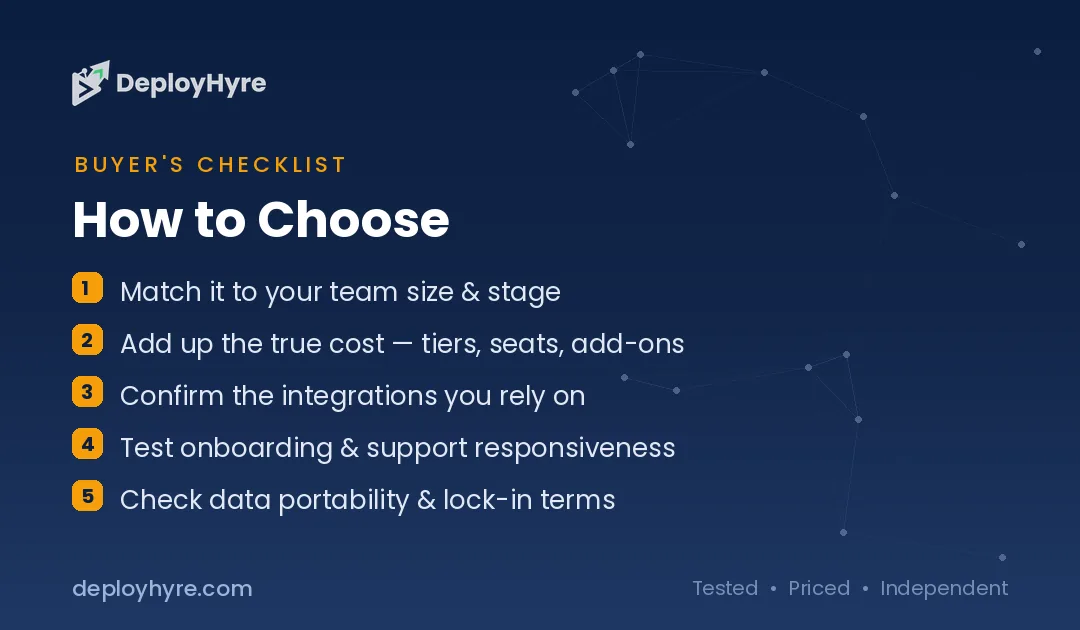
Next, weigh geography and your accountant. In the US, ask your accountant which platform they prefer before you commit, their familiarity will save you real money and friction, and QuickBooks’ ProAdvisor network gives it the edge here. If you trade internationally, need multi-currency, or your advisor sits outside the US, Xero’s global footprint tilts the other way.
Finally, match the plan to the features you will actually use. Multi-currency, project costing, and inventory all live in the top tiers on both platforms, so if you need them, compare Xero Established against QuickBooks Plus or Advanced directly rather than the entry plans. Take advantage of free trials on both, import a month of real transactions, and see which interface your team reconciles faster.
How We Evaluated Xero and QuickBooks
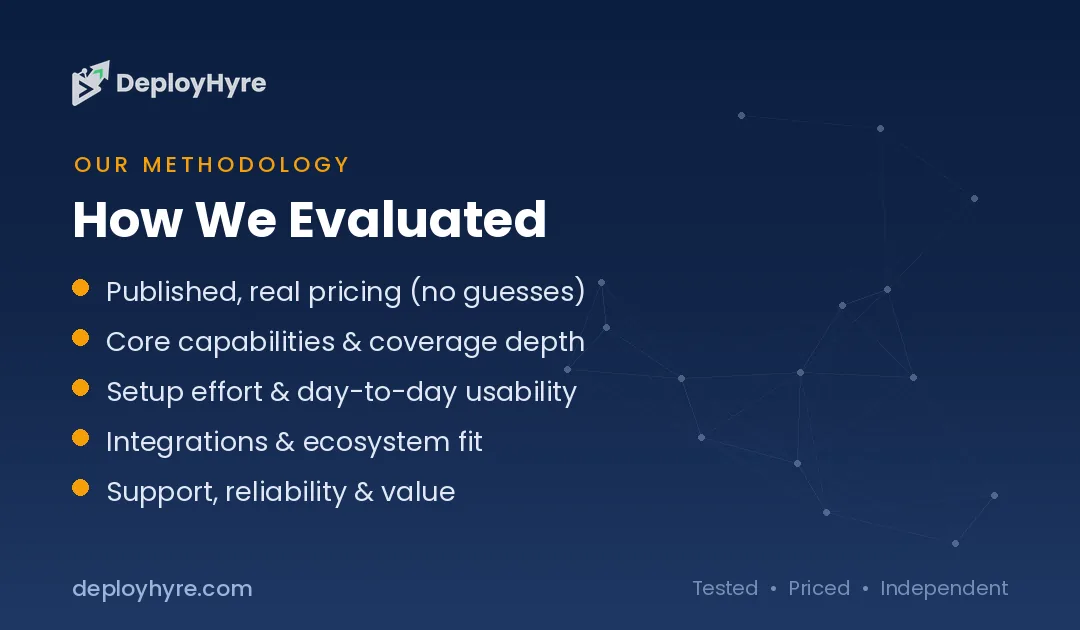
This comparison is built on the vendors’ official US pricing and plan pages, cross-referenced against their published feature lists. We treated every price and limit as a band to verify rather than a tested claim, because both companies revise pricing frequently, Xero, for example, has published notice of US price changes taking effect in late 2026. We did not independently benchmark performance or run paid subscriptions; where we describe ecosystem strength, such as the size of QuickBooks’ accountant network or Xero’s international reach, we are summarizing each platform’s publicly documented positioning.
Our weighting favors the factors that change the buying decision for most small businesses: total cost including users, geographic and tax fit, accountant availability, and how features are gated across tiers. Feature parity on core accounting, invoicing, reconciliation, reporting, is high enough between the two that we did not treat it as a tiebreaker. Always confirm the current price and plan limits on the vendor’s site before purchasing.
The Bottom Line
Xero and QuickBooks are both excellent cloud accounting platforms, and most small businesses would be well served by either. The decision comes down to two questions. How many people need to be in your books, and where does your business, and your accountant, operate? If the answer is “several people” or “internationally,” Xero’s unlimited-user pricing and global orientation make it the better value, with Growing at $59/month and Established at $97/month covering most growing teams. If the answer is “just me and my accountant, in the US,” QuickBooks Online wins on its free entry point, its $38/month Simple Start plan, and the unmatched depth of its US accountant and integration ecosystem. Trial both with real data before you commit; the right pick is the one your team and your accountant will actually use every week.

Frequently Asked Questions
Is Xero cheaper than QuickBooks?
It depends on team size. Xero’s entry Early plan is $27/month versus QuickBooks Simple Start at $38/month, and QuickBooks also offers a free plan at $0. But because Xero includes unlimited users on every plan while QuickBooks charges by tier, Xero usually becomes cheaper once several people need access. For a solo owner, QuickBooks can be cheaper or free; for a team, Xero typically wins on cost.
Does QuickBooks or Xero include more users?
Xero includes unlimited users on every plan, from the $27 Early tier to the $97 Established tier, at no extra charge. QuickBooks Online ties users to plan level: Simple Start allows one, Essentials three, Plus five, and Advanced up to 25. If you need many collaborators in the books, Xero’s unlimited model is the clear advantage and often lets you choose a lower-priced plan.
Which is better for US businesses, Xero or QuickBooks?
For most US small businesses, QuickBooks Online has the edge. It is the dominant platform in the United States, with the largest network of trained accountants and bookkeepers, deep US sales-tax and 1099 tooling, and tight integration with Intuit products like TurboTax and QuickBooks Payroll. Xero is fully capable in the US but is often a stronger choice for businesses that operate internationally or need multi-currency.
Do Xero and QuickBooks include payroll?
Neither includes full payroll in its base accounting subscription; both offer it as a paid add-on. Xero provides payroll in the US through a Gusto integration, priced separately per month plus a per-employee fee. QuickBooks offers its own QuickBooks Payroll add-on at additional cost. If payroll is central to your needs, factor that add-on price into your total and compare the two integrations directly.
Can I switch from QuickBooks to Xero?
Yes. Xero actively markets itself as a QuickBooks alternative and supports migrating data between the platforms, and third-party conversion tools exist to move your chart of accounts, contacts, and transaction history. Switching mid-year is possible but easier at the start of a fiscal period. Before migrating, confirm your accountant is comfortable with Xero, since their familiarity affects how smooth the transition will be.
Related Articles



The DeployHyre Editorial Team writes buyer guides on AI tools, SaaS, cloud hosting and proxies. We compare tools using published pricing, official documentation and third-party reviews. All content is for educational and informational purposes only.