
TL;DR: After comparing 8 tools on accuracy, pricing, and false-positive risk, Originality.ai is our top pick for publishers and agencies, while GPTZero is the best free option for educators. But read this first: no AI detector is 100% accurate. Every tool on this list can flag human writing as AI, so treat scores as a signal, not proof.
AI-written text is everywhere now, and the tools built to catch it are not as reliable as their marketing suggests. A widely cited Stanford study published in Patterns found that GPT detectors misclassified over half of essays written by non-native English speakers as AI-generated, while flagging almost no native-speaker samples. That single finding should change how you use any detector.
We compared 8 of the most popular AI content detectors to see which ones balance real accuracy with fair false-positive rates. This guide ranks them honestly, lists real pricing, and flags where each tool falls short. If you are still choosing an AI stack, start with our guide to the best AI writing tools.
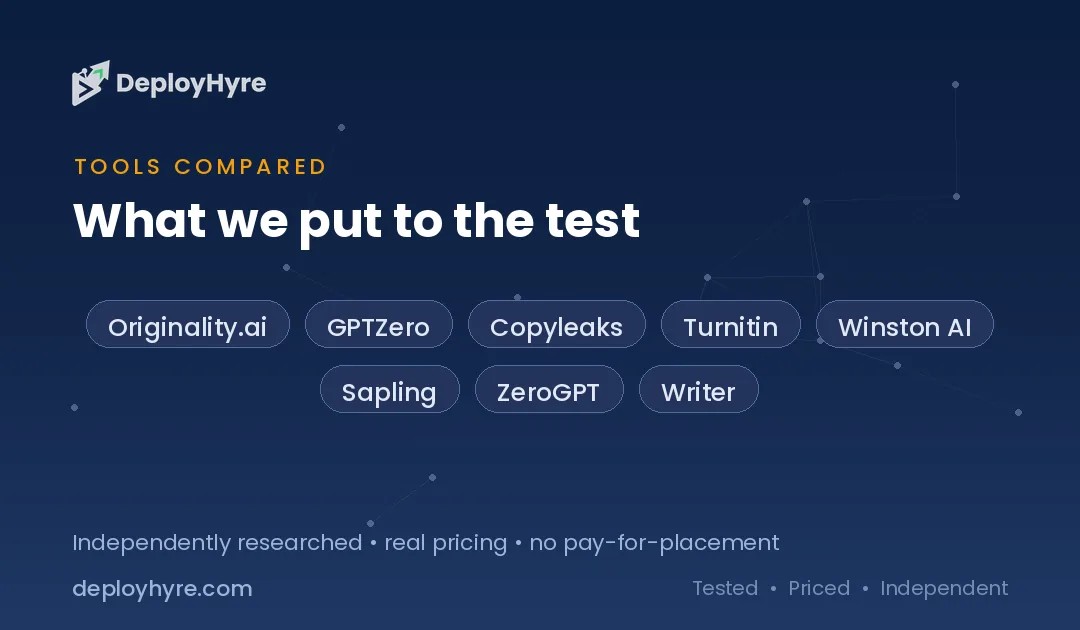
Quick Comparison: Best AI Content Detectors
| Tool | Best For | Starting Price | Key Strength |
|---|---|---|---|
| Originality.ai | Publishers and agencies | $12.95/mo (annual) | Detection plus plagiarism in one scan |
| GPTZero | Educators on a budget | Free (paid from ~$10/mo) | Free tier with sentence-level highlighting |
| Copyleaks | Enterprise and multilingual | ~$9.99/mo | Broad language support and LMS integration |
| Turnitin | Schools and universities | Institutional license | Built into academic grading workflows |
| Winston AI | Content teams wanting reports | ~$12/mo (annual) | Shareable PDF detection reports |
| Sapling | Support and business teams | ~$12/mo (annual) | API-first detection for workflows |
| ZeroGPT | Quick free checks | Free (paid tiers available) | No-login instant scanning |
| Writer.com Detector | Casual spot checks | Free | Simple, fast, no account needed |
Prices reflect published rates at the time of writing and can change. Always confirm on each vendor’s site.
How Accurate Are AI Detectors?
AI detectors are useful signals but not proof. The best tools claim 95% or higher accuracy, yet independent testing regularly finds false-positive rates between 1% and 20%, especially for non-native English writers and edited text. In plain terms, a detector can call real human writing “AI” often enough to matter.
Here is the honest picture. Vendors test on their own curated data, so published accuracy numbers run high. Independent researchers get different results. Turnitin’s own documentation states a false-positive rate under 1% only for documents with more than 20% AI text, and acknowledges higher rates below that threshold.
The bias problem is real. The Patterns study on non-native writers showed detectors punish predictable, simpler English, which is exactly how many second-language and younger writers write. Never use a single AI score to accuse someone of cheating. Use it to start a conversation, then look at drafts, edit history, and other evidence.
The 8 Best AI Content Detectors, Ranked
#1 Originality.ai: Best for publishers and agencies
Originality.ai is built for content teams that need AI detection and plagiarism checking in one place.
What it does well. It combines AI detection, plagiarism scanning, and fact-checking in a single tool. That makes it a strong fit for agencies vetting freelance work and publishers protecting site quality. It scores well in many third-party accuracy comparisons and updates its models to keep pace with new LLMs.
Key features:
-
AI detection plus plagiarism in one scan
-
Team management and shared scan history
-
Chrome extension and full API access
-
Readability and fact-check tools
Pricing. The Pro plan is $14.95/month, or $12.95/month billed annually, for 2,000 credits (1 credit checks 100 words). Pay-as-you-go is $30 for 3,000 credits. Enterprise starts at $179/month.
Best for: Agencies, publishers, and SEO teams checking large volumes of content.
Limitations. There is no free plan for full scans, and credits on subscriptions expire monthly. Like all detectors, it can still flag lightly-edited AI or heavily-edited human text incorrectly.
#2 GPTZero: Best for educators on a budget
GPTZero is the most popular detector in education, and its free tier makes it easy to start.
What it does well. It offers sentence-level highlighting so you can see which parts of a document look AI-generated. The interface is clean and beginner-friendly. Its free plan is generous enough for teachers doing occasional checks, and paid tiers add deeper reports and API access.
Key features:
-
Free plan with a monthly word cap
-
Sentence-by-sentence AI highlighting
-
Writing-process and source reports on paid tiers
-
Integrations for classrooms and LMS tools
Pricing. GPTZero has a free plan plus paid tiers starting around $10/month billed annually (about $15/month monthly), scaling up for teams and organizations.
Best for: Teachers, students, and small teams wanting a trusted free starting point.
Limitations. Like every detector, it produces false positives, and GPTZero itself advises against using scores as the sole basis for accusations. Short passages are harder to judge accurately.
#3 Copyleaks: Best for enterprise and multilingual teams
Copyleaks pairs AI detection with strong plagiarism tools and wide language coverage.
What it does well. It supports many languages and integrates with LMS platforms and enterprise workflows. Copyleaks markets a very low false-positive rate and offers detailed dashboards, making it a common choice for schools and larger organizations that need scale and reporting.
Key features:
-
AI detection plus plagiarism scanning
-
Broad multilingual support
-
LMS and API integrations
-
Team and admin controls
Pricing. Plans start around $9.99/month, with credit-based tiers scaling for higher volume (roughly 1 credit per 250 words on some plans).
Best for: Enterprises, universities, and multilingual content operations.
Limitations. The credit model can get confusing, and heavy users may find costs climb. Independent tests show accuracy still varies on paraphrased or hybrid text.
#4 Turnitin: Best for schools and universities
Turnitin is the default AI and plagiarism checker inside most academic institutions.
What it does well. It is deeply integrated into grading and submission workflows, so instructors see AI indicators alongside originality reports. Its scale and institutional relationships make it the standard in higher education.
Key features:
-
AI writing indicator inside originality reports
-
Tight LMS and gradebook integration
-
Institutional-grade record keeping
-
Large academic content database
Pricing. Turnitin is sold through institutional licenses, not individual monthly plans. Access comes through your school or organization.
Best for: Colleges, universities, and K-12 institutions.
Limitations. This is the tool most tied to false-accusation controversy. A Stanford analysis found much higher false-positive rates for non-native English writers, and Turnitin’s own guidance says scores should never be the sole basis for a misconduct decision. Individuals cannot buy it directly.
#5 Winston AI: Best for content teams wanting reports
Winston AI focuses on polished, shareable detection reports for professional teams.
What it does well. It generates clean PDF reports you can hand to clients or editors, and it pairs AI detection with plagiarism checking and readability scoring. The interface is friendly for non-technical users who need to document their checks.
Key features:
-
Shareable PDF detection reports
-
AI detection plus plagiarism scan
-
OCR for scanned documents and images
-
API access on higher tiers
Pricing. Paid plans start around $12/month billed annually (roughly $18/month monthly) for a set word allowance, with higher tiers for agencies. A free trial is available.
Best for: Agencies and content teams that need to document detection results for clients.
Limitations. The free option is really a limited trial, and like all detectors, results can shift on edited or hybrid content. Word caps on lower tiers fill up fast for busy teams.
#6 Sapling: Best for support and business teams
Sapling is an API-first detector aimed at businesses embedding checks into their own tools.
What it does well. It provides a fast detector plus a broader writing-assistant suite for customer-facing teams. Developers can call its detection API directly, which suits companies that want AI checks inside internal workflows rather than a standalone dashboard.
Key features:
-
Detection API for custom integrations
-
Browser extension for quick checks
-
Wider Sapling writing and autocomplete suite
-
Team deployment options
Pricing. Sapling’s premium plans start around $12/month billed annually (about $18/month monthly). A limited free trial is available.
Best for: Support teams and businesses adding detection into existing software.
Limitations. As a general-purpose detector, its standalone accuracy trails specialist tools in some independent tests. The standalone web checker is less full-featured than the API.
#7 ZeroGPT: Best for quick free checks
ZeroGPT is a free, no-login detector for fast one-off scans.
What it does well. You paste text and get an instant AI-probability score with no signup. It highlights suspected AI sentences and is convenient for a quick gut check before deeper review. Paid tiers and an API exist for heavier use.
Key features:
-
Free, instant, no-account scanning
-
Sentence highlighting
-
Multiple language support
-
Paid tiers and API for volume
Pricing. ZeroGPT is free to use with several paid tiers for higher limits and API access; annual billing lowers the rate.
Best for: Quick, casual checks when you just need a fast signal.
Limitations. Independent tests show inconsistent accuracy and notable false positives, so do not rely on it for high-stakes decisions. Free tools like this are best as a first pass, not a verdict.
#8 Writer.com AI Content Detector: Best for casual spot checks
Writer.com offers a simple free detector built into its business writing platform.
What it does well. It is fast, free, and needs no account. You paste text or a URL and get an instant human-versus-AI percentage. For a quick, low-stakes glance, it is one of the easiest tools to try.
Key features:
-
Free with no login required
-
URL or text input
-
Instant human-probability score
-
Part of the larger Writer.com platform
Pricing. The AI detector is free to use, with a per-check character limit on the standalone tool.
Best for: Casual users wanting a fast, free spot check.
Limitations. In independent testing, its accuracy is weak, often marking clearly AI-generated text as human. It has a tight input limit and no plagiarism checker. Use it only as a rough first look.
How to Choose an AI Detector
Match the tool to the stakes. For high-stakes decisions like publishing or client billing, pick a detector with a strong independent accuracy record, such as Originality.ai. For quick internal checks, a free tool is fine.
Weigh these factors before you commit:
-
Accuracy and false positives. Look for independent test data, not just vendor claims. Lower false-positive rates matter most when a wrong call has consequences.
-
Fairness. If you work with non-native English writers, remember detectors are biased against them. Build in human review.
-
Plagiarism and extras. Publishers often want detection plus plagiarism and fact-checking in one scan.
-
Pricing model. Credits, word caps, and monthly expirations add up. Estimate your real monthly volume.
-
Integrations. Teams need APIs, LMS support, or browser extensions to fit detection into existing work.
If you also produce content, our roundups of AI paraphrasing tools and AI tools for blog writing pair well with a detector in your workflow.
The Bottom Line
There is no perfect AI content detector, and anyone selling you 100% accuracy is overselling. For most publishers and agencies, Originality.ai is the best all-around pick because it combines respected detection with plagiarism checking. Educators and budget users should start with GPTZero’s free tier. Enterprises and multilingual teams should look at Copyleaks.
Whatever you choose, use scores as one input, never the final word. Pair detection with human judgment, especially before making any accusation. Ready to test one? Start with our top pick below, then explore the rest of our AI writing tools hub.
Frequently Asked Questions
Are AI content detectors 100% accurate?
No. No AI content detector is 100% accurate. Top tools claim 95% or higher accuracy on their own data, but independent tests find false-positive rates from roughly 1% to 20%, especially on edited text and writing by non-native English speakers. Treat any score as a signal, not proof.
What is the best AI content detector overall?
For most publishers and agencies, Originality.ai is the best overall pick because it combines strong AI detection with plagiarism and fact-checking in a single scan. Educators on a budget often prefer GPTZero’s free tier, while enterprises and multilingual teams lean toward Copyleaks.
Can AI detectors flag human writing as AI?
Yes. This is called a false positive, and it is a documented problem. A Stanford study found detectors misclassified over half of essays by non-native English speakers as AI-generated. This is why you should never rely on a detector’s score alone to accuse someone of using AI.
Is there a free AI content detector?
Yes. GPTZero, ZeroGPT, and the Writer.com detector all offer free checks, and GPTZero’s free tier is the most trusted for basic use. Free tools are best for quick spot checks. For high-stakes or high-volume work, a paid tool with better accuracy and reporting is worth the cost.
Can AI detectors catch paraphrased or edited AI text?
Not reliably. Detection accuracy drops sharply on paraphrased, humanized, or hybrid human-AI text. Many tools that catch raw ChatGPT output miss lightly edited versions. Because of this, detectors work best as one layer of review, combined with editorial judgment and drafts or version history.
Know AI, SaaS, or cloud tools inside out? Pitch a guest post and get in front of thousands of buyers researching their next tool.

David Austin is a technology writer and software analyst at DeployHyre, where he covers AI tools, SaaS platforms, cloud hosting, and business automation. He focuses on hands-on comparisons of pricing, features, and real-world performance so teams can pick the right software with confidence.